- Published on
How to Improve Developer Experience: Key Strategies & Tips
- Authors

- Name
- Gabriel
- @gabriel__xyz
When we talk about improving developer experience, it’s not just about splashing cash on the latest shiny tools. It’s about methodically sanding down the rough edges of daily workflows, opening up communication channels, and cutting down on cognitive load. The real wins come from looking at the entire development lifecycle—from the first keystroke to a production deployment—and optimizing every step to keep developers in that elusive state of flow.
What Developer Experience Actually Means Today

Let's be real: developer experience (DevEx) is a core business metric now. It has a direct line to your team's productivity, how fast you can innovate, and whether you can hold on to top engineering talent. A great DevEx means your developers are focused on solving tough, interesting problems, not wrestling with clunky tools or navigating organizational red tape.
But here’s a paradox many of us are living through. Teams have powerful AI tools at their fingertips, yet they're still stuck in the mud because of systemic friction. While developers report saving over 10 hours a week with AI, a recent Atlassian study found that roughly 50% of them also lose more than 10 hours every week to inefficiencies. Think hunting for documentation, getting up to speed on new tech, and the constant whiplash of context switching.
This points to a critical truth: the act of coding isn't the main bottleneck anymore. In fact, developers are only spending about 16% of their time actually writing code. If you're curious, you can find out more about these developer experience trends and what they signal for engineering teams.
The Real Sources of Friction
That data tells a clear story. The biggest opportunities to improve developer experience aren't just inside the IDE. The real friction points are hiding in the gaps between tasks:
- Workflow Bottlenecks: We’ve all been there—waiting on slow CI/CD pipelines, watching pull requests gather dust, or fighting with inconsistent dev environments just to get started.
- Communication Gaps: This can be anything from vague requirements and pointless meetings to a culture where honest feedback is feared instead of welcomed.
- Cognitive Overload: Forcing developers to juggle a dozen different tools, platforms, and processes just to push a feature live is a recipe for burnout.
The ultimate goal is to create an environment where the path of least resistance is also the path of best practice. When developers can move smoothly from an idea to deployment without hitting a wall of needless interruptions, they're not just more productive—they're more engaged and happier in their roles.
Modern DevEx is an ecosystem where technology, process, and culture all pull in the same direction. To get there, we need to understand the key components that create this harmony.
The table below breaks down the core pillars of a strong developer experience, shifting the focus from pure coding speed to the entire support system that enables great work.
The Pillars of Modern Developer Experience
| Pillar | Focus Area | Impact on DevEx |
|---|---|---|
| Tooling & Automation | Providing efficient, integrated tools and automating repetitive tasks. | Reduces manual effort, speeds up feedback loops, and minimizes context switching. |
| Workflow & Processes | Optimizing the entire development lifecycle, from PRs to deployment. | Eliminates bottlenecks, ensures consistency, and allows for smooth, predictable delivery. |
| Culture & Collaboration | Fostering psychological safety, open communication, and knowledge sharing. | Encourages feedback, reduces information silos, and improves team morale and cohesion. |
| Feedback & Measurement | Gathering qualitative and quantitative data to identify pain points. | Provides clear insights into what's working and what isn't, enabling data-driven improvements. |
Ultimately, building a great DevEx is about being intentional. It’s about creating a low-friction system that empowers your team to do what they do best. This guide will give you actionable strategies to diagnose and fix these deep-rooted issues, helping you build a developer experience that’s a true competitive advantage.
Building a Seamless End-to-End Workflow
The day-to-day development workflow is often where productivity goes to die. It's a death by a thousand paper cuts—tiny frustrations and delays that silently grind down morale and momentum. If you want to improve the developer experience, you have to take a hard look at this entire process, from the moment a dev pulls the latest code to the second it goes live.
The ultimate goal? Creating a state of "flow," where the path from an idea to production is as smooth and uninterrupted as possible.
A clunky, inconsistent development setup is one of the most common and frustrating hurdles. When a new hire takes days just to get their local environment running, you've lost valuable time before they've even written a line of code. This "time to first commit" is a critical, yet often ignored, metric.
Standardize Your Development Environments
The quickest win here is to completely eliminate the "it works on my machine" problem. By standardizing development environments, you ensure that every single developer—whether they’re a seasoned veteran or on their first day—is working with the exact same setup.
Tools like dev containers are fantastic for this. They let you define your entire development environment as code: the OS, extensions, dependencies, and settings. A new developer just opens the project, and their environment configures itself automatically. They're ready to start coding in minutes, not days.
A seamless workflow starts with a consistent foundation. When you remove the guesswork and manual configuration from the initial setup, you give developers back their most valuable resource: focused time.
This consistency pays dividends beyond just getting started. It ensures code behaves predictably across every stage—local, staging, and production—which dramatically cuts down on those head-scratching bugs that only appear in one environment.
A simplified documentation process can help visualize this streamlined approach and outline the key steps for keeping the workflow healthy and efficient.
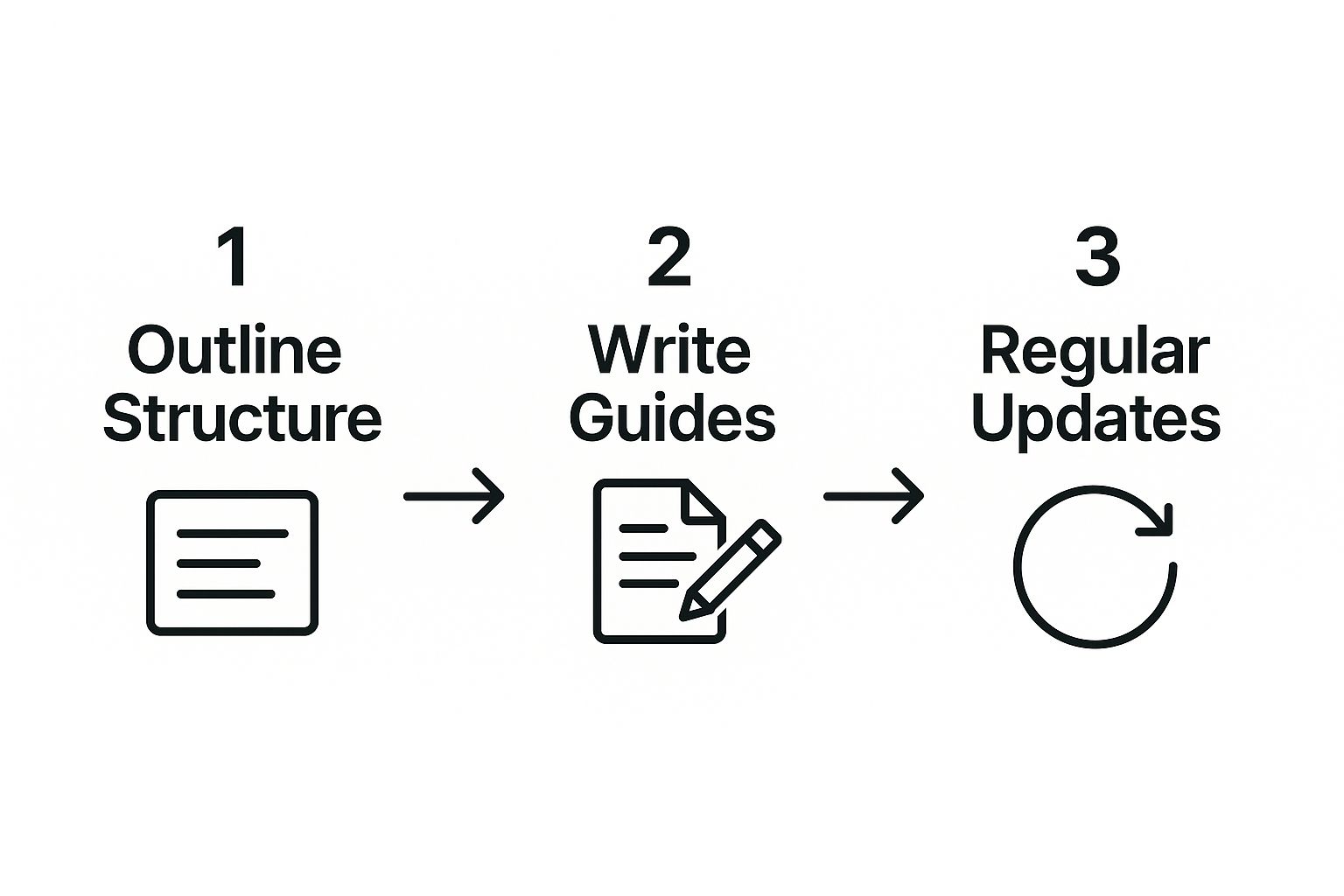
As you can see, outlining the structure, writing clear guides, and performing regular updates creates a virtuous cycle for both your documentation and workflow standards.
Tame Your Pull Request and CI/CD Pipeline
Once the code is written, the next major friction point is usually the review and deployment process. Let's be honest: long-running pull requests (PRs) and slow, opaque CI/CD pipelines are notorious momentum killers.
A PR that sits idle for days is a huge tax on productivity. The original author has already moved on, and when feedback finally trickles in, they have to completely rebuild the mental context of that change. It's wildly inefficient and just plain demoralizing.
The key to fixing this is visibility. Having a clear, consolidated overview helps teams spot and act on bottlenecks in the review cycle before they cause major delays.
To fight this, you need to start treating review time as a core metric. Here are a few things that have worked for us:
- Automate Notifications Intelligently: Default GitHub notifications are just noise. Most developers tune them out. Instead, use tools that send smart, consolidated updates to where the team actually lives, like Slack. This keeps reviews top-of-mind without causing alert fatigue. These underrated GitHub apps to manage your team better can seriously help streamline this.
- Establish Clear PR Etiquette: Encourage small, focused PRs. No one can effectively review a change that touches hundreds of files. Promote the habit of writing clear descriptions that explain the why behind a change, not just the what.
- Optimize Your CI/CD Pipeline: Your continuous integration pipeline needs to provide fast, reliable feedback. If tests take an hour to run, developers will naturally hesitate to push changes. Invest time in parallelizing tests and optimizing build steps to get that feedback loop down to just a few minutes.
Of course, a seamless workflow also relies on strong project management. For more on this, check out these resources on effective software development project management. When you combine solid project oversight with an optimized technical workflow, you build a powerful system for predictable, high-quality delivery.
Every minute saved from wrestling with a slow pipeline is another minute your developers can spend solving real problems for your users.
Weaving in AI and New Tools—Strategically

It’s easy to get caught up in the hype and assume that throwing more tools at a problem—especially slick AI assistants—is the silver bullet for productivity. But I’ve seen that “tool-first” approach backfire more often than not. What you usually end up with is a bloated tech stack that fragments workflows, overloads developers with more things to learn, and just adds another layer of complexity.
The real way forward isn’t about hoarding tools. It’s about being deliberate and integrating tech that solves a specific point of friction you’ve already identified. Before you even think about adding something new, you have to ask the most important question: "What headache is this actually going to cure for my team?"
This is more critical than ever with the explosion of AI-powered tools. The buzz is deafening, but the real-world impact can be surprisingly… meh. A recent controlled study drove this point home, showing that experienced open-source developers using AI tools actually took 19% longer to finish their tasks compared to those who didn't. What's even crazier is that the same developers felt like they were 20% faster. That’s a massive gap between perception and reality.
Adopt a "Problem-First" Mindset
Instead of being dazzled by a long list of features, start with the pain. Pinpoint what’s actually slowing your team down. Are code reviews turning into a bottleneck? Is everyone wasting time hunting for documentation? Are build times dragging on forever?
Once you have a clear problem, you can start looking at tools through that lens. Here's a simple framework I use to evaluate any potential new addition:
- Does it lower cognitive load? Or is it just another complicated system developers have to master?
- Will it slot into our current workflow? A tool that demands a massive process change is almost always dead on arrival.
- Can we actually measure the impact? You need a clear "before and after" metric, whether it's a drop in PR cycle time or fewer support tickets.
This approach flips the script. It ensures every new tool serves a purpose and genuinely makes a developer’s job easier, instead of just being another icon cluttering up their desktop. For example, if you're drowning in notification chaos, a specialized tool can be a game-changer. You can check out some of the tools we use at our own startup to see how we tackle these kinds of focused problems.
A new tool should feel like it removes a step from a developer's workflow, not adds one. The best solutions slot so seamlessly into existing processes that they feel invisible, quietly removing friction without demanding attention.
The Power of an Internal Developer Platform
As your toolkit expands, a new problem emerges: a fragmented developer experience. Engineers get stuck constantly bouncing between different UIs just to get their work done. That context-switching is a notorious productivity killer.
This is where building an Internal Developer Platform (IDP) can be a huge win. An IDP isn't some off-the-shelf product. It's a curated layer of your own company’s tools and technologies, all served up through a single, self-service interface.
Think of it as creating "paved roads" for your developers. It brings everything—CI/CD pipelines, observability dashboards, infrastructure provisioning—under one roof.
An IDP delivers some massive benefits for developer experience:
- Less Brain Drain: Developers don’t need to be experts in Kubernetes, Terraform, or your cloud provider’s obscure CLI commands. They just interact with a simple, abstracted interface.
- More Autonomy: Teams can spin up a new test environment or deploy a microservice on their own, without waiting for the ops team to get to their ticket.
- Best Practices by Default: The "paved road" has security scans, quality gates, and compliance checks baked right in. It makes doing the right thing the easiest thing.
Putting together an IDP is a serious undertaking, but it’s the ultimate strategic play for your tooling. You stop managing a random collection of tools and start providing a holistic, streamlined service that empowers developers to ship code faster and with more confidence.
Great tech and slick pipelines are fantastic, but they mean nothing if your team can't communicate. A truly great developer experience is built on a bedrock of psychological safety and clear, empathetic collaboration. This is the human side of DevEx, and honestly, getting it right often makes a bigger impact than buying another tool.
When communication breaks down, everything grinds to a halt. Requirements get muddy, feedback feels personal, and meetings become a black hole for the creative energy needed for deep work. Let's dig into some real-world strategies to fix how your teams talk to each other, both in real-time and asynchronously.
Shield Your Team From Organizational Noise
One of the most critical jobs for an engineering manager is to act as a human filter. Developers need to be focused on solving tough technical puzzles, not deciphering vague business goals or getting whiplash from every little shift in corporate strategy. This is where a manager can be a hero for developer experience.
Good managers translate high-level business chatter into a clear, concrete technical roadmap. They protect their team from thrash by creating stable, well-defined priorities. When developers actually understand the "why" behind their work and see a clear path forward, their cognitive load shrinks, and their focus sharpens. It’s that simple.
A core part of improving the developer experience is protecting a developer's focus. When a manager successfully shields their team from organizational churn, they create an environment where engineers can stay in a flow state and build with purpose, rather than constantly reacting to noise.
This takes proactive communication from leadership. It’s not just about passing along information; it’s about curating it, clarifying it, and framing it in a way that empowers the team to execute. Building these strong communication bridges is a cornerstone of good DevEx. For a wider look at this, you can learn more about improving workplace communication across the whole company.
Master Asynchronous Communication and Feedback
In a world of distributed teams and flexible schedules, getting asynchronous communication right isn't just a nice-to-have—it's essential for survival. This means setting up clear rules for how information is shared and how decisions are made when you can't just grab everyone for a quick meeting.
A few key practices can make all the difference:
- Writing Over Talking: Default to written communication for any important discussion. This creates a searchable, permanent record that anyone can check later, which kills all those repetitive questions.
- Structured Updates: Use standardized templates for project updates or daily stand-ups in Slack. This makes the information scannable and easy to digest, showing you respect everyone's time.
- Clear Ownership: Always, always define who is responsible for the next action item. Vague statements like "we should look into this" go nowhere. Be specific: "@Jane will investigate the API latency by EOD Friday."
This kind of clarity is especially vital during code reviews, a major—and often fraught—communication touchpoint. Poorly delivered feedback can create friction and slow the entire development cycle to a crawl. The goal is to critique the code, not the coder. Creating a culture where feedback is a tool for collective growth is everything. If your team is looking to level up here, this guide to constructive feedback in code reviews offers some great, actionable frameworks.
Run Meetings That Respect Developer Time
Pointless meetings are probably the #1 complaint from engineers and a massive drain on productivity. Every minute spent in a badly run meeting is a minute not spent coding, solving problems, or doing the work that actually matters. A huge step in improving developer experience is making every single synchronous interaction count.
Before you even think about sending that calendar invite, ask yourself these three questions:
- Is this meeting really necessary? Could this just be an email, a Slack thread, or a document with comments instead? Be honest.
- What is the specific, desired outcome? Every meeting needs a clear goal. "Discussing the project" is not a goal. "Deciding on the database schema for the new feature" is a goal.
- Who absolutely needs to be there? Don't invite the whole team out of habit. Only include people who are essential for making the decision or providing critical input.
For the meetings that do need to happen, enforce strict discipline. Always send an agenda beforehand with the topics and desired outcomes. Start on time, end on time, and immediately send a follow-up with a summary of decisions and action items. This simple discipline shows respect for your team's most valuable asset—their time—and is a direct investment in a healthier, more productive developer experience.
Measuring What Actually Matters in DevEx
 You can’t fix what you can’t see. To really get a grip on developer experience, you have to look past outdated metrics. Things like lines of code or the number of commits are pretty much useless—they tell you nothing about efficiency, satisfaction, or the daily friction your developers are dealing with.
The conversation needs to be more nuanced. This is where frameworks like SPACE come in. It gives you a multi-dimensional way to understand and measure what makes development teams tick, so you can focus on what actually moves the needle.
Deconstructing the SPACE Framework
The beauty of the SPACE framework is that it stops you from chasing one magic number. Instead, you're encouraged to look at a balanced set of indicators across five distinct areas. This approach prevents you from over-optimizing one thing at the expense of another—like pushing for breakneck speed while your team heads straight for burnout.
Let's break down each dimension:
- S - Satisfaction and Well-being: This is the human element. How do developers feel about their work, their tools, and the company culture? You’ll usually get this from surveys and just talking to people.
- P - Performance: This is about the outcome of the work. It’s not about how much one person does, but the overall quality and impact of the software getting shipped.
- A - Activity: What are developers actually doing? This tracks things like commits, deployments, and pull requests, but it only makes sense when you look at it alongside the other dimensions.
- C - Communication and Collaboration: This measures how well information flows. Are teams and individuals working together smoothly, or is knowledge stuck in silos?
- E - Efficiency and Flow: How easily can developers get work done without being blocked or interrupted? It's all about clearing the path to let them focus.
A great developer experience is a balanced equation. Tracking only 'Activity' without 'Satisfaction' is how you measure a march toward burnout. The real insights come from seeing how these different dimensions influence each other.
Putting SPACE and DORA Metrics into Practice
To make this framework useful, you have to connect it to real-world data. This is where DORA metrics—like Deployment Frequency, Lead Time for Changes, Mean Time to Restore, and Change Failure Rate—are incredibly valuable, especially for the Performance and Efficiency dimensions.
But you can't just stop at the hard numbers. Combining these metrics with qualitative feedback gives you the full story. For instance, if your Lead Time for Changes is creeping up, a developer satisfaction survey might point to a confusing code review process, not slow test suites.
You need to gather data across the entire SPACE framework, pulling from both quantitative and qualitative sources to see the whole picture.
SPACE Framework Metrics Examples
The table below offers practical examples of what to track for each dimension of the SPACE framework, combining both qualitative and quantitative data to create a holistic view.
| Dimension | Metric Example | Data Source |
|---|---|---|
| Satisfaction | Developer Net Promoter Score (eNPS) or survey results on tool satisfaction. | Quarterly anonymous surveys, one-on-one feedback sessions. |
| Performance | Change Failure Rate (a core DORA metric). | CI/CD pipeline data, incident management tools. |
| Activity | Number of pull requests opened and merged per week. | Version control systems like GitHub or GitLab. |
| Communication | Time to first review on a pull request. | GitHub metrics, or tools like PullNotifier for Slack insights. |
| Efficiency | Lead Time for Changes (from commit to production). | Version control and deployment automation tools. |
By tracking a balanced set of these metrics, you shift the conversation from "are we busy?" to "are we effective and engaged?" You start making data-informed decisions that genuinely improve how your team works. This is the foundation for creating a developer experience that isn’t just good on paper, but feels good in practice.
Common Questions About Improving DevEx
When you start digging into developer experience, the theoretical concepts quickly give way to practical, on-the-ground questions. It's one thing to talk about flow state and cognitive load, but it's another thing entirely to apply those ideas in a world of tight deadlines, legacy code, and real team dynamics.
This section tackles some of the most common hurdles engineering leaders run into. Think of it as a practical field guide for putting these ideas into action and sidestepping the usual pitfalls.
Where Should We Start for the Quickest Wins?
This is always the first question, and for good reason. With limited time and resources, you need to put your effort where it will make the biggest, most visible splash. While every company is different, the fastest wins almost always come from smoothing out daily workflow friction.
Forget massive, multi-quarter initiatives for now. The goal is to eliminate the small, repetitive delays that developers hit multiple times a day. These "paper cut" problems add up, draining both time and morale.
Here's where to look first:
- Speed Up Local Builds and Tests: If a developer has to wait minutes just to run a local test suite, they'll naturally run it less often. Optimizing this feedback loop is a huge, immediate win.
- Tame Pull Request Chaos: Long-lived PRs are momentum killers. They leave code sitting idle and context gets stale. A tool that sends smart, consolidated notifications in Slack ensures reviews happen fast, keeping your cycle times low.
- Standardize One Annoying Process: Pick a single, common task that everyone hates—like setting up a new microservice or getting access to a staging environment—and create one documented, "paved road" for it.
You don't need a grand plan to get started. The best way to build momentum is to find a single, universally felt pain point—like painfully slow code reviews—and solve it decisively. This proves the value of investing in DevEx and earns you the political capital to tackle bigger challenges down the road.
How Much Should We Limit Developer Choice?
This is a classic balancing act. Developers often want total freedom to choose their tools, but too much variation creates chaos and increases cognitive load for the whole team. The most effective approach is to offer freedom where it boosts individual productivity but enforce standards where it affects team collaboration.
A good rule of thumb is to standardize the "what" but allow flexibility in the "how."
For instance:
- Standardize: The programming language for a service, the CI/CD pipeline, and the deployment process. These are team-level concerns.
- Allow Choice: The code editor (IDE), terminal setup, and local machine configuration. These are personal productivity tools.
This model gives you consistency where it counts—in maintaining and shipping code—while still letting developers tailor their personal work environment. You avoid the nightmare of ten different build systems, but you don't have to force a Vim wizard to use VS Code.
How Do We Handle Resistance to New Tools or Processes?
Let's be honest: developers are rightfully skeptical of new processes that might slow them down. When you introduce any change, you're going to hit some resistance. The key is to manage it proactively and with empathy.
First, always lead with the "why." Don't just announce a new tool; clearly explain the specific, nagging problem it solves. If your team understands the pain point you’re targeting, they're much more likely to get on board.
Second, roll out changes incrementally. Start with a small pilot group of enthusiasts. Let them become the champions for the new way of working. Their positive experiences and peer-to-peer advocacy will be far more convincing than any top-down mandate.
Finally, make it incredibly easy to adopt. The best tools are the ones that slot into existing workflows without adding extra steps. Instead of forcing them to run a new command, integrate the change directly into a process they already use, like a CI check on a pull request.
Are AI Tools Really the Answer?
AI is a powerful force in software development, but it's not a silver bullet. The Stack Overflow Developer Survey paints a complex picture here. While 84% of developers are using or plan to use AI tools and 51% use them daily, their overall positive sentiment towards AI has actually decreased.
So what gives? Even though 70% agree AI makes them more efficient, developers are becoming more aware of its limitations. Simply handing your team an AI coding assistant won't fix a broken workflow or a toxic culture.
The smartest strategy is to use AI to solve specific, well-defined problems. Use it to generate boilerplate code, write unit tests, or summarize complex error logs. When you treat AI as a targeted assistant rather than a general-purpose crutch, it becomes a truly valuable addition to your DevEx toolkit.
Ready to eliminate pull request bottlenecks and cut code review delays by up to 90%? PullNotifier integrates seamlessly with Slack to provide smart, real-time PR updates without the noise. Join over 10,000 engineers who trust PullNotifier to keep their teams in sync and their development cycles moving fast.