- Published on
Mastering GitHub Code Review for Better Code
- Authors

- Name
- Gabriel
- @gabriel__xyz
A GitHub code review is when other developers on your team take a look at your code for any mistakes before it gets merged into the main codebase. It’s a core practice for boosting code quality, sharing knowledge, and squashing bugs early on, all handled through GitHub's pull request feature.
Why GitHub Code Review Is a Game Changer
Think of building software like constructing a skyscraper. You wouldn't want a single misplaced beam or faulty wire compromising the entire structure, right? A GitHub code review is like that mandatory inspection where expert engineers check every blueprint—every single line of code—before it becomes a permanent part of the building. It’s not just about catching flaws; it’s about making sure the final product is stable, secure, and built to last.
This simple process turns writing code from a solo activity into a team sport. It’s a built-in quality check that happens constantly, not just once at the end of a long development cycle. By using GitHub's pull request system, teams can discuss changes, suggest improvements, and formally sign off on new code in a way that's totally transparent and easy to track.
The Core Components of the Review Process
At its heart, the process boils down to a few key roles and actions. Each person has a specific job, making sure the workflow is smooth from the moment code is written to its final approval.
This infographic breaks down the typical flow in a code review, showing how responsibility moves from the author to the final gatekeepers.
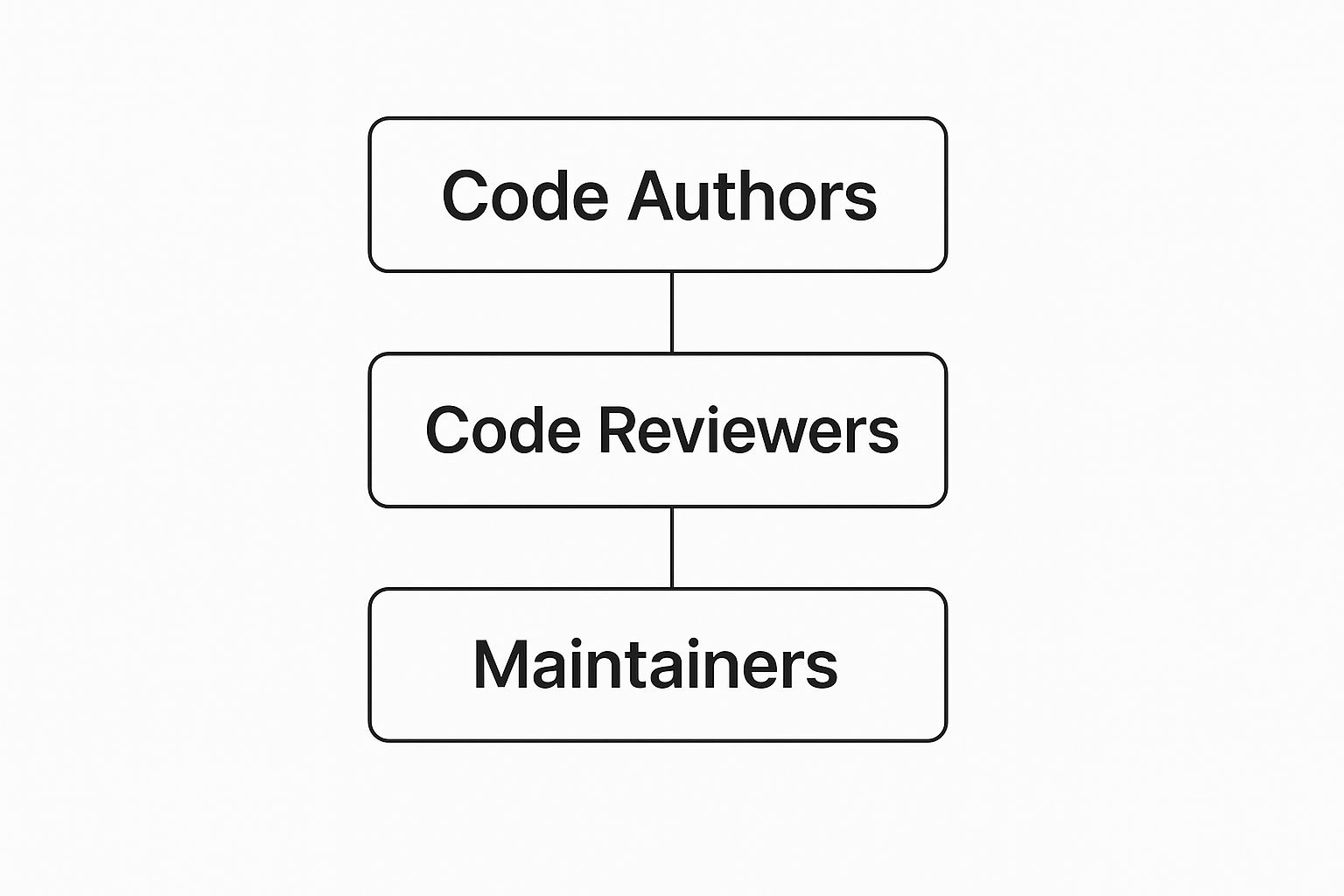
As you can see, authors kick things off with their changes, reviewers jump in with critical feedback, and maintainers have the final say on merging the code. This protects the integrity of the project.
More Than Just Bug Hunting
While catching errors is a huge plus, the real magic of a GitHub code review is how it builds a culture of collective ownership and continuous learning. It creates a space for mentorship, where junior developers learn from senior engineers' feedback, and seniors get fresh perspectives on their own work.
A great code review is more than just a gate; it's a bridge. It connects team members, shares institutional knowledge, and ensures that the codebase gets smarter with every single commit.
This collaborative spirit is what put GitHub at the center of the software universe. It’s not just a place to stash code; it’s an ecosystem for building it together. The platform's massive scale says it all. As of early 2025, GitHub is home to over 100 million developers and hosts more than 420 million repositories—a 12.9% jump from the previous year. You can learn more about GitHub's incredible growth and its impact on the development community.
Ultimately, committing to a solid GitHub code review process gives you a few key advantages, which we've summarized below.
Core Benefits of an Effective GitHub Code Review Process
This table outlines the primary advantages teams gain by implementing a structured code review workflow on GitHub.
| Benefit | Impact on Development Lifecycle |
|---|---|
| Higher Code Quality | Fewer bugs make it into production, reducing technical debt and future rework. |
| Enhanced Team Collaboration | Developers share knowledge about the codebase, preventing information silos from forming. |
| Consistent Coding Standards | The team collectively enforces agreed-upon styles and best practices, making code easier to read. |
| Faster Onboarding | New team members can quickly learn the codebase and standards by participating in reviews. |
By making code reviews a standard part of your workflow, you’re not just improving code; you’re building a stronger, more knowledgeable, and more collaborative team.
Crafting the Perfect Pull Request
An effective github code review lives and dies by the quality of the pull request (PR) that kicks it off. A sloppy PR is like handing an editor a book manuscript with no chapter titles or introduction. It forces the reviewer to waste precious time just figuring out the context instead of actually focusing on the content. A great PR, on the other hand, tells a story. It makes it dead simple for your team to understand, evaluate, and approve your changes.
It all starts with the title. Vague titles like "Fix bug" or "Update feature" are absolute conversation stoppers. Think of your title as the headline—it needs to be a concise summary of the change, clear enough for a teammate to grasp the core purpose just by scanning their list of open PRs.
Right after the title comes the description. This is your chance to lay out the "what" and the "why" behind your code. Never assume the reviewer knows the backstory. A clear, detailed summary that answers questions before they're even asked can slash the back-and-forth that drags review cycles to a halt.

Building a Compelling Narrative
To make your PR instantly understandable, structure the description like you're telling a story. This narrative should walk the reviewer through your thought process, making their job significantly easier.
A well-told PR story always includes these three things:
- A Clear "What": Briefly state what you changed. Did you add a new endpoint, refactor a service, or tweak a UI component? Get specific.
- A Compelling "Why": This is the most important part. Explain the business or technical reason for the change. Is it squashing a customer-reported bug? Improving performance? Laying the groundwork for a future feature?
- Links to Tickets: Always, always link to the corresponding ticket in your project management tool, whether it's Jira, Trello, or something else. This gives reviewers the full context, including user stories, design mockups, and acceptance criteria.
The goal of a PR description is to minimize the cognitive load on your reviewer. By providing all the necessary context upfront, you empower them to give higher-quality feedback in less time.
This kind of proactive communication cuts down on needless questions and makes sure everyone is on the same page. For a deeper dive, check out our comprehensive guide covering more pull request best practices.
Keeping Pull Requests Small and Focused
One of the biggest killers of a timely github code review is the dreaded monolithic PR—a single request with thousands of lines of changes touching dozens of files. These behemoths are intimidating to look at and often lead to reviewer fatigue, where critical issues get easily missed.
The fix? Embrace the single responsibility principle for your pull requests. Each PR should tackle one, and only one, specific problem. If you're building a massive feature, break it down into a series of smaller, sequential PRs. For instance, one PR for the database schema changes, another for the API layer, and a third for the UI.
This approach pays off in a few huge ways:
- Faster Review Times: Smaller, focused PRs are just plain quicker to review and understand.
- Higher Quality Feedback: Reviewers can give more detailed and thoughtful feedback when they aren't completely overwhelmed.
- Easier Reverts: If a bug slips through, a small, atomic PR is much easier to roll back than a monster one.
By crafting clear, concise, and focused pull requests, you turn the code review from a chore into a productive, collaborative process. You're setting your team up for success, ensuring feedback is relevant and timely, which ultimately leads to a healthier and more robust codebase.
The Art of Giving and Receiving Feedback
Underneath all the technical checks and balances, a GitHub code review is really just a conversation between people. The quality of that conversation is what makes or breaks the process—it can either build your team up or tear it down. The secret is shifting your mindset from pure critique to genuine collaboration. When you do that, reviews stop being a source of friction and start becoming an engine for growth and shared understanding.
This human element is where so many teams get tripped up. A comment that comes across as blunt or overly critical can crush a developer's motivation. On the flip side, a defensive reaction to feedback can shut down a crucial dialogue before it even starts. The goal isn't just to ship better code; it's to get better at working together and collectively raising the bar.

Strategies for Giving Constructive Feedback
Delivering feedback is a skill. It takes both empathy and precision. Think of the reviewer's role as a supportive guide, not a gatekeeper looking for reasons to reject a pull request. The words you choose matter—a lot. Ditch the commands and try framing your comments as questions or suggestions. It opens the door to a real discussion.
For example, a comment like, "This function is inefficient," feels like a personal jab. A much better way to say it would be, "I'm curious if we could optimize this loop to handle larger datasets. What are your thoughts on using a different data structure here?" That simple change transforms a confrontation into a collaborative brainstorm.
To make sure your feedback always lands well, keep these ideas in mind:
- Focus on the Code, Not the Coder: Your comments should always be about the code itself. Using "we" helps create a sense of shared ownership. Try something like, "How can we make this logic clearer?"
- Be Specific and Actionable: Vague feedback like "This is confusing" doesn't help anyone. Pinpoint the exact lines of code, explain why it's unclear, and suggest a concrete alternative if you can.
- Balance Praise with Critique: Don't just point out the problems. If you see an elegant solution or a really well-written test, say so! Acknowledging the good stuff makes the constructive feedback much easier to hear.
Techniques for Receiving Feedback Gracefully
On the other side of the coin, receiving feedback is an exercise in separating your identity from your code. It's totally natural to feel protective of your work, but remember the end goal: a better product, not a flawless first draft. Every single comment is an opportunity to learn something new about the codebase, a different way of thinking, or even one of your own blind spots.
Approach every piece of feedback with curiosity, not defensiveness. Before you fire back a response, take a breath and try to fully understand the reviewer's perspective. They might have context you're missing or see a potential edge case you hadn't considered.
Embrace feedback as a gift. It's a free lesson in improving your craft from a teammate who shares the same goal—shipping excellent, reliable software.
This mindset shift is incredibly powerful. It reframes the GitHub code review from a test you have to pass into a collaborative problem-solving session. When you see your reviewers as allies, you'll absorb their insights more effectively and build a culture of mutual respect. For a deeper dive, check out our ultimate guide to constructive feedback in code reviews.
Fostering a Positive Review Culture
Creating a healthy review culture is a team sport. It requires everyone to commit to respectful, empathetic communication. One of the best ways to get there is by establishing clear team norms for how feedback is given and received.
Here are a few simple ground rules your team can adopt right away:
- Assume Good Intent: Always start from the assumption that everyone involved—author and reviewer—is trying to do what's best for the project.
- Ask, Don't Tell: Frame your suggestions as questions. This encourages discussion and empowers the author to land on the best solution themselves.
- Acknowledge and Appreciate: A simple "good catch" or "thanks for the feedback" goes a surprisingly long way in keeping morale high.
By mastering this art of communication, your team can turn the GitHub code review process into one of its most valuable assets—a consistent source of learning, improvement, and stronger collaboration.
Using Advanced GitHub Features for Smarter Reviews
Once you've nailed the basics of comments and approvals, it's time to let GitHub's more powerful features do the heavy lifting. GitHub is more than just a place to talk about code; it’s loaded with automation tools that cut down on manual work and enforce your team’s quality standards.
Think of these features as guardrails for your development process. They handle the tedious, repetitive tasks so your developers can focus their energy on what really matters: solving complex problems and making smart architectural decisions. This shift doesn’t just speed things up; it makes your entire development cycle more predictable and disciplined.
Automate Assignments with CODEOWNERS
One of the biggest slowdowns in any github code review is the classic "who should review this?" guessing game. Manually tagging teammates wastes time and often results in assigning someone who doesn't have the right context. GitHub's CODEOWNERS file is the perfect fix.
It's a simple text file you drop into your repository's root or .github/ directory. Inside, you map files or entire directories to the specific teams or individuals who own them.
When a pull request touches any of those files, GitHub automatically loops in the designated owners for a review. This little piece of automation has some massive benefits:
- Expert Oversight: Guarantees the right eyes—the people who know the code best—are always on the changes.
- Reduced Mental Load: No more guesswork for developers trying to figure out who to tag.
- Clear Accountability: Establishes a crystal-clear map of who owns what part of the codebase.
This is especially a lifesaver on large or complex projects where knowledge is spread thin across different specialists.
Enforce Consistency with Pull Request Templates
Nothing stops a github code review in its tracks faster than a vague pull request description. When reviewers have to spend their first ten minutes just asking for basic context, like a link to the ticket or a summary of why the change is needed, momentum dies. Pull request templates put an end to that.
You just create a Markdown file (like pull_request_template.md) in your .github/ folder. This file can be pre-populated with headings, checklists, and placeholder text to guide the author into providing all the essential info right from the start.
A well-crafted pull request template is like a pre-flight checklist for your code. It forces the author to think through their changes, making sure they've covered the 'what' and the 'why' before anyone else even looks at it.
For instance, a solid template might include sections for:
- Summary of Changes: A quick, high-level overview.
- Related Ticket Link: A mandatory link to your project management tool.
- Testing Steps: Clear instructions on how to verify the changes work.
- Screenshots or GIFs: Essential for any visual or UI changes.
This structure gets rid of the back-and-forth and lets reviewers dive straight into the code.
Guarantee Quality with Status Checks
Merging code that breaks the main branch is every developer’s worst nightmare. Status checks are your automated safety net to make sure that never happens. These are automated checks—like running unit tests, linting the code, or performing security scans—that absolutely must pass before a pull request can be merged.
These checks are usually run by continuous integration (CI) tools, which report their status right back to the PR. You can set up branch protection rules to require certain status checks to pass before the "Merge" button even becomes clickable. This creates a powerful quality gate, ensuring nothing gets into your main branch unless it meets your team's standards.
The data from these checks is gold, too. Tools on the GitHub Marketplace can track metrics like how many revisions it takes to get an approval. You can get more insights into pull request stats to see how your team is performing. By weaving these advanced features together, your github code review process goes from a manual chore to a smart, automated, and much more reliable workflow.
Integrating AI And Automation Into Your Workflow

Let's be clear: the future of GitHub code review isn't about replacing developers with robots. It’s about giving them smarter tools. By weaving AI and automation into the process, we can offload the tedious, repetitive checks to machines. This frees up your team's brainpower for what truly matters—architectural decisions, complex logic, and elegant solutions.
This isn't just a hypothetical idea; it's already happening. Think of automation as your first line of defense. Tools like GitHub Actions can act as an impartial gatekeeper, automatically running linters, unit tests, and security scans on every single pull request.
Before a human reviewer even lays eyes on the code, this initial pass catches common slip-ups like syntax errors, style violations, or broken tests. That alone saves an incredible amount of back-and-forth.
The Rise Of AI Assistants In Code Review
But automation is just the start. AI assistants like GitHub Copilot are taking things to a whole new level. These tools don't just spot errors; they understand context. During a GitHub code review, an AI assistant might suggest a more efficient algorithm, point out a potential null pointer exception, or even offer ways to make the code more readable.
For instance, Copilot can analyze a new function and flag that it's missing test coverage or propose a more concise way to write it. It's like having a tireless pair programmer on call 24/7, offering suggestions that help refine the code before it's even submitted for review.
The impact is real and measurable. A 2023 study showed developers using GitHub Copilot were 5% more likely to get their code approved. Even better, their code had a 53.2% greater chance of passing all unit tests.
Practical Ways To Use AI And Automation
You don't need to completely rip out your existing workflow to get these benefits. Start small and build from there.
- Automated Linting and Formatting: Set up a GitHub Action to run tools like ESLint or Prettier. It’s a simple way to enforce team standards without anyone having to play "style police."
- AI-Powered Suggestions: Encourage your team to use Copilot for more than just writing new code. It's fantastic for refactoring and improving existing code before it gets to the review stage.
- Targeted Automated Reviews: Configure AI to focus on specific areas like security vulnerabilities or performance bottlenecks. It’s like getting a specialized second opinion on your most critical code.
The real goal here is to create a partnership. Automation handles the predictable, repetitive tasks, while human reviewers apply their critical thinking to the creative and architectural challenges.
This layered approach creates a much more powerful review process. For a deeper dive into how AI is shaping product development, check out this excellent AI Tools Product Managers Guide 2025.
Ultimately, the right mix of tools will supercharge your team's code quality and efficiency. And if you're looking for the best options out there, we've put together a guide on the 12 best code review automation tools for 2025.
Common GitHub Code Review Questions
When you get into the weeds of a GitHub code review process, a lot of practical questions pop up. Every team is chasing that sweet spot between being thorough and moving fast, but there’s no single "right" answer that fits everyone. Let's tackle some of the most common questions I hear with some clear, actionable advice.
Getting these things sorted out helps build a consistent workflow everyone on the team can actually follow.
How Many Reviewers Should a Pull Request Have?
There's no magic number here, but a good rule of thumb is to require one or two approvals. Of course, if you're touching critical infrastructure or a core service, you'll want more eyes on it. The goal is to find a balance. Too few reviewers, and you risk letting bugs slip through. Too many, and you create a bottleneck that grinds the whole development cycle to a halt.
A great way to manage this is with a
CODEOWNERSfile in GitHub. This nifty feature automatically assigns the right experts to review code in their domain, so the right people see the changes without spamming the entire team.
Using a CODEOWNERS file gets rid of that classic "who should I even ask?" problem and makes sure every corner of the codebase has someone watching over it.
What Should I Do If I Disagree with Feedback?
Hey, disagreements happen. They're a natural, and frankly, healthy part of working together. The first thing you should always do is try to understand where the other person is coming from. Ask clarifying questions to make sure you're on the same page before you push back.
If you still disagree after hearing them out, make your case with a clear, evidence-based argument for your approach. Remember, the goal isn't to "win"—it's to land on the best possible solution for the code. If you hit a wall, jump on a quick video call or pull in a neutral third party, like a tech lead, to help mediate and make the final decision.
How Long Should a Pull Request Stay Open?
In an ideal world, a pull request should be reviewed and merged within a day or two. Long-lived PRs are a huge source of friction. They create gnarly merge conflicts and force developers to constantly switch context, which is a massive productivity killer.
The single best way to keep things moving is to keep PRs small and focused on one specific task. If you're working on a big feature, break it down into several smaller, sequential PRs. This makes the review process way smoother and the feedback much easier to handle.
Tired of notification overload from GitHub? PullNotifier silences the noise by batching your pull request updates and delivering them on your schedule in Slack. Stop missing important reviews and accelerate your team’s workflow. Learn how PullNotifier can help you.