- Published on
What is Continuous Deployment? A Practical Guide
- Authors

- Name
- Gabriel
- @gabriel__xyz
So, what exactly is continuous deployment?
In a nutshell, it's the practice of automatically shipping every single code change that passes your automated tests straight to your users. Think of it like a fully automated assembly line that doesn't just build the product but also puts it on a truck and sends it out the moment it’s ready. No manual checks, no one pressing a "ship it" button. This is the heart of high-speed software development.
Unpacking The Factory Analogy

This diagram perfectly illustrates that last, crucial step. A change is validated and—poof—it’s live. The most important thing to notice is what’s missing: a person manually triggering the release. That absence is what truly defines continuous deployment.
To really get it, let's stick with that factory analogy for a bit. In a classic software setup, developers build their parts of the app. Then, those parts are sent over to the Quality Assurance (QA) team for inspection. Once QA gives the green light, a release manager steps in to package it all up and schedule a delivery. The whole process is slow, methodical, and packed with potential bottlenecks.
Continuous deployment throws that entire model out the window.
The Automated Assembly Line
In this modern factory, every change—even a one-line fix—kicks off a completely automated workflow. The second a developer commits their code, it’s like placing a new part on a conveyor belt that runs through a gauntlet of robotic quality checks.
- Automated Testing: Robotic inspectors immediately check the code for bugs, security holes, and performance issues.
- Automated Integration: The new code is automatically merged with everything else to make sure it all plays nicely together.
- Automated Release: If it passes every single test, the change is automatically packaged and deployed to live users. Zero human intervention needed.
This hands-off approach turns software delivery from a series of big, stressful events into a smooth, constant flow. The human "release manager" is no longer the gatekeeper. And this isn't some niche practice; it's rapidly becoming the standard.
The move to automation is fueling massive growth. The broader DevOps market, which is home to continuous deployment, is expected to reach **10.46 billion in 2024.
This isn't just a trend; it's a strategic shift. By 2025, it's estimated that 80% of major companies will have dedicated DevOps teams built around practices like this to stay competitive. You can get more insights on the state of DevOps over at BaytechConsulting.com. This change helps them innovate faster, get instant feedback from the market, and deliver value to their customers without all the old-school delays.
Navigating The CI/CD Pipeline
To really get what continuous deployment is, you first have to understand where it fits in the bigger picture of development automation. You’ve probably heard terms like Continuous Integration (CI) and Continuous Delivery thrown around, and it’s easy to get them mixed up.
The simplest way to think about it is like a three-stage relay race for your code. Each stage builds on the last, automating more and more of the journey from a developer's machine to your live users. Nailing this sequence is the foundation of any modern, fast, and reliable development workflow.
Stage 1: Continuous Integration
The first leg of the race is Continuous Integration (CI). This is the starting block. It’s a practice where developers merge their code changes into a central, shared repository multiple times a day.
Every time someone pushes new code, an automated system springs into action. It builds the application and runs a whole suite of tests to sniff out any errors. The goal of CI is simple but incredibly powerful: catch integration bugs early and often. It’s all about making sure new code plays nicely with the existing codebase, keeping it healthy and stable.
Stage 2: Continuous Delivery
Once the code passes all its CI checks, the baton gets handed off to Continuous Delivery. This is the second leg of our relay. Here, the process takes that successfully integrated and tested code and automatically gets it ready for release.
This means packaging the application, setting it up for different environments, and deploying it to a staging or pre-production server. At the end of this stage, you have a release candidate that is fully tested and ready to be deployed to real users. But here's the key difference: the final push to production still requires a manual trigger. A human has to press the "go live" button.
The crucial distinction lies in that final step. Continuous Delivery ensures you can release at any time with the push of a button, while Continuous Deployment removes the button entirely.
This infographic breaks down what you can expect from a pipeline that fully embraces continuous deployment.
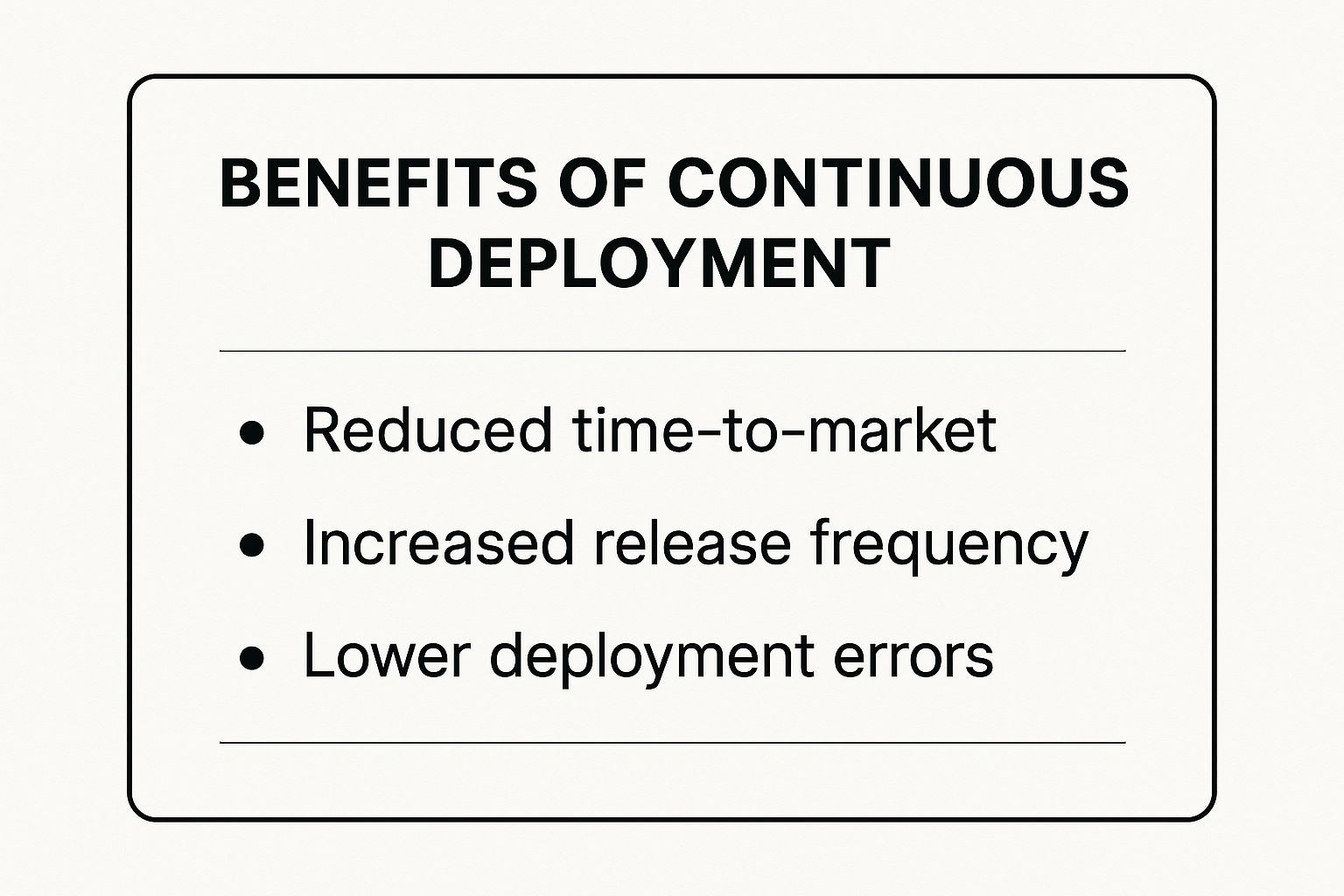
As you can see, the end goals are to get to market faster, ship more updates, and dramatically cut down on human error.
Stage 3: Continuous Deployment
The final and most decisive leg of the relay race is Continuous Deployment. This is where the automation journey hits its peak. After a piece of code passes all the CI and Continuous Delivery checks, it is automatically and immediately deployed to the production environment. No human intervention needed.
That’s right—every single change that survives the gauntlet of automated tests is released to your users, often within minutes. It’s the pinnacle of the CI/CD pipeline and shows a total commitment to automation. The decision to release is no longer a business one; it's a technical one, based purely on whether the automated tests passed. For this to work, you need an incredibly robust testing strategy, which you can learn more about in our guide to the quality assurance testing process.
Comparing CI, Continuous Delivery, and Continuous Deployment
Let's put these three practices side-by-side to make the differences crystal clear. The table below breaks down what each one does, how much it automates, and where the process stops.
| Practice | Primary Goal | Automation Level | Final Step |
|---|---|---|---|
| Continuous Integration | Find and fix integration bugs quickly by merging and testing code frequently. | Automates code building and unit/integration testing for every change. | Produces a successfully tested code artifact. |
| Continuous Delivery | Ensure every code change is releasable and ready for production at any time. | Automates the entire pre-production pipeline, including deployment to a staging area. | A human manually approves and triggers the final deployment to production. |
| Continuous Deployment | Release every validated change to users automatically, maximizing release speed. | Automates the entire pipeline, from code commit all the way to production release. | The pipeline automatically deploys to production if all tests pass. No manual approval needed. |
Seeing the progression from CI to Continuous Delivery and finally to Continuous Deployment is key. It's not just about installing a new tool; it's about shifting your team's culture to build complete trust in your automated processes. When you get there, you'll be able to deliver value to your users faster and more reliably than ever before.
Principles for a Successful Deployment Pipeline

Moving to continuous deployment isn't about flipping a switch and hoping for the best. It's about building a rock-solid foundation of trust in your pipeline. Without that trust, automating every release is just a faster way to break things.
Getting these core principles right ensures your pipeline is not just quick, but also stable, secure, and reliable enough to run on its own.
This shift toward full automation is driving massive growth. The continuous delivery market hit USD 3.67 billion in 2023 and is expected to grow at a CAGR of 19.2% through 2030. You can dig into more continuous delivery market trends on Back4app.com. It’s clear the industry is all-in on automation, which makes these principles more vital than ever.
Maintain a Single Source of Truth
First thing’s first: your version control system—almost always Git—must be the single source of truth. Everything has to live there. We're talking application code, infrastructure configurations, deployment scripts, you name it.
This creates a bulletproof, auditable history of every single change. When the repository is the undisputed authority, anyone can see exactly what's deployed and how it got there. It kills the classic "it works on my machine" excuse and makes sure every deployment is consistent and reproducible.
Build a Comprehensive Automated Testing Suite
When there's no human gatekeeper, your automated tests are the only thing standing between a bad commit and your users. A great continuous deployment pipeline is built on a multi-layered testing strategy that’s both thorough and ridiculously fast.
Your test suite is what gives you the confidence that a "green" build is actually safe to ship.
This usually means a few layers of validation:
- Unit Tests: Verify the smallest pieces of your code work in isolation.
- Integration Tests: Make sure different parts of the application play nicely together.
- End-to-End Tests: Simulate real user journeys from start to finish.
- Performance and Security Scans: Catch issues that don't break functionality but can still ruin the user experience.
A robust testing culture is non-negotiable for continuous deployment. The goal isn't just to find bugs but to build a safety net so strong that developers can push code with confidence, knowing the pipeline will catch any regressions.
Speed is just as critical as coverage here. If your tests take an hour to run, you’ve already lost the rapid feedback loop. The whole cycle, from commit to deployment, should ideally take just a few minutes.
Implement Safe Deployment Strategies
Shoving code straight to production sounds risky, because it can be. But modern deployment strategies are designed to manage that risk by limiting the blast radius if something goes wrong. Instead of a "big bang" release, teams use techniques to gradually expose new code to users.
For example, the Blue-Green deployment strategy is a cornerstone of modern CD. You run two identical production environments (Blue and Green). New code goes to the inactive one, gets fully tested, and then you just flip the switch to route traffic over. Easy.
Another powerful tool is feature flags (or toggles). Think of them as on/off switches for new functionality baked right into your code. You can deploy features "off" by default, then turn them on for internal testers or a small slice of users before a full rollout. This separates deployment from release, giving you precise control without a new deployment.
Ensure Robust Monitoring and Automated Rollbacks
Finally, you have to accept that failures are inevitable. A great pipeline isn't one that never fails—it's one that recovers so fast no one notices. This comes down to two things: great monitoring and automated rollbacks.
Robust monitoring means having a real-time pulse on your application's health. You need dashboards and alerts tracking error rates, latency, and other key metrics so the system knows the second something is wrong.
And when a problem is spotted, an automated rollback should kick in instantly. The pipeline should be smart enough to revert to the last known good version without anyone lifting a finger. This self-healing ability is your ultimate safety net, ensuring a bad deployment has a minimal impact and is fixed in seconds, not hours.
The Payoff: What Automation Actually Gets You
Making the switch to fully automated continuous deployment is a lot more than just a tech upgrade. It's a fundamental shift in how your business operates, and the benefits ripple out across the entire organization. Yes, you get features to users faster, but the real magic is how it changes your relationship with risk, speeds up learning, and genuinely empowers your developers.
This isn't just theory; it's a cornerstone of modern DevOps. By 2025, over 78% of organizations worldwide have embraced DevOps principles. Of those, a staggering 61% say it directly leads to higher-quality products. Another 49% point to major cuts in their time-to-market, drawing a clear line between automation and real business wins. You can discover more insights about DevOps adoption on devopsbay.com to see the full picture.
Dramatically Reduced Deployment Risk
It sounds completely backward, but deploying code more often actually makes the whole process safer. Think about traditional releases—big, scary events where you bundle weeks or months of changes into one massive update. If something goes wrong, good luck finding the needle in that haystack of new code.
Continuous deployment flips that script. By shipping tiny, incremental changes as soon as they're ready, you shrink the "blast radius" of any potential failure down to almost nothing.
Releasing small, isolated changes transforms troubleshooting from a complex investigation into a simple process of elimination. If an issue arises, you know exactly which small change caused it, making fixes faster and less stressful.
This turns deployments from terrifying, all-hands-on-deck emergencies into boring, everyday non-events. The risk per deployment drops through the floor, and you can feel the confidence build across the whole engineering team.
Accelerated Feedback Loops
In a world where user expectations change overnight, the speed at which you learn is your biggest competitive edge. Continuous deployment creates an incredibly tight feedback loop between your team and the people actually using your product. An idea can go from a developer's keyboard to production in a matter of minutes.
This near-instant delivery cycle lets you:
- Test Ideas Instantly: Got a hypothesis? Ship the feature and get real data on whether it works, today.
- Iterate on Actual Behavior: See how customers are really using a new feature and make adjustments on the fly.
- Crush Bugs in Record Time: When a user finds a bug, a fix can be coded, tested, and shipped before it causes widespread pain.
This constant stream of value and feedback stops you from wasting months building something nobody wants. Your product evolves in direct response to user needs. A huge part of this is improving your team's velocity, and you can explore 7 proven strategies to reduce cycle time in 2025 in our other guide.
Boosted Developer Productivity and Morale
Let's be honest: nobody enjoys manual deployments. They’re tedious, repetitive, and stressful. They take your smartest engineers—your most valuable asset—and turn them into release coordinators, forcing them away from the creative work they love.
Automating all that manual drudgery gives them their time and energy back. Instead of triple-checking release checklists or sitting on late-night deployment calls, they can focus on what they do best: building cool stuff that moves the needle. This autonomy and focus don't just make them more productive; it leads to higher job satisfaction, less burnout, and a much healthier engineering culture.
Building Your Continuous Deployment Toolchain
A rock-solid continuous deployment pipeline isn’t something you buy off the shelf. It's more like a high-performance pit crew—an ecosystem of specialized tools, each with a critical job, all working in perfect sync. You need a source of truth for your code, an automated builder, a way to package it all up, and a system to watch over it in production.
Getting these components to play nicely together is what separates a clunky, unreliable process from a truly automated release engine. Let's break down the essential pieces you'll need to build your own.
The Foundation: Source Control and CI Servers
It all starts with your code. That makes a Source Control Management (SCM) system the absolute bedrock of your pipeline. For just about every team today, that means Git. Git is your single source of truth, giving you a complete, auditable history of every single change ever made.
Once code is committed, a Continuous Integration (CI) server springs into action. This is the heart of your automation—the system that watches for new commits and kicks off the entire build-and-test workflow.
- Popular SCM: Git is the undisputed king, hosted on platforms like GitHub, GitLab, or Bitbucket.
- Popular CI Servers: Tools like Jenkins, GitLab CI, CircleCI, and GitHub Actions are built to automatically compile, test, and validate your code the moment it's pushed.
For teams on GitHub, getting your Actions workflows right is a massive win. Check out our guide on how to create reusable GitHub Actions in 2025 to make your pipelines cleaner and easier to manage.
Packaging and Orchestrating Your Application
After your code passes its tests, you need to package it into a consistent, runnable format. This is where containerization steps in, solving the age-old "it works on my machine" problem once and for all.
Containerization platforms like Docker bundle your application and all its dependencies into a lightweight, self-contained unit. This makes deployments predictable, whether they're running on a developer's laptop or a massive production cluster.
But managing one or two containers is easy; managing hundreds or thousands requires a conductor for your orchestra. That's the job of a container orchestrator, which handles deploying, scaling, and networking your containers automatically.
Kubernetes has cemented its place as the industry standard for container orchestration. It's the brains of the operation, ensuring your application is always running, automatically healing from failures, and scaling up or down to meet demand.
Tools like Argo CD and Flux CD take this even further by applying GitOps principles. With GitOps, your infrastructure's desired state lives in Git, and these tools work to make sure your cluster always matches that state. Your infrastructure becomes just as version-controlled and auditable as your app code.
Managing and Observing Your Infrastructure
The final pieces of the puzzle involve managing the servers your application runs on and keeping a vigilant eye on its health once it's live.
Configuration Management tools like Ansible, Puppet, or Terraform let you define your infrastructure as code (IaC). This means you can spin up servers and configure environments in a consistent, repeatable way, eliminating the dangerous configuration drift that often happens between staging and production.
Finally, Observability tools create the crucial feedback loop that makes continuous deployment safe.
- Prometheus is the go-to for collecting performance metrics from your application.
- Grafana turns those raw metrics into beautiful, interactive dashboards.
- Datadog provides an all-in-one platform for monitoring, logging, and performance tracing.
These tools are your eyes and ears in production. They alert you the second something goes wrong, power automated rollbacks, and give you the data you need to find and fix bugs fast.
To help you piece it all together, here's a look at the essential tool categories and how they fit into a modern CD pipeline.
Essential Tool Categories for a Continuous Deployment Pipeline
| Tool Category | Core Function | Popular Examples |
|---|---|---|
| Source Control Management | Tracks and manages code changes; the single source of truth. | Git (hosted on GitHub, GitLab, Bitbucket) |
| Continuous Integration Server | Automates the build, test, and validation of code. | Jenkins, GitLab CI, CircleCI, GitHub Actions |
| Containerization | Packages applications and dependencies into portable units. | Docker, Podman |
| Container Orchestration | Deploys, scales, and manages containerized applications. | Kubernetes, Amazon ECS, Docker Swarm |
| Configuration Management | Defines and provisions infrastructure as code (IaC). | Terraform, Ansible, Puppet, Chef |
| Observability & Monitoring | Collects metrics, logs, and traces to monitor application health. | Prometheus, Grafana, Datadog, Splunk |
Putting together a toolchain like this transforms your release process from a manual, high-stakes event into a smooth, automated flow that delivers value to your users continuously and reliably.
Getting Past the Common Roadblocks

Making the leap to continuous deployment is a huge win, but let's be honest—the path to full automation is rarely a straight shot. It’s a journey filled with both technical puzzles and, more often than not, cultural shifts. Knowing what these common roadblocks look like ahead of time can make the transition a lot less bumpy for your team.
The biggest hurdle is almost always cultural. In traditional dev shops, there's a deep-seated fear of failure. Deployments are treated like high-stakes, all-or-nothing events. Continuous deployment flips that script entirely, pushing for a culture of experimentation and fast recovery, which can feel pretty strange at first.
The real goal isn't to stop failures from ever happening. It's to make fixing them so cheap and fast that they just become a normal part of the learning process. Getting this cultural pivot right is easily the hardest—and most important—part of the whole thing.
When you start to embrace this way of thinking, the team begins to celebrate small, frequent releases. Any issues that pop up are seen as opportunities to make the pipeline even stronger. This changes the team dynamic from one of gatekeeping to one of shared ownership, where everyone feels responsible for the product's quality and stability.
Tackling the Technical Hurdles
Once you get the mindset right, you'll still run into a few key technical challenges that can slow you down or even derail the whole effort. Getting ahead of these is key to building a resilient pipeline your team can actually trust.
Building a Fast and Comprehensive Test Suite: A slow test suite is the number one enemy of continuous deployment. If your tests take 30 minutes to run, you've already lost the rapid feedback loop. The real trick is finding the sweet spot between speed and coverage—making sure your tests are thorough enough to catch the nasty bugs without becoming a bottleneck.
Automating Database Changes: Rolling back application code is usually straightforward. Rolling back a database schema change? Not so much. Figuring out how to manage migrations automatically and safely is a major hurdle. Teams need solid strategies for backward-compatible changes and a crystal-clear, automated process for applying and, if needed, reverting database updates.
Weaving Security into the Pipeline (DevSecOps): In a world of full automation, security can't be something you bolt on at the end. The practice of DevSecOps is all about integrating automated security checks at every single stage. This means adding tools for static code analysis, dependency scanning, and dynamic security testing right into the CI/CD workflow, ensuring security moves just as fast as development.
Successfully navigating these roadblocks is what separates a fragile, high-risk pipeline from a robust one that genuinely speeds up your development. By tackling the cultural mindset head-on and proactively solving these technical problems, you're paving the way for a successful continuous deployment practice.
Frequently Asked Questions
Even after getting the hang of continuous deployment, a few common questions always seem to pop up as teams start to think about putting it into practice. Let's tackle some of the most frequent ones to clear up any lingering confusion.
What Is The Difference Between Continuous Delivery And Continuous Deployment?
This is easily the most common mix-up. Think of it this way:
Continuous delivery is like having a fully packaged and addressed product sitting on the loading dock, ready to go. Everything is tested and verified, but someone still needs to give the final "okay" to ship it. It’s a manual button push.
Continuous deployment automates that final step. If the package passes all its quality checks, it’s automatically loaded onto the truck and sent out to the customer—no human intervention required.
Basically, continuous delivery gets you ready to release at any time. Continuous deployment actually does the release for you.
Is Continuous Deployment A Good Idea For Every Team?
Honestly, no. Continuous deployment isn't a one-size-fits-all solution. It requires an incredibly high degree of confidence in your automated test suite and monitoring tools.
If your tests are flaky, slow, or don't cover critical paths, automatically pushing to production is a recipe for disaster. It's also a tough sell in highly regulated industries where every release requires manual sign-offs for compliance reasons.
For many teams, continuous delivery offers a more practical middle ground. It provides most of the automation benefits while keeping a final human checkpoint for peace of mind and control.
How Does Continuous Deployment Work With GitOps?
They're a perfect match, really. GitOps establishes your Git repository as the single source of truth for your entire application and its infrastructure. Continuous deployment is the engine that brings that principle to life.
Here's how they work together: A developer merges a change into the main branch in Git. The continuous deployment pipeline instantly picks up that change and automatically applies it to the live environment. This powerful combination ensures your production state always mirrors exactly what's defined in your repository.
What Is The Difference Between A Deployment And A Release?
While people often use these terms interchangeably, they have distinct technical meanings, especially in the context of modern development.
- A deployment is the act of pushing new code into an environment. It’s a technical process.
- A release is the act of making that new functionality available to your users. It’s a business decision.
With a pure continuous deployment setup, every deployment is also a release. However, advanced techniques like feature flags let you separate the two. You can deploy a new feature to production but keep it hidden behind a flag. Later, you can release it to users by simply flipping that flag—no new deployment needed.
Ready to stop chasing pull request updates and start accelerating your review cycle? PullNotifier integrates seamlessly with GitHub and Slack to deliver clean, real-time PR notifications that cut through the noise. Learn how PullNotifier can streamline your team’s workflow today.