- Published on
12 Best Apps for Slack to Supercharge Your Team in 2025
- Authors

- Name
- Gabriel
- @gabriel__xyz
Slack is the digital headquarters for millions, but its true power is unlocked when you connect it with specialized tools. Default integrations and basic alerts often create more noise than signal, burying critical updates in a sea of notifications. For high-performing teams, especially in engineering, the difference between a productive day and a frustrating one lies in streamlining workflows and surfacing the right information at the right time.
This guide cuts through the clutter to reveal the best apps for Slack that genuinely enhance productivity, reduce context switching, and foster collaboration. We provide a comprehensive, categorized roundup of top tools that solve specific problems, from managing pull requests and incidents to running asynchronous stand-ups and building team culture. We'll explore essential apps for code reviews, task management, incident response, and team culture, providing a detailed look at how to transform your Slack channels from chaotic feeds into focused, actionable hubs.
Each entry in our list includes a detailed analysis with:
*   A concise description and core features
*   Ideal use-cases for engineering and cross-functional teams
*   Honest pros and cons based on real-world usage
*   Clear pricing information and setup notes
*   Recommended alternatives for comparison
Instead of just a generic list, this resource offers a strategic look at building a more efficient digital workspace. To understand the broader impact, delve into various Slack integration strategies for companies that can transform team productivity. Our goal is to help you find the right applications to build a more powerful, integrated, and less distracting Slack environment.
1. PullNotifier
PullNotifier stands out as a premier choice for engineering teams seeking to streamline their code review process directly within Slack. It replaces the default high-volume GitHub notifications with a single, intelligent, and context-rich message that updates in place. This core design choice dramatically reduces channel noise, ensuring that crucial pull request updates are seen without overwhelming developers. Its focused approach to solving the code review bottleneck makes it one of the best apps for Slack for any development team.
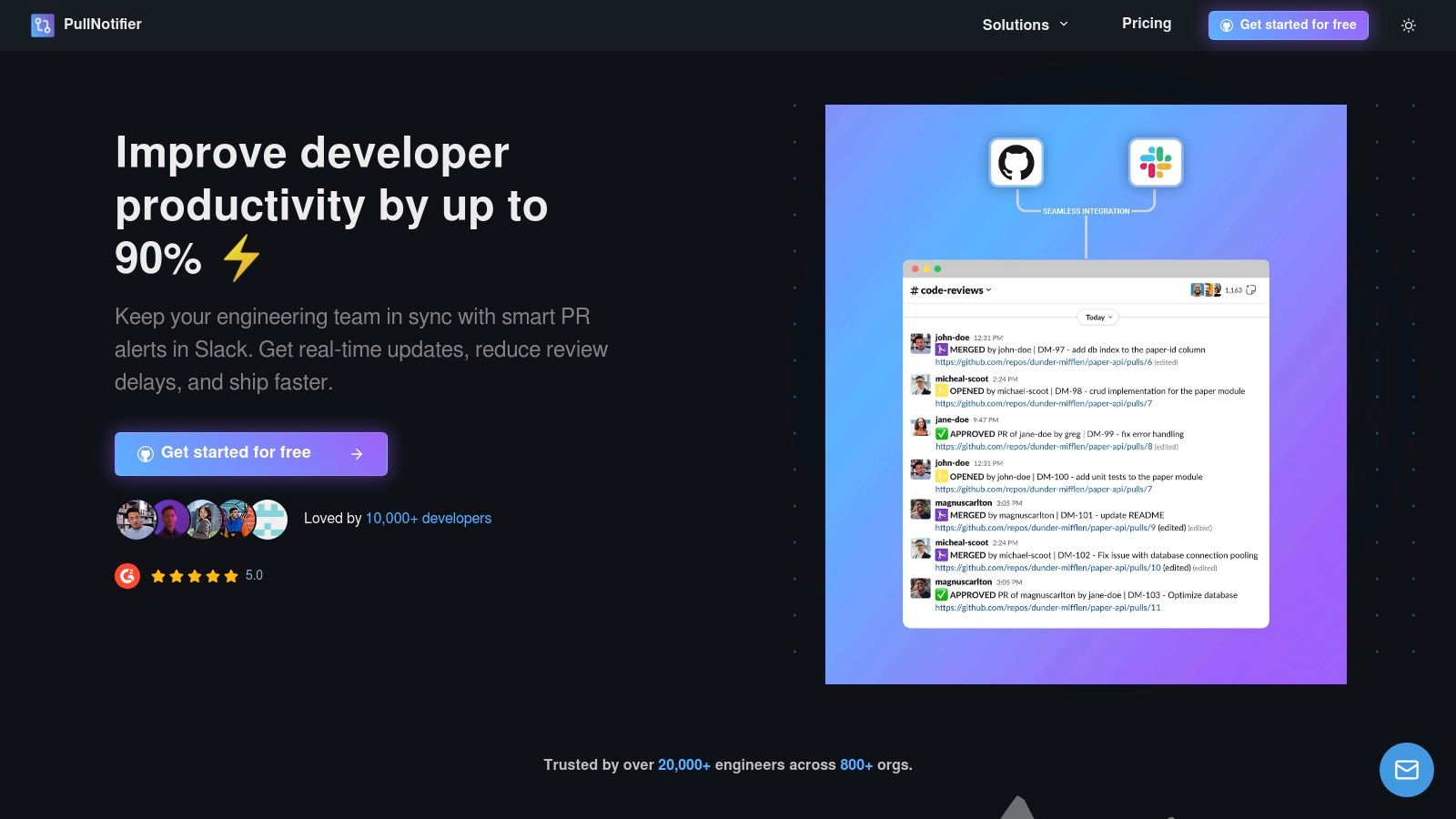
The platform’s strength lies in its highly granular control over notifications. Teams can create sophisticated routing rules that map repositories, labels, authors, or reviewers to specific Slack channels. This capability is invaluable for large organizations, monorepos, and teams with complex workflows, ensuring the right people are notified at the right time.
Real-World Impact: By consolidating all PR activity (comments, approvals, CI checks) into a single, evolving Slack thread, PullNotifier is cited by its vendor to reduce code review delays by up to 90%.
Core Features & Use Cases
*   **In-Place Message Updates:** Instead of posting a new message for every PR event, PullNotifier updates the original message. This keeps channels clean while the thread preserves a complete history of the PR's lifecycle.
*   **Intelligent Routing Engine:** Configure notifications to be sent to specific channels based on GitHub labels, authors, or assigned reviewers. You can automatically `@mention` relevant team members or code owner groups, ensuring prompt attention.
*   **Enterprise-Grade Security:** The app requests minimal permissions and has no access to your source code or Slack message content. It supports GitHub Enterprise Server with options for dedicated or self-hosted Docker deployments and provides a DPA upon request.
Pricing & Setup
*   **Free Tier:** Available for teams with up to three developers.
*   **Paid Plans:** A 14-day free trial is available for larger teams. Full pricing is available on their website, with enterprise tiers requiring contact with sales.
*   **Setup:** Installation is straightforward via the Slack App Directory and GitHub Marketplace. The initial setup involves authenticating with GitHub and Slack, then configuring your first repository-to-channel notification rules through the web dashboard.
| Pros | Cons |
|---|---|
| Superior Noise Reduction: In-place updates and threaded context keep channels focused and actionable. | Opaque Enterprise Pricing: Large teams must contact sales for quotes and details on self-hosting options. |
| Highly Configurable: Advanced rules engine handles complex workflows, including monorepos and code owners. | Niche Workflow Gaps: While covering the vast majority of use cases, highly customized PR workflows may require special configuration. |
| Security-Focused: Minimal permissions and no code access make it a safe choice for security-conscious orgs. | |
| Proven ROI: Strong social proof and testimonials highlight significant reductions in code review times. |
Website: https://pullnotifier.com
2. Slack Marketplace
The official Slack Marketplace is the definitive and most secure starting point for discovering integrations. Rather than a single app, it's the central hub where you can find thousands of vetted tools to extend Slack's functionality. For engineering teams, this is the first and best place to look for the best apps for Slack, ensuring they are compliant with your organization’s security policies.
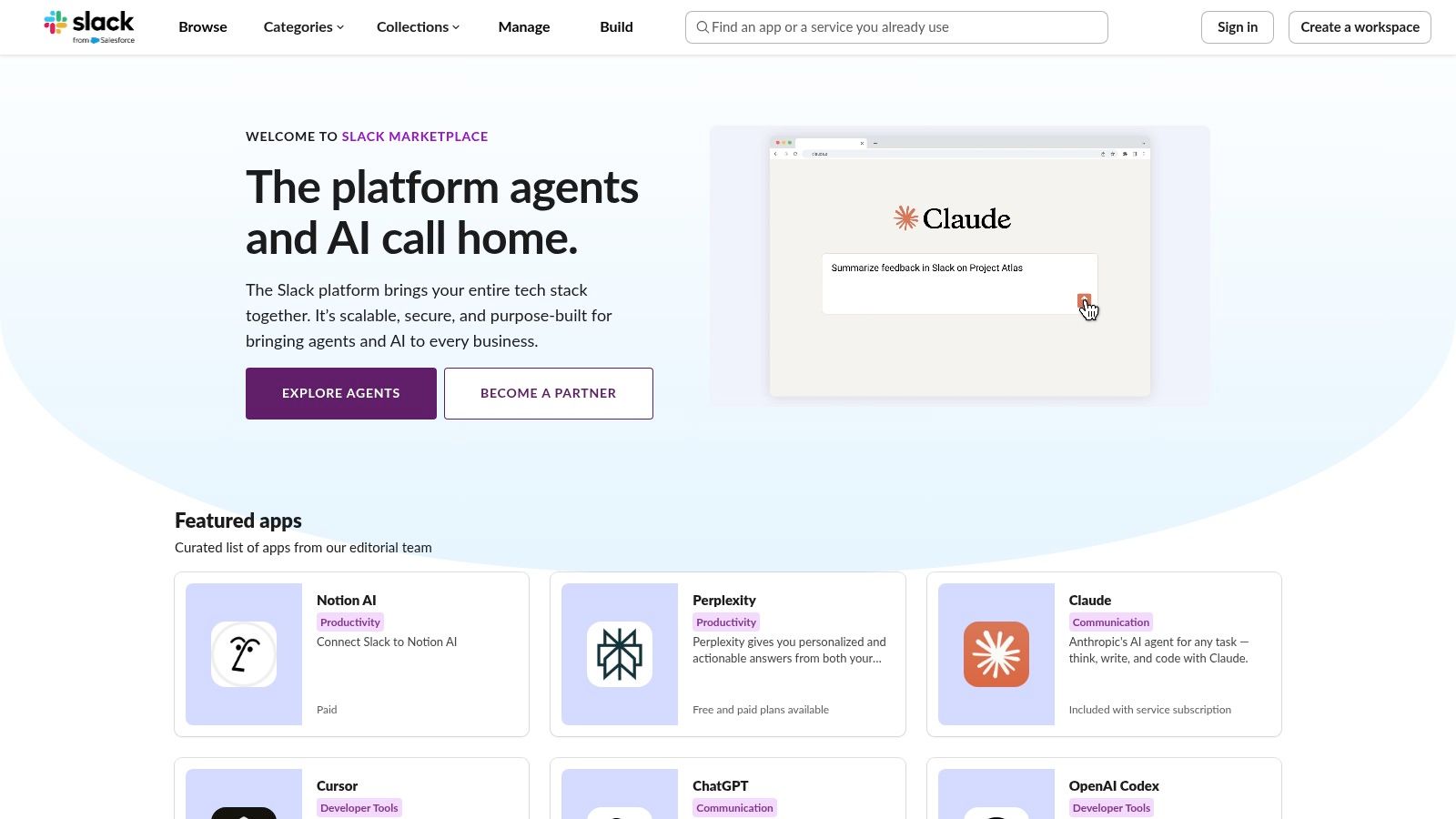
Each listing provides a detailed overview, including the specific permissions an app requires before you install it. This transparency is critical for security-conscious teams and administrators who need to manage data access. The user interface is clean, allowing you to browse by category or search directly for specific tools like Jira, GitHub, or PagerDuty.
Core Features & Use Cases
- Massive App Catalog: With over 2,600 apps, it offers the widest selection of integrations, from CI/CD and project management to team culture and productivity tools.
- Security & Compliance: Every app undergoes a review by Slack. Pages clearly list required permission scopes, so you know exactly what data an app can access.
- Admin Controls: Workspace administrators can pre-approve apps, manage installations, and handle requests from team members, providing centralized governance.
Analysis & Setup
The main drawback of the Marketplace is its sheer size; it can be overwhelming to find the perfect tool without knowing what you're looking for. A practical tip is to use the "Categories" filter (e.g., "Developer Tools") and sort by "Most Popular" to surface proven solutions first. Installation is a one-click process via the "Add to Slack" button, which initiates a clear, step-by-step authorization flow.
| Pros | Cons |
|---|---|
| The official, most secure source for Slack integrations. | Discovery can be difficult due to the large volume of apps. |
| Clear permission requirements and security information for every app. | Many listings are for paid third-party services with varying price models. |
| Centralized management tools for workspace admins. |
Website: slack.com/marketplace
3. Zapier – Slack Integrations Directory
Zapier is a powerful no-code automation platform that acts as a bridge between Slack and thousands of other applications. It allows engineering teams to create custom workflows, called "Zaps," without writing a single line of code. This makes it one of the best apps for Slack for connecting disparate tools, automating routine notifications, and creating custom alerts that aren't available through native integrations.
The platform operates on a simple "trigger-and-action" model. For example, a new row in a Google Sheet (trigger) can automatically send a formatted message to a specific Slack channel (action). With hundreds of pre-made templates and robust security features like SOC 2 and GDPR compliance, Zapier is suitable for both quick personal automations and complex, enterprise-grade workflows. If you're looking to enhance productivity, you can learn more about how to automate repetitive tasks.
Core Features & Use Cases
- Massive App Directory: Connects Slack to over 8,000 other apps, including developer tools, CRMs, and marketing platforms, offering nearly limitless integration possibilities.
- No-Code Automation: Empowers non-technical users to build sophisticated workflows. For instance, you can create a Zap to post new customer support tickets from Zendesk directly into an
#eng-supportchannel. - Pre-Built Templates: Offers a large library of "Zap templates" for common use cases, enabling users to set up automations in minutes without starting from scratch.
- Enterprise-Grade Security: Provides advanced security, privacy, and compliance features, making it a viable option for organizations with strict data governance policies.
Analysis & Setup
Zapier's biggest strength is its immense flexibility and broad app support, far exceeding what's available in the native Slack Marketplace. The setup is intuitive; you select your trigger app, authenticate it, define the trigger event, and then do the same for the action app. However, teams with high-volume automations may find the task limits on lower-tier plans restrictive. It's crucial to estimate your monthly task usage to select the right plan and avoid unexpected costs.
| Pros | Cons |
|---|---|
| Extremely broad app coverage connects almost any tool to Slack. | Task limits and run caps on lower plans can make heavy use costly. |
| Quick and easy setup with no coding required. | Occasional latency can cause minor delays in automation execution. |
| Scales effectively from simple, personal use cases to enterprise-wide workflows. |
Website: zapier.com/apps/slack/integrations
4. Make (formerly Integromat) – Slack Integration Hub
For teams needing to build custom, multi-step automations that go beyond simple one-to-one integrations, Make is an incredibly powerful visual workflow builder. It allows you to connect Slack to hundreds of other apps and create complex scenarios with branching logic, filters, and error handling. For developers, this means you can design intricate notification pipelines that are among the best apps for Slack for creating tailored, intelligent alerts.
Make's visual editor is its key differentiator, letting you drag-and-drop modules to map out a workflow. You can, for instance, create a scenario where a new high-priority Jira ticket triggers a process that creates a temporary Slack channel, invites specific on-call engineers, and posts a formatted message with action buttons, all within a single, visually coherent flow.
Core Features & Use Cases
- Visual Scenario Editor: Build complex workflows with branching logic (if/then), routers, and error handlers without writing code.
- Extensive Slack Actions: Offers dozens of specific Slack modules, including creating channels, posting rich messages, updating user statuses, and managing reminders.
- Templates & Execution History: Start with pre-built templates for common use cases and review detailed logs of every operation for easy debugging.
- Verified Slack App: The integration is officially maintained by Make, ensuring reliability and access to the latest Slack API features.
Analysis & Setup
While Make is more complex than Zapier, its power lies in that complexity. The learning curve is steeper, but the payoff is granular control over your automations. Its pricing is based on "operations" (steps in a scenario), which can become costly with high-frequency workflows. A good strategy is to start with its generous free tier to build and test your scenarios before scaling up. Setup involves authenticating your Slack account and then using the visual builder to connect Slack modules to other services.
| Pros | Cons |
|---|---|
| Extremely powerful for building multi-step, branched automations. | Has a steeper learning curve compared to simpler tools like Zapier. |
| A generous free tier allows for extensive testing and small-scale use. | Pricing is tied to "operations," which can spike with heavy usage. |
| Detailed execution history makes debugging complex workflows easier. |
Website: https://www.make.com/en/integrations/slack
5. Product Hunt – Slack Topic and Launches
While not an app store itself, Product Hunt is an invaluable community-driven platform for discovering new and trending Slack integrations before they hit the mainstream. It serves as a launchpad for developers, making it the perfect place to find innovative and often niche tools. For teams looking for the best apps for Slack that are fresh and modern, Product Hunt’s dedicated Slack topic is an essential resource.
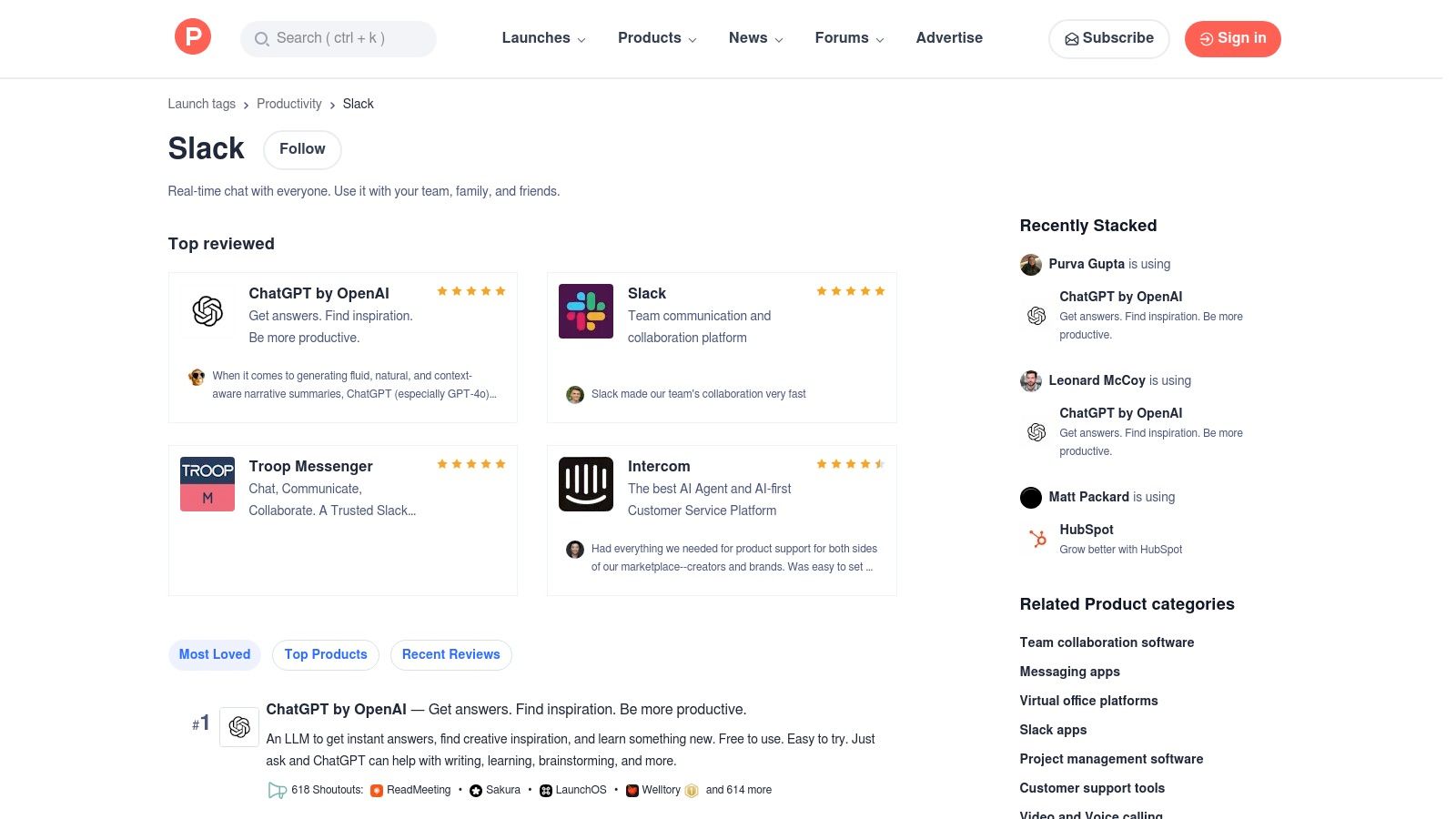
The platform thrives on community engagement, with user upvotes, reviews, and detailed Q&A discussions with the app makers themselves. This provides qualitative insights that you won't find on an official marketplace, helping you gauge an app's momentum and the responsiveness of its development team. It's an excellent way to spot creative solutions for project management, AI-powered assistance, or team culture.
Core Features & Use Cases
- Community-Driven Discovery: Find newly launched apps, bots, and integrations curated and voted on by a tech-savvy community.
- Direct Developer Interaction: Engage directly with the creators of the apps in the comments section to ask questions, provide feedback, and understand their roadmap.
- Popularity & Trend Signals: Use upvotes and comment volume to identify which new tools are gaining traction and generating excitement within the industry.
Analysis & Setup
The primary advantage of Product Hunt is its focus on early discovery; it’s where you’ll find the next big thing. However, its community-curated nature means it's not a formal, vetted marketplace, and popularity can sometimes be driven by hype. A practical tip is to filter the Slack topic by "Most Voted" for the past month or year to surface consistently popular tools. Since it's a discovery platform, there is no direct setup; each app listing will link out to its official website or the Slack Marketplace for installation.
| Pros | Cons |
|---|---|
| Excellent for discovering up-and-coming and innovative Slack apps. | Not a formal app store; curation quality and vetting can vary. |
| Provides qualitative feedback through community reviews and discussions. | Popularity signals can sometimes be hype-driven rather than merit-based. |
| Covers a broad range of categories, from developer tools to culture apps. |
Website: www.producthunt.com/topics/slack
6. StackShare – Slack Integrations List
For engineering teams conducting technical due diligence, StackShare offers a unique, developer-centric perspective on Slack integrations. It's not a direct marketplace but a community-driven index where you can see which tools other companies use in their tech stacks and how those tools connect with Slack. This makes it an invaluable resource for discovering the best apps for Slack based on real-world adoption rather than just marketing.
Unlike a traditional app store, StackShare’s value comes from its social proof. Each tool page features community-contributed pros, cons, and alternatives, providing authentic insights from fellow developers. You can see which companies use a specific Slack app, helping you vet solutions that are trusted by organizations you respect.
Core Features & Use Cases
- Community-Sourced Reviews: Discover what other developers actually think about a tool, with candid pros and cons that go beyond official descriptions.
- Tech Stack Context: See which Slack integrations are popular alongside specific programming languages, frameworks, and other developer tools you already use.
- Alternative Comparisons: Easily find and compare competing tools, which is perfect for evaluating options during the procurement or tool selection process.
Analysis & Setup
The primary limitation of StackShare is that it’s purely a research and discovery platform. You cannot install or purchase apps directly; each listing links out to the vendor’s website or the official Slack Marketplace. To use it effectively, filter by categories relevant to your team (e.g., "Monitoring" or "Collaboration") and read the community discussions to identify potential blind spots or benefits of an integration before committing to a trial.
| Pros | Cons |
|---|---|
| Real-world usage context from a large developer community. | Not a direct installation channel; you must click out to other sites. |
| Helpful for technical due diligence and comparing alternatives. | The depth of information and reviews can vary significantly between tools. |
| Shows which companies use a specific app, providing social proof. |
Website: stackshare.io/slack
7. GitHub – Slack‑Bot Topic (Open‑Source Slack Apps)
For engineering teams with the resources to build and self-host, the GitHub slack-bot topic is an invaluable resource. Instead of a single app, it’s a living repository of thousands of open-source Slack bots, SDKs, and example projects. This is the ultimate playground for creating custom solutions tailored precisely to your team's workflow, bypassing the limitations and costs of off-the-shelf products.
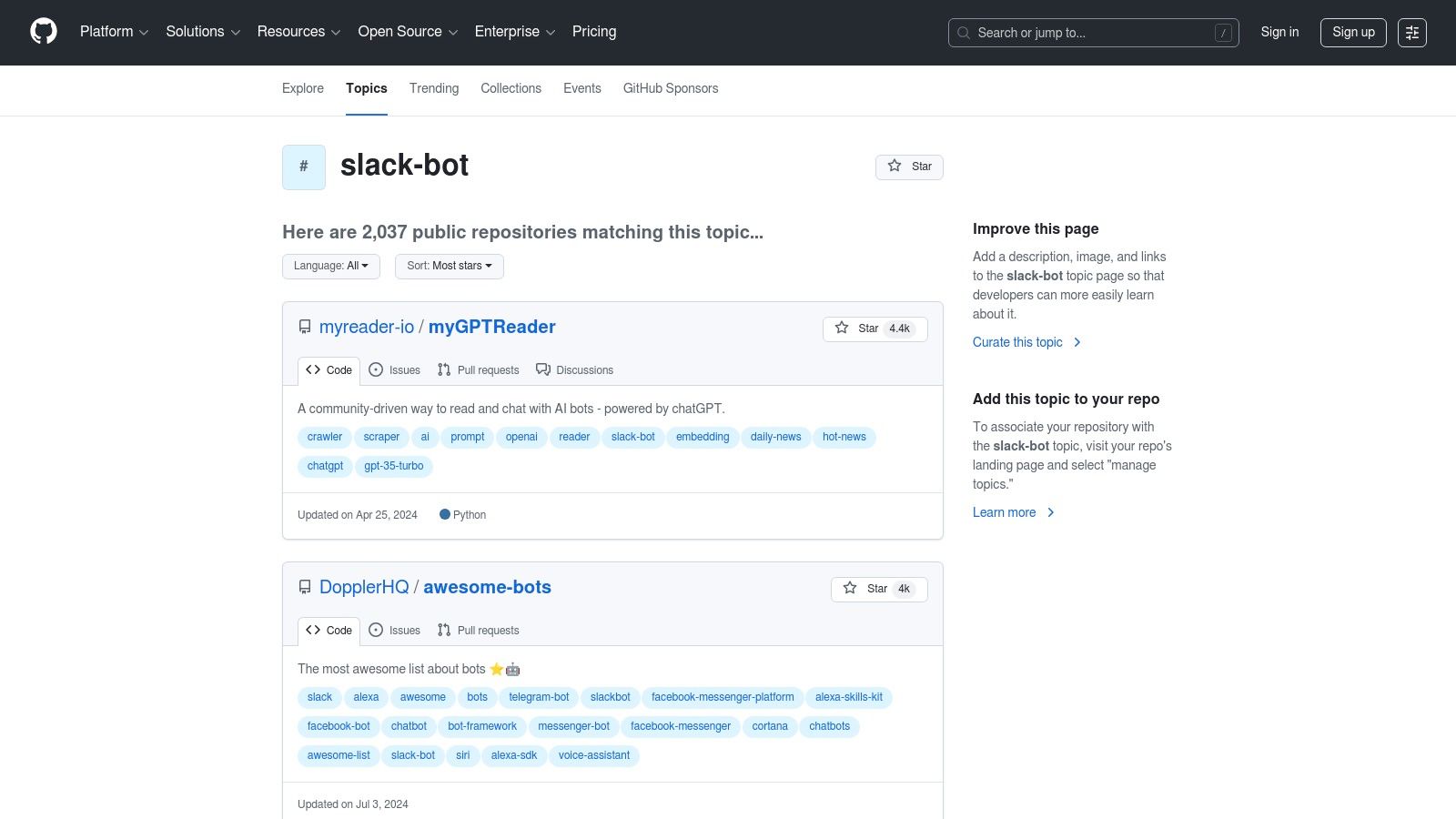
This collection allows developers to find, fork, and modify existing bots for everything from incident management to pull request notifications. The ability to inspect and customize the source code provides maximum flexibility and control, ensuring the final integration meets your exact security and operational requirements. If you're searching for one of the best apps for Slack that you can fully own, this is where you start building it.
Core Features & Use Cases
- Massive Code Repository: With over 2,000 public repositories, you can find examples for almost any use case, including AI agents, CI/CD alerts, and team culture bots.
- Official & Community SDKs: Provides direct access to official Slack SDKs like Bolt alongside popular community-built frameworks, accelerating development.
- High Customizability: Build bots that integrate deeply with your internal tooling, implement custom business logic, and control your own data without third-party access.
Analysis & Setup
The primary advantage is complete control, but it comes at the cost of engineering effort. Deploying, maintaining, and securing a self-hosted bot requires dedicated resources. To get started, browse the topic for a project that closely matches your needs, clone the repository, and follow its specific setup instructions. For teams looking to build robust connections, understanding how a strong GitHub-Slack integration improves code reviews can provide valuable context for your custom build.
| Pros | Cons |
|---|---|
| Free, open-source code offers unparalleled flexibility. | Requires significant engineering time to deploy, secure, and maintain. |
| Excellent learning resource for Slack API development. | Lacks official support; you rely on community or self-service. |
| Full control over data privacy and security. |
Website: github.com/topics/slack-bot
8. Polly for Slack
Polly is a powerful, Slack-native engagement suite designed for capturing instant team feedback. It goes far beyond simple polls, offering tools for automated standups, surveys, pulse checks, and even team trivia. For engineering teams, Polly is one of the best apps for Slack to quickly gauge sentiment on a new deployment, collect retrospective feedback, or run asynchronous daily check-ins without leaving the platform.
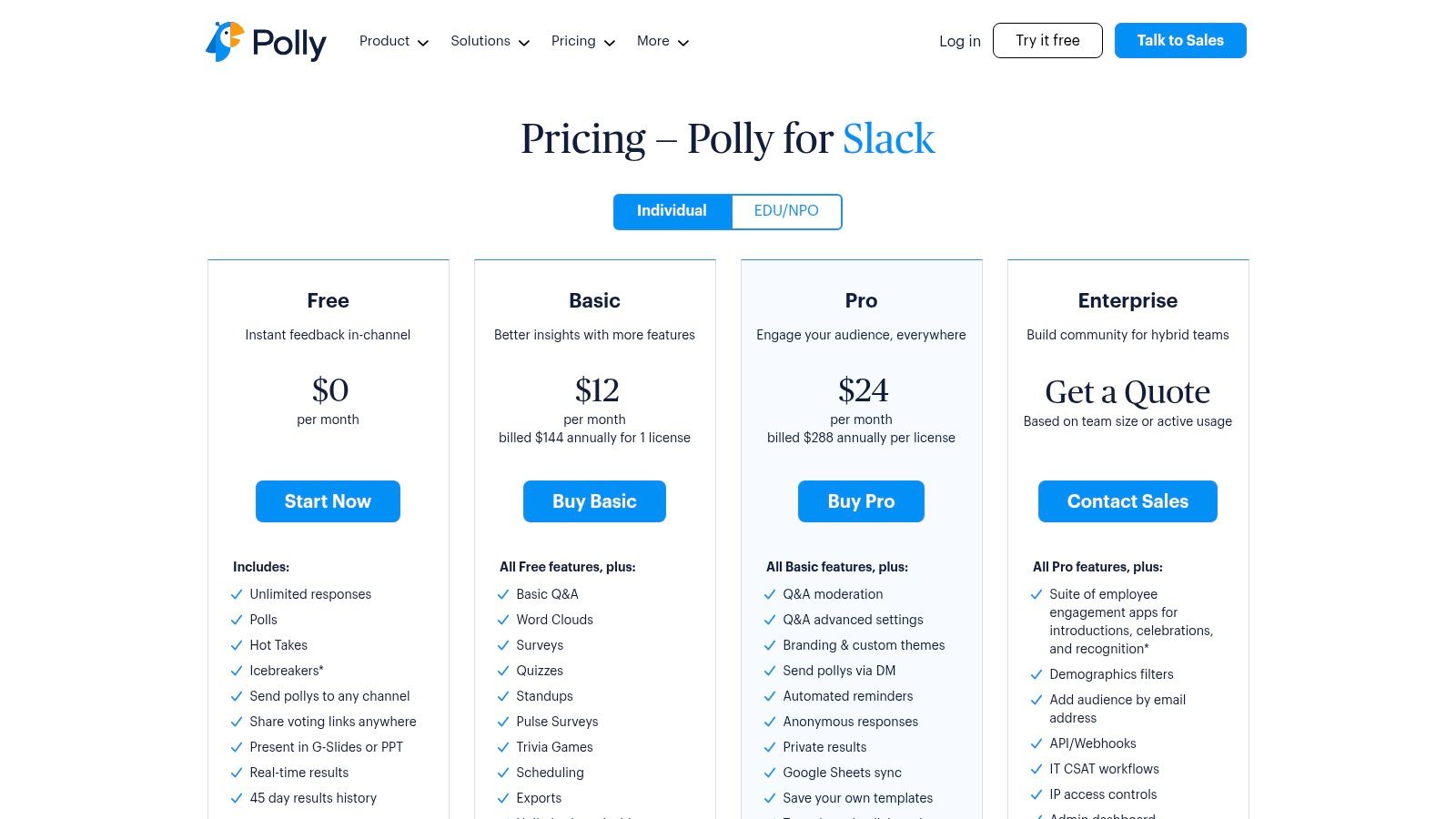
Its strength lies in its deep integration and user-friendly interface that feels like a natural part of Slack. You can create a multi-question survey or a quick single-question poll directly within a channel, making it frictionless for team members to respond. The ability to schedule recurring polls is perfect for automating agile ceremonies like standups or sprint health checks.
Core Features & Use Cases
- Versatile Feedback Tools: Create single-question polls, multi-question surveys, word clouds, and Q&A sessions directly in any channel.
- Automated Check-ins: Schedule recurring standups and pulse surveys to consistently track team progress, blockers, and morale.
- Templates & Reporting: Use pre-built templates for common scenarios like retrospectives or all-hands meetings, and export results for deeper analysis.
Analysis & Setup
Polly’s setup is seamless; simply add it to Slack and start creating polls using the /polly slash command. Its native experience is a major advantage, eliminating the need to switch contexts. The free plan is quite generous for basic polling, but the 45-day history cap on results is a significant limitation for teams needing long-term data. For advanced features like API access or comprehensive analytics, a paid plan is necessary.
| Pros | Cons |
|---|---|
| Deep Slack-native UX allows for quick and easy deployment. | Per-license pricing for advanced tiers can become costly for large teams. |
| Broad feature set covering polls, surveys, standups, Q&A, and events. | The free plan limits historical results with a 45-day data retention cap. |
| Excellent for automating recurring feedback and agile ceremonies. |
Website: https://www.polly.ai/slack-pricing
9. Donut
While many developer tools focus on code and deployments, Donut targets the human element of engineering teams. It's a culture and people-ops app designed to foster connections, streamline onboarding, and build a positive remote or hybrid work environment directly within Slack. For managers looking to combat team silos and boost morale, Donut is one of the best apps for Slack to automate culture-building activities.
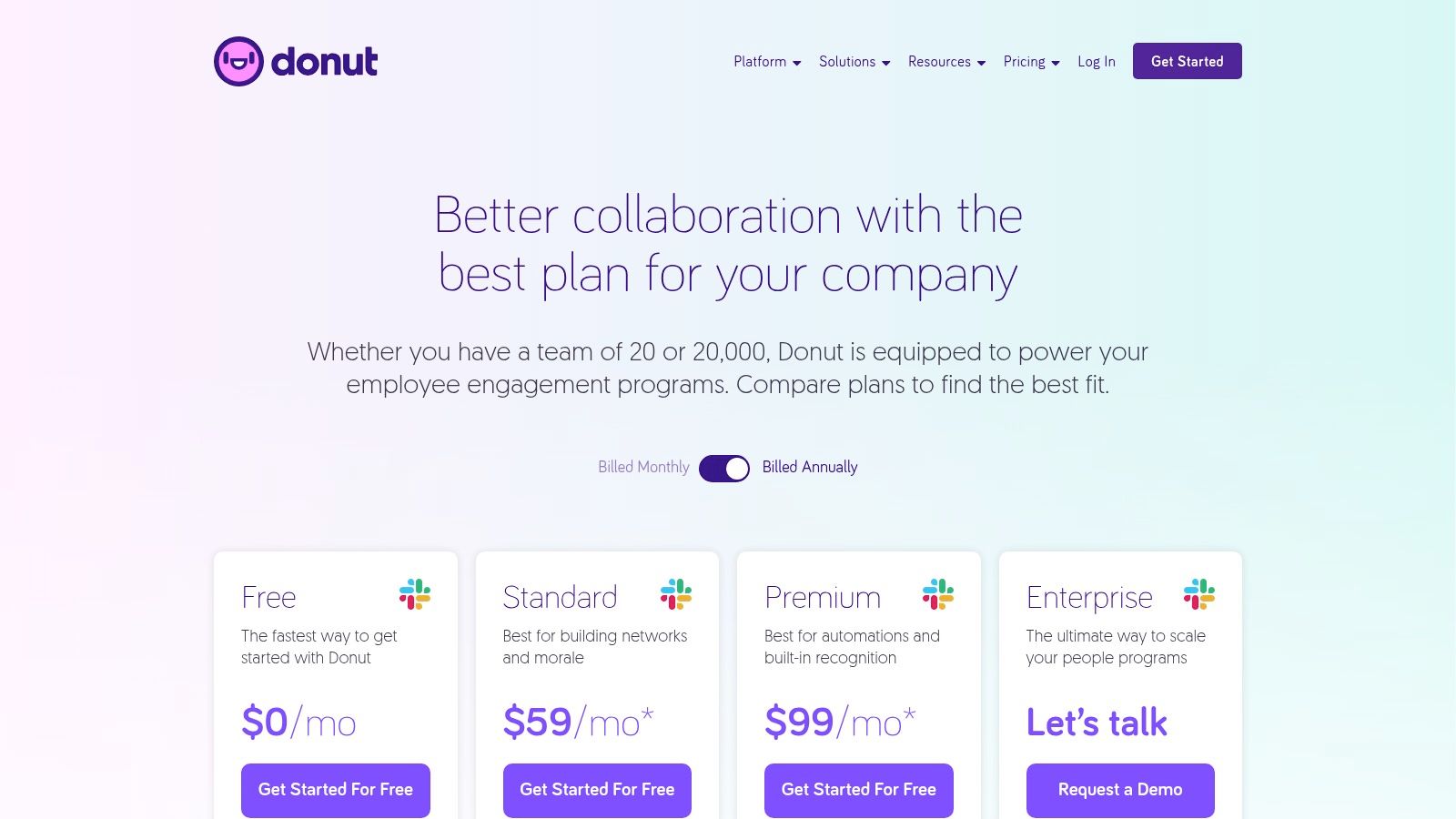
The app works by creating dedicated channels where it can introduce team members for virtual coffee chats, post daily conversation starters, or celebrate milestones like birthdays and work anniversaries. Its automated "Journeys" feature is particularly powerful for creating structured onboarding experiences, delivering timed messages and tasks to new hires over their first few weeks.
Core Features & Use Cases
- Intros & Watercooler: Automatically pairs up colleagues in specified channels for randomized 1:1 chats to break down departmental silos. Watercooler prompts provide great inspiration for team ice breakers.
- Celebrations: Keeps track of birthdays and work anniversaries, posting automated celebration messages in a public channel to foster recognition.
- Onboarding Journeys: Create automated, time-based message sequences to guide new hires through their first days and weeks, ensuring a consistent and welcoming experience.
- HRIS Integration: Paid plans can sync with over 50 HRIS systems (like Workday or BambooHR) to automatically manage user data for celebrations and onboarding.
Analysis & Setup
Setting up Donut is straightforward: invite the bot to a channel, select a template (like "Connect" or "Celebrate"), and configure the frequency. The real value comes from customizing these templates to fit your team's culture. The main limitation is its usage-based pricing model, which can become costly for large, active channels. For security-conscious enterprises, advanced features and compliance reviews are gated behind the highest-tier plan.
| Pros | Cons |
|---|---|
| Excellent for building team connection and automating onboarding. | Usage-based pricing can become expensive in large channels. |
| Highly customizable templates for various culture programs. | Advanced security and compliance features are limited to Enterprise plans. |
| Nonprofit and education discounts are available. |
Website: https://www.donut.com/pricing
10. Simple Poll
For quick decision-making and gathering team feedback, Simple Poll is a streamlined, native polling app that integrates seamlessly into Slack conversations. It removes the friction of external survey tools, allowing engineering teams to create and vote on polls directly within a channel or direct message. It stands out as one of the best apps for Slack when you need immediate consensus without complexity.
Its lightweight nature is its greatest strength. You can quickly poll a team on release readiness, gauge interest in a new tech stack, or decide on a time for the next sprint planning meeting. Features like anonymous voting are particularly useful for sensitive topics, ensuring honest feedback on team morale or project concerns.
Core Features & Use Cases
- Native Poll Creation: Use a simple
/pollslash command to create interactive polls directly in any Slack channel, making it fast and intuitive. - Anonymous & Recurring Polls: Supports anonymous voting for candid feedback and can schedule recurring polls for regular check-ins, like daily stand-up confidence votes.
- Workflow Builder Integration: Automate feedback collection by embedding polls into your Slack Workflows, such as after a new feature deployment or at the end of a sprint.
- Advanced Options: Paid plans offer features like limiting votes, adding options later, and exporting results for deeper analysis.
Analysis & Setup
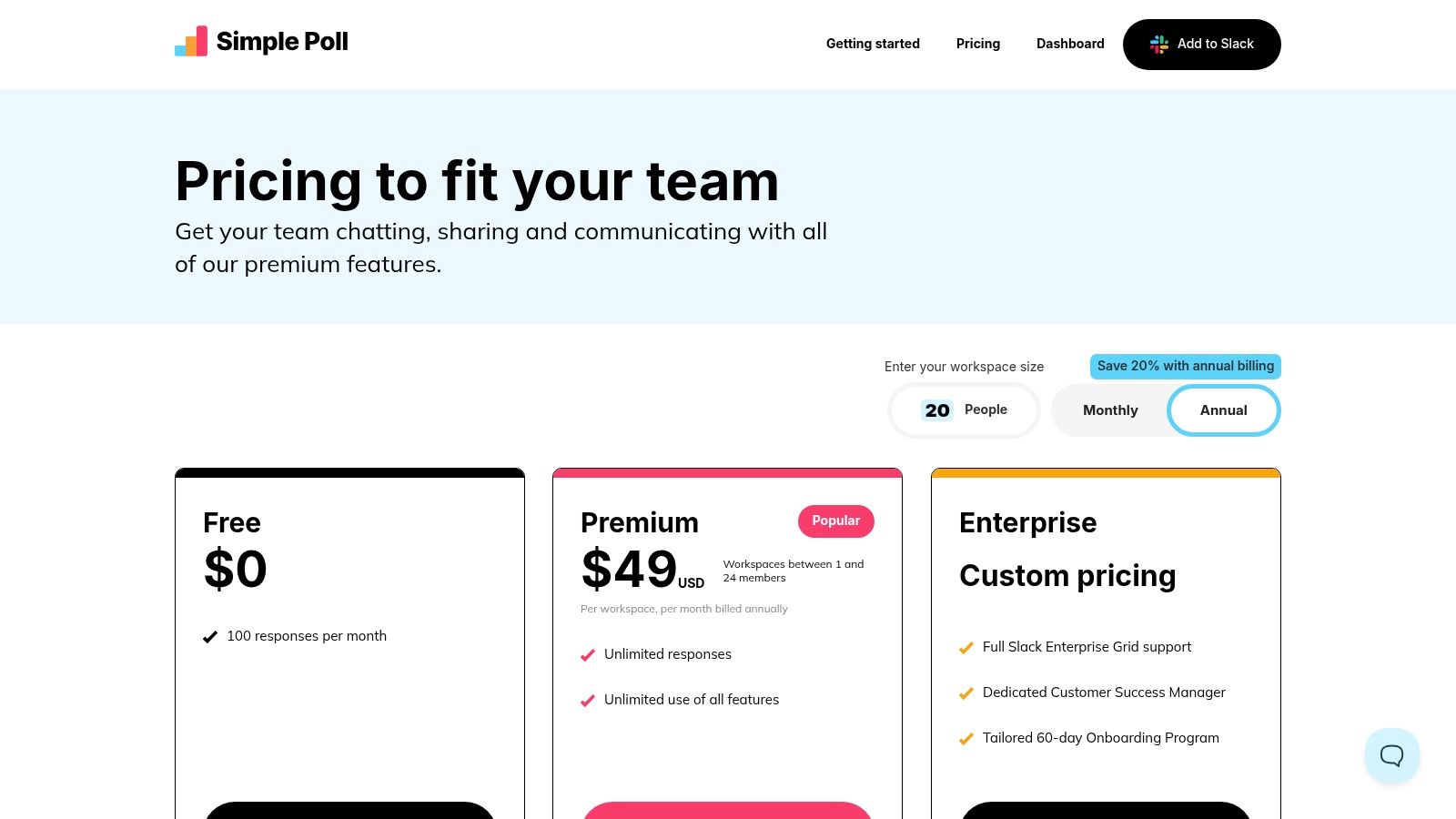
Simple Poll's primary advantage is its user experience; it feels like a native Slack feature. Setup is instant after installation, with the /poll command being the main entry point. Creating a basic poll is as easy as typing /poll "What should we order for lunch?" "Pizza" "Tacos". While the free plan is functional, teams needing unlimited responses, templates, or result exports will need to upgrade. The per-workspace pricing can become a consideration for very large organizations.
| Pros | Cons |
|---|---|
| Extremely fast and easy to use with a native Slack feel. | Pricing is based on workspace size, which can be costly for large teams. |
| Anonymous and recurring polls support a variety of feedback scenarios. | Feature set is intentionally narrow, focused almost exclusively on polling. |
| Per-workspace pricing model is straightforward and easy to understand. |
Website: simplepoll.rocks/pricing
11. Geekbot
Geekbot automates asynchronous standups, retrospectives, and team check-ins directly within Slack, making it an essential tool for remote, distributed, and async-first engineering teams. It replaces time-consuming synchronous meetings by prompting team members for updates via direct message and compiling the answers into a designated channel for everyone to review. This approach maintains alignment without disrupting individual focus or accommodating conflicting time zones.
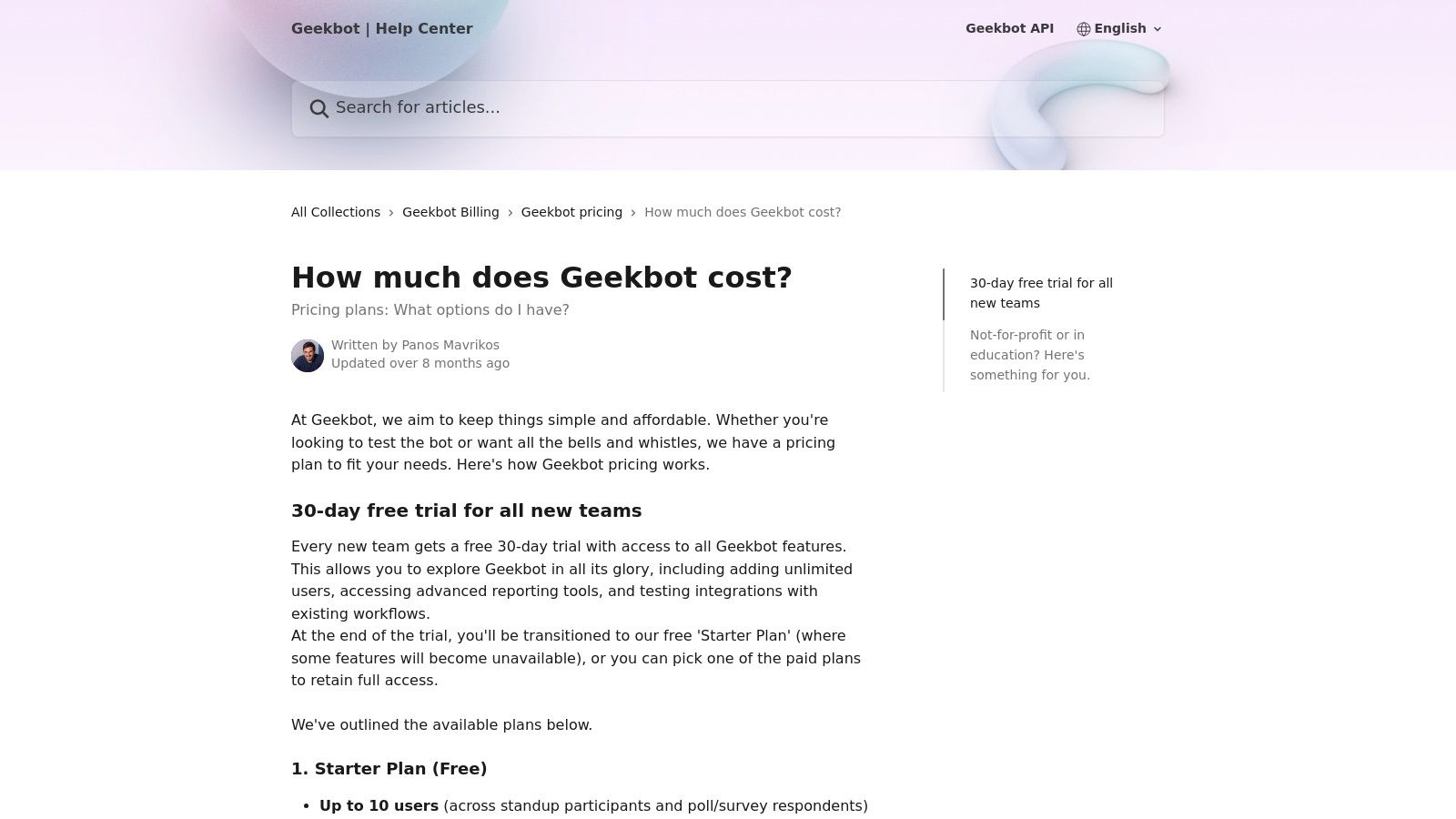
The platform stands out with its fair billing model, which only charges for users who actively participate in a given month. For engineering managers and scrum masters, Geekbot provides valuable reporting dashboards to track progress, identify blockers, and monitor team sentiment over time. It is one of the best apps for Slack for teams looking to streamline agile ceremonies and improve remote communication hygiene.
Core Features & Use Cases
- Asynchronous Standups: Schedule automated daily standups with custom questions to keep the team in sync without a formal meeting.
- Retrospectives & Polls: Run sprint retrospectives, team happiness checks, or lightweight polls to gather feedback asynchronously.
- Analytics & Reporting: Access dashboards that visualize team participation, highlight recurring blockers, and analyze responses to spot trends.
- Fair Billing Model: Only charges for active participants each month, making it cost-effective for teams with fluctuating membership or occasional contributors.
Analysis & Setup
Setting up Geekbot is straightforward. After adding it to Slack, you create a "standup" and configure the questions, participants, and schedule. A useful tip is to set the report time for the beginning of the team's core working hours to maximize visibility. While excellent for agile routines, its polling features are less robust than dedicated survey tools like Polly, making it best for quick, simple feedback collection rather than deep analysis.
| Pros | Cons |
|---|---|
| Ideal for distributed teams and asynchronous workflows. | Less suited for deep survey analytics compared to dedicated survey suites. |
| Fair, usage-based billing model only charges for active participants. | Separate charges for different report types (e.g., standups vs. polls) can add up. |
| Simple setup and intuitive user experience within Slack. |
Website: https://geekbot.com/
12. Trello for Slack
For teams that live and breathe Kanban-style project management, the official Trello app for Slack is an essential bridge between communication and execution. It allows users to convert unstructured Slack conversations into actionable Trello cards, ensuring that ideas and tasks discussed in channels are captured and tracked. This integration is one of the best apps for Slack for teams already embedded in the Atlassian ecosystem.
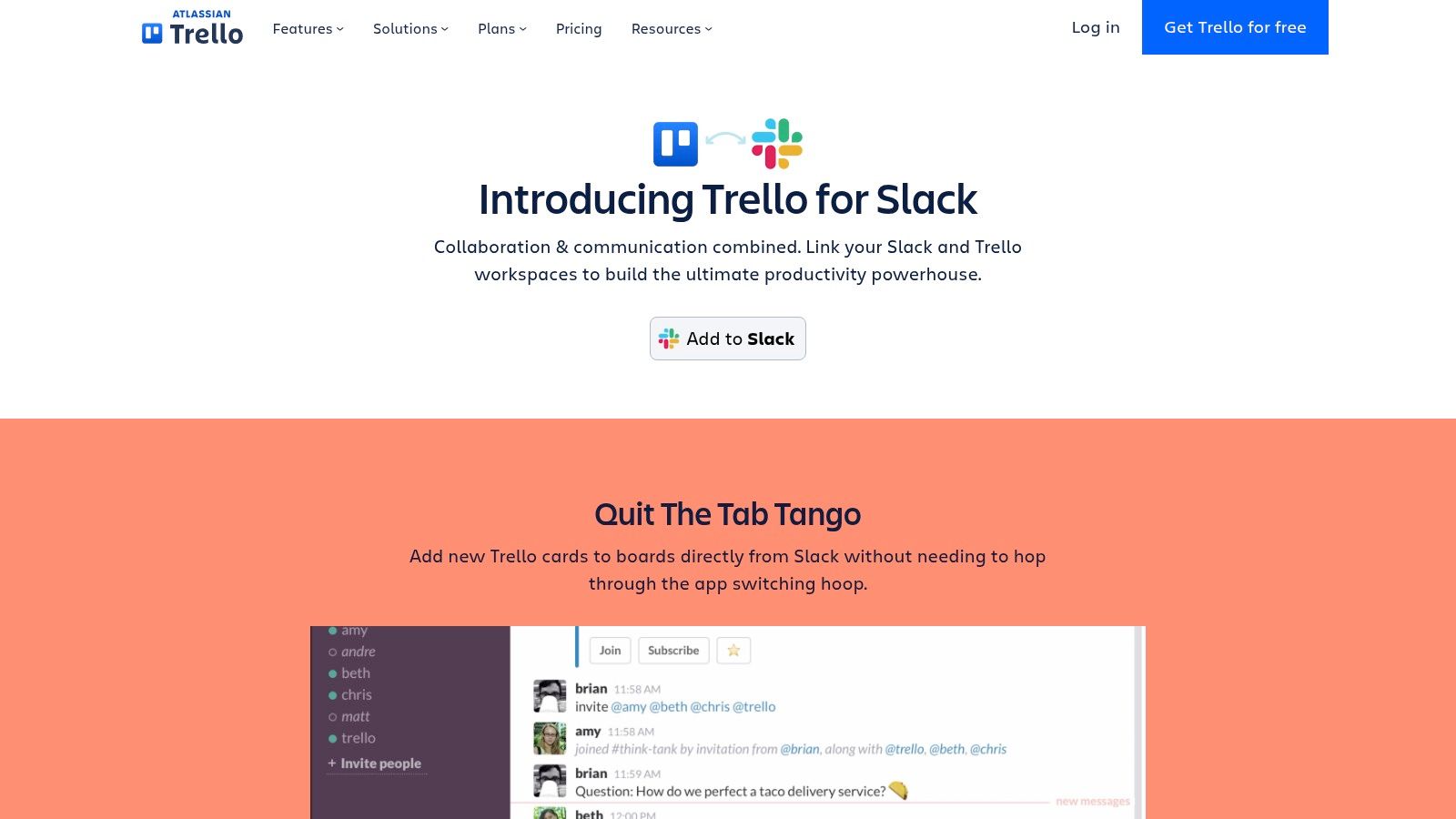
The app excels at reducing context switching by bringing core Trello functionalities directly into the Slack interface. Users can add new cards, attach conversations to existing cards, and get notifications on updates without leaving their chat window. Link unfurling provides immediate context when a Trello URL is shared, showing key details like the card title, board, and list.
Core Features & Use Cases
- Create Cards from Messages: Instantly turn any Slack message into a new Trello card on a specified board and list, capturing the context of the conversation.
- Link Unfurling & Updates: Automatically expands Trello links shared in Slack to show key card details. Get notifications in-channel for card comments, due date changes, and moves.
- AI-Powered Summaries: When saving a message to the Trello Inbox, the app can use AI to automatically summarize the content, helping to populate the card's title and description.
- Slash Commands: Use commands like
/trello add [card name]to quickly create tasks or/trello search [keyword]to find cards without leaving the message composer.
Analysis & Setup
Setting up the Trello app is straightforward, involving an OAuth flow to connect your Trello and Slack accounts and then linking specific channels to Trello boards. The real power comes from its seamless workflow integration; turning a bug report from a support channel into a Trello card for the engineering backlog takes only a couple of clicks. The AI summary feature is a notable time-saver, reducing the manual effort of transcribing conversational details into a structured task.
| Pros | Cons |
|---|---|
| Tight Slack–Trello workflow reduces app switching and increases efficiency. | Requires both Trello and Slack accounts; advanced features depend on Trello plan. |
| A strong fit for teams already using Trello for project management. | Admin approval may be required in locked-down Slack workspaces. |
| AI summaries help quickly create detailed cards from long conversations. |
Website: trello.com/en/platforms/slack
Top 12 Slack Apps Comparison
| Product | Core features ✨ | UX & Quality ★ | Pricing / Value 💰 | Target audience 👥 |
|---|---|---|---|---|
| 🏆 PullNotifier | Concise in-place PR updates; customizable repo→channel routing; auto-mentions; GitHub Enterprise & monorepo support | ★★★★★ (5.0; 10k+ devs) | 💰 Free tier (under 4 devs) + 2‑week trial; enterprise via sales | 👥 Individual devs → Enterprise teams; engineering leads |
| Slack Marketplace | Centralized app catalog; install/approval flows; security & admin pages | ★★★★☆ (Slack-reviewed listings; quality varies) | 💰 Free to browse; many apps paid or third‑party | 👥 Admins, IT, teams seeking vetted apps |
| Zapier – Slack Integrations Directory | No-code Zaps; 8,000+ apps; ready templates; triggers/actions | ★★★★☆ (broad, reliable; occasional latency) | 💰 Free tier; paid plans with task limits can be costly | 👥 Non-developers, ops, automation builders |
| Make (Integromat) | Visual scenario editor; branching logic; many Slack modules | ★★★★☆ (powerful; steeper learning curve) | 💰 Generous free tier; paid by operations (can spike) | 👥 Integration engineers, power users |
| Product Hunt – Slack Topic | Community launches, reviews, voting signals; discovery pages | ★★★☆☆ (great for discovery; hype varies) | 💰 Free discovery; links out to vendors | 👥 Early adopters, product scouts |
| StackShare – Slack Integrations List | Developer-focused tool index; pros/cons & comparisons | ★★★★☆ (useful for technical due diligence) | 💰 Free insights; not a purchase channel | 👥 Engineers, technical buyers |
| GitHub – Slack‑Bot Topic | 2,000+ open-source bots & SDKs; example projects & templates | ★★★★☆ (highly customizable; support varies) | 💰 Free (OSS) but requires engineering time to deploy | 👥 Dev teams wanting custom/self-hosted solutions |
| Polly for Slack | Polls, surveys, standups, exports & scheduling | ★★★★☆ (deep Slack UX; export/reporting) | 💰 Free (45‑day history); per-license paid tiers | 👥 HR, product, engagement teams |
| Donut | Random intros, onboarding journeys, celebrations, HRIS sync | ★★★★☆ (proven for culture & onboarding) | 💰 Usage-based; nonprofit/education discounts | 👥 People Ops, managers, remote teams |
| Simple Poll | Anonymous & recurring polls, Workflow Builder, templates | ★★★★☆ (fast, minimal polling) | 💰 Free basic; paid per workspace—scales with org size | 👥 Teams needing quick, lightweight polls |
| Geekbot | Async standups, retros, polls; dashboards; active-participant billing | ★★★★☆ (great for async teams) | 💰 30‑day trial; billed per active participant | 👥 Remote teams, engineering managers |
| Trello for Slack | Create/save Trello cards from Slack; AI summaries; bi-directional updates | ★★★★☆ (tight Trello–Slack workflow) | 💰 Free to use; advanced features depend on Trello plan | 👥 Teams already using Trello for task tracking |
Choosing the Right Apps for Your Slack Ecosystem
Navigating the vast landscape of Slack integrations can feel overwhelming, but the journey from a basic communication channel to a fully optimized, central command center is worth the effort. We've explored a curated selection of the best apps for Slack, from developer-centric tools like GitHub and PullNotifier that streamline CI/CD workflows, to culture-building apps like Donut and feedback platforms like Polly. The core takeaway is clear: the most effective Slack ecosystem is not about quantity, but about strategic, intentional integration. The goal isn't to add more noise, but to bring clarity, context, and automation directly into the conversations where work happens.
By thoughtfully selecting applications, you can transform Slack into the true digital headquarters for your engineering team. It becomes the place where code review requests are intelligently routed, stand-ups are run asynchronously without disrupting deep work, and critical incident alerts are immediately visible to the right stakeholders. This shift reduces context-switching, minimizes manual administrative tasks, and ultimately empowers developers to focus on what they do best: solving complex problems and shipping high-quality code.
A Framework for Strategic App Integration
Before you start installing every app on this list, take a step back and adopt a methodical approach. A successful implementation hinges on understanding your team's specific needs and workflows.
1. Identify Your Core Pain Points: Start by auditing your current processes. Where are the bottlenecks? Is it the signal-to-noise ratio in your pull request channels? Is it the administrative burden of scheduling and running daily stand-ups? Are project updates getting lost in a sea of messages? Pinpointing these friction points will give you a clear target for which apps will deliver the most immediate value.
2. Start Small and Iterate: Avoid the temptation to overhaul your entire Slack workspace overnight. This can lead to tool fatigue and low adoption rates. Instead, select one or two high-impact applications that address a significant pain point. For example, if your team is drowning in GitHub notifications, implementing a tool like PullNotifier could be a quick and decisive win.
3. Measure and Gather Feedback: After implementing a new tool, create a dedicated channel (e.g., #tools-feedback) to collect thoughts from your team. Is the app reducing friction or adding complexity? Are the notifications helpful or just more noise? Use tools like Simple Poll or Polly to gather structured feedback and make data-driven decisions on whether to keep, reconfigure, or replace an application. A successful app ecosystem is a living one that evolves with your team's needs.
4. Consider the Broader Productivity Stack: Remember that Slack is just one part of your team's toolkit. The most powerful setups integrate seamlessly with the other platforms you rely on. To further empower your team, consider integrating a wider range of top team productivity apps that can seamlessly connect with your Slack workspace, creating a unified and efficient operational hub.
Ultimately, the best apps for Slack are the ones that fade into the background, automating the tedious and amplifying the essential. A well-curated selection of tools doesn't just add features; it enhances your team's culture of collaboration, transparency, and efficiency. By choosing wisely, you create an environment where information flows freely, workflows are streamlined, and your team is empowered to achieve its full potential.
Ready to eliminate notification chaos and streamline your code review process? PullNotifier transforms noisy pull request channels into a focused, actionable workflow right within Slack. Try PullNotifier today and give your engineering team the quiet, organized workspace they need to build amazing products.