- Published on
Cost Of Context Switching And How It Hurts Productivity
- Authors

- Name
- Gabriel
- @gabriel__xyz
In a fast-moving development environment, the cost of context switching isn’t just theoretical—it’s a daily reality that chips away at focus and time. On average, developers need 23 minutes to bounce back after an interruption, turning every quick toggle into lost productivity.
Snapshot Of Context Switching Costs
Recent studies show knowledge workers switch tasks up to 1,200 times per day, which translates to roughly 4 hours of scattered focus every week. When you dig deeper, recovery from each interruption stretches beyond 20 minutes on average.
Economists estimate global losses from context switching at a staggering $450 billion annually, raising it to a boardroom issue, not just a developer’s headache. A couple of minutes off task may feel trivial in the moment, yet as weekly blocks of lost time stack up, the impact becomes undeniable.
Here’s a high-level look at key metrics on the cost of context switching:
- 23 Minutes average recovery time after each context switch
- 4 Hours lost focus per week for an individual developer
- 83/hour
- 5 Proven Strategies previewed: batch tasks, consolidate tools, time blocks, boundary setting, automate alerts
These core metrics reveal the scale of hidden losses and set the stage for practical tactics ahead.
Every extra toggle chips away at developer flow and costs real dollars.
Summary Of Context Switching Costs
Here’s a quick comparison of key metrics related to the cost of context switching for knowledge workers:
| Metric | Value | Impact |
|---|---|---|
| Recovery Time | 23 min | 40% productivity drop |
| Weekly Hours Lost | 4 h | $332 cost |
| Daily Cost | $250 | Increase in errors |
| Strategies Preview | 5 methods | 10–60% toggle reduction |
These figures illustrate how minor context switches quickly compound into lost hours and real dollars.
This screenshot from Atlassian shows the spike in error rates after each context switch.
It confirms that frequent shifts not only eat time but also boost bug counts and rework—underlining the true cost of context switching.
In the sections that follow, we’ll build on these numbers, sharing five proven tactics—from smarter scheduling to targeted notification filters and a tool like PullNotifier—to help your team reclaim focus, reduce bugs, and speed up delivery.
Understanding The Key Concepts
Context switching is like driving a manual transmission: you have to let off the gas, press the clutch, and re-engage. That pause disrupts the engine of your mind and kills momentum.
It’s much like changing lanes on a crowded highway. You glance at mirrors, judge speed, and steer precisely—little decisions that steal your focus from where you need to go.
For a developer, jumping from writing code to handling an email feels like rebooting a computer mid-task. The machine halts, reloads, and those precious seconds slip away, revealing the true cost of context switching on your cognitive flow.
Fragmented Information
When work piles up, bits of context end up scattered in docs, chats, and browser tabs. Finding that one snippet you need turns into a frustrating scavenger hunt.
Unfinished information loops breed mental clutter and sap your focus.
Here’s where the overhead builds:
- Scanning multiple code branches or tabs for related snippets
- Scrolling through chat threads to piece together conversations
- Revisiting specs or tickets to confirm requirements
These steps introduce friction before you can even write a single line of code.
Tool Overload
Imagine a workshop where every tool is strewn across the floor. Instead of hammering nails, you’re zigzagging to find the right wrench. That’s what too many open apps feel like.
Each app you switch to demands a fresh mental setup:
- You juggle 5 interfaces—code editor, issue tracker, chat, CI dashboard, and logs.
- Every toggle forces you to rebuild your mental model.
- On average, regaining full context eats up 23 minutes.
Even quick interruptions snowball into hours of lost “deep work.”
Abrupt Task Boundaries
Being yanked out of focus is like waking from a vivid dream—disoriented and off-balance. In dev work, bouncing from debugging to a planning meeting hits you the same way.
These abrupt shifts fracture your concentration by:
- Interrupting thought streams mid-problem solving
- Stopping creative insights in mid-flight
- Forcing you to clean up context before leaping to the next task
| Analogy | Cognitive Effect |
|---|---|
| Gear Shift | Slow acceleration |
| Lane Change | Rebuilding focus lane |
| System Reboot | Context reload delay |
Small jolts add up, turning a smooth highway of thought into a stop-and-go jam.
A developer’s success hinges on sustained momentum—building features, squashing bugs—not hunting for lost threads. Once focus slips, getting back feels like rewinding a videotape one frame at a time.
Small pings trigger spirals: one email alert leads to five minutes of aimless wandering, then rechecking code, edge cases, and tests. Suddenly your sprint stalls.
Smoothing out your workflow isn’t a luxury—it’s essential for keeping velocity and quality high.
Now that we’ve unpacked how context switching drains productivity, the next step is clear: implement strategies to reclaim flow. Let’s explore how tools like PullNotifier and other best practices can minimize these costly shifts, so your team writes more code and chases context less.
Even subtle tweaks in your routine can recapture hours of focus each week.
Taming tool overload and bridging information gaps sets the stage for uninterrupted, deep work.
With that clarity, developers unlock true productivity gains.
Quantifying Productivity Costs
Context switching isn’t just annoying—it chips away at developer flow and hits the bottom line. Every time you pause one task and jump to another, you lose momentum and, ultimately, real hours.
Research shows a 40% productivity drop when toggling between tasks, translating into nearly $450 billion in annual losses worldwide. These figures give teams a concrete argument for protecting uninterrupted work time.
Key Productivity Metrics
Here’s how those interruptions add up:
- Recovery time after each switch averages 23 minutes and 15 seconds, delaying your next deliverable.
- Managing five projects at once can cut productivity by 40%, leaving just 20% of your energy for deep focus.
- Frequent app hopping costs developers about 4 hours of deep work every week.
- Global inefficiencies from these micro-interruptions tally around $450 billion each year.
Seeing these stats side by side makes it impossible to ignore how small breaks in concentration compound into major losses.
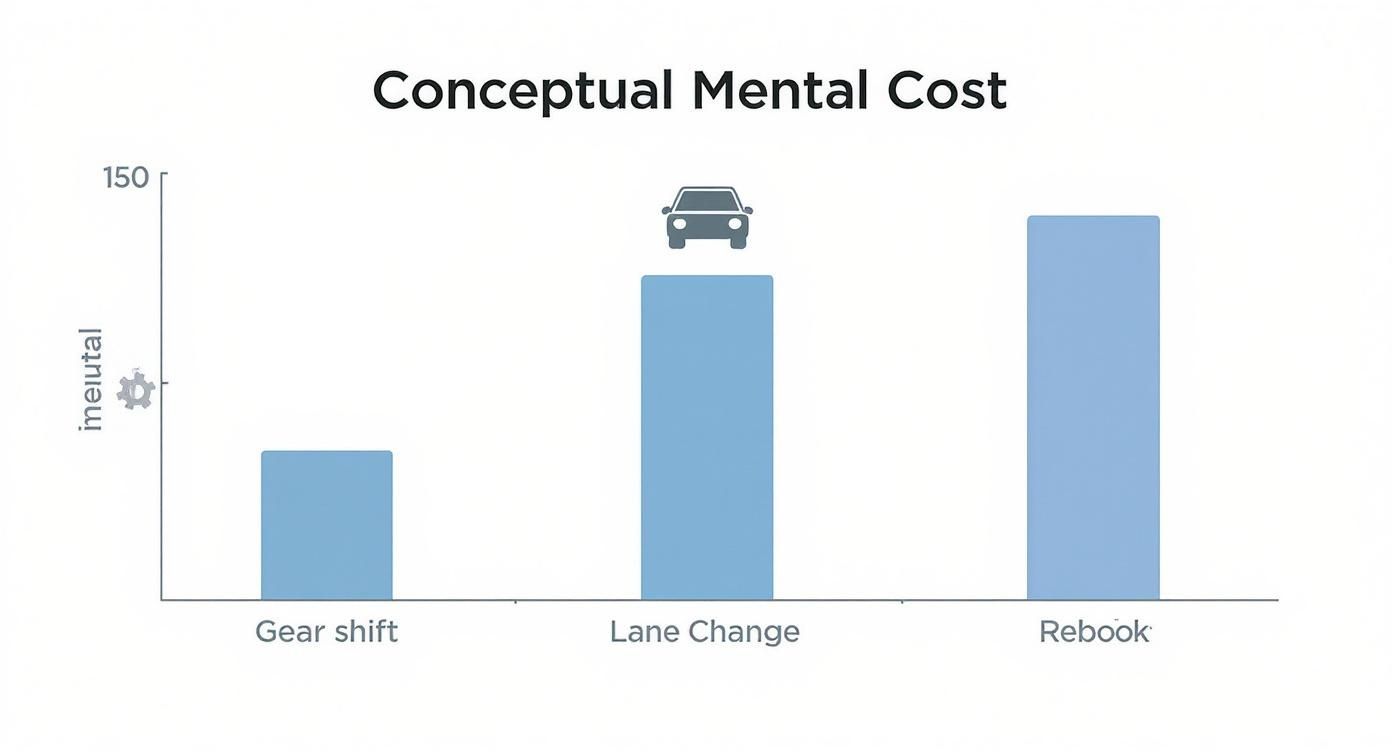
That infographic drives home the point: each switch feels like shifting gears, changing lanes, or rebooting your system—and the toll is the same on your focus.
Time Drain And Focus Recovery
When you pause a task to answer a ping or switch browser tabs, your brain needs time to settle back in. On average, that’s 23 minutes and 15 seconds per interruption. Discover more insights about the effects of context switching on Spekit
80% of mental energy evaporates when you juggle five projects, leaving only 20% for real coding.
Understanding this time drain is the first step to crafting workflows that let people stay in “the zone.”
Economic Impact Of Context Shifts
On the macro level, the price tag balloons:
- Annual losses tied to context switching sit at $450 billion.
- At an 250** per day to refocus time.
- Teams spend just 20% of their week in truly productive work modes.
If you want practical examples of how to flip that script, check out methods for 10x faster development.
| Metric | Cost |
|---|---|
| Focus Recovery | 23 m 15 s per switch |
| Weekly Deep Work Lost | 4 hours |
| Annual Global Loss | $450 billion |
With numbers like these, it’s easy to win support for tools and practices that shield developers from constant interruption. For a deeper dive, see our guide on engineering productivity measurement.
Securing Buy In
When you pitch improvements, anchor your case in dollars and hours:
- A single developer can reclaim over 1 hour of deep work every day.
- Cutting interruptions leads to fewer bugs and less rework—error rates drop noticeably.
- Scale those gains across your department, and you unlock massive annual savings.
Using PullNotifier to batch notifications has cut toggle events by up to 60% in real teams. Armed with hard data and clear ROI, you’ll transform context switching from a hidden drain into a visible improvement win.
Visualizing Gains
Concrete visuals turn abstract stats into a story that sticks:
- Focus Time vs. Interruptions: A line graph showing deep-work hours against switch counts.
- Error Rate Trends: A bar chart comparing bug reports before and after filters.
- Notification Volume: A pie chart illustrating how PullNotifier trims pings.
These dashboards bring regained focus to life, making it easy for stakeholders to see the value of smarter workflows.
Real World Developer Impacts
Real engineering workflows reveal the cost of context switching every day. These stories show how interruptions ripple through code quality, deadlines, and team morale.
For instance, a mid-sized SaaS group discovered that code-review mistakes surged whenever developers toggled between tasks. Error rates climbed by 25% when pull requests landed during intense switching periods.
Case Study: Code Review Interruptions
This team logged an average of 50 tool switches per day for each engineer. Every distraction forced developers to reload context before typing a single line.
- Tickets closed per day fell by 15% because of constant toggles.
- Average review time stretched from 2 hours to 3.5 hours.
- Bug escapes jumped by 30%, triggering unplanned hotfix sprints.
The takeaway was clear: cutting down on switches isn’t optional—it’s imperative.
Researchers at Harvard Business Review report that knowledge workers bounce between apps roughly 1,200 times a day. That behavior costs about four hours of focus each week.
Even fleeting five-second interruptions can triple error rates in complex tasks. And for a 15,000 in productivity gains each year. Learn more about context switching costs
Timeline Slippage And Burnout
Meanwhile, another team watched sprint velocity dip whenever support tickets pulled engineers away from feature work. Their speed dropped by 20%, and each cycle slid behind schedule by two days.
| Team Type | Delivery Speed | Bug Rate | Burnout Level |
|---|---|---|---|
| High Switch Loads | Slow (–20%) | High (+30%) | Elevated |
| Focus Block Practices | Faster (+15%) | Lower (–25%) | Reduced |
This head-to-head comparison proves disciplined focus blocks deliver real gains. Grouping tasks into dedicated sessions can shield morale and shrink error counts.
Reducing Interruptions With PullNotifier
A fast-growing startup turned to PullNotifier to batch pull request alerts into a single Slack thread. The result was dramatic.
They slashed notification toggles by 60% and reclaimed 3 hours of deep focus each week. Improved review speed and a calmer code-review environment earned buy-in for a wider rollout.
For additional tactics on boosting developer flow, check out our guide on improving developer experience with key strategies and tips
In yet another case, a distributed team mapped each engineer’s tool toggles against stress survey scores. They found a 40% increase in reported stress whenever notifications spiked. After streamlining alerts, burnout fell and collaboration thrived.
That shift highlighted a simple truth: lowering context load protects developer wellbeing.
Developer flow is sacred: every switch is a small tax on focus and confidence.
These real-world moments show that context switching costs more than time—it dents quality, delays delivery, and saps morale. Dropping those interruptions delivers a clear competitive edge.
Next, we will explore proven strategies to slash switching overhead and reclaim focus time.
Key Takeaways: Developer Impacts
- Streamlined notifications cut error rates by up to 30%, freeing up valuable focus.
- Focus blocks vs. constant switching drive a 35% uptick in delivery speed.
- Halving daily toggles correlates with lower burnout and higher team morale.
- Recovered focus hours translate into tens of thousands of dollars in annual productivity per person.
- PullNotifier helps teams batch updates, quiet the noise, and sustain developer flow.
By walking through these scenarios, engineering leaders see that each skipped context switch adds real, measurable value. This insight sets the stage for targeted strategies and tools in the next section.
Leaders who champion fewer interruptions watch satisfaction and delivery metrics climb—because investing in focus isn’t a perk; it’s a strategic necessity for high-performing engineering teams.
Focus drives success.
Strategies To Reduce Switching Overhead

Jumping between tasks shatters momentum. Every toggle forces your brain to reset, costing precious minutes of focus.
These strategies aim to rebuild your developer flow and defend uninterrupted work time. Each one chips away at the chaos of constant context shifts.
Key Strategies To Explore:
- Task Batching That Groups Similar Work Into Solid Blocks
- Tool Consolidation To Cut Down On App Switches
- Time Blocking That Carves Out Deep Focus Windows
- Boundary Setting To Head Off Unplanned Disruptions
- Smarter Notifications Like PullNotifier Alerts That Reduce Noise
Task Batching And Grouping
When you tackle similar tasks back-to-back, your mind stays in gear. Instead of scattering attention across unrelated issues, you anchor on one type of problem.
A 2022 Harvard Business Review study found digital workers lose nearly five working weeks per year—9% of annual time—just reorienting between tasks. Teams using 10+ apps switch more frequently and waste over 500 hours of salary per employee yearly. Learn more about context switching costs on ActivTrak
A simple batching method:
- Pick a theme (like “code reviews” or “bug fixes”)
- Block a 90-minute slot in your calendar
- Power through all related items without opening other tools
Momentum stays high, and you keep context loads to a minimum.
Consolidate Your Tools
Every extra app is another door you must open and close. Aim for two to four core tools and retire the rest.
Try integrated platforms or browser workspaces that host multiple functions in one place. Swapping between code and chat in a single window cuts toggle time dramatically.
- Identify your top three daily apps and archive anything redundant
- Build bookmarked workspaces grouping related sites
- Use browser extensions to fuse notifications into one feed
Exploring the best AI for programming can also simplify your toolkit and eliminate needless switches.
Time Blocking And Focus Windows
Carve out predictable slots for uninterrupted coding. During these windows, silence notifications and gently defer minor requests.
Tips For Effective Focus Blocks:
- Schedule 60–90 minute intervals in your calendar
- Display “In Focus Mode” status in Slack or Teams
- Build in short breaks to reset your energy and avoid burnout
Set Clear Boundaries
Social cues keep interruptions at bay. Let your team know when you’re off-limits and define what counts as “urgent.”
Boundary-Setting Tactics:
- Share a daily “focus schedule” in your team channel
- Agree on criteria that tag a message as urgent
- Leverage DND or a custom Slack status to signal unavailability
Use PullNotifier For Smarter Alerts
PullNotifier bundles pull request updates into concise Slack messages, cutting toggle frequency by up to 60%. You decide when and where to see them.
Developers reclaim 3 hours of deep focus per week by filtering out noise and automating mention triggers. Custom routing rules surface only the updates that matter to you.
Combine batching, time blocks, and PullNotifier for compounding benefits. These tactics transform scattered days into smoother, more predictable workflows.
Start small, track your gains, and adjust as you go. Your team will appreciate fewer disruptions and a lot more clarity.
PullNotifier In Action
PullNotifier hooks your GitHub repositories directly into Slack channels in just a few clicks. No extra scripts or complicated setups—just clear, filtered pull request updates when and where you need them.
You decide which events matter. Custom filters ensure only the right pull request alerts land in your channels, leaving out the clutter.
Setup Steps
- Connect your GitHub account and select repositories.
- Define routing rules by team, file path, or label.
- Add keyword filters to mute irrelevant updates.
- Map specific PRs to dedicated channels or threads.
Daily Usage Patterns
Every morning, developers see all review comments in one place. Notifications batch into five-minute digests, slashing tool toggles by up to 60% and keeping focus intact.
One team cut their review cycle by 30% after switching from email pings to concise Slack summaries. Their daily context switches fell from 60 to just 20.
“PullNotifier saved me two hours of context switching each week,” says engineer Maria Lopez.
Dive deeper in our Blog Post on GitHub Slack Integration to learn how these alerts transform code reviews.
With a focused PR queue, nobody hunts through multiple tools for pending reviews. The streamlined feed keeps attention sharp and energy high.
Integration Best Practices
- Block off review windows and let PullNotifier queue alerts.
- Use Slack reminders to batch notification digests.
- Adjust filters weekly to match evolving project needs.
Teams that adopt these routines report fewer error spikes and lower stress. One startup reclaimed three hours of deep work each week. Merges happen faster, and sprints become more predictable.
Reliable notifications balance visibility with concentration.
Roll out PullNotifier in stages:
- Start with a small pilot group.
- Measure tool toggles before and after.
- Expand filters project by project.
- Tweak rules based on early feedback.
This gradual approach cements developer flow and cuts context-switch overhead.
Results Comparison
| Metric | Before PN | After PN |
|---|---|---|
| Daily Tool Toggles | 60 | 24 |
| Weekly Deep Work Hours | 15h | 18h |
| Error Rate Change | +25% | -10% |
Teams then refine these rules over time, squeezing out even more gains.
Example Team Retrospective
- Collect feedback after two weeks of use.
- Tweak filter keywords to silence new noise.
- Rotate channel subscriptions as priorities shift.
- Celebrate regained focus with a team shout-out.
By iterating, your workflow evolves to fit your team’s needs exactly.
Next Steps Summary
- Begin with a small pilot and expand filters gradually.
- Track focus gains and adjust filters each month.
- Share your wins to build momentum across the organization.
Common Questions About Context Switching Costs
Engineers and managers often ask how to measure the cost of context switching and which metrics really matter. This FAQ digs into those concerns, offering practical tips and real-world examples to move you from insight to action.
Measuring The Right Metrics
Which numbers tell the true story? Zero in on these core signals:
- Recovery Time: How long does it take to refocus after a switch?
- Switch Count: How many times does your team bounce between tasks each day?
- Deep Work Hours: Hours spent in uninterrupted focus.
- Error Rate: Bug frequency when switches spike.
“Measuring recovery time uncovers hidden losses in developer flow,” explains productivity expert Jane Doe.
These metrics shine a light on the points where context switching really drags you down. They also give you a clear case to present to leadership.
Balancing Meetings And Flow
How can you keep collaboration alive without chopping up deep work? Try these approaches:
- Schedule thematic meeting blocks to group similar topics.
- Set “no-interruption” windows for focused coding.
- Use asynchronous check-ins for quick updates.
Each tactic protects your focus time, and teams report up to a 20% increase in output when they stick to it.
| Strategy | Benefit |
|---|---|
| Thematic Meeting Blocks | Groups related discussions |
| No-Interruption Windows | Shields deep work |
| Asynchronous Check-Ins | Cuts down on live interruptions |
When To Introduce Tools Like PullNotifier
Wondering if it’s time for a notification manager? Watch for these signs:
- Your team juggles more than 60 switches per day.
- Interruptions chew up over 23 minutes each.
- The bug count climbs because focus is fractured.
A tool such as PullNotifier funnels alerts into Slack, slashing toggle events by up to 60%. Your developers stay in flow and ship faster.
Sustaining Improvements Over Time
How do you lock in gains and avoid falling back into old habits? Take these steps:
- Review your key metrics weekly and tweak schedules.
- Rotate focus days and adapt boundaries as projects shift.
- Collect team feedback to fine-tune filters and meeting rules.
Sustained change kicks in when you combine hard data with a shift in day-to-day culture.
By keeping an eye on the cost of context switching, and using tools that reduce it, your team can stay productive and keep error rates low.
How To Track Progress After Changes
Once you’ve set up batching and notification filters, keep an eye on:
- The number of daily context switches.
- The average refocus time per interruption.
- Weekly deep work hours reclaimed.
Tracking these indicators is the only way to confirm that your changes stick, and to spot areas that might need more refinement.
Show trends on a simple dashboard and share a snapshot with leadership each week.
What Threshold Justifies Action
Not every ping or meeting needs a major overhaul. Use these signals to decide when to dig deeper:
| Metric | Alert Threshold |
|---|---|
| Daily Switches | >50 |
| Refocus Time | >20m |
| Weekly Deep Work | under 10h |
When your numbers cross these lines, it’s time for a closer look and some fresh tweaks.
Common Mistakes To Avoid
Going too far by blocking all notifications can backfire. Watch out for:
- Ignoring urgent alerts completely
- Letting filters go stale as projects evolve
- Skipping metric reviews for months at a time
Keep a tight feedback loop and make small, steady adjustments. That’s the best way to protect your workflow from slipping backward.
Ready to transform your workflow? Try PullNotifier today and reclaim your team’s deep work hours.