- Published on
A Developer’s Guide to Mastering Security Code Review
- Authors

- Name
- Gabriel
- @gabriel__xyz
A security code review is a systematic check of your application's source code, hunting for vulnerabilities before they can be exploited. It’s a proactive defense, pulling security from some final, pre-release gate right into the daily development cycle. Think of it as preventing data breaches before they even have a chance to happen.
Why Security Code Review Matters More Than Ever
In modern software development, the sheer volume and complexity of code have created a perfect storm for security risks. Teams are shipping features faster than ever, juggling intricate software supply chains, and increasingly using AI to generate code. While all this boosts productivity, it also opens the door to new, often subtle, attack vectors that can easily slip through the cracks.
This is where a solid security code review process stops being a "nice-to-have" and becomes a business necessity. It's not just about catching bugs anymore; it's about managing technical debt and protecting your company from a devastating breach. An effective review process acts as a critical checkpoint, embedding security directly into your workflow instead of treating it like an afterthought.
The New Scale of Software Security
The modern coding environment operates at a scale that was once unimaginable. In just one year, security platforms scanned a staggering 420 trillion lines of code and uncovered 204 million flaws. This explosion, fueled by AI-generated code and complex dependencies, underscores the urgent need for efficient review processes.
With the average data breach costing millions, finding and fixing issues early through focused code reviews isn't just good practice—it's essential for mitigating huge financial risk. You can get more insights on the current state of application security here.
This guide is a practical roadmap for developers and engineering leads. We'll walk through how to build a security code review practice that strengthens your applications without slowing you down.
A security code review isn't about finding blame; it's about building collective ownership. The goal is to create a culture where every developer is empowered to think defensively and contribute to a more secure product.
Moving Beyond the Final Gate
Traditionally, security analysis was a final step, handled by a separate team just before a release. That model is broken. Finding a critical vulnerability at the eleventh hour creates chaos, delays launches, and forces expensive, last-minute rework.
An integrated approach completely changes the game. By conducting security reviews within pull requests, your team can:
*   **Catch Flaws Early:** Identify and fix vulnerabilities when they are cheapest and easiest to resolve—right after the code is written.
*   **Share Knowledge:** Use the review process as a teaching moment, spreading security expertise across the entire engineering team.
*   **Build Secure Habits:** Reinforce secure coding practices with every single commit, making security a natural part of the developer workflow.
When you embrace this shift, you're not just adding a safety check. You're building a more resilient, secure, and efficient engineering culture.
Setting the Stage: A Threat Modeling Mindset
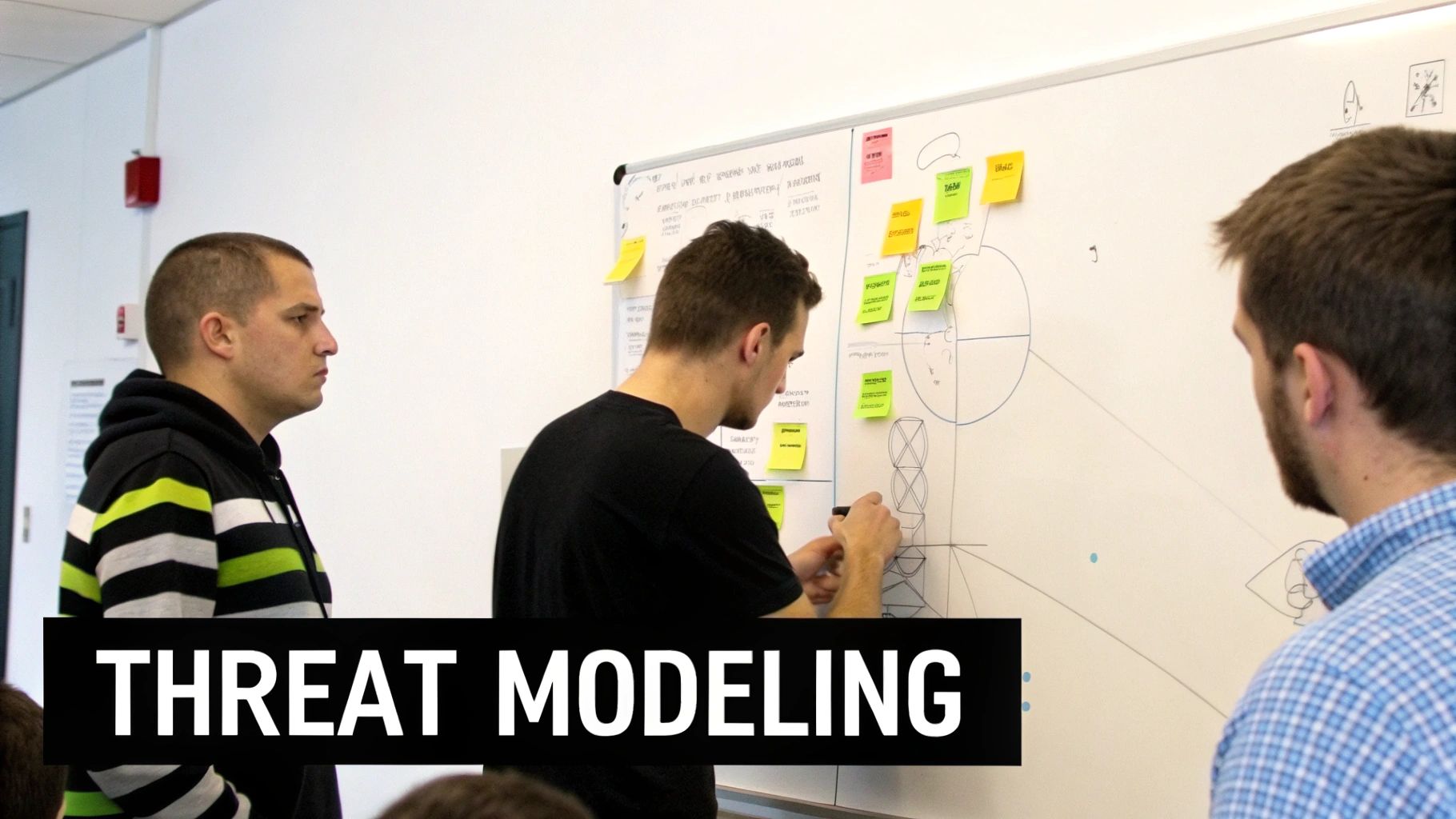
A proper security code review doesn't start when you open a pull request. It starts with a mental shift—from a developer focused on making it work to an attacker hell-bent on making it break. This is the core of threat modeling, and it's what turns a basic bug hunt into a strategic security analysis.
Instead of just asking, "Does this code do what it's supposed to?" you need to start asking, "How could this be abused?" This perspective forces you to look beyond simple syntax errors or logic flaws. It gets you thinking about the entire system and helps you spot the kind of design-level weaknesses that automated scanners almost always miss.
The goal isn't to become a cybersecurity guru overnight. It’s about cultivating a healthy sense of professional paranoia and applying a structured thought process to every piece of code you review. This proactive mindset is the line between a superficial check and a genuinely effective security review.
Thinking Like an Attacker
Let's put this into practice with a common feature: a new user authentication endpoint. A standard code review might check if the password hashing is up to snuff or if the database query is efficient. But a security-focused review, guided by a threat modeling mindset, asks a whole different set of questions.
First, you map out the attack surface. Where is the system exposed? What are the entry points for data, and where does it go? For our auth feature, the API endpoint accepting a username and password is the front door.
From there, you start probing for weaknesses with a critical eye:
*   **Where does the data come from?** User-supplied input is *always* untrusted. This isn’t just the request body; it includes headers, query parameters, and cookies.
*   **How is the data validated?** Is there strict validation on the length and format of the username and password? What happens if someone throws a massive payload or weird data types at it?
*   **What are the trust boundaries?** When does data cross from an untrusted zone (the public internet) to a trusted one (your internal network)? The moment the API controller hands credentials to a service layer is a critical boundary to scrutinize.
*   **What privileges does this code have?** Does the process handling this request run with more permissions than it needs? If it gets compromised, could an attacker access environment variables or other database tables?
Asking these questions helps you build a mental map of how an attacker might exploit the feature, forcing you to consider the code's broader context and potential impact.
From Bugs to Systemic Weaknesses
This attacker mindset is what helps you graduate from finding individual bugs to spotting systemic flaws. A single missing input validation check is a bug. A pattern of missing input validation across all your endpoints is a systemic weakness. A great security code review has to catch both.
Think about that authentication example again. Say you find the code is vulnerable to a timing attack, letting an attacker guess valid usernames based on server response times. Fixing that one function is a good start.
But a threat modeling mindset pushes you to ask the bigger question: "Does our entire authentication flow have a uniform response time for both valid and invalid users?" This question uncovers a design flaw, not just an implementation bug. That leads to a much more robust fix.
This shift is crucial. Automated tools are fantastic at spotting known patterns like SQL injection, but they have zero context for your business logic or architectural intent. They can flag a weak encryption cipher, but they can't tell you that the access control model for a new feature is fundamentally broken.
By adopting this perspective, you become the essential human in the loop. You bring the reasoning and context that automation simply can't. You’re not just fixing a line of code; you're hardening the entire system against whole classes of attacks.
The Reviewer’s Toolkit: Automated vs. Manual Analysis
When you’re setting up a security code review process, one of the first questions that comes up is about tooling. Should you let automated scanners do the heavy lifting, or do you need the sharp eye of a human expert?
The truth is, you need both. It’s not an either/or situation.
Automated tools and manual analysis are two sides of the same coin. One gives you speed and breadth, the other brings depth and context. A mature security practice weaves them together into a hybrid workflow, creating a defense-in-depth strategy right inside your pull requests. You use automation to catch the known issues, which frees up your developers to focus their valuable time on the unknowns.
The Power and Limits of Automation
Automated security tools are the workhorses of any modern security program. They are incredibly fast, capable of scanning millions of lines of code in minutes, and they’re fantastic at spotting well-defined, common vulnerability patterns. Think of them as your first line of defense, tirelessly searching for the low-hanging fruit.
These tools generally fall into a few key categories:
*   **Static Application Security Testing (SAST):** These tools analyze your source code from the inside out, without actually running it. They’re great for finding issues like SQL injection, cross-site scripting (XSS), and improper error handling.
*   **Software Composition Analysis (SCA):** SCA tools are all about your dependencies. They scan your project’s libraries and frameworks against massive databases of known vulnerabilities, which is absolutely critical for supply chain security.
*   **Dynamic Application Security Testing (DAST):** These tools test your application while it's running, probing for weaknesses from the outside just like an attacker would. They excel at finding server configuration mistakes and runtime-specific vulnerabilities.
For a deeper look at the options out there, check out our guide on the 12 best automated code review tools for 2025.
But here’s the catch: automation has a massive blind spot—context. A tool can't understand your business logic, so it will almost always miss complex authorization flaws or subtle, design-level weaknesses.
The Irreplaceable Human Element
This is where manual review becomes essential. A human reviewer brings critical thinking and an understanding of the application's purpose that no machine can replicate. They can actually think like an attacker, connecting seemingly unrelated pieces of code to uncover sophisticated exploits.
A human reviewer doesn't just look for bugs; they assess risk. They can identify a subtle flaw in business logic that could lead to financial loss or spot an architectural choice that creates a systemic weakness for the future.
While automated scanners are great at finding known patterns, a manual security code review is where you uncover the novel vulnerabilities. A developer with a threat modeling mindset can spot issues unique to your application, like insecure access control logic, race conditions in a payment flow, or improper data handling that leads to privacy violations.
The downside, of course, is that manual review is slow. It doesn't scale. No single person can meticulously review every line of code in a large, active repository.
Automated Scanning vs. Manual Review
Here’s a quick breakdown of how these two approaches stack up. Each has its place, and understanding their strengths and weaknesses is key to building an effective security workflow.
| Aspect | Automated Scanning (SAST/SCA) | Manual Code Review |
|---|---|---|
| Speed & Scale | Very Fast. Can scan entire codebases in minutes. Scales effortlessly. | Slow. Meticulous and time-consuming. Does not scale well. |
| Strengths | Finding known vulnerabilities, common patterns (e.g., SQLi, XSS), and outdated dependencies. | Finding business logic flaws, complex authorization issues, architectural weaknesses, and novel vulnerabilities. |
| Weaknesses | Blind to business context. Can produce high false positives. Misses design-level flaws. | Expensive and resource-intensive. Relies heavily on the reviewer's expertise. Inconsistent without a structured process. |
| Ideal Use Case | Continuous integration (CI) scans on every pull request for a baseline security check. | High-risk features (e.g., authentication, payments), critical bug fixes, and architectural changes. |
| Focus | Breadth. Covers the entire codebase quickly to find common issues. | Depth. Focuses on high-risk areas to uncover complex and contextual threats. |
Ultimately, relying on just one is a recipe for failure. Automation alone leaves you vulnerable to sophisticated attacks, while manual-only reviews are too slow to keep up with modern development.
Building a Hybrid Workflow for Maximum Impact
The most effective strategy is to combine both. Let automated tools handle the high-volume, low-complexity work. Reserve your human expertise for high-risk, high-context analysis.
This hybrid model starts by plugging automated scans directly into your CI/CD pipeline. Every single time a pull request is created, SAST and SCA scans should run automatically. This is non-negotiable, especially with the explosion of open-source risk. Recent research shows a staggering 81% of commercial codebases contain high-risk vulnerabilities. The number of reported vulnerabilities skyrocketed from 6,494 in 2015 to 40,291 in 2024, making automated SCA scanning an absolute must-have. You can read the full research about these findings on open-source risks.
With automation as the baseline, your human reviewers are no longer bogged down checking for basic syntax errors or outdated packages. Their review can start with the assumption that the low-hanging fruit has already been caught.
This frees them to focus on what truly matters:
*   **Validating Business Logic:** Does this code correctly enforce user permissions and business rules?
*   **Assessing Architectural Impact:** How does this change affect the overall security posture of the application?
*   **Investigating Complex Data Flows:** Is sensitive data handled securely as it moves through the system?
*   **Reviewing High-Risk Areas:** Focus manual effort on critical components like authentication, payment processing, and user data management.
By using tools to automate notifications and route findings from scanners directly into the pull request discussion, you create a seamless workflow. This allows developers and security experts to collaborate efficiently, turning the security code review into a powerful, multi-layered defense.
Your Prioritized Security Code Review Checklist
Diving into a security code review without a plan is like wandering through a maze blindfolded. You might find something, but you'll probably miss the most important stuff. A structured approach, starting with the highest-risk areas, is the only way to be efficient and effective.
Think of this less as a rigid script and more as a guide to sharpen your focus. It helps you build a mental model for spotting weaknesses, letting you adapt your review to the specific code in front of you. For teams wanting to build out their own internal standards, our downloadable code review checklist is a solid starting point.
Input Validation and Sanitization
This is your first line of defense. Almost every major vulnerability, from SQL injection to cross-site scripting (XSS), starts with an application mishandling user input. My rule of thumb? Treat all external data as hostile until you can prove it's safe.
You should be obsessed with two key questions here:
- Are we validating all incoming data? This isn't just about checking for malicious strings. It's about enforcing strict rules: type, length, format, and range. If you expect a number, your code better reject a string. If a username can only be 20 characters, the code needs to enforce it.
- Are we encoding output correctly for its context? Data that's perfectly safe in a database can become a weapon when rendered in an HTML page. Always encode data for the specific context where it’s being used.
Key Takeaway: Never trust, always verify. Every single piece of data that crosses a trust boundary—from an API request to a URL parameter—has to be rigorously validated on the server. Client-side validation is just for a good user experience; it does nothing for security.
Let's look at the classic example everyone messes up: SQL injection.
Bad Practice (A huge security hole)
// User input is directly slapped into the query string. Big mistake.
const userId = request.body.userId;
const query = `SELECT * FROM users WHERE id = '${userId}'`;
db.query(query);
This is a disaster waiting to happen. An attacker could easily submit something like ' OR '1'='1 for the userId and dump your entire users table. Game over.
Good Practice (The right way to do it)
// User input is passed as a separate parameter, not as part of the query.
const userId = request.body.userId;
const query = 'SELECT * FROM users WHERE id = ?';
db.query(query, [userId]);
By using parameterized queries, you let the database driver handle the sanitization. The input is treated as a simple value, not as executable code. This one change completely neutralizes SQL injection for this query.
Authentication and Session Management
Once you know who a user is, you have to manage their session securely. Get this wrong, and attackers can impersonate legitimate users, hijack active sessions, or just bypass your login screen altogether.
When you're looking at auth code, ask these questions:
*   **How are credentials protected?** Passwords should *never* be stored in plaintext. Ever. Look for strong, salted hashing algorithms like Argon2 or bcrypt.
*   **Is session management secure?** Session tokens should be long, random, and sent over secure channels (like secure, HttpOnly cookies). And just as important, are sessions actually killed on logout or after a timeout?
Access Control Checks
Authentication confirms who a user is. Authorization determines what they're allowed to do. A rookie mistake I see all the time is checking permissions only once when the user logs in.
Access control must be enforced on every single request for a protected resource.
Bad Practice (Missing the authorization check)
// This checks if the user is logged in, but not if they OWN the data.
app.get('/api/orders/:orderId', (req, res) => {
  if (!req.session.user) {
    return res.status(401).send('Unauthorized');
  }
  // Oops! No check to see if this user can actually access this orderId.
  const order = db.findOrderById(req.params.orderId);
  res.json(order);
});
This is a textbook Insecure Direct Object Reference (IDOR) vulnerability. Any logged-in user can just start guessing orderId values in the URL and view everyone else's orders.
Good Practice (Enforcing ownership)
app.get('/api/orders/:orderId', (req, res) => {
  if (!req.session.user) {
    return res.status(401).send('Unauthorized');
  }
  // The query now includes a check for the current user's ID.
  const order = db.findOrderByIdForUser(req.params.orderId, req.session.user.id);
  if (!order) {
    return res.status(404).send('Not Found');
  }
  res.json(order);
});
That simple change to the database query ensures users can only see what they’re supposed to see.
Cryptography and Error Handling
Finally, let's cover two areas that are critical for protecting data and ensuring your application fails gracefully.
*   **Cryptography:** Please, don't invent your own crypto. Stick to well-vetted, standard libraries and use up-to-date protocols like TLS **1.2** or higher for all network traffic. Also, hunt for hardcoded secrets like API keys or passwords. Those belong in a proper secrets management system, not in your code.
*   **Error Handling & Logging:** User-facing error messages should never leak sensitive information. No stack traces, no database queries, no internal file paths. Log all the gory details on the server for debugging, but give the user a simple, generic error message. And make sure your logs don't contain passwords or session tokens.
While this checklist keeps you focused on application-level bugs, remember that security is layered. You can strengthen your overall security posture by learning about performing comprehensive security audits. This holistic view makes sure both your code and the environment it runs in are locked down.
Weaving Reviews into Your Pull Request Workflow
A perfect security checklist is useless if nobody uses it. When security reviews become a bottleneck, developers get frustrated, and the whole process grinds to a halt. The secret is to bring security into the tools your team already lives in—the pull request (PR).
Shifting the security conversation into the PR makes it a visible, collaborative part of the development cycle. Instead of some separate, out-of-sync process, feedback lands right where the code is. This turns the review from a final gate into an ongoing dialogue, building a culture where everyone owns security.
The goal is a smooth flow where feedback is quick, clear, and actionable. This avoids blocking developers and makes security a natural part of shipping solid code. For a wider look at optimizing your entire review process, check out these best practices for general code review.
Designing an Efficient PR-Based Workflow
In a great workflow, automation kicks in the moment a developer opens a pull request. SAST and SCA scans should run immediately, flagging common vulnerabilities and dependency issues. But the results don't get buried in some security team’s inbox; they’re posted as comments directly on the PR. This gives the author instant, contextual feedback.
At the same time, the right human reviewers need to be looped in without delay. This is where most teams get stuck. Default repo notifications are a firehose of alerts, creating so much noise that important reviews get missed. A successful security code review process hinges on smart routing.
The single biggest killer of a good review process is delay. If a pull request sits idle for days waiting for a security expert, you’ve not only blocked a feature but also discouraged the developer from seeking proactive feedback next time.
This diagram shows a simplified flow, highlighting where to focus your manual effort based on a prioritized checklist.
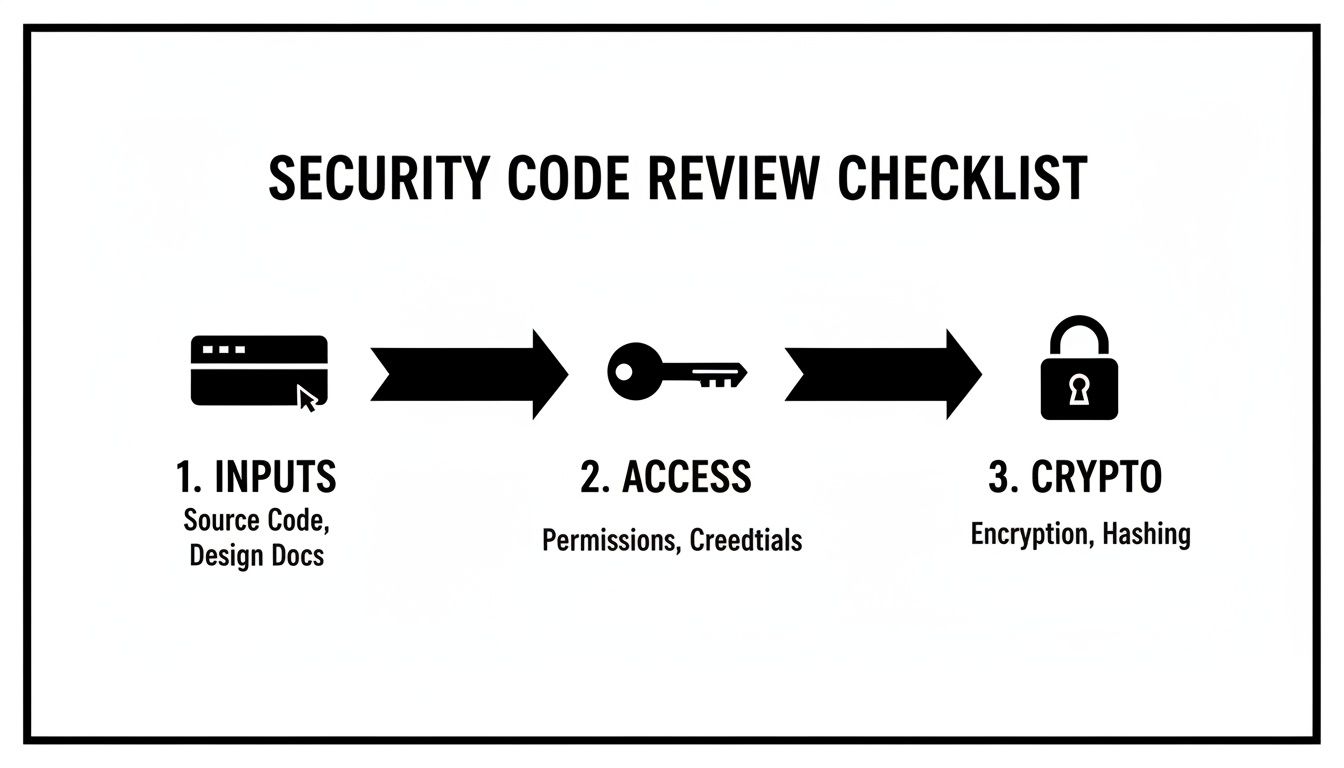
As you can see, a tight checklist—zeroing in on inputs, access control, and crypto—is the key to making manual reviews fast and effective.
Cutting Through the Noise and Killing Delays
The biggest hurdle here is alert fatigue. A typical large company might see over 569,000 security alerts, but with smart prioritization, that can be whittled down to just 202 critical issues. That means a whopping 99.65% of findings are just noise. Dumping all of that into a developer's inbox is a recipe for disaster.
This is where a tool like PullNotifier makes all the difference. Instead of blasting everyone with generic notifications, it lets you build specific routing rules. For instance:
*   Changes in the `auth/` directory can automatically ping the security team's Slack channel.
*   Modifications to payment processing files can `@-mention` a specific senior engineer.
*   PRs from junior developers can be routed to their designated mentor for a first pass.
PullNotifier cuts through the noise by sending consolidated, relevant notifications right into a dedicated Slack thread. The entire conversation—from automated scan results to human feedback and developer replies—all happens in one place. This visibility slashes the time a PR waits for review, often by as much as 90%. It guarantees the right eyes are on the right code at the right time. For more tips on dialing in this process, check out our guide on pull request best practices.
By pairing smart automation with clear communication, you make the secure choice the easy choice. You end up with a workflow that bakes in security without ever slowing you down.
Even with a solid plan, a few practical questions always pop up when you start weaving security code reviews into your workflow. Let's tackle some of the most common ones I hear from developers and managers.
How Much Time Should a Security Code Review Take?
There's no magic number here. The time it takes really depends on the size and complexity of the change. A good rule of thumb I've always followed is to keep reviews under 400 lines of code. Anything more than that, and you start to lose focus and miss things.
A simple bug fix? You could probably knock that out in 15-30 minutes. But for a brand-new feature that touches sensitive systems, you're looking at a much bigger commitment—potentially several hours spread out over a few sessions.
The real trick is to timebox your reviews. Hit the high-risk areas first, like authentication logic or anything that handles money. Let your automated scanners catch the low-hanging fruit so you can spend your manual review time on what actually matters: complex logic and architectural decisions.
What Is the Best Way to Handle Disagreements?
Look, disagreements are going to happen. In fact, they're a sign of a healthy and engaged review process. When opinions clash, the first step is to get specific.
Instead of a vague comment like "This is insecure," try explaining the why. For example: "This could open us up to a cross-site scripting attack because the user input isn't being encoded before it's rendered on the page." See the difference? One is an opinion, the other is a clear, actionable risk.
If you're still at a stalemate, bring in a third party—maybe a tech lead or a designated security champion. The goal isn't to "win" the argument. It's about getting everyone on the same page about the risk and what it could mean for the business.
Whatever you decide, make sure you document the final call and the reasoning right there in the pull request. It creates a paper trail and helps keep your security standards consistent down the road.
How Can We Introduce Security Reviews Without Slowing Down the Team?
Trying to force a heavyweight, all-or-nothing security process on your team overnight is a recipe for disaster. The key is to start small and show value immediately without creating a bunch of friction.
Here’s a practical way to roll it out:
*   **Start with Automation.** The easiest first step is to integrate SAST and SCA scanners right into your CI pipeline. These tools give instant feedback on every pull request and catch the obvious stuff without any manual effort. It’s a quick win that establishes a security baseline from day one.
*   **Focus Manual Reviews Where They Count.** In the beginning, don't try to manually review every single line of code. Just focus on the high-risk changes—anything touching auth, payments, or sensitive user data. This approach gives you the biggest bang for your buck while keeping the review load manageable.
*   **Optimize Your Workflow.** Delays are the number one killer of momentum. Use tools to cut down on notification lag and make sure PRs get to the right people fast. When reviews are assigned and flagged quickly, development velocity stays high.
*   **Build a Team of Security Champions.** You can't have one or two security "experts" becoming a bottleneck. Train and empower developers on different teams to be your security champions. When security becomes a shared responsibility, the whole process runs smoother.
This gradual approach helps build a security-conscious culture organically, making reviews a natural part of your workflow instead of just another roadblock.
Stop letting pull requests get lost in the noise. PullNotifier integrates directly with Slack to send smart, targeted notifications, ensuring the right reviewers see the right code at the right time. Cut review delays by up to 90% and accelerate your development cycle. Get started for free today.