- Published on
A Modern Guide to GitHub Issue Tracking
- Authors

- Name
- Gabriel
- @gabriel__xyz
GitHub issue tracking is far more than just a bug list; it's the central command center for your entire development process. Think of it as the digital workshop where every task, from a critical bug fix to a brainstorming session for a new feature, gets a clear job ticket. This system creates a single source of truth that keeps the whole team on the same page.
Why GitHub Issue Tracking Is Your Team's Command Center
On any software project, information scatters—fast. Conversations pop up in Slack, big decisions get made in meetings, and requirements live in a totally separate document. This fragmentation creates information silos and forces everyone to constantly switch contexts, hunting down the details they need just to get their work done.
This is exactly where a solid github issue tracking system becomes the foundation of your workflow.
Instead of a messy collection of notes and messages, every piece of work—whether it’s a new feature, a nasty bug, or some nagging technical debt—is captured as an 'issue.' This one entry point becomes the hub for everything related to that task. Developers can link their pull requests directly to the issue they’re solving, creating a clear, auditable trail from the initial problem right through to the final solution.
A Single Source of Truth
By centralizing all tasks right inside GitHub, you pretty much eliminate the "he said, she said" of development. The issue itself becomes the living, breathing document for a task, containing:
- Initial Description: The what and why of the task.
- Ongoing Discussion: Comments, questions, and decisions from developers, product managers, and QA engineers all in one thread.
- Linked Code: Every single commit and pull request related to the task is directly attached.
- Status Updates: Labels and project boards show exactly where the task is in the workflow at a glance.
This creates a transparent environment where anyone, at any time, can get the full history and current status of a piece of work without having to call yet another meeting. It’s a core principle behind Mastering Software Development Management and Delivery—unifying communication and execution in one single place.
By treating GitHub Issues as the command center, teams can drastically reduce miscommunication and build momentum. When everyone is looking at the same map, it's a heck of a lot easier to move in the same direction.
Connecting the Entire Development Lifecycle
Effective issue tracking does more than just organize tasks; it connects every phase of the development lifecycle together. A product manager can create an issue to outline a new feature. A developer then picks it up, creates a branch, and opens a pull request, all linking back to that original issue. QA can then jump in, test the changes, and report their findings directly in the same conversation.
This tight integration means less administrative overhead and more time spent on what actually matters—building great software. For those looking to dive deeper into managing these workflows, our guide to project management for software teams offers more advanced strategies.
Ultimately, this approach transforms a simple to-do list into a powerful engine for collaboration and delivery.
Understanding the Building Blocks of an Issue
To get the most out of GitHub Issue Tracking, you first need to get a handle on its core components. Think of it like a sophisticated LEGO set. Each piece has a specific job, and once you learn how they all snap together, you can build some seriously effective workflows for any kind of project.
At the very heart of the system is the Issue. An issue isn’t just for bugs; it’s the universal "job ticket" for anything that needs to be done. It could be a new feature idea, a question about the docs, a reminder to refactor old code, or a critical bug report from a user. Every piece of work starts its life here.
But a long, unorganized list of job tickets is pure chaos. That's where the other building blocks come in to provide structure, context, and clarity.
The Anatomy of a GitHub Issue
An issue is so much more than a title and a description; it's a dynamic hub for collaboration. The real power is in all the interconnected elements that turn a simple task into a detailed, living record of work.
These elements work in concert to create a single source of truth for every task. This is how GitHub becomes the command center for your entire development process, connecting different roles and their functions through one unified system.
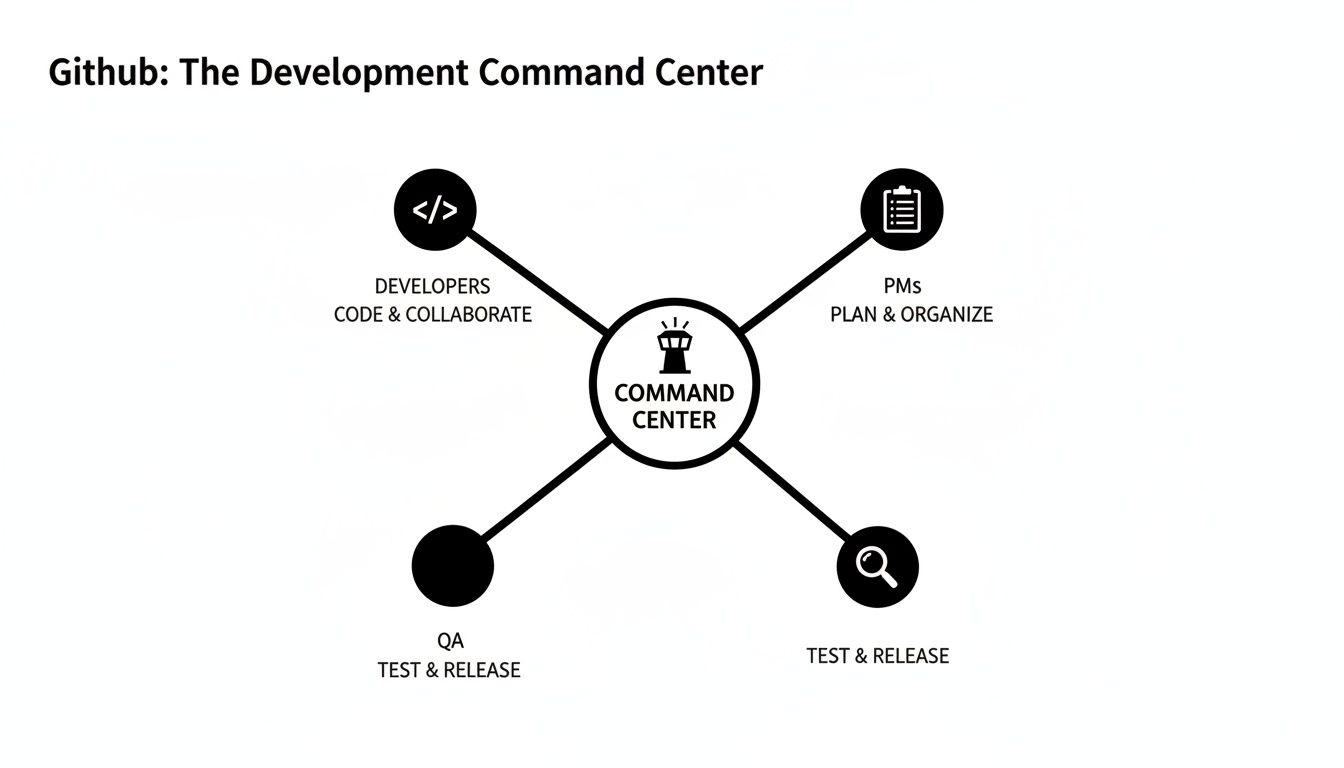
As you can see, this central hub ensures developers, project managers, and QA teams are all on the same page, which is absolutely critical for a smooth development lifecycle.
Core Components and Their Roles
To organize this constant flow of information, GitHub gives you a few key features. Each one adds another layer of organization, kind of like different tools on a workshop bench.
Here's a quick breakdown of the core components and what they do.
Core GitHub Issue Tracking Components Explained
| Component | Analogy | Primary Function |
|---|---|---|
| Labels | Color-coded sticky notes | Categorize issues at a glance (e.g., bug, feature, priority). |
| Assignees | The person on the job | Clarify ownership and responsibility for a task. |
| Milestones | A project deadline | Group issues to track progress toward a larger goal, like a version release. |
| Projects | A master Kanban board | Visualize the entire workflow and track the flow of all work in one place. |
These simple tools are the foundation for building a powerful and organized workflow. Let's dig a little deeper into each one.
Labels: Think of these as your go-to sticky notes. They’re the fastest way to categorize issues so you can understand them at a glance. You can create labels for anything:
bug,feature,documentation,priority: high, orstatus: needs-triage. A solid labeling system is your first big step toward taming the backlog.Assignees: This is simply the person or people responsible for the task. Assigning an issue makes ownership crystal clear and ensures someone is accountable for pushing it forward. It answers the simple but critical question: "Who's on this?"
Milestones: If labels are for categorizing, milestones are for scheduling. A milestone groups issues together to track progress toward a bigger goal, like a specific version release (
v2.1 Launch) or a sprint (October Sprint). Each milestone even has a handy progress bar that fills up as the issues inside it get closed.
The real magic happens when you combine these components. You can instantly filter your issues to see all high-priority bugs assigned to a specific developer that are part of the upcoming v2.1 launch. This level of granularity is what separates a simple to-do list from a professional issue tracking system.
Its effectiveness and deep integration are why GitHub Issues is such a standout choice. In fact, it ranks as a top-tier free bug-tracking tool, holding the #2 spot in community-voted comparisons as of 2026. This position far outpaces rivals like Pivotal Tracker, which sits at #30, largely due to its seamless connection with pull requests, labels, and milestones. You can dig into how the tools compare and learn more about these bug-tracking tool rankings.
Bringing It All Together With Projects
While issues, labels, and milestones help you organize individual tasks, GitHub Projects gives you the 30,000-foot view. A project board is essentially your master Kanban board, letting you visualize your entire workflow. You can arrange issues as cards in columns like To Do, In Progress, and Done.
This visual layout is incredibly powerful for tracking how work is flowing and for spotting bottlenecks before they become major problems. You can create project boards for your whole organization, for specific teams, or even for a single repository, making it a super flexible tool for managing everything from a small side project to a massive enterprise application. Once you understand these core building blocks, you're ready to design a workflow that fits your team's exact needs.
Designing Your Ideal Development Workflow
Now that you've got the building blocks down, it's time to put them together. Designing a good development workflow isn’t about finding some magical, one-size-fits-all system. It’s about creating clear, repeatable processes that bring order to the chaos of software development.
Your goal is to build a well-oiled machine where every task—from a cryptic bug report to a major feature launch—follows a predictable path. Without these patterns, your GitHub issue tracking can quickly spiral into a messy backlog where important tasks get buried and no one knows what to work on next. Let's dig into some battle-tested strategies to keep things organized.
The Bug Triage Process
Bugs happen. They’re unpredictable and can easily throw a wrench in a well-planned sprint if you don't have a system. A formal bug triage process is your first line of defense, ensuring every new report gets seen, sorted, and prioritized—fast.
It usually boils down to a few simple steps:
- Initial Review: Someone on the team (often a rotating role) quickly checks new bug reports. They make sure it has the basics: steps to reproduce, environment details, and what the user expected vs. what actually happened. If it's missing info, they'll ask for it.
- Labeling: Once the report is clear, it gets labeled. At a minimum, you'll want a
buglabel, a priority level (likep1-criticalorp2-high), and maybe a status likestatus: needs-repro. - Assignment: Depending on its priority, the bug is either assigned directly to a developer to fix now or added to the backlog to be tackled in a future sprint.
This simple process prevents critical bugs from slipping through the cracks and lets your engineering team stay focused on planned work instead of constantly fighting fires.
A Feature Development Lifecycle
Building new features needs a bit more structure than squashing bugs. You need a clear lifecycle that guides an idea all the way from a concept to a merged pull request. This workflow acts as a series of quality gates, making sure everything is planned, built, reviewed, and tested.
Here’s what a typical feature lifecycle in GitHub looks like:
- An issue is created to describe the new feature, its goals, and any relevant user stories.
- The product and engineering teams hash out the details in the comments.
- Once it gets the green light, the issue is assigned to a developer and added to a milestone.
- The developer creates a feature branch and opens a draft pull request right away to show that work is in progress.
- As commits are pushed, the PR tracks the progress. When it's ready, it’s marked "Ready for Review."
- Code reviewers leave feedback, and your automated CI checks run their tests.
- After getting approval and a green checkmark from CI, the PR is merged, which automatically closes the original issue.
By creating a clear path for feature development, you establish consistent quality gates. This ensures that no code gets merged without proper review and validation, directly improving the stability of your final product.
Release Management with Milestones
Milestones are the perfect tool for orchestrating your releases. Think of them as a container for every issue and pull request tied to a specific version, like v2.5.0. This gives everyone a high-level, real-time snapshot of your progress toward the next launch.
Using milestones for release management helps you answer critical questions instantly, like "What's left to do for the next release?" or "Are we going to hit our deadline?" As pull requests are merged and issues are closed, the milestone’s progress bar fills up, giving you a dead-simple visual indicator of how close you are. This turns your issue tracker from a simple to-do list into a powerful release coordination tool.
For teams looking to truly close the loop between user feedback and development, integrating with leading customer support software platforms can be a game-changer. It allows you to turn customer conversations directly into trackable GitHub issues.
Enforcing Consistency with Templates
One of the easiest wins for maintaining a clean workflow is using issue and pull request templates. These are just pre-filled markdown files that pop up whenever someone opens a new issue or PR, guiding them to provide the right information from the start.
For example, a solid bug report template might ask for:
- Version: Which version of the software has the bug?
- Steps to Reproduce: Clear, numbered steps to make the bug appear.
- Expected Behavior: What should have happened?
- Actual Behavior: What happened instead?
Likewise, a pull request template can include a handy checklist to remind developers to write tests, update the documentation, or run a final linter check. These simple guardrails cut down on the frustrating back-and-forth and dramatically improve the quality of every contribution.
Putting Your Issue Tracking on Autopilot

A well-organized workflow is a great start, but even the slickest manual process will eventually hit a wall. The real game-changer is automating the mundane, repetitive tasks that drain your team's energy. This is how you level up your GitHub issue tracking from a static to-do list into a smart assistant that works for you 24/7.
This isn’t just about saving a few clicks. It’s about building a system that enforces consistency, cuts down on human error, and keeps projects chugging along without constant manual prodding. The main tool for the job is GitHub Actions, the powerhouse automation engine baked right into the platform.
Harnessing GitHub Actions for Smart Automation
Think of GitHub Actions as a set of programmable "if this, then that" rules for your repository. When a specific event happens—like someone creating a new issue or merging a pull request—you can trigger a custom workflow to handle a series of tasks automatically.
This unlocks a ton of possibilities for keeping your issue tracker tidy.
- Automatic Labeling: An action can scan new issues for keywords and slap on the right labels instantly. If an issue title has the word "bug," it gets the
buglabel. If it mentions "documentation," it gets tagged withdocs. No more manual sorting. - Stale Issue Management: You can set up a workflow to automatically ping issues that have gone silent for a while. If there’s still no activity after a few more days, the action can close the issue, keeping your backlog from becoming a graveyard of forgotten tasks.
- Task Creation from Merged PRs: When a pull request gets merged, an action can automatically open a follow-up issue—maybe for the QA team to run tests or for a technical writer to update the docs.
These simple automations take care of the administrative busywork, freeing up your team to focus on what they do best: solving actual problems.
Integrating with Your Team's Favorite Tools
While GitHub Actions is a beast, your team doesn't live inside GitHub all day. Real productivity happens when you connect your issue tracker to the other tools you rely on, especially a communication hub like Slack. This is where third-party integrations shine.
Connecting GitHub to other services creates a smooth flow of information, making sure important updates find the right people without them having to constantly refresh their GitHub notifications. The goal is to bring critical alerts directly into the tools where your team is already collaborating.
The challenge of managing a flood of issues isn't new. Back in August 2015, GitHub's system was already handling a massive load, with over 3,390 open issues and 1,167 open pull requests across the platform. These early numbers underscore the timeless problem of issue overload that modern automation tools are built to solve. You can dig into more of GitHub's historical issue data if you're curious.
A Practical Example Integrating GitHub and Slack
One of the most powerful integrations you can set up is linking GitHub with Slack. But be warned: the default GitHub-to-Slack integration is a firehose. It floods channels with a notification for every single commit, comment, and status change, leading to "notification fatigue" where everyone just starts tuning it all out.
A much smarter way to do it is with a dedicated tool like PullNotifier that sends targeted, actionable updates.
Imagine a pull request is opened. Instead of spamming the channel, a single, clean message appears in the right Slack channel. This one message can:
- Announce the new pull request and what it’s for.
- Automatically @mention the specific reviewers who need to take a look.
- Update itself in a single thread as reviewers approve changes or CI checks pass.
- Finally, confirm when the pull request has been merged.
This approach drastically reduces noise and makes sure important review requests are seen and handled quickly. By keeping the conversation in a dedicated thread, it also helps break through review bottlenecks and keeps the whole development cycle moving. If you want to get into the nuts and bolts, our guide on using GitHub Actions for Slack notifications is a great place to start.
By combining the power of native automation with smart third-party integrations, you can put your issue tracking on autopilot and build a system that actively helps your team ship better software, faster.
Turning Issue Data into Actionable Insights

A well-oiled GitHub issue tracking system is more than a to-do list; it’s a goldmine of data. Every issue created, labeled, commented on, or closed leaves a digital footprint. When you piece these footprints together, they tell a powerful story about your team's velocity, project health, and process hiccups.
The real magic happens when you turn that raw data into intelligence. By focusing on the right numbers, you can stop guessing and start knowing, making smart decisions that fine-tune your entire development workflow.
Key Metrics That Truly Matter
It’s easy to drown in data. The trick is to focus on a few metrics that act as clear signals, pointing out bottlenecks and opportunities for improvement.
Here are three of the most valuable metrics for any engineering team:
- Time to First Response: How long does a new issue sit there before someone assigns it or leaves a meaningful comment? Long response times are a classic sign that your triage process is swamped or that issues are slipping through the cracks.
- Issue Resolution Time: This tracks the total time from the moment an issue is opened to when it's finally closed. If resolution times are consistently long, it might mean you're dealing with gnarly bugs, fuzzy requirements, or blocked developers.
- Issue Reopen Rate: What percentage of your "done" issues come bouncing back? A high reopen rate is often a red flag for inadequate testing or a fundamental misunderstanding of the problem.
By keeping an eye on these, you’ll start to spot patterns. For instance, if resolution times spike right after a big feature launch, you can bet that feature introduced some unexpected bugs or complexity.
Using GitHub’s Built-In Analytics
GitHub gives you a few built-in tools for a quick health check right out of the box. The Pulse and Insights tabs are your first stop for a bird's-eye view of what’s happening in your repository.
Pulse gives you a snapshot of repository activity over a set period, showing you trends in open vs. closed issues. It’s perfect for a weekly check-in to see if the team is keeping pace with incoming work.
The Insights tab digs a bit deeper with reports on contributor activity and community engagement. While not strictly about issues, it helps paint a picture of who’s doing what and where the effort is going. Thanks to GitHub's engineering efforts, 35% of issue views now load in under 200ms, a massive leap from just 2% at the start of 2026. This makes the dashboards feel snappier than ever. You can read more about GitHub's issue loading speed improvements.
Your issue tracker is a feedback loop for your process. The data it generates isn't just for reporting up; it's for reflecting inward. Use it to ask tough questions: "Where are we slow?" and "Why?"
Generating Advanced Reports
While GitHub's built-in tools are great for quick peeks, you'll eventually want more custom reporting. This is where you can use GitHub Actions or specialized analytics tools to really dig in. For example, you could set up a GitHub Actions workflow that runs on a schedule, calculates your key metrics, and pings a summary report to a Slack channel.
For even more firepower, third-party analytics platforms can plug directly into your GitHub data to create sophisticated dashboards. These tools can help you track engineering productivity metrics, visualize trends over time, and slice your data by team, project, or label. Our guide on engineering productivity measurement dives into some of these advanced techniques.
Ultimately, the goal is to build a transparent, data-informed culture where getting better is just part of the daily routine.
Of course, here is the rewritten section with a more natural, human-written voice that reflects genuine expertise.
Common Questions About GitHub Issue Tracking
Even the best-laid plans run into questions. As your team gets deeper into GitHub Issue Tracking, you'll inevitably hit a few common roadblocks or debates. It's just part of the process. I've seen these same questions pop up in nearly every team I've worked with.
So, let's tackle them head-on. Whether you're moving over from another tool or just trying to tame a chaotic backlog, these answers should help clear things up.
What Is The Difference Between GitHub Issues And Jira
This is the big one. I like to think of it as choosing between a nimble speedboat and a massive cargo ship.
GitHub Issues is the speedboat. It's lightweight, fast, and lives right where your developers are—inside the repo. Its magic is the direct, unbreakable link between an issue and the pull request that fixes it. For teams that live and breathe code, it’s a perfect fit.
Jira, on the other hand, is the cargo ship. It’s a beast of a project management platform designed for complex Agile workflows, enterprise-level planning, and heavy-duty reporting. It's incredibly powerful but also comes with more overhead.
Many teams actually find a sweet spot using both. They'll use GitHub Issues for the day-to-day developer tasks like bugs and tech debt, then connect it to Jira for the high-level product roadmaps.
How Do We Prevent Our Issue Tracker From Becoming a Messy Backlog
A messy backlog is a productivity black hole. To avoid it, you need a mix of team discipline and a little automation. Here are the four things that have always worked for me:
- Have a Triage Process: Every new issue needs to be reviewed, labeled, and prioritized quickly—ideally within 24 hours. This simple habit ensures nothing falls through the cracks.
- Use Issue Templates: Don't start with a blank slate. Good templates force everyone to provide the right context from the get-go, which saves a ton of back-and-forth later.
- Schedule Grooming Sessions: Get the team together for 30 minutes every week or two. Use that time to review, re-prioritize, and ruthlessly close old or irrelevant issues.
- Automate Stale Issue Cleanup: Use GitHub Actions to automatically ping the owners of issues that have gone silent. If nobody responds after a week, have the action close it. This keeps your backlog fresh and relevant.
What Is The Best Way To Use Labels For Effective Tracking
The secret to great labels is a consistent, documented system. Don't let your team just invent them on the fly. A good label taxonomy is a shared language that makes the entire issue list instantly scannable.
A strong labeling system should be easy to understand at a glance. It turns a wall of text into a structured, color-coded dashboard that immediately communicates priority and status.
Start with these fundamentals:
- Type:
bug,feature,docs,chore - Priority:
p1-critical,p2-high,p3-medium,p4-low - Status:
status: needs-triage,status: blocked,status: in-review
Be strategic with color. Make your p1-critical label bright red so it screams for attention. It's also super helpful to create labels for specific product areas (area: authentication) or teams. The most important part? Write this system down in your CONTRIBUTING.md file so everyone is on the same page.
Can We Use GitHub Issues for Non-Technical Teams
Absolutely. While it was built for developers, its simplicity makes it a surprisingly effective tool for teams like marketing, design, or even HR. The trick is to give them their own dedicated repository to use as a project board.
For instance, a marketing team could use it to manage a campaign launch. Milestones can represent launch dates, issues can track deliverables like "Draft blog post" or "Create social media assets," and labels can categorize tasks by channel (channel: twitter, channel: blog).
The ability to @mention people and have threaded conversations keeps collaboration clean and all in one place, without forcing them to learn a heavy, complex project management tool.
Is your team drowning in pull request notification noise? PullNotifier cuts through the chaos by sending smart, consolidated updates to Slack. Get all the context you need in one thread, reduce review delays by up to 90%, and keep your engineering team focused and productive. Try it for free at https://pullnotifier.com.