- Published on
A Practical Guide to Mastering Your GitHub PR Review Workflow
- Authors

- Name
- Gabriel
- @gabriel__xyz
A GitHub PR review is a formal process where teammates collaboratively inspect proposed code changes before they are merged into the main codebase. It's a critical quality assurance and knowledge-sharing mechanism designed to catch bugs, improve code quality, and ensure consistency across a project.
Why Your GitHub PR Review Process Matters More Than You Think
Let’s be honest—for many teams, the pull request review feels like a roadblock. It’s often seen as a bureaucratic hurdle that slows down development, a necessary evil on the path to shipping features.
But what if we reframed this process entirely? Instead of seeing it as a gatekeeper, think of the GitHub PR review as a powerful engine for your team's growth and the long-term health of your code.
Think of a pull request not just as a block of code, but as a proposal. The author is suggesting a new solution, and the review is a collaborative session where the team collectively decides on the best path forward. It’s a moment for shared learning and alignment, not just ticking a box.
The Real Cost of a Broken Process
When this process breaks down, the consequences ripple throughout the entire organization. A weak or inconsistent review culture leads directly to tangible problems that only get worse over time.
*   **Mounting Technical Debt:** Rushed or skipped reviews are a one-way ticket to letting poorly designed code slip into production, creating maintenance nightmares down the line.
*   **Knowledge Silos:** When only one person truly understands a piece of code, they become a single point of failure. Proper reviews are the antidote, spreading that critical knowledge across the team.
*   **Team Friction:** Nothing kills morale faster than vague, overly critical, or painfully slow feedback. It can create resentment and demotivate developers, grinding productivity to a halt.
*   **Inconsistent Quality:** Without a shared standard enforced through reviews, the codebase becomes a confusing patchwork of different styles and quality levels, making it harder for anyone to navigate and build upon.
A healthy review process is the immune system of your codebase. It actively defends against bugs, inconsistencies, and technical debt before they can take root and cause systemic issues.
The Benefits of a Healthy Review Culture
On the flip side, investing in a robust GitHub PR review workflow pays off in major ways. It transforms the process from a tedious chore into a strategic advantage, fostering an environment where quality and collaboration are the default.
The benefits go far beyond just catching bugs:
*   **Shared Code Ownership:** When everyone participates in reviewing code, the whole team feels a sense of responsibility for the codebase's health. It’s no longer "someone else's problem."
*   **Mentorship and Growth:** Junior developers learn invaluable lessons from senior feedback, and seniors get fresh perspectives on their own approaches. It creates a natural, continuous learning loop.
*   **Improved Code Consistency:** Reviews are the best way to make sure new contributions stick to established patterns and style guides, which is essential for maintaining the integrity of a large codebase.
Ultimately, optimizing your review workflow isn't just about shipping code faster—it's about building a more resilient, knowledgeable, and effective engineering team.
The Anatomy of an Effective Pull Request Lifecycle
A great GitHub PR review isn't a single action—it's a whole lifecycle. Think of it as a smooth, multi-stage journey with clear handoffs between the author and reviewers. When teams nail this rhythm, they squash bottlenecks and make collaboration feel natural. This lifecycle ensures every single change is prepped with care, reviewed thoroughly, and merged without a hitch.
And that journey doesn't start when a reviewer gets tagged. It begins with the author setting the stage for success.
Stage 1: The Author's Preparation
As the author, your main job is to make the reviewer's life as easy as possible. A well-prepared pull request should tell a story, giving them all the context they need to understand your changes without having to play detective through commit logs or ping you with questions. A great PR is basically a self-contained package of information.
Here’s what you need to do at this stage:
*   **Craft a Narrative Description:** The PR description needs to explain the "why," not just the "what." Link to the Jira ticket or issue, lay out the problem you solved, and walk through your solution.
*   **Conduct a Self-Review:** Before you ask anyone else for feedback, do your own review first. It’s a simple step that catches typos, leftover `console.log` statements, and obvious mistakes. It shows you respect your reviewer's time.
*   **Ensuring CI Checks Pass:** All your automated checks—tests, linters, you name it—should be green before you request a review. Handing over a PR with failing checks is like giving an editor a first draft riddled with spelling errors.
A pull request description is your chance to advocate for your change. If a reviewer has to ask, "What is this for?" you’ve already lost momentum. Provide context upfront to accelerate the entire process.
Stage 2: The Reviewer's Engagement
Once the PR is ready, the spotlight shifts to the reviewer. Your role isn't just to be a gatekeeper; it's to be a constructive partner. The goal here is to work together to improve the code and make sure it aligns with the project's goals. An effective review is way more than just skimming the diff on GitHub—it often means getting your hands dirty.
For a truly insightful GitHub PR review, you should pull the code down to your local machine. This lets you do a much deeper dive where you can:
- Run the Code: Actually test the changes. Make sure they work as advertised and don't introduce any sneaky side effects.
- Navigate the Codebase: Use your IDE to jump between related files and understand the full ripple effect of the changes. That's something you just can't do easily from the web UI.
- Offer Actionable Suggestions: Use GitHub’s "suggestion" feature to propose concrete changes. It’s a game-changer, letting the author accept your feedback with a single click and speeding up the revision cycle like crazy. You can dive deeper into this process by checking out a comprehensive guide to the GitHub pull request workflow.
This infographic shows the night-and-day difference between a broken, frustrating review process and a healthy, collaborative one.
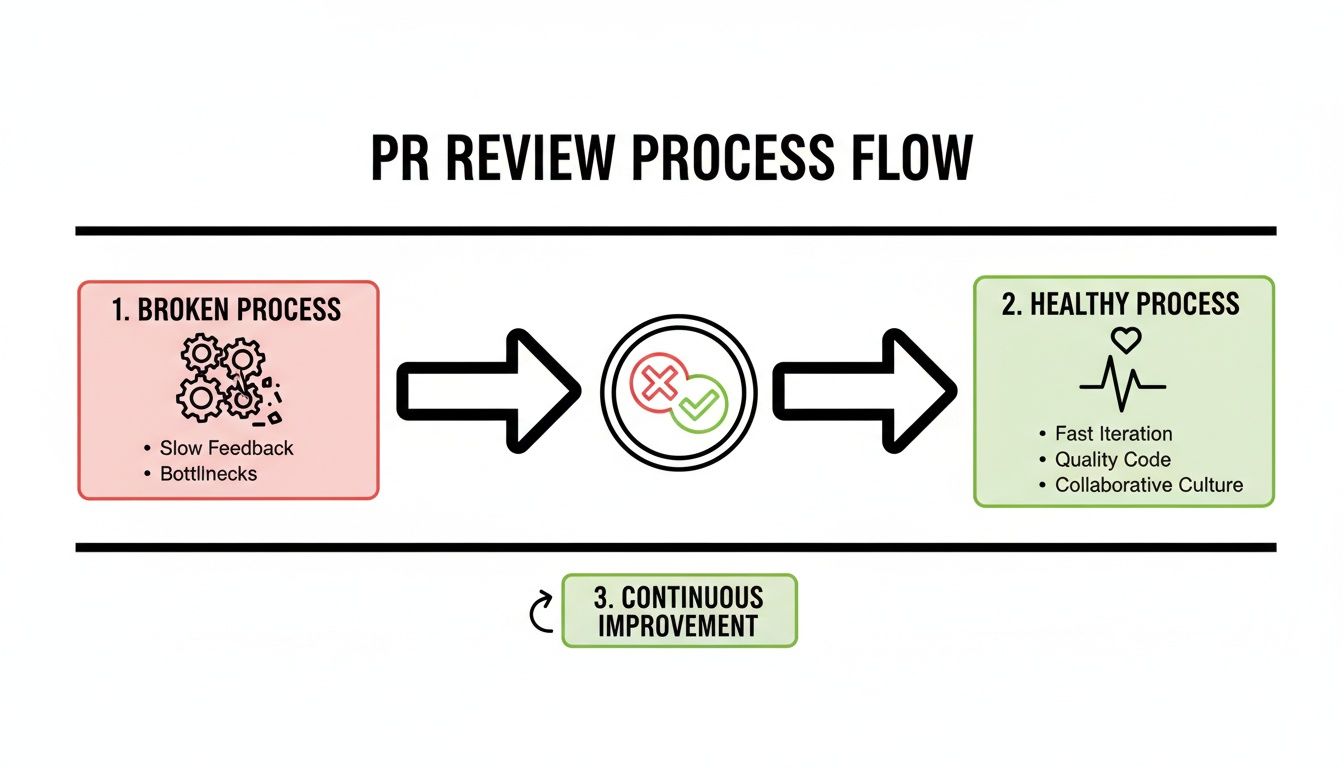
As you can see, a structured lifecycle turns chaotic, slow reviews into a predictable and efficient system that builds a habit of continuous improvement.
Stage 3: The Revision and Merge Loop
After the first round of feedback, the PR enters a collaborative loop. The author addresses comments, pushes new commits, and keeps the conversation going. It’s super important for the author to respond to every single comment, even if it's just a thumbs-up or a quick note explaining why a change won't be made.
This back-and-forth continues until all conversations are resolved and the reviewers are happy. Once everyone gives their approval and all the status checks are passing, the PR is ready for its final step: the merge. The code is officially integrated into the target branch, completing the lifecycle. That final moment is a testament to successful teamwork and a solid improvement to the codebase.
Actionable Best Practices for Authors and Reviewers
Knowing the lifecycle of a pull request is one thing, but mastering the human element is what separates a good GitHub PR review process from a great one. A world-class review culture isn't built on rigid rules; it’s founded on shared principles that foster collaboration, empathy, and efficiency.
By adopting a few key habits, both authors and reviewers can turn code reviews from nerve-wracking inspections into productive problem-solving sessions. This all starts with the author—the way you prepare and present your PR has a massive impact on the quality and speed of the feedback you get back.

Best Practices for Pull Request Authors
As the author, your primary job is to make the review process as frictionless as possible. Think of yourself as a guide leading the reviewer through your changes, providing all the context they need to understand your work quickly.
*   **Create Small, Atomic Pull Requests:** Nobody wants to review a massive PR with thousands of lines of code. It's a reviewer's worst nightmare. Break down large features into smaller, logical chunks that are easier to digest. This not only makes the review more manageable but also helps isolate the impact of each change.
*   **Perform a Thorough Self-Review First:** Before you tag a single person, do your own critical review. Read through every line of your diff, hunt for typos, get rid of commented-out code, and make sure you've followed the project’s style guides. This simple step shows you respect your teammates' time.
*   **Write a Compelling PR Description:** Don't just list what you did; explain *why* you did it. Provide a clear problem statement, detail your solution, and link to the relevant ticket or issue. For any UI changes, a quick screenshot or GIF provides immediate visual context and saves a ton of back-and-forth.
A pull request should be a self-contained story. A reviewer should be able to understand the problem, the solution, and its impact without needing to ask for clarification.
Managing the size of your PR is probably the most critical practice of all. The size and complexity of a pull request directly impact how quickly your team can move. Industry best practices suggest keeping PRs between 200–400 lines of code. Smaller PRs get reviewed faster, receive better feedback, and merge with fewer conflicts. This stands in stark contrast to what often happens in the real world, where developers might submit changes exceeding 1,200 lines of code in a single go. You can find more insights on this topic in this guide to GitHub code review efficiency.
Best Practices for Pull Request Reviewers
As a reviewer, you're not just a gatekeeper; you're a collaborative partner. Your feedback can improve the code, mentor your teammates, and strengthen the entire team's engineering standards. A thoughtful GitHub PR review is a skill that requires a delicate balance of technical scrutiny and empathetic communication.
Your main responsibility is to ensure the proposed change is correct, maintainable, and aligned with the project's goals.
- Understand the Context Before Diving In: Always read the PR description and any linked tickets first. Make sure you get the "why" behind the change before you start picking apart the "how." This stops you from giving feedback that completely misses the point.
- Frame Feedback as Suggestions, Not Demands: Instead of saying, "Fix this," try something like, "What do you think about handling it this way?" This phrasing opens a dialogue and respects the author's ownership of the code. Remember to use GitHub's "Suggest Changes" feature to provide concrete, actionable improvements.
- Balance Thoroughness with Timeliness: A good review is a timely review. Acknowledge a request quickly, even if you can't do a deep dive right away. Aim to provide your first round of feedback within one business day to avoid blocking your teammates.
- Praise Good Work: A code review isn't just for finding flaws. When you see a clever solution, a well-written test, or just some really clean code, call it out! Positive reinforcement is a powerful tool for building morale and encouraging high-quality work.
By embracing these habits, your team can create a positive feedback loop. Authors submit clearer, more focused PRs, which in turn allows reviewers to provide faster, higher-quality feedback. This virtuous cycle is the bedrock of an efficient and supportive engineering culture.
How to Automate and Streamline Your Review Workflow
A solid GitHub PR review process can't run on manual effort alone. If you're relying on people to remember every little step, chase down reviewers, and eyeball every quality check, you're setting yourself up for bottlenecks and burnout. The real key to a fast, reliable workflow is smart automation—it frees up your team to focus on the hard problems, not the repetitive ones.
This isn't about replacing human reviewers. It’s about letting the machines handle the grunt work so your developers can focus on what they do best: thinking critically about logic, architecture, and implementation. And thankfully, GitHub gives you some powerful tools right out of the box to get started.

Start with GitHub’s Native Automation Tools
Before you even think about third-party tools, you can get a lot of mileage from features built directly into GitHub. These are the building blocks for a baseline of quality and making sure the right eyes are on the right code.
*   **CODEOWNERS Files:** This simple file is a game-changer for routing reviews. You just define which teams or individuals own certain parts of the codebase. From then on, GitHub automatically assigns them as reviewers whenever a PR touches their files. No more guessing who to tag.
*   **Status Checks:** These are absolutely non-negotiable in a modern workflow. You need to integrate your CI/CD pipeline to run tests, linters, and builds on every single PR. By making these checks mandatory, you can automatically block merges until the code is stable, catching bugs long before they ever hit your main branch.
You can also bring in tools for static and dynamic code analysis to act as an initial, automated reviewer. They can flag potential bugs and style violations before a human even lays eyes on the code. For a deeper look at setting this up, check out our guide on how to automatically assign reviewers in GitHub.
Overcoming Notification Chaos
Even with great automation, there’s a problem every team eventually hits: notification overload. The firehose of emails and default alerts from GitHub creates so much noise that important requests just get lost in the shuffle. Developers start tuning it all out, and PRs sit idle for days.
This is where specialized tools really shine. The goal isn't more notifications—it's smarter, targeted alerts that get attention without driving your team crazy.
Stale pull requests are a silent productivity killer. Every hour a PR waits for review is an hour of lost momentum due to context switching and the growing risk of merge conflicts.
This is exactly the problem that tools like PullNotifier were built to fix. By integrating directly with Slack, it turns that flood of notifications into a clean, actionable stream of communication.
Instead of a separate alert for every comment, commit, and approval, PullNotifier bundles all updates into a single, persistent thread for each PR. This makes it incredibly easy to track the entire lifecycle of a review at a glance, right from Slack.
PullNotifier also uses smart routing to make sure review requests never get lost in the void. You can map repositories to specific Slack channels and automatically mention the right people or user groups. This targeted approach means alerts are seen by the people who need to act, which drastically cuts down the time a PR waits for its first look.
By automating the communication layer of your GitHub PR review process, you create a system where momentum is maintained and developers get unblocked faster.
Key Metrics to Measure Your PR Process Health
If you can't measure your review process, you can't improve it. It’s easy to get stuck on intuition, "feeling" like things are slow. A data-driven mindset is what separates teams that guess from teams that know. By tracking a few critical metrics, you can get a clear, objective picture of your GitHub PR review workflow, diagnose hidden problems, and celebrate real improvements.
Think of these metrics as vital signs for your team's development health. A high temperature doesn't tell you the exact illness, but it’s a clear signal that something is wrong. In the same way, a spike in review time is an undeniable indicator that a bottleneck is slowing your team down and needs attention.
These numbers transform vague frustrations into actionable insights, helping you pinpoint exactly where to focus your energy.
Core Metrics for Your PR Dashboard
You don't need a massive, complicated analytics setup to get started. Just focusing on a handful of high-impact metrics can give you a surprisingly clear view of your process's health. These core indicators reveal how quickly work moves through your system and the quality of the code you’re shipping.
Here are the essential metrics every engineering team should be tracking:
*   **Review Time (or Cycle Time):** This is the big one—the total time from when a pull request is opened until it’s merged. It’s the ultimate measure of your team's velocity and a direct indicator of friction in your process.
*   **Time to First Review:** How long does a PR sit idle before a teammate drops the first comment? A long wait here often points to notification overload or a lack of clear ownership, leaving authors blocked and context-switching.
*   **PR Size (Lines of Code Changed):** This metric tracks the number of lines added and removed. Consistently huge PRs are a major red flag, as they are notoriously difficult and slow to review with any real depth.
*   **PR Approval Rate:** What percentage of submitted PRs are eventually merged? This number reflects both the quality of the initial submission and the effectiveness of your review collaboration.
Each metric tells a different part of the story. For example, a low approval rate combined with large PR sizes might suggest that developers are submitting changes that are too complex or poorly defined, leading to frequent rejections and rework.
Your goal isn't just to make numbers go down. The goal is to understand the story the numbers are telling about your team's collaboration, workload, and potential burnout risks.
Understanding Your PR Approval Rate
Among these metrics, the GitHub pull request approval rate is becoming a critical benchmark for evaluating team productivity. It directly reflects the quality of initial submissions and the efficiency of your review cycle. Industry standards suggest teams should aim for at least an 80% approval rate on the first review pass to balance quality control with development speed. You can calculate this with a simple formula: (Total PRs Merged / Total PRs Submitted) × 100. You can learn more about tracking pull request approval rates on Graphite.
A consistently low approval rate might signal a few underlying issues. It could mean that requirements are unclear before coding even begins, or maybe junior developers need more mentorship to get aligned with team standards.
Turning Insights into Action
Once you start tracking these numbers, you can begin to ask targeted questions. Is Review Time consistently high? Maybe your PRs are too large, or your team simply lacks dedicated time for reviews. Is Time to First Review lagging? Perhaps your notification system is too noisy—a problem tools like PullNotifier are designed to solve.
By monitoring these key performance indicators, you can move from guessing to knowing. This data-driven approach empowers you to make informed changes, justify process improvements, and ultimately build a faster, healthier, and more collaborative GitHub PR review workflow. You can also dive deeper by exploring our post on key metrics for faster code reviews in GitHub.
Common Questions About the GitHub PR Review Process
Even with the best practices and automation in place, teams often hit the same roadblocks during a GitHub PR review. Getting these fundamentals right can clear up a lot of confusion and make your entire workflow feel smoother.
Let's dig into some of the most common questions and sticking points that trip teams up.
How Long Should a GitHub PR Review Take?
Ah, the million-dollar question. The honest answer is "it depends," but the real key is to stop pull requests from going stale. For a high-performing team, a great benchmark for “Time to First Review” is under 24 hours. That first comment unblocks the author and lets them know their work is officially in the queue.
Even a quick "Hey, I've got this, will look deeper this afternoon" is a massive help. For the full review, small, well-defined PRs should ideally be approved and merged within a single business day.
The longer a pull request sits idle, the higher the risk of painful merge conflicts and the greater the cost of context switching for the author. A prompt review cycle is a hallmark of a high-functioning engineering team.
Recent data shows the median time from a PR opening to the first response is around 7 hours and 15 minutes, though this number can swing wildly between teams. Your goal should be to shrink that idle time as much as possible to keep momentum high. This is exactly what tools like PullNotifier are built for—they cut through the noise to make sure review requests get seen by the right people, right away.
What Are the Most Common PR Review Mistakes to Avoid?
Honestly, the biggest mistakes in a GitHub PR review often hurt team culture more than they hurt the code. These anti-patterns create friction, slow everyone down, and kill the collaborative vibe you're trying to build.
Keep an eye out for these common missteps:
*   **For Authors: The Monolith PR.** We've all seen it: a single, massive pull request that touches dozens of files and crams in multiple features. It's a nightmare for reviewers and guarantees you'll only get a superficial, slow review.
*   **For Reviewers: Vague or Ambiguous Feedback.** Comments like "this is confusing" or "please fix this" are dead on arrival. Actionable feedback is specific. It explains *why* a change is needed and, ideally, offers a concrete suggestion.
*   **For Everyone: The Drive-By "LGTM".** Just dropping a "Looks Good To Me" and hitting approve without a real, thoughtful review makes the whole process worthless. It creates a false sense of security and lets real issues slip into production.
*   **For Reviewers: Nitpicking on Style.** Arguing over code formatting, variable names, or where a comma should go is a huge waste of time. Your CI pipeline should handle this automatically with linters and formatters.
A great review is a respectful conversation focused on making the code better for the long haul, not a judgment on the author's work.
How Should We Handle Disagreements During a Code Review?
Disagreements aren't just normal—they're often a sign of a healthy, engaged team. When handled well, a good debate during a GitHub PR review almost always leads to a better solution. The trick is to keep the conversation focused on the code's goals, not on personal opinions.
When you hit a point of friction, try these steps to keep things constructive:
- Frame Feedback as Questions or Suggestions. Instead of making demands, come at it with curiosity. "Have you considered this approach because..." or "What are your thoughts on trying X instead?" invites collaboration, not a fight.
- Default to a Real-Time Conversation. If a comment thread goes back and forth more than twice, it's time to jump on a call. A five-minute chat can resolve an issue that would take an hour of typing to figure out.
- Seek a Third Opinion. If the author and reviewer are at a stalemate, pull in a neutral third party, like a tech lead or another senior engineer. A fresh perspective can break the deadlock.
- Agree and Commit. The goal is to find the best solution for the project, not for one person to "win." Once a decision is made, even if it's a compromise, everyone needs to commit and move forward.
By setting clear ground rules for resolving conflicts, you turn disagreements from a source of friction into a tool for strengthening your code and your team.
Are slow review times and missed notifications creating bottlenecks in your development cycle? PullNotifier integrates directly with Slack to deliver smart, consolidated pull request alerts, cutting through the noise and ensuring PRs get reviewed faster. Join over 10,000 engineers who trust PullNotifier to accelerate their workflows by visiting https://pullnotifier.com.