- Published on
Auto Code Review: Improve Quality with auto code review workflows
- Authors

- Name
- Gabriel
- @gabriel__xyz
Auto code review is simply using smart tools to automatically scan your source code for common problems. Think of it as an intelligent assistant for your development team. It handles the tedious, repetitive checks for bugs, style issues, and security holes, freeing up your developers to focus on the tricky stuff—like architecture and business logic.
From Manual Checks to AI Assistants

For years, code review was a painstaking, manual job. A senior developer would meticulously read every new line of code, acting as the sole gatekeeper for quality. While this human oversight is crucial, it’s also a recipe for bottlenecks. Development slows to a crawl, and the feedback can be wildly inconsistent depending on the reviewer’s mood or workload.
Imagine a master chef in a Michelin-star kitchen. Would you have them personally measure every pinch of salt or check the freshness of every single vegetable? Of course not. It’s a complete waste of their talent. Their real value is in crafting the menu and orchestrating complex flavors, not doing routine tasks a machine could handle faster and more reliably.
The Rise of the Automated Assistant
This is exactly where auto code review steps in. It doesn't replace the master chef; it gives them a tireless assistant. This assistant handles the objective, repetitive quality checks with perfect accuracy, every single time. It flags style guide violations, common programming mistakes, and known security risks long before a human reviewer even lays eyes on the code.
This shift delivers some pretty immediate wins:
*   **No More Bottlenecks:** Automated checks run in seconds, giving developers instant feedback and stopping pull requests from piling up.
*   **Frees Up Senior Devs:** Your best engineers can stop nitpicking syntax and focus on high-impact problems like architectural soundness and business logic.
*   **Keeps Feedback Consistent:** A tool applies the same rules to every line of code, removing the human bias and subjectivity that plagues manual checks.
Adopting these tools is no longer a niche strategy—it’s now a core part of modern software development. In fact, AI-driven code review has exploded in popularity. A staggering 1 in 7 pull requests—or 14.9% as of November 2025—now involves an AI agent. That’s a massive 14-fold jump from just 1.1% in February 2024, based on an analysis of 40.3 million pull requests. You can dive into the full dataset in Pullflow's 2025 State of AI Code Review report.
Auto code review shifts the conversation from "Did you use the right variable name?" to "Does this architecture solve the customer's problem?" It elevates the entire review process from a chore to a strategic discussion.
Let's quickly break down the core differences between the old way and the new.
Manual vs Auto Code Review At a Glance
This table offers a side-by-side look at how traditional manual reviews stack up against automated approaches. It highlights the fundamental differences in speed, consistency, and what each method is best suited for.
| Aspect | Manual Code Review | Auto Code Review |
|---|---|---|
| Speed | Slow; dependent on reviewer availability | Instant; runs on every commit or PR |
| Consistency | Varies by reviewer, mood, and workload | 100% consistent; applies the same rules every time |
| Scope | Best for logic, architecture, and context | Best for style, syntax, and known vulnerabilities |
| Scalability | Poor; creates bottlenecks as team grows | Excellent; scales effortlessly with team and codebase size |
| Feedback Loop | Can take hours or days | Immediate, often within minutes |
| Focus | Subjective quality, business requirements | Objective quality, coding standards |
As you can see, they aren't mutually exclusive. The real magic happens when you combine them.
When moving away from a purely manual process, finding the right balance between human expertise and automation is key. The conversation around human vs. AI in development offers a great strategic guide for tech leaders looking to strike that balance. In this new hybrid world, tools like PullNotifier are essential. They ensure the right feedback—whether from a bot or a person—gets to the right developer without creating a storm of notification spam.
How Auto Code Review Actually Works

To get a handle on automated code review, it helps to think of it as a pyramid of tools that get smarter as you go up. Each layer builds on the one below it, starting with simple, hard-coded rules and ending with tools that can almost "think" about your code. This layered approach lets teams pick the level of automation that fits them best.
The whole thing kicks off the moment a developer pushes code that hasn’t been seen by another human yet. The goal here is to automatically catch all the objective, low-hanging fruit. That way, when a human reviewer finally looks at it, they can focus their brainpower on the tricky stuff—like logic and architecture—instead of wasting time on style nitpicks.
The Foundation: Static Analysis
At the base of the pyramid, you have static analysis, sometimes called Static Application Security Testing (SAST). This is the bedrock of any solid automated review strategy. These tools scan your source code without actually running it, kind of like a building inspector checking the blueprints for structural flaws before a single brick is laid.
Static analysis tools come pre-loaded with a massive library of known bug patterns, common security vulnerabilities (think SQL injection or cross-site scripting), and performance anti-patterns. They meticulously comb through every line of code, checking it against this rulebook. For instance, a SAST tool might spot a database query built directly from user input and flag it as a major security risk, long before it ever has a chance to hit a production server.
The Style Editors: Linters and Formatters
One step up from static analysis, you’ll find linters and code formatters. If SAST tools are the structural inspectors, then linters are the opinionated style editors. They enforce a consistent coding style across your entire team, making sure everyone follows the same rules for things like variable names, indentation, or line length.
A code formatter takes it even further. Instead of just pointing out style mistakes, it fixes them automatically. This completely ends all those pointless debates over tabs vs. spaces or where to put a curly brace. The tool just rewrites the code to match the team's style guide, every single time.
When you integrate these tools into a Continuous Integration (CI) pipeline, they go from being helpful suggestions to being powerful gatekeepers. A CI server can be set up to run these checks on every pull request, automatically blocking anything that doesn't meet the project's quality standards. You can dive deeper into setting up these kinds of workflows in our guide on automating code review workflows.
The Tireless Assistants: Dedicated Review Bots
Moving up the pyramid, we get to dedicated review bots. These are specialized apps, often plugged directly into platforms like GitHub, that act like tireless automated teammates. They do more than just linting by leaving contextual feedback right inside a pull request.
A review bot is like having a junior developer who has memorized every best practice and never gets tired. It leaves comments on pull requests, pointing out common mistakes or suggesting better ways to write a specific function, all within minutes of the code being pushed.
You can configure these bots to handle all sorts of tasks, such as:
*   **Flagging Deprecated Functions:** Warning developers when they’re using an old, outdated part of a library.
*   **Checking for Missing Tests:** Making sure new features come with proper test coverage.
*   **Identifying "To-Do" Comments:** Reminding developers to resolve placeholder comments before merging.
The Cutting Edge: AI-Assisted Reviews
At the very top of the pyramid is the most advanced form of auto code review: AI-assisted analysis. Unlike tools that just follow a set of rules, AI models can understand code on a much deeper, semantic level. They can figure out what the developer was trying to do and spot complex logical flaws that a simple static analyzer would completely miss.
Tools like GitHub Copilot or other AI reviewers can suggest more efficient algorithms, find subtle off-by-one errors in loops, and even generate missing tests or documentation based on what the code does. As AI assistants generate more and more code, reviewing AI-generated code for performance becomes an absolutely critical skill. These AI systems learn from a massive amount of open-source code, allowing them to spot patterns and offer insights that feel surprisingly human, turning the code review into a real conversation between a developer and a machine.
The Payoffs and the Pitfalls
Bringing automated code review into your workflow isn't just about tweaking a process; it's a fundamental upgrade to how your team builds software. The ripple effects are huge, touching everything from technical excellence to the bottom line. It creates a positive feedback loop where small improvements snowball across the entire development cycle.
The first thing you'll notice is speed. A massive jump in development velocity. Automated checks blaze through code in minutes, not hours, completely wiping out those frustrating delays while pull requests pile up in a manual review queue. This instant feedback lets developers fix things while the code is still fresh in their minds. The result? PRs get merged faster, features ship sooner, and you get value to customers quicker.
Raising the Bar on Quality and Consistency
Speed is great, but auto code review is also a powerhouse for driving up code quality and locking in consistency. Think of these tools as the tireless, objective guardians of your team's coding standards. They make sure every single commit follows the same style guides and best practices, which puts an end to all those pointless debates over formatting.
This consistency pays dividends over time. When code looks and feels the same everywhere, new developers can get up to speed faster, and your current team can jump into unfamiliar parts of the application without missing a beat. That means fewer bugs and less time wasted trying to figure out someone's quirky, one-off coding style.
On top of that, these tools are a massive boost to your security posture. A Static Application Security Testing (SAST) tool can automatically scan every single commit for common vulnerabilities like SQL injection or cross-site scripting. Finding these problems early is infinitely cheaper and safer than waiting for them to pop up in production. In fact, research from engineering teams at Uber has shown just how effective automated systems can be at flagging critical bugs and security holes that human eyes might otherwise miss.
Automated tools raise the floor for code quality. They handle the objective, repetitive checks, allowing human reviewers to elevate their focus from syntax nitpicks to architectural integrity and strategic business logic.
Knowing Where Automation Falls Short
Now, let’s be realistic. An auto code review tool is an incredibly powerful assistant, but it's not a silver bullet. Its biggest weakness is a total lack of business context. A tool can tell you if your code is clean and free of common bugs, but it has no clue if the feature you just built actually solves the customer's problem.
Automated systems just can't see the big picture. They are completely blind to things like:
*   **Architectural Soundness:** Is this new service designed in a way that will scale? Does it fit into the company’s long-term technical vision?
*   **User Experience:** Does this flow even make sense for a real person? Is the feature intuitive?
*   **Business Logic:** Does the code correctly handle a complex financial calculation or a tricky business rule?
These are questions that demand human wisdom, real-world experience, and a deep understanding of the product and its users. Relying only on automation here is how you end up with a perfectly-coded product that nobody wants to use.
Another classic trap is the problem of false positives. A poorly configured tool can scream bloody murder about non-issues, burying your developers in noise and eroding their trust. The engineers at Uber learned that precision was way more important than volume; a tool that makes fewer, smarter suggestions gets used, while a noisy one gets ignored. This really drives home the point that your tool's configuration isn't a "set it and forget it" task—it's a living document that needs constant refinement based on your team's feedback.
Ultimately, the best approach is a hybrid one. Let the machines handle the objective stuff—enforcing quality and security standards at scale. This frees up your developers' brainpower to focus on the high-level, subjective decisions that only a human can make. That combination of machine efficiency and human expertise is where the real magic happens.
Integrating Auto Review into Your Workflow
Getting auto code review right is less about flipping a switch and more about weaving it into the fabric of your development cycle. The real goal is to deliver the right feedback, to the right person, at exactly the right moment. When it works, it feels like a helpful collaborator, not a noisy gatekeeper.
The process actually starts long before a pull request (PR) is even created. By pushing feedback as early as possible—a concept often called "shifting left"—you let developers catch and fix issues on their own machines. This creates a much tighter, more efficient feedback loop.
This flow shows how auto code review creates a powerful cycle for stronger, faster, and higher-quality development.
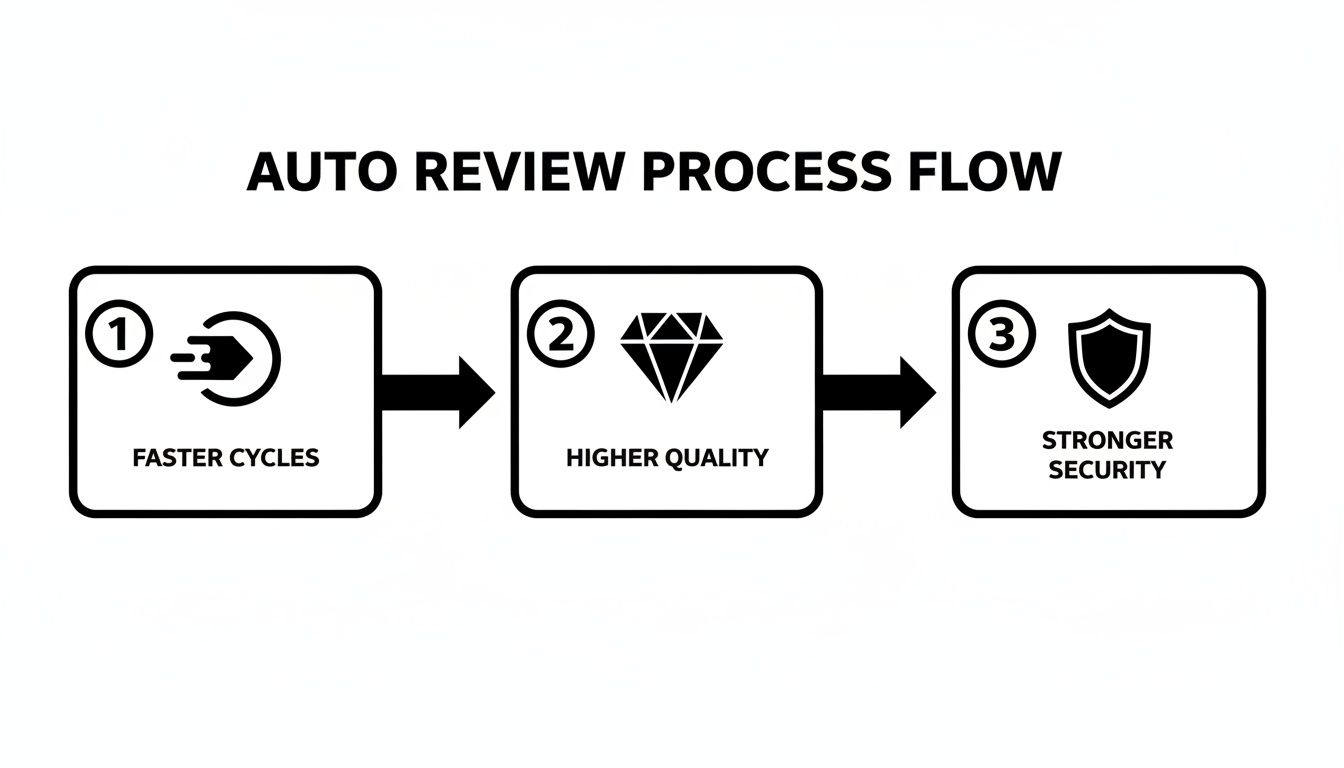
By embedding automated checks at every stage, teams can seriously speed up their development while simultaneously cranking up code quality and security.
Smart Integration Patterns
To pull off this seamless workflow, engineering teams usually lean on a few key integration patterns. Each one serves a different purpose, offering feedback at various points in the development process.
*   **Pre-Commit Hooks:** These are simple scripts that run on a developer's local machine right before they commit code. They're perfect for lightning-fast checks like code formatters and linters. The feedback is instant, ensuring only clean, well-styled code ever makes it into the repository.
*   **Continuous Integration (CI) Checks:** This is the most common—and powerful—integration point. When a developer opens a PR, the CI server automatically kicks off a whole suite of checks, from static analysis and unit tests to security scans. Think of them as an automated quality gate, blocking PRs that don't meet the team's standards.
*   **Dedicated Review Bots:** These bots hook directly into platforms like [GitHub](https://github.com/), posting comments on PRs just like a human reviewer would. They can flag potential bugs, suggest improvements, or enforce project-specific rules, delivering feedback right where developers are already working.
The most effective integration strategy is a layered one. It starts with immediate local feedback from pre-commit hooks, followed by comprehensive gatekeeping from CI checks, and finally, contextual suggestions from review bots.
The table below breaks down these patterns, showing how each one fits into the big picture.
Auto Review Integration Patterns
| Integration Pattern | When It Runs | Feedback Speed | Best For |
|---|---|---|---|
| Pre-Commit Hooks | Before code is committed locally | Instant | Catching formatting and linting errors on the developer's machine. |
| CI Pipeline Checks | When a pull request is opened or updated | Minutes | Running comprehensive checks like unit tests, static analysis, and security scans. |
| Review Bots | After a pull request is opened | Near-instant | Providing contextual comments and suggestions directly in the PR thread. |
Each pattern plays a role in building a robust, automated feedback loop that strengthens your entire development process.
Managing Notifications and Handoffs
One of the biggest pitfalls of adding automation is notification fatigue. If developers get spammed with alerts from a dozen different tools, they'll quickly tune everything out. This is where smart notification management becomes non-negotiable.
Instead of letting every tool flood your team's Slack channels, use a consolidator. A tool like PullNotifier can bundle all feedback from your auto code review pipeline into a single, clean, and actionable message thread. This keeps the conversation focused and makes sure nothing gets lost in the noise.
Once all the automated checks have passed, the workflow should trigger a smooth handoff to human reviewers. Best practices for this transition include:
- Automated Routing: Set up rules to automatically assign the right reviewers based on what code was changed (e.g., frontend changes go to the UI team).
- Clear Status Updates: The consolidated notification should clearly state that all checks passed and the PR is now ready for human review.
- Contextual Summaries: For really complex PRs, an AI tool can generate a quick summary of the changes, helping human reviewers get up to speed fast.
Mastering this flow is key. You can get started by learning how to set up code quality checks with GitHub Actions and Slack to build a powerful notification system.
Critical Security Considerations
As you integrate third-party tools into your workflow, security has to be front and center. Vulnerabilities in codebases are a growing threat. In fact, a shocking 12.4% of repositories in one study were deleted or abandoned due to security problems—a 37.8% jump since 2020. This shows how unchecked code can derail a project. Meanwhile, tools like GitHub Actions, which power 5 million workflows daily, have been shown to cut enterprise deployment times by 30%.
To protect your codebase, always follow the principle of least privilege. Any third-party app should only get the absolute minimum permissions it needs to do its job. For instance, a tool that only needs to read code and post comments should never have write access to your repository.
You also need to be extremely careful with secrets and API keys in your automated workflows. Never hardcode them in your CI configuration files. Instead, use the built-in secrets management features your CI platform provides (like GitHub Secrets) to store them securely. This ensures that sensitive credentials are never exposed in your codebase or logs, protecting your systems from bad actors.
Measuring the Impact of Your Review Process
Rolling out an auto code review system feels like an immediate win, but to really prove its worth, you need to speak the language of data. Gut feelings are one thing, but hard numbers are how you show stakeholders a clear return on investment. It's also how you convince your team that these new tools are actually making their lives better, not just adding more process.
Vague claims like "we're shipping faster" just don't land with much impact. You need objective metrics that tell a story about your team's health and performance. The trick is to establish a baseline before you introduce any new tools. That way, you can create a powerful before-and-after picture that leaves no doubt about the improvements.
Key Metrics for Engineering Health
To really get a handle on the impact of your automated workflows, you'll want to track a few key metrics. These numbers give you a clear window into how efficiently your team is working and the quality of the code they're shipping.
*   **Cycle Time:** Think of this as the total time from a developer's first commit to the moment that code is merged into the main branch. A big drop in cycle time is a tell-tale sign that your automated checks are successfully busting up bottlenecks in the review pipeline.

*   **Review Time:** This zeroes in on how long a pull request hangs out in the "review" phase. If your automated tools are catching all the low-hanging fruit—like style nits and syntax errors—this number should shrink as human reviewers can give their stamp of approval much faster.

*   **Defect Escape Rate:** This is all about tracking the number of bugs that manage to sneak into production. A lower rate here is a great indicator that your automated security and quality gates are doing their job and catching problems before they ever see the light of day.
Getting these numbers is a solid first step. If you want to go deeper, check out our guide on key metrics for faster code reviews in GitHub.
Interpreting the Data and Telling a Story
Just collecting data isn't enough; you have to connect the dots and tell a story with it. Your goal is to draw a straight line from the metrics back to the changes you've made. When you start looking, you'll find patterns that paint a clear picture of how your new system is performing.
For instance, seeing Review Time go down is great. But when you pair that with a sharp decline in human comments about code style, you've got a much more powerful narrative. It proves your linters and formatters are handling the grunt work, freeing up senior developers to focus on the tricky architectural problems.
The most powerful data doesn't just show what changed; it explains why it changed. A successful auto code review process should lead to faster reviews, fewer style-based comments, and a measurable reduction in production bugs.
Here’s a simple game plan to get you started:
- Establish Your Baseline: Before you flip a single switch, measure your key metrics for at least one full development cycle (like a two-week sprint). This gives you a clear snapshot of where you're starting from.
- Roll Out Your Tools: Introduce your new automated checks, linters, or review bots into your workflow.
- Measure and Compare: After another full cycle, measure the same metrics again. Put the new numbers side-by-side with your baseline to quantify the impact.
- Iterate and Refine: Use what you've learned to tweak your tools. If a certain kind of bug is still slipping past the goalie, tighten up your static analysis rules. If review times are still lagging, look for other bottlenecks you can automate away.
By taking this data-driven approach, you can move past simple observation and build an undeniable, evidence-backed case for the power of automated code review.
Getting your team on board with a new tool is less about the tech and more about the people. Even the best auto code review system will gather dust if your team sees it as a gatekeeper instead of a helpful teammate. How you roll it out is everything—it's the difference between enthusiastic adoption and a tool everyone loves to hate.
The biggest mistake you can make is a “big bang” launch, where you flip a switch and suddenly strict, blocking rules are enforced on everyone. This almost always backfires, creating friction and resentment. Instead, think of it like introducing a new member to the team. You start them off with small, helpful tasks to build confidence before handing over major responsibilities.
Start Small and Build Trust
A phased approach is your best bet for getting developers comfortable with automated feedback. The goal is to show them the value right away without blowing up their existing workflow. This gradual introduction helps everyone see the tool as an ally that actually makes their job easier.
Here’s a simple, proven playbook for a smooth rollout:
- Launch a Pilot Project: Pick one non-critical project or a small, forward-thinking team to be your champions. Their success story will become a powerful internal case study.
- Begin in "Warning" Mode: Set up your tools to be lenient at first. Configure rules to post suggestions as non-blocking comments rather than failing a build. This lets developers see the feedback without feeling like they're being policed.
- Focus on High-Value, Low-Noise Rules: Start by turning on rules that catch objective, undeniable problems, like security vulnerabilities or critical bugs. Hold off on the noisy, stylistic nitpicks—they're a fast way to erode trust.
Communicate the "Why" and Create a Feedback Loop
Your team needs to know why this is happening. Frame the move to auto code review not as a critique of their work, but as a way to get rid of the tedious parts of their job. Emphasize how it frees them up to focus on the interesting, complex problems—the stuff engineers actually want to solve.
Position automated tools as assistants that handle the boring parts of code review. The message should be: "Let's let the bots argue about syntax so we can have more time to talk about architecture and solve real user problems."
You're going to get pushback. The most common complaint will be, "The bot is too noisy!" Don't dismiss it—lean into it. This is your chance to show the team that the system isn't set in stone and that their input actually matters.
Create a dead-simple process for developers to suggest changes to the rules. When the team feels a sense of ownership over the tool's configuration, they stop being passive recipients of its feedback and become active partners in making the development process better for everyone. This collaborative tuning is the real secret to making it stick.
Frequently Asked Questions
Even with a solid game plan, new tools always bring new questions. Let's tackle some of the most common ones that pop up when teams start using auto code review, so you can move forward without a hitch.
Will Auto Code Review Replace Human Reviewers?
Not a chance. It’s here to make them better, not obsolete. Automated tools are fantastic at catching the objective stuff—style guide violations, common bug patterns, and known security holes.
Getting that grunt work out of the way frees up your human reviewers to focus on what they do best: thinking about the bigger picture. They can spend their brainpower on the subjective, high-impact areas like business logic, architectural choices, and whether the user experience makes sense. Think of the bot as a tireless proofreader catching typos, letting the human editor focus on the actual story.
How Do We Handle False Positives From Automated Tools?
The key is to treat your tool's configuration as a living document, not a set-it-and-forget-it task. Most systems are flexible, letting you tweak or even disable specific rules. You can also add exceptions for certain lines of code when it makes sense.
When a false positive pops up, it’s a great trigger for a quick team discussion. Should we adjust the rule, or just suppress this one warning? This constant refinement is what keeps the tool’s feedback useful and stops developers from tuning it out.
That feedback loop is what makes the system trustworthy and prevents alert fatigue.
What Is the First Step to Introducing Auto Code Review?
Start small. Don't try to boil the ocean. Pick a high-value, low-friction tool like a code formatter or a basic linter and ease it into your workflow.
The best way to do this is by adding it to your CI/CD pipeline in a "report-only" or "warning" mode. This lets everyone see the feedback and understand the benefits without actually blocking their work. Once the team gets comfortable with the suggestions and sees how it helps, you can gradually crank up the strictness, start enforcing rules, and bring in more powerful tools.
Stop drowning in notification noise and start merging faster. PullNotifier integrates seamlessly with GitHub and Slack to deliver clean, consolidated pull request updates, cutting through the clutter so your team can focus. Get started for free at PullNotifier.