- Published on
Automated Code Review A Practical Guide for Modern Teams
- Authors

- Name
- Gabriel
- @gabriel__xyz
Software development is moving faster than ever. Thanks to AI assistants and smarter workflows, teams are shipping code at a breakneck pace, but this new speed has exposed a critical bottleneck that’s slowing everyone down: manual code review.
The old way of doing things just can't keep up with the sheer volume of code changes, leading to rushed approvals, mounting technical debt, and a slow decline in code quality.
The Hidden Bottleneck in Modern Software Development
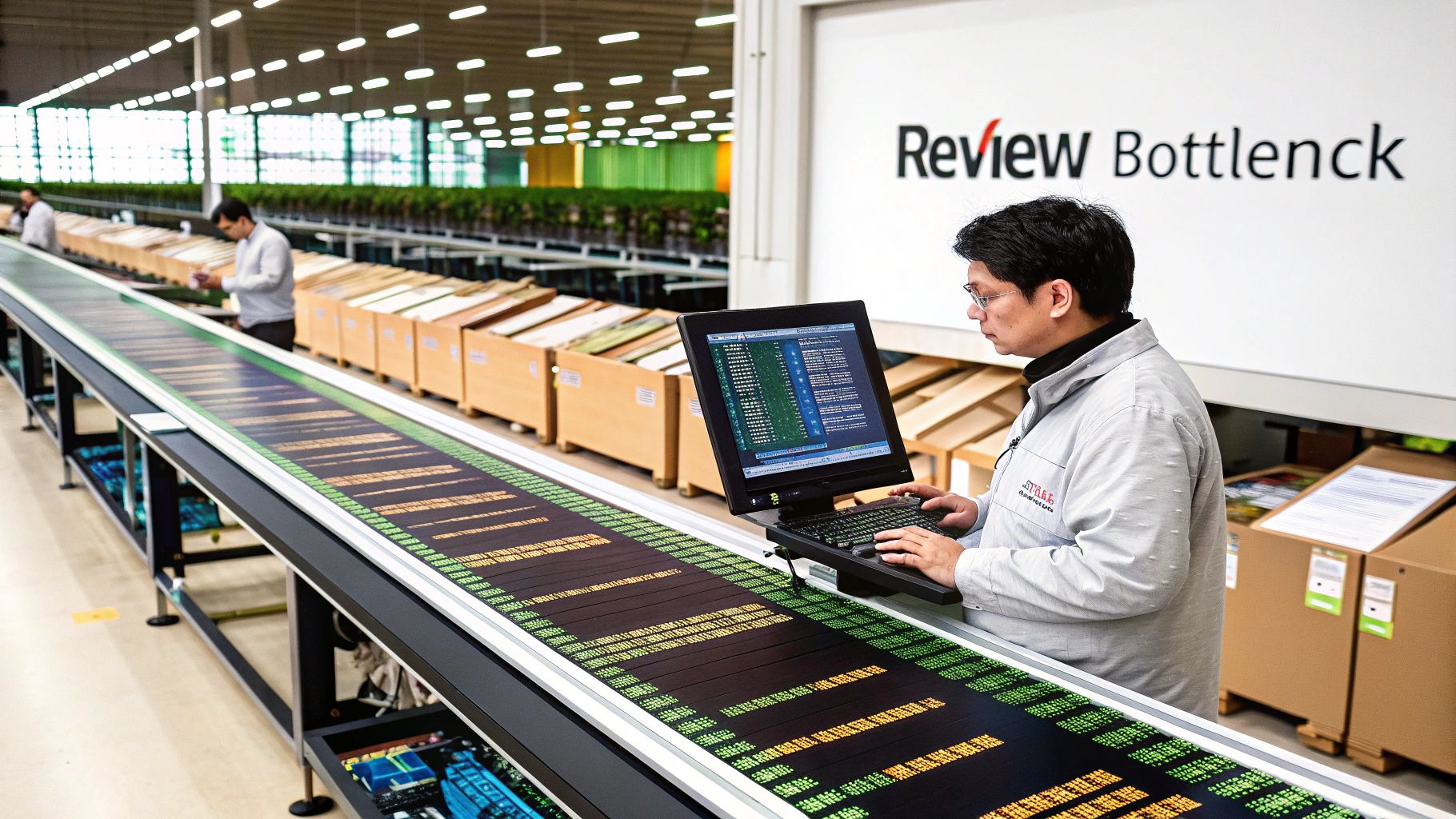
Think of it like a super-efficient factory assembly line. Production has doubled, but the final quality check is still being done painstakingly by hand. That’s exactly what’s happening in software teams today. The explosion in code output, largely driven by AI coding tools, is completely overwhelming the capacity of human reviewers.
This isn't just a theory; it's a real, measurable problem hitting engineering velocity hard. AI coding assistants have supercharged developer productivity, cranking out 25-35% more code per engineer. Yet, all that new code has to go somewhere, and it's piling up at the review stage.
Internal data from major product groups shows teams are creating far more pull requests per sprint. While this accelerates feature delivery, it’s also projected to create a 40% quality deficit by 2026, where the amount of code being pushed through the pipeline far exceeds what reviewers can possibly validate with confidence. You can read more about how AI is shaping code generation and review processes.
When Speed Outpaces Scrutiny
This imbalance sends ripples across the entire development lifecycle. When reviewers are under immense pressure to just keep things moving, a few nasty patterns start to emerge:
*   **Rushed Approvals:** Reviewers give a pull request a quick once-over, slap an "LGTM" (Looks Good To Me) on it, and move on. The code gets approved, but it was never truly validated.
*   **Growing Technical Debt:** Tiny inconsistencies, minor bugs, and small deviations from best practices start slipping through the cracks. They might seem harmless at first, but they accumulate over time, making the codebase a nightmare to maintain.
*   **Declining Code Quality:** Without consistent, thorough oversight, the software's architectural integrity starts to weaken. This inevitably leads to more production bugs and, ironically, a much slower development pace down the road.
At its heart, the problem is that human attention is a finite resource. As the volume of code grows, the time and focus available for each review shrinks, making it impossible to manually maintain high standards.
A Necessary Evolution, Not Just a New Tool
This is where automated code review steps in. It's not just another tool to add to your stack; it's a fundamental evolution needed to rebalance the development equation. By offloading the repetitive, objective, and time-sucking parts of code review to machines, teams can finally make their quality gates effective again.
Automation serves as a tireless first line of defense. It catches common mistakes, enforces style guides, and scans for security vulnerabilities before a PR even lands in a human's queue.
This frees up your developers and engineering leads to focus their limited brainpower on the stuff that actually requires human intelligence:
*   **Architectural soundness** and the long-term design implications of a change.
*   **Business logic**—does the code actually solve the user's problem correctly?
*   **Mentorship** and providing high-level, thoughtful feedback to colleagues.
In an era of unprecedented development speed, maintaining quality isn't just a nice-to-have; it's a must. Adopting automated code review isn't about replacing human reviewers. It's about augmenting them, letting your team ship faster without sacrificing the excellence that defines great software.
How Automated Code Review Actually Works

Think of automated code review as a tireless, expert assistant that inspects every single line of code before it ever hits a human reviewer's desk. This isn't just a spell-checker for your code; it's a multi-talented specialist with a systematic process for locking down quality and security from the get-go.
The whole thing kicks off the moment a developer opens a pull request. Instead of sitting in a queue waiting for a senior engineer, the automated system jumps into action immediately. It scans the new code against a pre-defined set of rules and best practices, acting as an instant quality gate.
The Initial Layers of Analysis
First, this digital assistant acts like a meticulous style guide editor. It checks for consistent formatting, proper naming conventions, and whether the code sticks to the team’s specific style rules. This first pass cleans up all the "noise" from trivial debates, so human reviewers never waste time arguing about tabs versus spaces again.
Next, it puts on its performance engineer hat. The tool analyzes the code for inefficient patterns—things like memory leaks or overly complex loops that can bog down the application. It flags logic that could cause slowdowns, helping developers write more performant code without needing to be performance gurus themselves.
Automated code review is a key part of Shift Left Testing, a practice that pushes quality and security checks earlier into the development process. By giving feedback in minutes, it lets developers fix issues while the context is still fresh in their minds.
The core principle is simple: catch errors as early and as cheaply as possible. An automated review finds a potential security flaw in seconds, saving hours of manual review time and preventing a costly production incident down the line.
Deeper Analysis and Security Scanning
After the initial checks, the process gets more sophisticated. The assistant turns into a security expert, running a Static Application Security Testing (SAST) scan. It hunts for common vulnerabilities like SQL injection, cross-site scripting (XSS), and insecure data handling. It's a well-known fact that fixing security flaws during development is up to 100 times cheaper than patching them after release.
This is where the real power of static analysis comes into play. These tools build a complete model of the codebase to understand how data flows and which paths the logic takes, all without ever running the program.
It can be a bit abstract, but the process works by breaking the code down into a structured format, like an Abstract Syntax Tree (AST), which the tool can then navigate to find bugs. This structured approach allows the system to spot complex issues that would be nearly impossible for a human to catch in a massive pull request.
Ultimately, the goal is to hand a pre-screened, high-quality pull request over to the human reviewer. By the time a person lays eyes on the code, it has already been checked for:
*   **Style and Formatting:** The code is clean and meets team standards.
*   **Performance Issues:** Common inefficiencies have been flagged.
*   **Security Vulnerabilities:** The most common security risks have been identified.
*   **Logical Errors:** Potential bugs like null pointer exceptions are highlighted.
This pre-screening frees up your human reviewers to focus their valuable brainpower on what really matters: the bigger picture. They can now concentrate on architectural decisions, business logic, and the overall design of the solution instead of getting bogged down in the small stuff. They're no longer just bug hunters; they're empowered to give high-level, impactful feedback.
Choosing the Right Tools for Your Workflow
Picking the right automated code review tools is a lot like putting together a pit crew for a race car. You wouldn't just hire four tire changers and hope one of them knows how to diagnose an engine problem. A solid automated quality process needs a mix of specialized tools, each doing its part to keep your codebase fast, secure, and reliable.
An effective workflow isn't about finding one magic tool that does it all. Instead, it's about building a multi-layered defense. You want to create a comprehensive quality gate where each tool checks for a specific kind of risk, from simple style mistakes to complex security holes.
Get this right, and by the time a pull request lands in front of a human reviewer, all the repetitive, easy-to-spot issues have already been fixed.
Linters and Formatters: The Ground Crew for Consistency
Think of linters and formatters as your ground crew. Their job isn't to second-guess the engineering decisions but to make sure every part meets a strict, predefined standard. Tools like ESLint, Prettier, or Black for Python are your first, most basic layer of automated review.
They do two simple things very well:
*   **Enforcing Style Guides:** They automatically check for consistent indentation, naming conventions, and code structure. No more endless debates over tabs versus spaces.
*   **Catching Syntax Errors:** They act like an instant spell-checker for your code, flagging typos or other basic mistakes before anything even runs.
Automating these checks frees up your senior engineers from having to point out missing semicolons. It’s a simple step, but it builds a culture of quality and creates a baseline of clean, readable code across the board.
Static Application Security Testing (SAST): Your Security Sentry
Next up is your dedicated security sentry: Static Application Security Testing, or SAST. These tools, like SonarQube or Snyk, are programmed to think like an attacker. They scan your code without running it, looking for patterns that match known security vulnerabilities.
A SAST tool is your early warning system, flagging common threats like:
*   SQL injection vulnerabilities
*   Cross-site scripting (XSS) flaws
*   Insecure handling of credentials or secrets
Putting a SAST tool in your CI/CD pipeline is a huge step toward shifting security left. It makes security a shared responsibility by giving developers instant feedback on potential risks—long before the code ever gets near a dedicated security team.
Static Code Analysis: The Deep Diagnostic Engine
While SAST tools keep an eye on security, comprehensive static code analysis platforms are the deep diagnostic engines checking your overall code health. They go way beyond style and security to find subtle, complex problems that lead to bugs, performance drains, and future maintenance nightmares.
These platforms hunt for "code smells"—patterns that hint at deeper structural issues. They'll flag things like overly complex functions, duplicated logic, or potential null pointer exceptions. It’s all about giving you a holistic view of code quality and helping your team get ahead of technical debt.
These tools build a complete model of your application's logic, allowing them to spot issues that are nearly impossible for a human to catch in a large pull request. They connect the dots between different parts of the code to uncover hidden dependencies and potential runtime errors.
The demand for this level of analysis is why the global code review market is projected to hit $1,765.2 million by 2033. And with AI expected to generate 41% of all code in 2024, automated tools that can validate that output for bugs and security flaws are no longer a luxury—they're a necessity. You can read more on these market trends from Cognitive Market Research.
AI-Powered Review Bots: The Context-Aware Co-Pilot
The newest players on the field are AI-powered review bots. Unlike traditional static analysis tools that follow a fixed set of rules, these bots use machine learning and large language models (LLMs) to provide contextual, almost human-like feedback. They don't just see the code; they understand the intent behind it.
For a deeper look at the top options, check out our guide on the 12 best automated code review tools for 2025.
These AI co-pilots can spot issues that require a much broader understanding of the codebase, like suggesting a more efficient algorithm or pointing out when a change deviates from an established architectural pattern. They represent the future of automated code review, aiming to close the gap between simple rule-based checks and the deep, contextual understanding of a seasoned human reviewer.
Each tool type plays a specific role. To help you see how they fit together, here's a quick comparison of what each one brings to the table.
Comparison of Automated Code Review Tool Types
| Tool Type | Primary Function | Issues Detected | Best For |
|---|---|---|---|
| Linters/Formatters | Enforce code style and syntax rules. | Inconsistent formatting, syntax errors, style guide violations. | Maintaining a consistent and readable codebase with minimal effort. |
| SAST | Scan for known security vulnerabilities. | SQL injection, XSS, insecure credential handling. | Catching common security flaws early in the development cycle. |
| Static Code Analysis | Analyze code for bugs and quality issues. | Code smells, duplicated logic, potential bugs, performance issues. | Improving overall code health and managing long-term technical debt. |
| AI-Powered Bots | Provide contextual, human-like feedback. | Inefficient algorithms, architectural deviations, complex logic flaws. | Getting nuanced, context-aware suggestions that go beyond fixed rules. |
By layering these tools, you create a robust, automated pipeline that catches everything from the smallest style error to the most critical security vulnerability. This frees your team to focus on what really matters: solving complex problems and building great software.
A Practical Roadmap for Getting Automation Right
Look, successfully rolling out automated code review is far more about people and process than it is about buying a new tool. A "big bang" approach, where you suddenly flip a switch and enforce hundreds of strict new rules, is a guaranteed recipe for frustration and pushback from your team.
The secret is a gradual, deliberate implementation. You need to build trust and show real value at every single step.
Think of it like this: your dev team is a crew of skilled chefs in a fast-paced kitchen. If you suddenly drop in a robot that criticizes every pinch of salt and every knife cut, you'd have a mutiny on your hands. A much better approach is to give them a robot that flawlessly peels potatoes—a tedious job everyone is happy to hand over.
Start Small with Non-Controversial Wins
Your first move should be to automate the most repetitive and least controversial parts of code review. This means starting with tools that flag objective, black-and-white issues that no one can really argue with.
*   **Code Formatters:** Tools like [Prettier](https://prettier.io/) or [Black](https://black.readthedocs.io/en/stable/) are the perfect entry point. They automatically enforce a consistent style, finally putting an end to those pointless debates over tabs vs. spaces or where a curly brace should go. This is an easy win that delivers immediate value by making all the code in your repository easier to read.
*   **Basic Linters:** Fire up a linter like [ESLint](https://eslint.org/) but configure it to *only* catch obvious, undeniable errors, like unused variables or blatant syntax mistakes. Keep that initial ruleset lean to avoid drowning developers in a sea of subjective style suggestions.
Nailing these early wins is absolutely critical. Once your team sees that automation is saving them from mind-numbing tasks, they'll become champions for the process, not obstacles.
Integrate into Your CI/CD Pipeline
Once the team is on board with basic formatters and linters, it’s time to integrate these checks directly into your Continuous Integration (CI) pipeline. This is the step that turns automated review from a friendly suggestion into a genuine quality gate.
When a check fails in the CI pipeline, it should block the pull request from being merged. Period. This creates a clear, non-negotiable standard of quality that applies to everyone equally. It’s no longer just a senior developer’s opinion; it’s a systematic check that levels the playing field.
This move also reinforces the idea that quality is a shared responsibility. Developers get instant feedback on their changes, letting them fix things while the context is still fresh in their minds—not days later after a manual review finally comes through.
The goal is to make the automated check feel like a helpful colleague who gives you immediate, private feedback, not a harsh critic who calls you out publicly. This positions the tooling as a supportive part of the workflow.
Introduce Deeper Analysis and Get Buy-In
With a solid foundation in place, you can start introducing more powerful static analysis tools that hunt for security vulnerabilities, performance bottlenecks, and complex bugs. This part, however, requires careful communication and teamwork.
The explosion of AI-generated code has created a massive trust gap. The 2026 State of Code Developer Survey found that a staggering 96% of developers don't fully trust AI-generated code to be correct, yet only 48% always bother to verify it. This is exactly where automated tools can step in, catching potential issues early and turning AI from a potential liability into a productivity booster. You can read more about these findings and the developer sentiment towards AI code.
When you're ready to roll out these advanced tools, remember to:
- Configure Incrementally: Don't turn on every single rule at once. Start by enabling a few high-impact rules that address your team's most common pain points.
- Run in "Audit Mode": For the first few weeks, set up the tool to report issues without failing the build. This lets the team see the feedback, discuss the rules, and fine-tune the configuration without grinding their work to a halt.
- Collaborate on the Ruleset: Get the whole team involved in deciding which rules to enforce. When developers have a say in creating the standards they have to live by, they are far more likely to embrace and follow them.
This phased approach ensures your automated code review system is built with your team, not imposed on them. That’s how you get smooth adoption and a lasting improvement in your code quality.
Connecting Automation with Your Team's Workflow
An automated code review system that spits out brilliant feedback is completely useless if nobody sees it. The real challenge isn't just finding issues; it's getting those insights to the right developer at the right time. Otherwise, you end up with a firehose of notifications that everyone quickly learns to ignore.
This is the "last mile" problem of automation. The solution is to weave this feedback directly into your team's existing communication channels. Instead of making developers check a separate dashboard or dig through emails, you bring consolidated, actionable alerts right into the tools they already live in, like Slack or Microsoft Teams.
A truly great automated review setup requires a thoughtful look at your current development pipeline and integrating it with effective workflow management. This simple step transforms automated analysis from just another noisy process into a focused, valuable part of your development cycle.
Taming Notification Overload
Let's be honest, the default notification settings on platforms like GitHub are notoriously noisy. Every single comment, commit, and status change can trigger a separate alert. This quickly leads to alert fatigue. When developers get slammed with dozens of pings for a single pull request, they start tuning everything out, and important feedback gets lost in the digital clutter.
This is where smart notification tools become a game-changer. A tool like PullNotifier acts as an intelligent filter between GitHub and your team's chat app. Instead of blindly forwarding every event, it consolidates all updates into a single, persistent message thread for each pull request. This gives everyone a clean, chronological view of the review process without spamming the channel.
The goal is to move from a high volume of low-context pings to a low volume of high-context updates. It's about respecting your team's focus and making sure that when a notification does pop up, it actually means something.
This streamlined communication has a massive impact on review velocity. With clear, consolidated updates, the time it takes for a pull request to get its first review can be slashed dramatically—in some cases by as much as 90%.
Creating a Seamless Feedback Loop
A truly integrated workflow does more than just quiet the noise; it actively routes information to the people who need it, right when they need it. Modern notification systems allow for incredibly specific routing rules, ensuring feedback is not only seen but acted upon quickly.
This visual breaks down the simple, three-step process for getting automation right: start with small wins, embed tools in your CI/CD pipeline, and focus on getting your team on board.
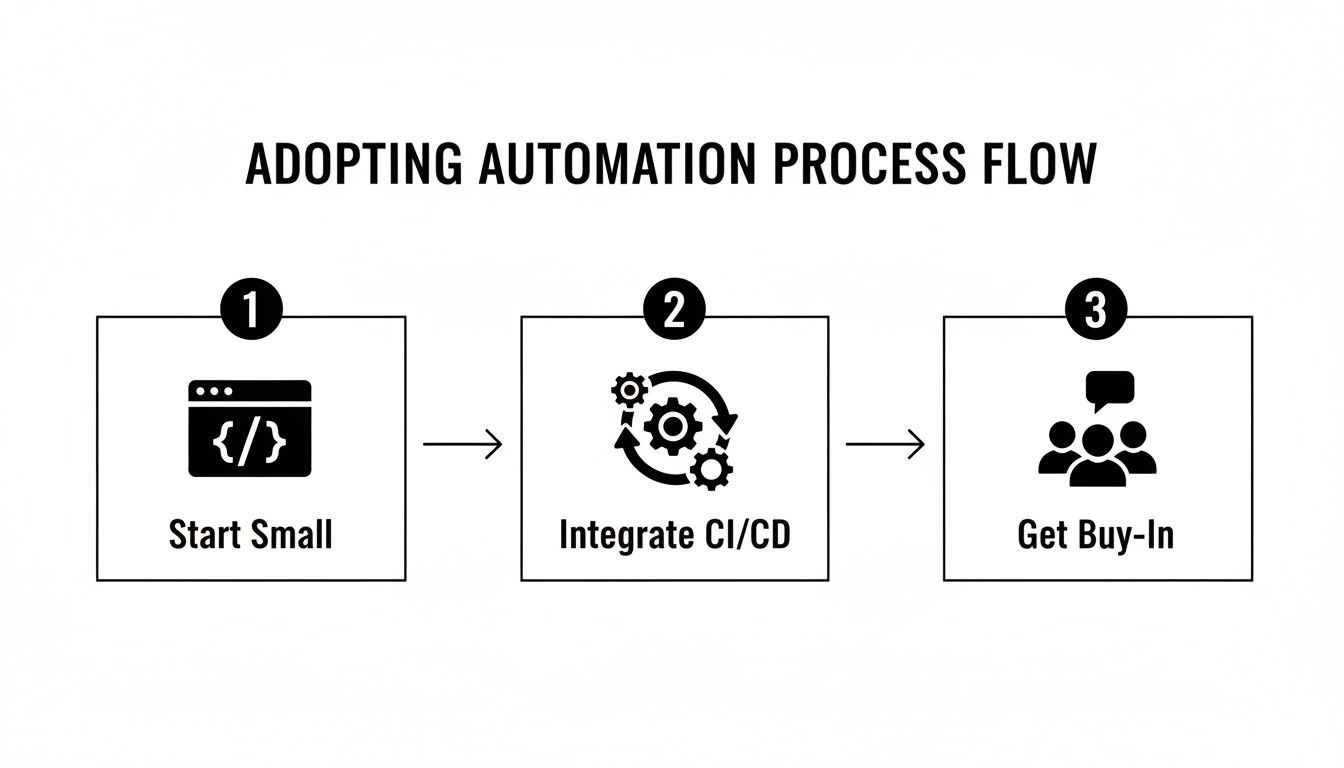
This gradual adoption strategy is key. It helps ensure that automation feels like a helping hand, not a hindrance to your team's existing process.
By connecting your version control system to your chat tool, you can build a powerful, automated feedback loop. Here’s what that looks like in practice:
*   **Smart Reviewer Assignment:** When a PR is opened, the system can automatically tag the right reviewers in the Slack channel based on the codebase, team ownership, or even a round-robin schedule. You can dive deeper into [how to automatically assign reviewers in GitHub](https://blog.pullnotifier.com/blog/how-to-automatically-assign-reviewers-in-github) to get this process dialed in.
*   **Consolidated CI/CD Status:** Instead of forcing developers to jump back to the GitHub UI, the success or failure of CI checks gets reported directly in the PR's Slack thread.
*   **Actionable Nudges:** If a pull request sits idle for too long, the system can send a gentle reminder to the assigned reviewers. This keeps the review cycle moving without anyone having to play manager.
When you connect these systems, you create a single source of truth for every pull request. This cuts down on context switching, eliminates confusion, and dramatically shortens the time it takes to get code from a developer's machine into production. It makes your automated code review process a seamless and efficient part of how your team already works.
Measuring the ROI of Your Automated Workflow
Switching to automated code reviews feels like an instant win, but how do you prove it? To get buy-in from the wider team and justify the investment, you need to speak the language of business impact. That means ditching the anecdotes and bringing cold, hard data to the table.
Tracking the right metrics is how you build a rock-solid case. It shows that automation isn’t just a nice-to-have for developers—it’s a strategic move that pays dividends. These numbers turn fuzzy benefits like “better code quality” into concrete outcomes like “fewer production outages” and “faster time to market.”
By measuring these key indicators before and after you flip the switch on automation, you can paint a clear picture of its return on investment (ROI).
Key Metrics for Tracking Success
To get a full view, you’ll want to track metrics across speed, stability, and quality. Each one tells a different part of the story, from how quickly your team can push code to how solid that code is when it lands in front of users.
Here are the essential metrics to start with:
*   **Pull Request Cycle Time:** This is the clock-in, clock-out time for a PR—from the moment it’s opened until it’s merged. Long cycle times are a classic sign of a review bottleneck, where code just sits idle waiting for a human to look at it. Automated tools slash this by giving instant feedback on the easy stuff, letting human reviewers jump straight to the tricky logic.
*   **Change Failure Rate (CFR):** This is the percentage of your deployments that end up causing a production failure. A high CFR is a red flag that bugs are slipping through your quality net. Automated security scanners and bug detectors act as a powerful first line of defense, catching common errors and vulnerabilities before they ever see the light of day.
*   **Mean Time to Recovery (MTTR):** When a failure inevitably happens, this metric tracks how long it takes to get things back up and running. While automation’s main job is prevention, the consistent code style it enforces makes firefighting way faster. When code is predictable and easy to read, engineers can spot the problem and ship a fix much more quickly.
The real goal here is to draw a straight line from your automated tools to business value. A lower Change Failure Rate doesn't just mean fewer bugs; it means happier customers, a better reputation, and less time wasted on putting out fires.
From Data to Business Case
Once you start collecting this data, you can weave it into a powerful story for stakeholders. Instead of just saying automation makes things faster, you can show them a chart revealing a 30% reduction in PR Cycle Time, directly connecting your new tools to a boost in development speed.
You can do the same for quality. By tracking the number of defects caught by your automated tools versus those found later in production, you create a clear visual of its preventative power. For a deeper look at measuring review efficiency, check out our guide on key metrics for faster code reviews in GitHub.
Here’s a simple table to help you build your case for automated reviews and track their success over time.
Key Metrics for Measuring Automated Review Success
A summary of essential metrics to track the effectiveness of your automated code review implementation and its impact on the development lifecycle.
| Metric | What It Measures | Why It's Important |
|---|---|---|
| PR Cycle Time | The speed of your review and merge process. | Shorter times mean faster feature delivery and less developer downtime. |
| Change Failure Rate | The stability and quality of your releases. | A lower rate means a more reliable product and higher user satisfaction. |
| Defects Caught Pre-Prod | The effectiveness of your quality gates. | Shows how many bugs automation prevents from ever reaching production. |
By focusing on these concrete metrics, you can prove the tangible impact of your automated code review system. This data-driven approach not only validates your initial investment but also builds the momentum needed to expand automation across your entire engineering organization, fostering a culture of quality and efficiency.
Frequently Asked Questions
Even with a clear plan, bringing new tools into the mix is going to stir up some questions. Let's tackle them head-on so your team feels confident and ready to go.
Will Automated Code Review Replace Human Reviewers?
Not a chance. Think of these tools as a hyper-efficient assistant, not a replacement. They're brilliant at the repetitive, objective stuff—catching style slip-ups, common bugs, and known security holes.
This actually frees up your human reviewers from the grunt work. Now they can pour their brainpower into what machines can't touch: questioning architectural choices, validating business logic, and mentoring the team. It’s a partnership that lets your most experienced engineers focus on high-impact problems that need creativity and real-world context.
Automation handles the checklist so humans can focus on the strategy. It makes the human reviewer’s feedback even more valuable.
How Do We Manage the Initial Noise from a New Tool?
It’s totally normal to run a new tool on an old codebase and get a tidal wave of issues. Don't try to fix everything at once—that’s a surefire way to get stuck. The best move is to establish a baseline.
Set up your tool to only flag issues on new or changed code. This gives you immediate value on the work you're doing now without grinding everything to a halt to fix the past. Then, you can treat that legacy technical debt as its own project, chipping away at it over time instead of letting it become an emergency.
How Do We Get Our Developers to Embrace Automation?
Getting developers on board is everything. The trick is to show them how it makes their lives easier. Frame automated reviews as a tool that works for them, not against them.
Here are a few ways to build some real enthusiasm:
*   **End the Style Wars:** Point out how automation kills off those endless, subjective debates over things like spacing and quotes. Now everyone can focus on what the code actually *does*.
*   **Give Instant Feedback:** Developers love getting immediate, private feedback. It lets them fix issues while the code is still fresh in their mind, long before a PR even goes up.
*   **Make It a Learning Tool:** Position the tool as a coach that helps everyone learn and lock in best practices. It’s a great way for the whole team to level up their skills together.
Start with a small pilot group, show off their wins, and—this is the big one—build the ruleset as a team. When developers have a say in the standards, they become the biggest champions of the process.
Accelerate your team's review cycles and eliminate notification fatigue with PullNotifier. Our smart integration for GitHub and Slack cuts through the noise, delivering consolidated PR updates that keep your team focused and productive. Try PullNotifier for free and see how thousands of engineers ship code faster.