- Published on
Master Slack for Developers: A Productivity Guide
- Authors

- Name
- Gabriel
- @gabriel__xyz
For any halfway decent dev team, Slack is way more than a chat app—it’s the place where code, tools, and people actually connect. It’s what stops your day from being a mess of scattered updates and constant context switching, turning it into a command center for getting things done.
Why Slack Is Your Engineering Command Center
Let’s get one thing straight: Slack isn't just another messaging tool. For developers, it’s an operational hub that plugs the entire software development lifecycle right into your daily chats. Instead of bouncing between your Git client, CI/CD pipeline, and project board, Slack brings the important stuff to you. This alone is a massive win for staying focused and moving faster.
Its real value for developers is how it creates a single source of truth. Every decision, code discussion, and incident response becomes part of a searchable, permanent log. No more digging through old emails or trying to remember what was said in a one-off DM.
Unifying the Developer Experience
Think of Slack channels as dedicated war rooms for every part of your job. You can—and should—have specific channels for everything:
- Feature Development: A channel like
#feat-user-authkeeps all the chatter, pull request notifications, and stakeholder feedback in one tidy spot. - Automated Alerts: When a build fails, a
#ci-cd-alertschannel lights up immediately. The right people can jump on it instantly without anyone having to sound the alarm. - Incident Management: An outage hits? Spin up an
#incident-2024-10-26channel. It becomes the ground zero for coordinating fixes, posting updates, and eventually, doing the post-mortem.
This structure takes communication chaos and turns it into organized, actionable conversation. It smashes information silos and makes sure everyone, from backend engineers to product managers, can see what’s moving and what’s stuck.
By pulling all your notifications and discussions into one place, Slack slashes context switching. This lets developers stay in deep work mode for longer, which leads directly to better code and faster releases.
The platform's growth shows just how essential it's become. Daily active users are expected to jump from 32.2 million in 2023 to a whopping 47.2 million by 2025, with folks spending over 90 minutes a day actively using it. A huge driver of this is its central role in remote and hybrid dev teams who rely on it to stay connected. You can dig into more of the data on these trends over at ElectroIQ.
This guide will show you how to truly master Slack, moving beyond basic chat to build a powerful engineering command center.
Mastering Core Features for Engineering Workflows
Before your team even thinks about piling on complex integrations, the first step is to get really good with Slack's built-in features. Think of it like learning the fundamentals of a programming language before you jump into a massive framework. A solid foundation turns Slack from just another chat app into an organized, efficient command center for all your engineering work.
Building that foundation starts with how you organize your channels. Instead of a few giant channels where bug reports, lunch plans, and CI alerts all get jumbled together, developers thrive when things are specific. A well-structured workspace cuts through the noise, making it way easier to find information and act on it.
Create Clarity with Strategic Channels
The goal here is to create dedicated spaces for different conversations, basically mirroring your team's actual workflows. This simple trick ensures that critical alerts don't get buried under a thread about a new feature, and project-specific questions stay right where they belong.
Here are a few essential channel types that high-performing developer teams swear by:
- Feature-Specific Channels (
#dev-feature-x): Spin up a temporary channel for each new feature or a particularly nasty bug fix. This keeps all the related chatter, mockups, and pull request updates in one tidy spot. It's a lifesaver for anyone who needs to jump in and get up to speed quickly. - Alerting Channels (
#ci-cd-alerts,#prod-alerts): These channels are for machines, not people. Pipe in automated notifications from your CI/CD pipeline, monitoring tools, or error trackers. You get a central hub for critical system info without spamming your main team channels. - Incident Response Channels (
#incident-response): When something breaks, this is your war room. Use it to coordinate fixes, post status updates, and manage the whole response process. Having a dedicated channel is absolutely crucial for doing effective post-mortems later on.
This organized view is the key to how Slack enables focused work. For developers, that means less time hunting for context and more time actually shipping code.
Embrace Threads for Focused Discussions
If channels are the rooms where work happens, threads are the focused side conversations going on inside them. And for technical discussions, threads are non-negotiable. Without them, an important conversation about a specific code review gets fragmented and totally lost in the main channel’s flow.
Threads keep complex technical conversations self-contained. A single pull request notification can spawn a detailed discussion with code snippets and feedback, all neatly tucked away from the main channel view, preserving clarity for everyone else.
For example, when a GitHub notification for a new pull request pops up in your #dev-feature-x channel, every single comment, question, and approval should happen within that message's thread. This creates an organized, chronological record tied directly to the PR itself. For setup, the limits of the official app, and what to do about them, see our complete guide to the github slack integration.
Use User Groups and Custom Statuses
Finally, protecting precious deep-work time is all about mastering notifications. Two core features are perfect for this, letting you stay connected without constant interruptions.
- User Groups: Stop the noisy
@hereor@channelpings. Instead, create custom user groups like@backend-devs,@frontend-team, or@on-call-eng. This lets you send targeted notifications, making sure only the relevant people get pinged when their expertise is needed. - Custom Statuses: Get your team into the habit of using custom statuses to signal what they're doing. A status like "🎧 Deep Work - DMs paused" or "Reviewing PRs" sets clear expectations and helps prevent those little interruptions during critical focus periods.
By thoughtfully putting these core features to work, your engineering team can build a Slack environment that actually supports—rather than distracts from—the work that matters most.
Essential Integrations for a Streamlined Dev Cycle
If you’ve mastered Slack’s core features, you’ve got a solid foundation. But the real magic happens when you start plugging in your other dev tools. Think of a fresh Slack workspace like a powerful new operating system—it’s capable, but it’s the apps you install that turn it into an indispensable part of your daily workflow.
Integrations are what elevate Slack from just another chat app to a true command center for your entire development cycle. Instead of constantly flipping between a dozen browser tabs for your code, tickets, and build statuses, you can bring everything into one unified space. This centralizes information, automates routine updates, and kills the friction of context switching.
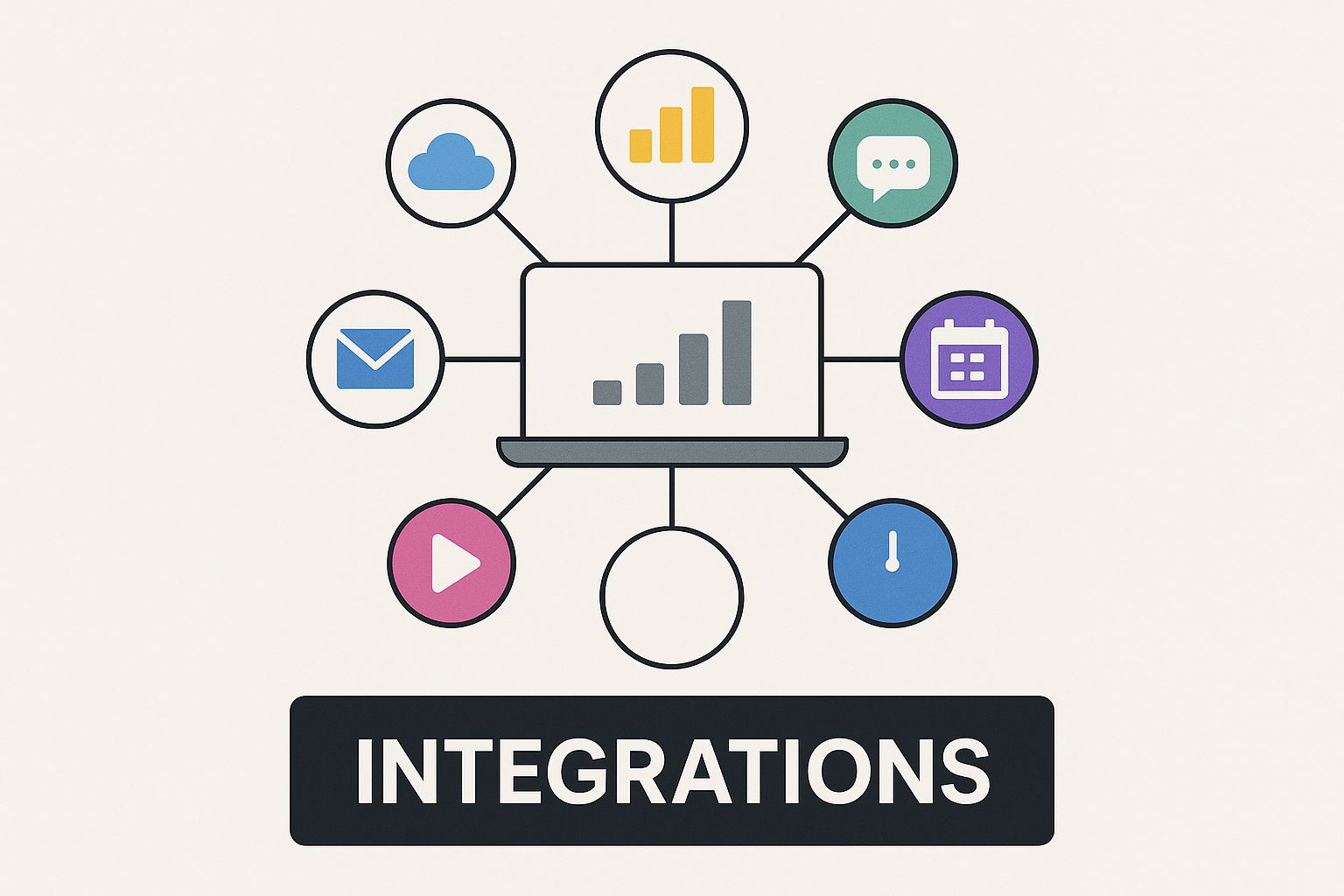
This is the key takeaway: Slack becomes the hub. It pulls in critical updates from all your disconnected tools, giving your team a single, shared view of what’s happening, as it happens.
Connect Your Codebase with Version Control Apps
For any dev team, your version control system is the ultimate source of truth. Integrating it with Slack is probably the single most impactful thing you can do. Tools like GitHub and GitLab have fantastic apps that turn your code repos from passive storage into active, vocal participants in your team’s conversations.
These integrations pipe key events right into your project channels:
- New Pull Requests: Get an instant heads-up when a PR is opened and ready for eyeballs.
- Code Comments and Reviews: Follow the discussion and feedback in real-time within a Slack thread.
- Merge and Deployment Statuses: Know the second that code hits the main branch or gets pushed to production.
This creates an immediate feedback loop. A developer pushes a change, a notification pops up, and the team can jump on it right away. It drastically cuts down on the time code spends just sitting there, waiting for a review—a huge bottleneck for many teams. If you want to see what's out there, you can explore some of the top GitHub Slack integrations to try in 2024.
Automate Build and Deployment Visibility
Your CI/CD pipeline is the engine of modern software development, but it can often feel like a black box. Integrating tools like Jenkins, CircleCI, or GitHub Actions pulls back the curtain and brings total transparency to the process.
Instead of someone having to manually check a dashboard to see if a build passed, your team gets automated updates in a dedicated #ci-cd-alerts channel. This means everyone knows the instant a build breaks, allowing for a much faster fix. On the flip side, successful deployment notifications give the entire team—from engineers to product managers—immediate visibility into what’s now live for users.
By piping CI/CD and version control events into Slack, you create an ambient awareness of the development lifecycle. This reduces the need for status meetings and manual check-ins, freeing up developers to focus on writing code.
Turn Conversations into Actionable Tasks
Great ideas, feature requests, and critical bug reports often pop up in casual Slack chats. The real challenge is making sure they don’t get lost in the endless scroll. That's where project management integrations with tools like Jira, Asana, or Trello come in, connecting your conversations directly to your backlog.
With these apps, your team can:
- Create Tasks from Messages: With a simple click, turn any Slack message into a Jira ticket or an Asana task.
- Get Ticket Updates: Receive notifications in-channel when a task’s status changes, a new comment is added, or it gets reassigned.
- Unfurl Links for Context: When someone pastes a link to a ticket, the integration shows a rich preview with key details like the title, status, and assignee.
This simple connection bridges the gap between discussion and execution, ensuring valuable insights are captured and acted upon. The power behind this ecosystem is fueled by a massive community, with over 500,000 developers registered on the Slack platform. This active base helps create a vibrant marketplace of apps that measurably boost productivity; for instance, teams using Slack well see a 32% reduction in emails and a 27% drop in meetings.
Monitor Systems and Manage Incidents
Finally, for the on-call engineers and ops teams out there, observability and incident management tools are non-negotiable. Integrating services like Datadog, New Relic, or PagerDuty ensures that when something inevitably goes wrong, the right people know about it immediately.
Critical alerts get routed directly into a designated #incident-response channel, often with handy buttons to acknowledge the alert or spin up an incident War Room right from the message. This dramatically shortens response times, as the entire incident management process can be kicked off and coordinated without ever having to leave Slack.
To tie it all together, here’s a quick look at how these integrations fit into the daily grind of a development team.
Top Slack Integrations for Development Teams
This table breaks down some must-have Slack apps across key developer workflow categories, highlighting how they function in Slack and the direct impact they have on getting work done.
| Category | Tool Example | Key Function in Slack | Productivity Impact |
|---|---|---|---|
| Version Control | GitHub | Notifies channels of new PRs, comments, and merges. Allows for subscribing to repo events. | Speeds up code review cycles and improves codebase visibility. |
| CI/CD | Jenkins | Posts build success/failure alerts directly into channels. | Reduces downtime by enabling faster responses to broken builds. |
| Project Management | Jira Cloud | Creates tickets from messages, unfurls links for context, and sends status updates. | Bridges the gap between conversation and action; keeps tasks from getting lost. |
| Incident Management | PagerDuty | Routes critical alerts to dedicated channels and allows for incident creation from Slack. | Drastically shortens incident response times and centralizes communication. |
By thoughtfully combining these tools, you transform Slack from a simple communication platform into a powerful, centralized hub that keeps your entire development process flowing smoothly.
Building Custom Automations and Workflows
While third-party integrations are powerful, the real magic happens when you start building your own automations to solve your team’s unique problems. This is where you move beyond off-the-shelf apps and create high-impact workflows that eliminate manual work and fit your processes like a glove.
You don’t have to dive straight into complex code, either. Slack gives you an easy on-ramp so anyone on your team can get started right away.
Start with No-Code Workflow Builder
Slack's Workflow Builder is the perfect entry point. Think of it as a set of digital Lego blocks—you can snap together triggers (like a user clicking a link or using an emoji) and actions (like sending a message or creating a form) to automate routine tasks without writing a single line of code.
A classic use case for developers is standardizing bug reports. Instead of engineers pasting random screenshots and vague descriptions into a channel, you can build a workflow that brings much-needed structure.
Here’s how you could set up a simple but effective bug reporting workflow:
- Trigger: A user clicks a "Report a Bug" link you’ve pinned in the
#dev-teamchannel. - Action 1: A form pops up asking for structured input: "Steps to Reproduce," "Expected Behavior," "Actual Behavior," and "Urgency."
- Action 2: Once submitted, the workflow automatically formats the details and posts them neatly into the
#bug-reportschannel. - Action 3: It then sends a quick confirmation DM to the person who submitted the report, letting them know it was received.
This simple automation instantly improves the quality of your bug reports, saves a ton of triage time, and makes sure no critical info gets lost in the shuffle.
Level Up with Slack APIs and Custom Bots
When your needs get more complex, Slack's robust APIs open up a world of possibilities. This is where you can build custom bots and apps that perform sophisticated actions, talk to external services, and integrate deeply with your internal tools. Think of a custom Slack bot as a new team member—one that never sleeps and crushes repetitive, command-based tasks.
By using Slack’s APIs, developers can create "ChatOps" workflows, where operational tasks like deployments and system checks are executed directly from chat commands. This centralizes control, increases visibility, and makes critical operations accessible to the entire team.
For instance, you could build a bot that responds to a few slash commands:
- /deploy staging: Kicks off a staging deployment through your CI/CD pipeline, posting real-time progress updates right back into the channel.
- /health-check api: Queries your monitoring service and returns the current health status of your API servers on demand.
- /run-standup: A bot that automatically DMs each team member for their daily updates, then compiles a clean summary in the team channel.
These custom solutions turn Slack into an interactive control panel for your entire engineering world. They cut down on context switching between different dashboards and terminals, keeping your team focused and in flow. Building these often involves pairing Slack's APIs with other tools; for example, a common pattern is using GitHub Actions to send Slack notifications for custom deployment alerts.
This approach lets you automate the highly specific, high-value tasks that off-the-shelf apps just can't cover. From running daily stand-ups to triggering complex deployment pipelines, building your own automations is the final step in making Slack a true command center for your dev team.
Using AI for Smarter Development
Artificial intelligence is quickly shifting from a sci-fi concept to a practical tool we use every day, and that's completely changing the game for developers on Slack. It’s not just a chat app anymore. It’s becoming an intelligent partner that anticipates what you need, surfaces important info, and automates some of the heavy cognitive lifting.
Think about coming back from a week of vacation. Instead of drowning in a chaotic channel trying to piece everything together, you can just ask an AI for a summary. This simple feature saves an insane amount of time, letting you catch up on technical debates, key decisions, and action items in seconds. It’s like having a personal assistant who took perfect notes for you.
And it’s not just about catching up; it’s about digging deeper. Ever tried to find that one code snippet or architectural decision buried in a conversation from six months ago? Traditional search often comes up empty, but an AI-powered search understands the context. You can ask a natural question and find exactly what you’re looking for.

Practical AI Applications in Your Workflow
Beyond Slack's own AI features, a whole ecosystem of third-party AI tools now plugs directly into your channels. This puts intelligence right where your team is already working, transforming routine tasks into something much simpler.
Here’s how developers are actually using these integrations:
- Drafting Documentation: You can point an AI tool at a thread where a new feature was discussed and have it generate a solid first draft of the technical docs. It's a huge time-saver.
- Generating Test Cases: Just describe a function or a user story in plain English, and an AI assistant can spit out a comprehensive list of edge cases and test scenarios you should probably consider.
- Brainstorming Solutions: When you’re stuck on a tricky bug or an architectural problem, you can use AI as a brainstorming partner to explore different angles and weigh the trade-offs.
The real magic of putting AI in Slack is that it cuts down on cognitive load. By handling the grunt work of finding information, summarizing conversations, and generating content, AI frees up developers to focus on what humans do best: solving hard problems and writing great code.
The Real-World Impact on Productivity
This isn't just a cool trend; teams are seeing real, measurable results. The data shows a massive jump in AI adoption and a direct link to better performance and even happier developers.
Between late 2024 and early 2025, daily AI usage among Slack users shot up by an incredible 233%. Today, 60% of desk workers use AI tools regularly, and 42% rely on them every single week.
The results speak for themselves. Daily AI users report a 64% increase in productivity, 58% better focus, and a massive 81% higher job satisfaction compared to their peers. Even more telling, 96% of these workers used AI to do things that were previously outside their skill set, showing how powerful it is for learning on the fly. You can dig into the full details in Salesforce's report on how daily AI use is growing.
The numbers make it clear: AI in Slack isn't a gimmick. It’s a genuine force multiplier that helps dev teams build better software, faster—all while making the work itself more rewarding.
Fostering a Productive Engineering Culture in Slack
Adopting a powerful tool like Slack is only half the battle. The other half is all about your people and processes. Simply throwing technology at a chaotic communication culture won't fix anything; in fact, it often makes things worse. This is where you need to establish the human-side of things—the best practices that turn Slack for developers into a productivity engine, not a source of constant distraction.
At its core, a healthy Slack culture is built on a shared understanding of how to communicate. This means setting clear expectations that respect the deep focus engineers need to solve complex problems. Without some agreed-upon etiquette, Slack can quickly devolve into an endless stream of pings that shatters attention and kills momentum.
Establish Clear Communication Etiquette
Protecting focus time is paramount. To do that, your team needs to agree on some ground rules for communication. This isn't about creating rigid, bureaucratic policies. It's about building a system that values both collaboration and concentration. A few simple guidelines can make a massive difference in preventing burnout and keeping your engineers in a state of flow.
These principles help create an environment that’s both respectful and efficient:
- Threads Are Non-Negotiable: This is a big one. Insist that all follow-up conversations happen in threads. It keeps the main channels clean and makes it incredibly easy to track a specific discussion without interrupting everyone else.
- Use User Groups Wisely: The
@hereand@channelnotifications can be incredibly disruptive. Reserve them for true emergencies. Instead, rely on targeted user groups like@backend-devsor@platform-teamto ping only the people who absolutely need to be involved. - Embrace the Status: Encourage everyone to use custom statuses to signal their availability. A status like "🎧 In the zone – DMs paused" sets clear expectations and empowers developers to guard their focus without feeling guilty.
A productive engineering culture treats developer attention as a scarce and valuable resource. The whole point of your Slack etiquette should be to minimize unplanned interruptions, allowing engineers to get into deep work for sustained periods.
Default to Public Channels and Asynchronous Work
One of the most impactful cultural shifts a team can make is to default to public channels over direct messages. Sure, DMs have their place for sensitive or one-on-one topics, but keeping most discussions out in the open creates a searchable, transparent knowledge base that benefits the entire team.
Think about it: when a developer solves a tricky problem in a public channel, that solution is now discoverable for the next person who runs into the same issue. No more asking the same question over and over again.
This transparency also naturally supports asynchronous communication, which is a must-have for distributed teams and flexible work styles. Not every question needs an immediate answer.
An asynchronous-first mindset really just means:
- Posting well-articulated questions in the appropriate public channels.
- Giving teammates plenty of time to respond when they are available and not heads-down.
- Dropping the expectation of instant replies for anything that isn't a genuine emergency.
This approach respects different time zones, personal schedules, and deep work blocks. It fosters an inclusive culture where everyone can contribute effectively without being chained to their keyboard. By combining smart etiquette with a commitment to transparency and asynchronous work, you build an environment where Slack amplifies your team's collective intelligence instead of draining their focus.
To help put these ideas into action, here’s a quick reference table of dos and don'ts for your engineering team.
Slack Best Practices for Engineering Teams
This table sums up the key principles for creating a Slack environment that boosts productivity and collaboration for developers.
| Principle | Do | Don't |
|---|---|---|
| Channel Communication | Default to public channels to create a searchable knowledge base. | Use Direct Messages for team-wide discussions or technical problem-solving. |
| Notifications | Use targeted @mentions and user groups (@backend-devs) to alert specific people. | Abuse @here or @channel notifications for non-urgent matters. |
| Threads | Keep conversations organized by replying in threads to maintain channel clarity. | Start new conversations in the main channel for every follow-up comment. |
| Asynchronous Work | Post clear, detailed questions and allow time for thoughtful responses. | Expect immediate answers for non-critical issues. |
| Status and Availability | Use custom statuses to signal focus time (e.g., "🎧 Deep Work"). | Interrupt teammates who have clearly marked themselves as busy. |
| Knowledge Sharing | Document solutions to common problems in relevant channels or threads. | Let valuable information get lost in private conversations. |
Following these simple guidelines can fundamentally change how your team uses Slack, turning it from a potential time-sink into a powerful hub for collaboration and knowledge.
Got Questions? We’ve Got Answers
Even with the best tools and workflows humming along, dev teams always have a few lingering questions about getting the most out of Slack. Here are some straight answers to the most common things we hear from engineers trying to dial in their setup.
How Secure Is Our Data in Slack?
This one comes up a lot, especially when you start plugging in third-party tools. The short answer is that Slack is built with enterprise-grade security, including encryption for data both at rest and in transit. That means you can share code snippets and kick around internal project ideas with confidence.
But security is a two-way street. Your team's practices are just as important. It’s absolutely critical to manage app permissions with a sharp eye, giving tools only the access they truly need. Stick to official marketplace apps vetted by Slack, and make a habit of auditing which services have access to your workspace.
Your security is only as strong as its weakest link. Slack gives you a solid foundation, but how your team manages integrations and permissions is what really protects your code and ideas.
Is Slack Actually Worth the Cost for a Small Dev Team?
The sticker price for Slack for developers can feel a bit steep, but it's better to think of it as an investment in your team's focus and speed. The free plan is surprisingly capable and often more than enough for small teams or open-source projects just getting their sea legs.
Once you’re growing, the paid plans are where the magic happens. You unlock essentials like unlimited message history and more integrations, which are non-negotiable for building a searchable knowledge base. The real ROI, though, comes from cutting down on context switching and tightening up your development cycles. For most professional teams, that value easily outweighs the subscription fee.
How Do We Stop Drowning in Notifications?
Ah, the million-dollar question. Taming the notification beast is a mix of personal discipline and team-wide agreements.
Here’s the playbook:
- Customize Your Alerts: Get every developer to spend five minutes fine-tuning their notification settings. Mute the channels that aren't critical. Seriously, it's a game-changer.
- Live and Breathe Threads: Make "reply in thread" the law of the land. This keeps the main channels clean and easy to scan, preventing important announcements from getting buried.
- Embrace User Groups: The
@channelmention is a fire alarm, not a doorbell. Create targeted user groups like@on-callor@frontend-devsto ping only the people who need to see something right now.
Nail these habits, and Slack transforms from a constant source of distraction into a powerful tool for focused work.
Stop letting pull requests get lost in the noise. PullNotifier delivers clean, real-time GitHub updates right where your team works, cutting down on review delays and keeping your development cycle moving. Get started for free at https://pullnotifier.com.