- Published on
Mastering jira and github: A Practical Guide to Integrated Workflows
- Authors

- Name
- Gabriel
- @gabriel__xyz
Connecting Jira and GitHub is more than just a technical convenience; it's about creating a powerful, unified workflow between project management and software development. When done right, this integration acts as a single source of truth, giving project managers a clear view into code progress while giving developers the business context they need to build great features.
Why Connecting Jira and GitHub Is a Game Changer
Imagine your development process as two separate kingdoms.
In one, you have Jira, the command center. This is where project managers, product owners, and stakeholders map out the strategy. They plan sprints, craft user stories, and track the big-picture progress. Jira is the blueprint—it defines what needs to be built and why.
In the other kingdom, you have GitHub, the workshop. This is where developers are on the ground, writing, reviewing, and merging the actual code. It’s where the product is physically constructed, line by line.
When these two kingdoms don't communicate, chaos is inevitable. Developers get bogged down manually updating Jira tickets, a task that’s easy to forget or do poorly. Project managers are left in the dark, constantly pinging for status updates and struggling to connect code commits to specific business goals. This disconnect is a breeding ground for miscommunication, delays, and a total lack of traceability.
Bridging the Communication Gap
The real magic of integrating Jira and GitHub is that it builds a sturdy, reliable bridge between these two worlds. Every commit, branch, and pull request in GitHub can be automatically tied back to a specific Jira issue. This simple connection changes everything:
*   **Total Visibility for PMs:** A project manager can glance at a Jira ticket and instantly see all the associated branches, commits, and pull request statuses without ever leaving their dashboard.
*   **Crucial Context for Devs:** A developer can look at a pull request in GitHub and immediately pull up the full user story and acceptance criteria from the linked Jira issue.
*   **Smarter Automation:** Workflows become effortless. Opening a pull request in GitHub can automatically transition the corresponding Jira ticket to an "In Review" status, keeping everyone in sync.
This seamless flow of information gets rid of the tedious manual work and ensures the entire team is operating from the same up-to-the-minute data.
Jira vs GitHub At a Glance
So, what's the fundamental difference between these two powerhouses? Think of Jira as the "what and why" and GitHub as the "how." Jira manages the project's direction, while GitHub manages the code that gets you there.
Here’s a simple breakdown of their core functions and the powerful synergy they create when connected:
| Aspect | Jira (The Project Hub) | GitHub (The Code Hub) | Integrated Benefit |
|---|---|---|---|
| Primary Goal | Manage tasks, sprints, and roadmaps. | Host, review, and version control code. | A single, synchronized view of project and code status. |
| Key Users | Project Managers, Product Owners | Software Developers, DevOps Engineers | Full team alignment and end-to-end traceability. |
| Core Function | Tracking work from idea to completion. | Managing the software development lifecycle. | Automated workflows and reduced manual reporting. |
Ultimately, integrating them isn't about choosing one over the other; it's about making them work together. This connection creates a transparent, automated, and highly efficient workflow where project planning and code development are perfectly aligned.
Choosing Your Integration Method
Connecting Jira and GitHub isn't a one-size-fits-all deal. The best way to link them really depends on your team's technical chops, the complexity of your workflow, and what you might need down the road. Think of it like picking a way to travel—a bike, a car, or a high-speed train all get you there, but the journey, speed, and what you can carry are wildly different.
Let's walk through the three main ways to build this bridge between your project plans and your codebase. This quick visual guide can help you figure out where each tool shines.
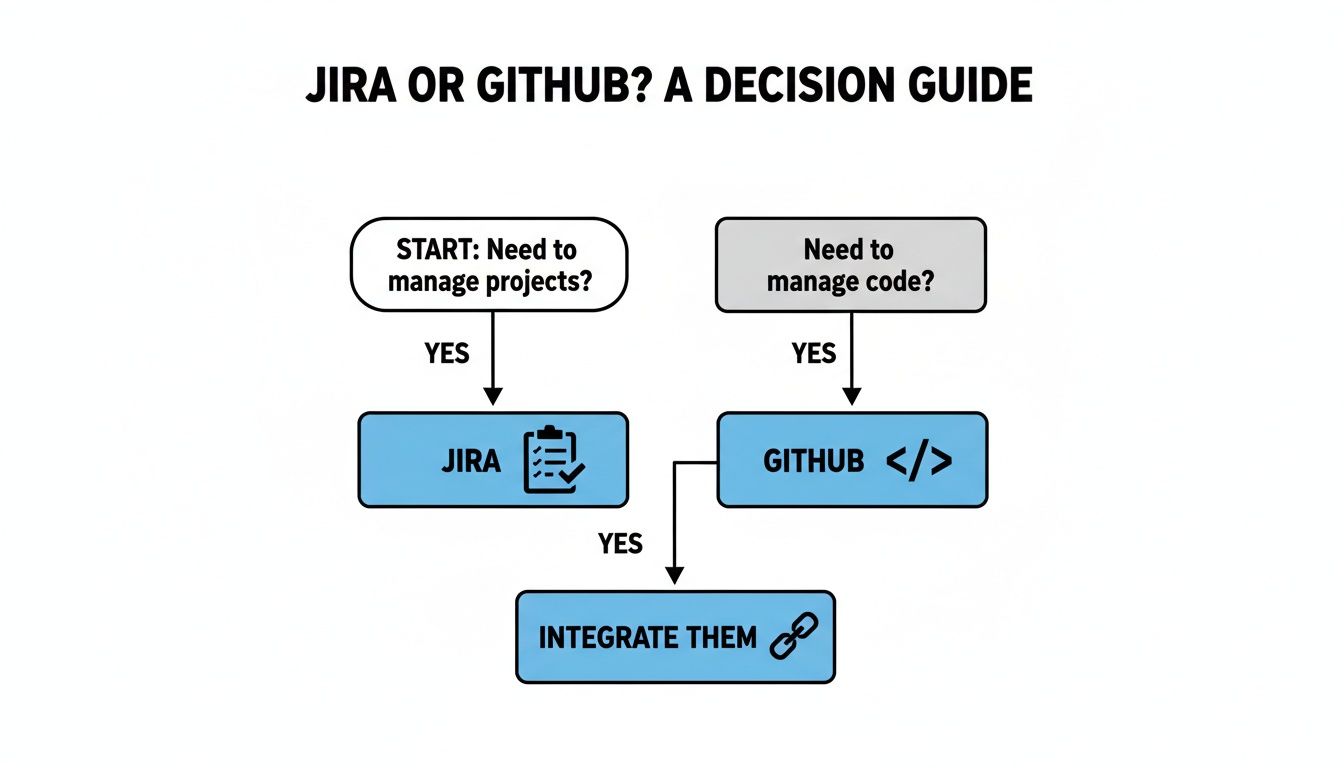
As you can see, Jira is the master of project management and GitHub owns code management. But the real magic happens when you get them talking to each other.
The Official Atlassian Marketplace App
The most direct route is the official Jira Cloud for GitHub app, right from the Atlassian Marketplace. This native integration is like an official handshake between the two platforms. It’s built for a simple, quick setup, making it the perfect starting point for most teams.
Here’s what you get out of the box:
*   See branches, commits, and pull requests directly inside your Jira issues.
*   Automatically link all that development activity just by including a Jira issue key in your commit messages.
*   Check on build and deployment status from GitHub Actions without ever leaving Jira.
The biggest win here is how easy it is. You don't need a deep technical background to get it up and running, which is fantastic for teams that just want to see what's happening in their codebase right away.
Custom Webhooks for Granular Control
If the native app is a formal handshake, then webhooks are your own private messenger service. A webhook is just an automated message sent from one app to another when something specific happens. For example, you could set up GitHub to ping a custom script every single time a pull request gets merged.
This method gives you a ton of flexibility. You can create super-specific triggers and actions that the official app simply doesn't support. The catch? It requires someone with the technical know-how to build and maintain the endpoint that catches the webhook data and talks to Jira's API.
A webhook-based approach is ideal for teams with unique workflow requirements who are comfortable managing their own code and infrastructure. It gives you complete control over the data flow between Jira and GitHub.
Third-Party Integration Platforms
Finally, you have third-party platforms like Zapier, Make, or Workato. These tools act like universal translators, connecting thousands of different apps with pre-built modules and visual drag-and-drop builders. You can cook up "recipes" or "zaps" that listen for an event in GitHub (like a new comment on a PR) and then kick off an action in Jira (like adding a comment to the ticket).
This approach hits a nice middle ground between ease of use and custom power. It’s way more flexible than the native app but far less complex than building your own webhooks from scratch. The sheer popularity of both platforms makes this a common choice; GitHub sees 45.8% usage among small businesses, while Jira is used by 23.3% in the same group, creating huge demand for flexible integration features.
Linking Commits to Jira Issues for Full Traceability
Okay, you've picked your integration method. Now for the fun part—making the day-to-day connection between your code and your project tasks actually work. This is where the Jira and GitHub magic really happens, turning abstract tickets into code you can see and track. The ultimate goal is full traceability, where anyone can follow the story of a feature from the Jira ticket all the way to the final line of code.
This whole process hinges on one simple but powerful habit: using smart commit messages. By sticking the unique Jira issue key (like PROJ-123) into your commit messages, branch names, or pull request titles, you create an automatic, unbreakable link. No more manual updates.

How Smart Commits Work
Think of the Jira issue key as a universal address for that task. Anytime you mention this address in GitHub, the integration automatically forwards the update right to the correct Jira issue. This means developers can stop wasting time toggling between tabs just to update a ticket.
For example, a simple commit message can do a ton of heavy lifting:
git commit -m "PROJ-123 Fix user login validation"
Just by including PROJ-123, this commit instantly shows up in the development panel of that specific Jira issue. Project managers, QA testers, and product owners get immediate visibility, and the developer never has to leave their command line.
This simple habit creates a living document of your project's progress. A project manager can open a single Jira ticket and see every branch created, every commit pushed, and the real-time status of every pull request related to that task.
Going Beyond Basic Linking
You can get even smarter with it. Many teams use special commands, known as smart commits, to not only link their work but also to update the Jira issue itself. These commands let you change an issue's status, add comments, or log time—all from your commit message.
Here are a few real-world examples:
*   **To add a comment:** `PROJ-123 #comment Started refactoring the authentication service.`
*   **To transition the issue status:** `PROJ-123 #in-progress`
*   **To log work time:** `PROJ-123 #time 2h 30m`
When you combine them, you get a seriously powerful commit message that automates your project tracking. For instance, this single message links the commit, moves the ticket to "In Progress," and adds a helpful comment:
PROJ-123 #in-progress #comment Fixed the login bug by adding server-side validation.
The key is consistency. For more tips on getting your team on the same page, check out our guide on Git commit message best practices. It’ll help you establish a clear and effective standard.
This level of integration completely changes how teams work together. It closes the gap between the "what" in Jira and the "how" in GitHub, making sure everyone from management to engineering is looking at the same real-time information.
Automating Your Workflow for Maximum Efficiency
Simply linking your tools is a great first step, but the real magic happens with full-blown automation. This is where you combine the power of Jira’s native automation engine with the flexibility of GitHub Actions to build a workflow that practically runs itself. Instead of just seeing information, you can now make things happen automatically.
This integration hits on major pain points for teams juggling both platforms. The combination is powerful because GitHub powers 4.7% of its market category with incredible developer tooling, while Jira shines in agile reporting and enterprise-level project management. By automating the handoff between them, you get the best of both worlds.
Building Automation Recipes
Think of this process like creating "recipes" where an event in one system triggers a specific action in the other. These automated rules wipe out repetitive manual tasks, slash the chance of human error, and keep your project board perfectly in sync with your codebase.
Here are a couple of powerful, real-world examples you can set up today:
*   **Move Jira Tickets on PR Creation:** Set up a Jira Automation rule that listens for a "pull request created" event from GitHub. When a developer opens a PR that references a Jira issue key, the rule automatically moves that issue from "In Progress" to "In Review." No more manual dragging and dropping.
*   **Update Jira on Build Failures:** Use a GitHub Action to react when a build fails in your CI/CD pipeline. The action can then call Jira's API to post a comment on the linked issue, like, "Heads up, the build failed on the main branch. Check the logs for details."
Why This Automation Matters
These simple automations are more than just a convenience; they have a direct impact on your team's velocity and focus. For instance, when tickets move on their own, project managers get a real-time, accurate picture of the sprint's progress without ever having to ask for a status update. This frees everyone up to concentrate on their actual work.
By setting up these cross-platform triggers, you build a self-updating system. Developers can stay focused on writing code, knowing the project board is taking care of itself. This ensures perfect alignment between what's happening in the code and what's reflected in the project status.
To get the most out of this, it's smart to follow robust CI/CD pipeline best practices to ensure your automation is both efficient and reliable.
And why stop at Jira? You can extend these automations to other tools. For example, check out our guide on using GitHub Actions to send Slack notifications to add another layer of real-time visibility for your team. This creates a fully connected ecosystem where information flows effortlessly between your code, project board, and communication channels.
Cutting Through the Noise with Slack and PullNotifier
While a tight Jira and GitHub integration is fantastic for tracking work, it can quickly create a new problem: notification overload. Every single commit, comment, and status change can fire off an alert, drowning your team's communication channels in constant chatter. This digital noise makes it nearly impossible to focus on deep work and spot the pull requests that actually need your attention right now.
The default integrations get the job done, but they aren’t built for focus. They treat every single event with the same level of importance, spamming channels and burying critical review requests under a mountain of low-priority updates. This is where a more specialized tool stops being a nice-to-have and becomes essential for keeping your team’s velocity—and sanity—intact.

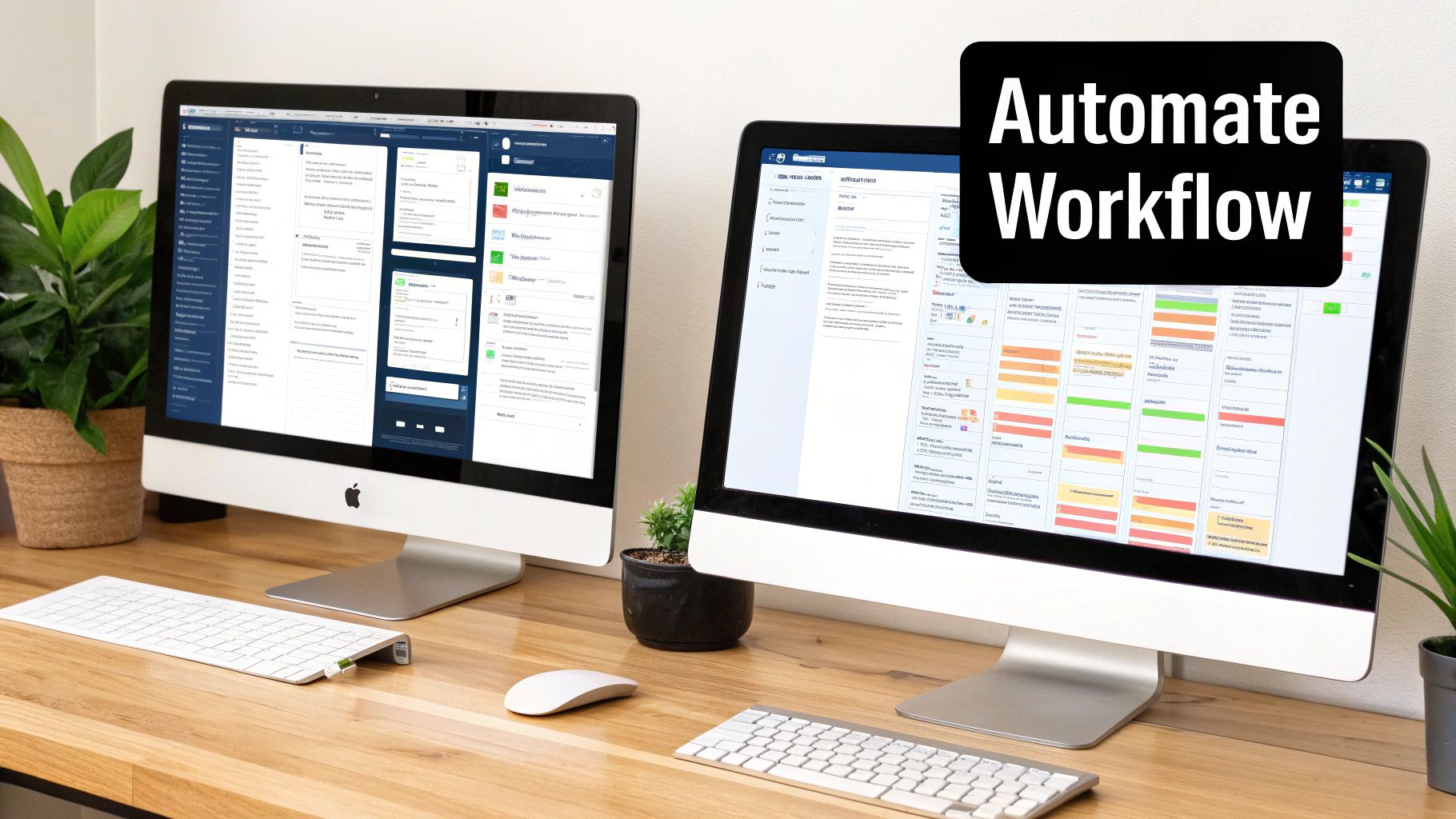
The image above gets the goal exactly right: a clean, focused workspace where the important stuff is front and center. That’s the experience tools like PullNotifier are designed to create.
How PullNotifier Restores Focus
Instead of replacing your existing Jira and GitHub setup, PullNotifier works as an intelligent filter layered on top. It catches the raw event data from GitHub and transforms it into smart, actionable notifications delivered right to Slack. This approach brings immediate clarity back to your code review process.
With PullNotifier, you can:
*   **Consolidate Updates:** All the back-and-forth on a single pull request—comments, approvals, and CI checks—gets neatly tucked into one Slack thread. No more hunting around.
*   **Automate Mentions:** It automatically tags the right reviewers when their input is needed, so you can stop manually pinging people.
*   **Reduce Channel Noise:** By filtering out the low-signal events, it makes sure only important updates land in your team's channel, giving everyone their focus back.
This is a huge deal, especially when you consider GitHub's dominance, holding a 37.98% market share in source code management. Teams are already deeply invested in the GitHub ecosystem, so tools that sharpen its integration with other platforms are key to getting the most out of it. You can see more details on this market landscape over at datanyze.com.
PullNotifier isn't about sending fewer notifications; it's about sending the right notifications to the right people at the right time. This targeted approach transforms a noisy, chaotic feed into a high-signal dashboard for your team's pull requests.
By layering this intelligence over your current Jira and GitHub workflow, you get all the traceability you need without the distracting noise. If you're using the standard GitHub app for Slack, our guide on how to use the official GitHub Slack app offers a great baseline for seeing the difference. It's a small change that can make a massive impact on your team's review cycles.
Laying the Ground Rules for Security and Best Practices
Hooking up Jira and GitHub is the easy part. The real work is building a sustainable, secure workflow around it. This isn't just about tossing API keys around; it's about creating a reliable process that protects your code and project data, especially as your team gets bigger.
The absolute bedrock of a secure integration is the principle of least privilege. When you’re creating API tokens or tweaking app permissions, only grant the minimum access required to get the job done. If a token just needs to read repository data, it should never have write permissions. It’s a simple rule, but it massively shrinks your risk.
Create a Team Playbook
Security aside, consistency is what makes this integration truly valuable. Without some shared standards, the data you're linking between Jira and GitHub can quickly turn into a chaotic, unreliable mess. A team-wide playbook makes sure everyone is on the same page and using the tools in the same effective way.
Kick things off by defining a few core ground rules:
*   **Standardize Your Commit Messages:** This is non-negotiable. Every single commit related to a Jira issue *must* include the issue key (like `PROJ-123`). This is the linchpin that holds all your traceability together.
*   **Map Out the Workflow:** Create a dead-simple guide that shows how a ticket travels from "To Do" in Jira all the way to a merged PR in GitHub. Clearly explain what actions trigger each status change.
*   **Have a Troubleshooting Plan:** Decide who the go-to person is when links break or an automation rule misfires. Having a clear process stops small hiccups from derailing an entire sprint.
A well-defined process transforms your integration from a neat feature into a core part of your development culture. It ensures everyone, from the newest hire to the most senior engineer, knows exactly how to keep the engine running smoothly.
Keeping the Integration Healthy
Finally, remember that this integration needs a bit of ongoing care. A "set it and forget it" mindset is a recipe for security holes and broken workflows down the line. To get the most out of it long-term, you need to do regular check-ins.
Schedule permission audits every quarter or so to review who has access to what and why. People change roles, and people leave the company—their permissions need to be updated right away. This kind of proactive maintenance ensures your Jira and GitHub connection stays a secure and powerful asset for the whole team.
Common Questions About Jira and GitHub Integration
Connecting Jira and GitHub is usually straightforward, but a few common questions always pop up. Let's tackle some of the ones we hear most often from teams dialing in their integration.
How Should I Link One Pull Request to Multiple Jira Issues?
This one comes up a lot, especially when a single PR squashes a handful of related bugs. For simple fixes, you can reference multiple issue keys in a single commit message (like PROJ-123 PROJ-456 Fix login flow). But honestly, that can get messy fast.
For anything more complex, the best practice is to link a pull request to one primary Jira issue.
Tying a pull request to a single parent or feature ticket keeps the review process clean and focused. It prevents confusion by ensuring all conversation and code changes are logically grouped under one clear objective, making the development history much easier to follow.
Think of it this way: one PR, one core purpose. If that PR solves multiple tickets, it might be a sign the tickets should have been grouped under a single parent issue in Jira from the start.
Can I Connect Jira Cloud to a Self-Hosted GitHub Enterprise Server?
Absolutely. This is a super common setup for companies that need to keep their code on-premise for security or compliance but want the flexibility of Jira Cloud. The official GitHub for Jira app on the Atlassian Marketplace is built for this exact scenario and fully supports connections to GitHub Enterprise Server.
The main thing to watch out for is your network configuration. You'll need to work with your IT team to make sure your firewall allows secure, two-way communication between Jira Cloud and your self-hosted GitHub server. Get that right, and you're golden.
What Are the Most Common Mistakes to Avoid?
Even with the best tools, a few classic slip-ups can trip teams up and make the integration less effective. Here are the big three to watch out for:
*   **Excessive Permissions:** It’s tempting to grant the integration app admin-level access just to get it working, but this creates a massive, unnecessary security risk. Always stick to the principle of least privilege—give it only the permissions it truly needs to function.
*   **Inconsistent Commit Messages:** If your team isn't consistently including Jira keys in commit messages or PR titles using a standard format, links will be missed. This completely defeats the purpose of having automated traceability between code and tasks.
*   **No Team Training:** Just turning on the integration and expecting everyone to figure it out is a recipe for failure. A quick demo showing the team *how* to link issues and *why* it's important goes a long way toward driving adoption and making the workflow stick.
Stop drowning in notifications and start merging faster. PullNotifier delivers intelligent, consolidated pull request updates to Slack, cutting through the noise so your team can focus on what matters. See how much faster your review cycles can be at https://pullnotifier.com.