- Published on
Mastering the Scrum User Story Format
- Authors

- Name
- Gabriel
- @gabriel__xyz
Ever heard of a user story? In Scrum, it's the secret sauce for building software that people actually want to use. Forget dense technical specs; a user story is a simple, plain-language explanation of a feature told from the perspective of the person who's going to use it.
What Is the Scrum User Story Format?
At its heart, a user story is a conversation starter, not a contract. It’s a tool designed to shift the team's focus away from just what they're building and toward who they're building it for. It’s a core part of modern agile development best practices because it forces everyone—developers, designers, and product managers—to build empathy for the end-user.
Instead of a ticket that just says "Build a file export button," a user story frames the work around a person's needs. This simple change ensures the team isn't just shipping features; they're solving real problems for real people.

The Anatomy of the Classic Template
The classic user story format, made famous by the folks at Connextra, is brilliantly simple yet incredibly powerful. It breaks a requirement down into three essential parts, each answering a critical question about the work.
This structure has become an industry standard for a reason. One study found that 87% of teams using user stories rely on this exact format or a minor variation. You can dig into the full research on user story application in Scrum teams to see just how widespread it is.
The template looks like this:
As a
<type of user>, I want<some goal>, so that<some reason>.
Think of it like planning a road trip. It tells you who's traveling ("As a..."), where they want to go ("I want..."), and why they're making the trip ("so that..."). Just as importantly, it leaves the exact route—the technical implementation—up to the experts on the development team.
Anatomy of the Standard User Story Format
Let's break down each piece of that template. Understanding what each part does is the key to writing stories that are clear, valuable, and actionable.
| Component | Template Placeholder | Purpose and Key Question Answered |
|---|---|---|
| The Persona | As a <type of user> | The Who: This defines the specific person who will benefit from this feature. It prevents the team from building for a vague, generic "user" and grounds the work in reality. |
| The Action | I want <some goal> | The What: This clearly states what the user is trying to accomplish. It describes the functionality from their point of view, focusing on their immediate objective, not technical details. |
| The Outcome | So that <some reason> | The Why: This is the most crucial part. It explains the motivation behind the action and the value the user expects to get. This context is gold for the team. |
When you get all three parts right, you're not just handing over a requirement. You're giving your team the context they need to make smart decisions and build the best possible solution.
Why This Format Is a Game-Changer for Dev Teams
Adopting the scrum user story format is about way more than just tweaking how you write requirements. It fundamentally shifts how your team thinks about its work. Instead of a dry to-do list, developers get pulled into a conversation about what the user actually needs. This simple structure builds empathy and draws a straight line from a piece of code to a real person's problem getting solved.
This user-first approach completely changes the team dynamic. It starts to break down those classic walls between product, design, and engineering. When everyone is focused on the "so that..." part of the story, the team rallies around a shared goal, which naturally leads to better collaboration and smarter solutions.
Fostering Shared Understanding and Purpose
The format becomes a common language. A product owner can nail down the "who" and the "why," and developers can use that context to figure out the best "how." This clarity is gold for accurate planning. Teams that get the goal are far better at estimating effort, spotting potential roadblocks, and even suggesting clever alternatives that deliver the same value, maybe even faster.
This shared purpose has a real, measurable impact on how projects turn out. When a team is aligned, there's less guesswork, which means less rework. You stop building a feature and then waiting for feedback to see if you missed the mark. Instead, the team builds with a clear destination in mind from day one.
"The so-that clause of a story is important because understanding why a user wants what is described in the 'what' portion of the story helps the team decide how best to implement the functionality."
Focusing on user value is also the engine of iterative development. Small, value-packed stories let teams ship functionality faster, get feedback from real users sooner, and pivot without a massive headache. The format truly shines when you pair it with other agile practices, like figuring out how to best integrate design in agile methodology to build products people actually love to use.
Driving Productivity and Quality
This isn't just a philosophical win; it delivers tangible results. The data is clear: the scrum user story format has statistically transformed software quality and team productivity. In fact, a whopping 81% of teams attribute their gains to agile practices like this, leading to fewer defects and code that's easier to maintain. With 87% of agile teams using Scrum and 66% practicing it by the book, its effectiveness is hard to argue with, pushing project success rates up to 75.4% in key industries.
This structure gives an engineering team’s output a serious boost by making sure every bit of work is tied directly to value. If you want to dig into more ways to make your team more effective, check out our guide on boosting productivity in engineering.
Ultimately, the benefits build on each other over time, creating a positive feedback loop:
*   **Improved Sprint Planning:** Stories centered on user goals are just plain easier to prioritize and talk about.
*   **More Accurate Estimations:** When you have context, you have a much better handle on complexity and effort.
*   **Reduced Rework:** A clear "why" cuts down on misunderstandings and building the wrong thing.
*   **Higher Team Morale:** Engineers feel more connected to the impact of their work, which leads to a stronger sense of ownership and satisfaction.
How to Write Great Stories with the INVEST Model
Knowing the basic user story format is one thing, but actually mastering it is a different game entirely. What’s the secret sauce that turns a confusing backlog item into a story the whole team can rally behind? Often, it comes down to a simple but incredibly powerful acronym: INVEST.
The INVEST model, created by agile guru Bill Wake, is basically a quality checklist for your user stories. It helps you make sure every story is well-formed, actionable, and genuinely ready for a sprint. Think of it as a recipe for a great story—if you nail all the ingredients, you’re far more likely to cook up a valuable piece of software. Running each story through these six principles before sprint planning can save you from a world of confusion and rework down the line.

Independent Stories Prevent Bottlenecks
A user story should stand on its own two feet. This means it can be developed, tested, and shipped without being tangled up with another story in the same sprint. Dependencies are a huge source of complexity and risk, turning sprint planning into a frustrating game of Jenga. If one story gets blocked, it can trigger a domino effect that puts the whole sprint goal at risk.
*   **Bad Example (Dependent):** "As a shopper, I want to add items to my cart." (This seems fine, but if another story in the same sprint is "As a user, I want a shopping cart page," they're now chained together).
*   **Good Example (Independent):** "As a shopper, I want to save a product to a 'Favorites' list so I can find it later."
Keeping stories independent is all about minimizing risk. It gives the team the flexibility to tackle work in whatever order makes sense, making your sprints much more resilient when things inevitably go sideways.
Negotiable Stories Encourage Collaboration
A user story isn't a rigid contract; it's an invitation to a conversation. The "Negotiable" principle means the finer details aren't carved in stone. The team should be able to huddle with the Product Owner to discuss and refine the story, figuring out the best way to bring it to life.
This is where the magic happens. This back-and-forth allows developers to bring their technical expertise to the table, often finding simpler or more elegant solutions that still deliver what the user needs.
A user story is a promise of a future conversation. The goal isn't to document every last detail upfront, but to capture the essence of what the user needs, leaving room for the team to innovate on the solution.
Valuable Stories Deliver Real User Benefits
Every single story must deliver some kind of tangible value to the end-user. If you can't clearly articulate the "so that..." part of the story, that's a massive red flag. Work that doesn't provide real value is just waste, and this principle forces everyone to stay focused on outcomes, not just churning out code.
*   **Bad Example (No Clear Value):** "As a developer, I want to upgrade the database."
*   **Good Example (Focused on Value):** "As a shopper, I want product pages to load faster so that I don't get frustrated and leave the site."
When you frame even technical tasks in terms of user value, you keep the entire team aligned on the real goal. It also makes the Product Owner's job of prioritizing the backlog a whole lot easier.
Estimable Stories Enable Planning
If the team can't estimate a story, they can't commit to delivering it. Simple as that. A story needs to be clear and well-understood enough for the development team to put a relative size on it (using story points, for example). If a story is too fuzzy or the technical path is a complete mystery, it's just not ready for a sprint.
This usually means the story needs another round of refinement. The team might need to do a "spike"—a short, time-boxed investigation—to poke around and gather enough information to give a confident estimate.
Small Stories Fit Within a Sprint
A user story must be "Small" enough to be comfortably completed within a single sprint. Huge stories, often called epics, are notoriously unpredictable and make it impossible to deliver value incrementally. Breaking them down into smaller, bite-sized chunks is absolutely essential for keeping a steady, predictable workflow.
This principle is agility in action. Small stories mean faster feedback loops, less risk, and a steady drumbeat of accomplishment that keeps the team motivated and moving forward.
Testable Stories Define Success
And finally, every story must be "Testable." There has to be a clear, objective way to verify that it has been implemented correctly. This is where your acceptance criteria come in—they define the specific conditions that must be met for the user to be satisfied. If you can't figure out how to test a story, you'll never really know if it's "done."
*   **Bad Example (Untestable):** "As a user, I want a user-friendly interface."
*   **Good Example (Testable):** "As a user, I want to complete the checkout process in under five clicks."
By making sure every story is testable from the get-go, you build quality right into your process, leading to a much more stable and reliable product in the end.
Defining What 'Done' Means with Acceptance Criteria
A user story tells you the "who," "what," and "why," but it doesn't actually define the finish line. Without a clear, shared understanding of what "done" looks like, teams are just guessing. This is where Acceptance Criteria (AC) come in—they are the specific, testable conditions a story has to meet before anyone can call it complete.
Think of a user story as a destination on a map. The acceptance criteria are the turn-by-turn directions that confirm you've actually arrived. They transform a high-level goal into a set of concrete, verifiable requirements, making sure what the Product Owner imagines is exactly what the developers build.

Clear AC are essential for keeping up velocity, especially in Scrum's tight sprint cycles where 90% of teams work in two-week or shorter iterations. This clarity is a huge reason Scrum boasts such high project success rates and why AC are fundamental to making the user story format work. You can learn more about Scrum's statistical impact on project success and its wide adoption.
Rule-Based Checklists for Simplicity
One of the most straightforward ways to write acceptance criteria is a simple, rule-based checklist. This format is perfect for stories where the conditions are clear-cut and don't involve a lot of complex user interactions. Each item on the list is a simple pass/fail test.
Let’s take a basic user story to work with:
As a logged-in customer, I want to add a product to my shopping cart from the product page, so that I can purchase it later.
A rule-based checklist for this story would look something like this:
*   The "Add to Cart" button is visible and enabled on the product page.
*   Clicking the button adds the selected product to the user's cart.
*   A confirmation message ("Product added to your cart") pops up after a successful click.
*   The shopping cart icon in the header updates with the new item count.
*   The button is disabled if the product is out of stock.
This format is dead simple for everyone to understand, from stakeholders to QA testers. It leaves no room for guessing and gives you a clear script for manual testing.
Scenario-Driven Gherkin for Clarity
For more complex stories that involve specific workflows or user interactions, a more structured format is usually the way to go. This is where Gherkin syntax really shines. Gherkin uses a Given/When/Then structure to describe a scenario from the user's perspective, making it a fantastic tool for behavior-driven development (BDD).
Gherkin is just a simple language that helps teams write acceptance criteria as executable specifications. It closes the communication gap between the business folks and the tech team and even forms the basis for automated testing frameworks like Cucumber.
Let's apply this to our same shopping cart story.
Scenario 1: Successfully adding an item
*   **Given** I am a logged-in customer viewing a product page,
*   **And** the product is in stock,
*   **When** I click the "Add to Cart" button,
*   **Then** the item is added to my cart,
*   **And** I see a success confirmation message.
This structure tells a complete story about one specific interaction. It sets the stage (Given), describes the action (When), and lays out the expected result (Then).
Scenario 2: Attempting to add an out-of-stock item
*   **Given** I am a logged-in customer viewing a product page,
*   **And** the product is out of stock,
*   **When** I view the page,
*   **Then** the "Add to Cart" button is disabled,
*   **And** I see an "Out of Stock" message.
Using Gherkin forces you to think through all the different user paths, including edge cases and error states. This level of detail empowers developers, makes QA testing a breeze, and makes the definition of "done" crystal clear for everyone involved.
Real-World Examples and Common Mistakes to Avoid
Theory is one thing, but the real test of the scrum user story format is how it performs in the wild. A well-written story is a beacon of clarity that guides the team forward. A bad one? It can send an entire sprint completely off the rails.
Let's look at some real-world examples to see how to spot the difference and fix the common problems that plague backlogs everywhere. Seeing the format in action makes all the principles we've discussed much more concrete.
From Bad to Great: A User Story Evolution
Imagine a product owner wants to improve the login experience. Their first crack at a story might look something like this:
Bad Example:
As a user, I want to log in.
This story is a classic "what not to do." It fails nearly every single one of the INVEST principles. It's vague, provides zero business value (we assume users can already log in), and is impossible to test because the goal is completely undefined. It's a recipe for confusion.
Okay, let's try to improve it. A slightly better version might add a bit more context:
Good Example:
As a user, I want to log in with my social media account so that I don't have to remember another password.
This is a huge improvement. We now have a clear "who," "what," and "why." The value is obvious, and it’s a solid starting point for a conversation with the team. But it's still too big and lacks clear boundaries. Which social media accounts? What happens if the login fails?
Let's refine this into a great, sprint-ready story:
Great Example:
As a new user, I want to sign up using my Google account so that I can create an account quickly without filling out a form.
Acceptance Criteria:
- Given I am on the signup page,
- When I click the "Sign up with Google" button,
- Then I am redirected to Google's authentication flow.
- And after successful authentication, my account is created and I am logged in.
This version is excellent because it's Small, Independent, and Testable. It narrows the focus to one specific user (a new user) and one provider (Google), making it easy to estimate and knock out in a single sprint. The acceptance criteria leave no room for ambiguity.
Common User Story Anti-Patterns
Even experienced teams can fall into bad habits. Spotting these anti-patterns in your backlog is the first step toward writing better stories. These mistakes usually happen when we forget the core purpose of a story: to describe a user need from their perspective.
Here are three of the most common anti-patterns you'll see:
- The "Technical Task" Story: This happens when a story describes a technical implementation instead of the user value it delivers.
- The "Epic" Story: This is a story so massive it can't possibly be finished in one sprint. It needs to be sliced into smaller, more manageable pieces.
- The "Vague Request" Story: This story lacks a clear "so that" clause, leaving the team to guess why they're even building it.
Recognizing these patterns helps teams refine their backlog, ensuring every item is a well-defined slice of real user value.
A common pitfall is to treat user stories as just another way to write down tasks. The format's real power comes from forcing a conversation about why the work matters to the person using the product.
User Story Transformation Before and After
It's one thing to know the anti-patterns, but it's another to fix them. Let's walk through a few transformations to see how a weak story can be reshaped into a strong, actionable one. The table below shows some common "before" and "after" scenarios.
User Story Transformation Before and After
| Anti-Pattern Example (Before) | Problem Analysis | Improved User Story (After) |
|---|---|---|
| As a developer, I want to implement a caching layer. | Technical Task: This story describes a technical solution, not a user benefit. It lacks a "why" from the user's perspective, making it difficult to prioritize. | As a site visitor, I want product pages to load in under two seconds so that I can browse efficiently without getting frustrated. |
| As a shopper, I want to manage my account. | Epic Story: "Manage my account" is huge. It could include updating a profile, changing a password, viewing order history, and more. It's not "Small" or "Estimable." | As a shopper, I want to change my shipping address from my account page so that my orders are delivered to the right place. |
| As a user, I want a search bar. | Vague Request: This lacks a "so that" and is too generic. Why does the user need a search bar? What are they searching for? This ambiguity makes it impossible to build the right solution. | As a customer, I want to search for products by name so that I can quickly find the specific items I'm looking for. |
By actively looking for these mistakes and reframing stories to focus on specific users and clear value, your team can build a backlog that truly drives development forward. It's about shifting from telling the team how to do something to explaining why it matters.
Integrating User Stories into Your Workflow
A great user story is just the starting point. Its real power is unleashed when it moves from a backlog into the hands of your development team. This is where you bridge the gap between a promising idea and a shipped feature, creating a clear, traceable path from requirement to deployment. You're turning a static backlog item into a living piece of work.
The whole journey usually kicks off in a project management tool like Jira or GitHub Issues. Here, the story—complete with its acceptance criteria—gets its own ticket. This ticket becomes the single source of truth, the one place where all conversations, questions, and decisions about that chunk of work live.
A simple but brilliant best practice is to name your Git branches using the ticket ID, like feature/PROJ-123-user-login. This tiny habit instantly links every single line of code back to the original user need it's meant to solve.
Connecting Development to Stakeholders
That link is the key to creating a seamless feedback loop. When a developer opens a pull request (PR) and references the ticket in the title—say, PROJ-123: Add Google SSO for new users—the context stays crystal clear. The problem is, manually keeping stakeholders updated on progress is a drag and often falls through the cracks.
This is where a bit of smart automation can make all the difference. For agile teams, a powerful Slack Jira integration can get communication flowing much more smoothly. Tools like PullNotifier take it even further by using those PR titles to trigger real-time, consolidated notifications right inside Slack.
Instead of a firehose of emails or noisy default alerts, everyone from product owners to QA gets a clean, threaded view of a story's journey from PR creation to merge. This kind of automated visibility keeps the whole team in the loop without anyone having to chase down manual updates. To make this flow even smoother from the get-go, check out some sprint planning best practices that set the stage for success.
Frequently Asked Questions About User Stories
Even when you've got the basics down, questions always pop up when theory meets reality. Getting past these common hurdles is the key to making the scrum user story format actually work for your team, unlocking all that promised clarity and collaboration. Let's dig into the questions that teams run into most often.
A user story isn't just a static to-do item; it's a piece of work that flows from a ticket, through development, and ends with keeping stakeholders in the loop.
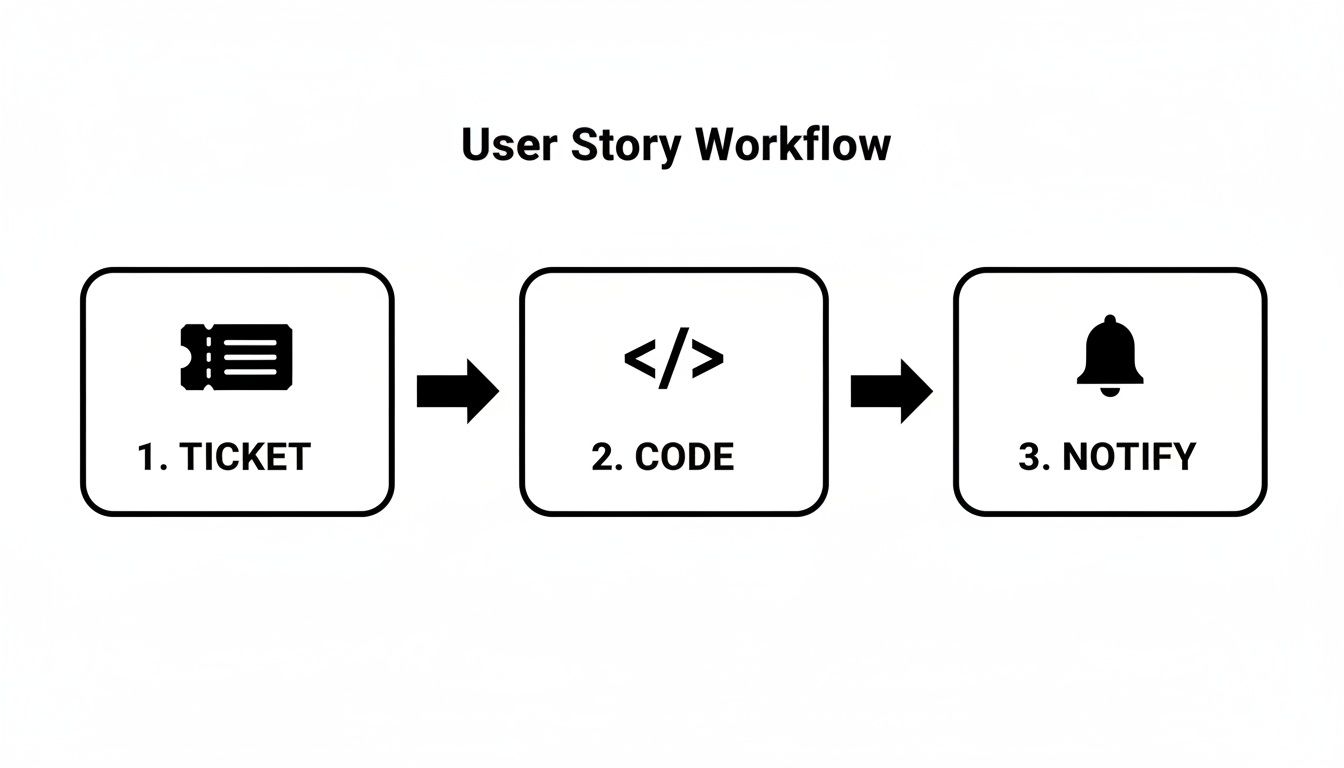
This flow shows how a story drives the entire development and communication pipeline, from initial request to final notification.
What Is the Difference Between a User Story and a Task
It really boils down to the "why" versus the "how." A user story captures a chunk of value from the user's point of view—it explains what they need and why it matters. For instance: "As a shopper, I want to filter products by color so I can find what I'm looking for faster."
Tasks, on the other hand, are the specific, technical steps the development team needs to take to deliver that story. For the filtering story, tasks might look like "Create front-end color selector component" or "Implement back-end API endpoint for filtering." A story gets broken down into these smaller tasks when the team plans a sprint.
Who Is Responsible for Writing User Stories
Officially, the Product Owner is on the hook for managing the product backlog and making sure every story aligns with the bigger product vision. But in reality, writing great user stories is a team sport.
The best stories emerge from collaboration. While the Product Owner often drafts the initial story, it's refined through conversations with developers and QA, who add technical context and help shape clear, testable acceptance criteria.
How Do You Handle Stories That Are Too Big for One Sprint
If a story is too beefy to finish in a single sprint, we call it an epic. The solution is simple: split it up. You have to break that epic down into smaller, independent user stories that each deliver a distinct piece of value on their own.
There are a few common patterns for splitting epics:
*   **Workflow Steps:** Break a big process down into its individual actions.
*   **User Roles:** Create separate stories for different types of users interacting with the feature.
*   **Business Rules:** Tackle different rules or scenarios in their own stories.
This way, the team can ship value bit by bit and get feedback much sooner.
Can You Use This Format for Technical Work or Bugs
Absolutely. For technical work, the "user" might be a developer or even the system itself. A story could be, "As a developer, I need the database indexed so that query performance improves." It still frames the work around a specific need and benefit.
For bugs, you can write the story from the perspective of the negative user impact: "As a shopper, I can't add items to my cart, which prevents me from making a purchase." This keeps the focus squarely on the value of the fix, even when it’s not a shiny new feature.
Stop chasing down pull request updates. PullNotifier delivers clean, consolidated PR notifications directly to Slack, cutting through the noise so your team can focus on what matters—shipping great code. Get started for free and streamline your code reviews today!