- Published on
Pull Request Meaning: Master the pull request meaning for Better Collaboration
- Authors

- Name
- Gabriel
- @gabriel__xyz
A pull request is how you propose changes to a project. It’s a formal way to ask for your code—from your branch—to be merged into another, usually the main one. Think of it as a dedicated space for discussion and review before your work becomes a permanent part of the codebase.
What Is a Pull Request Really

Let's cut through the jargon with a simple analogy. Imagine your team is co-authoring a book. The official, published version that everyone reads is the main branch.
If you want to add a new chapter or fix a typo, you wouldn't just scribble directly on the master copy. That would be a recipe for disaster. Instead, you'd create your own working draft—what we call a feature branch—where you can write and edit in isolation without messing up anyone else's work.
Once your changes are ready, you can’t just shove them into the final book. This is where the pull request comes in. Opening a pull request is like saying, "Hey team, my edits are done. Can you take a look before we make them official?"
A Forum for Collaboration
A pull request does more than just bundle up your code; it opens a dedicated forum for collaboration. This is where the true meaning of a pull request lives. It’s a transparent space where your teammates can see exactly what you changed, line by line.
They can leave comments, ask questions, or suggest improvements, turning what was once a solo coding session into a team effort. It’s a built-in checkpoint that serves several critical functions:
- Quality Assurance: Your peers can spot potential bugs, logical flaws, or style issues before they ever cause a problem in production.
- Knowledge Sharing: It’s a fantastic way for other developers to learn about different parts of the codebase, which helps break down knowledge silos.
- Automated Checks: Pull requests trigger automated tests and checks that act like a robotic quality inspector, verifying your changes don't break anything.
A pull request isn't just a technical step for merging code. It is the social and technical heart of modern software development, where accountability, quality, and teamwork come together.
Ultimately, a pull request is the central hub for making sure every change is reviewed, discussed, and validated. This checkpoint is the bedrock of modern development, guaranteeing that the main project stays stable, consistent, and high-quality.
The Anatomy of a Modern Pull Request
Looking at a pull request for the first time can feel like staring at a cockpit dashboard. It’s a busy mix of titles, comments, code diffs, and status checks. But once you know what each part does, the whole thing clicks into place and becomes much easier to navigate.
At its heart, every pull request is a structured conversation designed for clarity. It usually kicks off with a punchy title that sums up the change, like "Fix User Login Bug" or "Add New Reporting Endpoint." Right below that is a detailed description, which explains the why behind the change, gives the reviewer context, and often includes screenshots or steps to test the new feature.
Core Informational Components
The title and description set the stage, but the real action is in the code and its history. This is where reviewers will spend most of their time, so getting a handle on these elements is key.
- Commits: This is a chronological log of all the individual saves or checkpoints the author made. A clean, well-described commit history tells a story of how the solution came together.
- Files Changed: This tab is the heart of the review. It shows a "diff" view highlighting lines of code that were added (in green) and removed (in red), which allows for precise, line-by-line feedback.
- Reviewers and Assignees: These are the people involved. Reviewers are asked to inspect the code, while an assignee is typically the person responsible for seeing the pull request through to the finish line.
Automation and Organization
Modern pull requests are more than just text and code; they're wired up with powerful automation and organizational tools that protect code quality and keep the workflow moving.
A pull request isn't just a proposal—it's a living document that captures the full story of a change, from the initial idea and automated quality checks to the collaborative human review that ensures it's ready to merge.
This is most obvious in the CI/CD status checks. These are automated tests that run against the proposed code to check for bugs, style issues, or security holes. A green checkmark gives you immediate confidence that the changes haven't broken anything. Finally, labels (like bug, feature, or needs-review) help categorize and prioritize pull requests, making it easier for teams to manage their work at a glance.
A pull request has several moving parts, each with a specific job. Here's a quick breakdown of the most important components.
| Component | Purpose |
|---|---|
| Title | Provides a quick, one-line summary of the change. |
| Description | Explains the context, motivation, and implementation details. |
| Commits | Shows the step-by-step history of how the code was developed. |
| Files Changed | Displays the "diff" of added and removed code for line-by-line review. |
| Reviewers | The individuals or teams requested to provide feedback on the code. |
| CI/CD Status | Shows the results of automated checks like tests and linters. |
| Labels | Help categorize the PR for better organization and prioritization. |
Understanding these core parts makes the entire pull request process feel less intimidating and a lot more productive.
The Journey of a Pull Request from Creation to Merge
A pull request isn't just a static chunk of code; it's a living, breathing part of your team's workflow. Understanding its journey is key to grasping what a pull request meaning really is: a conversation designed for collaboration and improvement. This journey kicks off the moment an author hits that "Create Pull Request" button.
Right away, a PR is usually either in a Draft or Open state. A draft is a great way to signal that you're still tinkering—maybe you want some early feedback or just need to run some automated checks before the official review. Once it's ready for prime time, you flip it to Open, tag your reviewers, and the real collaboration begins.
The infographic below breaks down the core steps, from writing a clear description to kicking off the code review.
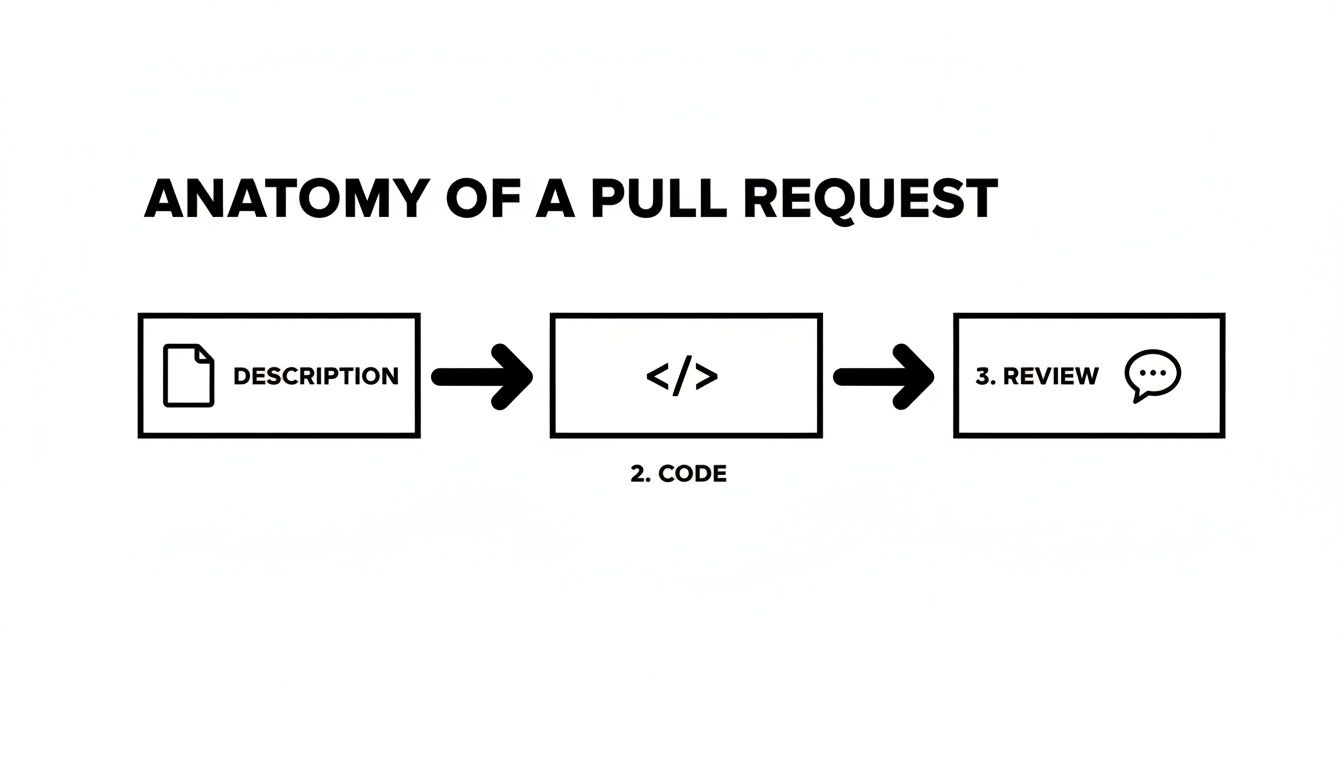
As you can see, a solid description is the foundation. It sets the context for the code, which then goes through the review grinder.
The Feedback and Revision Loop
With the pull request officially open, the review cycle starts. This is where the magic happens—a back-and-forth conversation where reviewers leave comments, ask clarifying questions, or request specific changes.
- Changes Requested: If a reviewer spots something that needs fixing, they can mark the PR with this status. It’s a clear signal to the author: "Hey, this needs more work before it's ready."
- Discussion and Commits: The author then jumps in to respond to feedback, discuss potential solutions, and push new commits to address the requested changes. Each new commit updates the pull request, keeping the conversation focused on the latest version of the code.
This loop of feedback and revision keeps going until every concern is addressed and the reviewers give their stamp of approval. To see this in action, check out our in-depth guide to the GitHub pull request workflow.
The heart of a pull request's journey is the dialogue between the author and reviewers. It’s a process built to refine ideas, catch mistakes, and ensure the final code is stronger than what any one person could produce on their own.
Finally, once the code has all the necessary approvals and the CI checks are all green, the PR reaches the finish line. It gets merged, and the proposed changes are officially woven into the target branch. The journey is complete.
Mastering the Art of Code Reviews
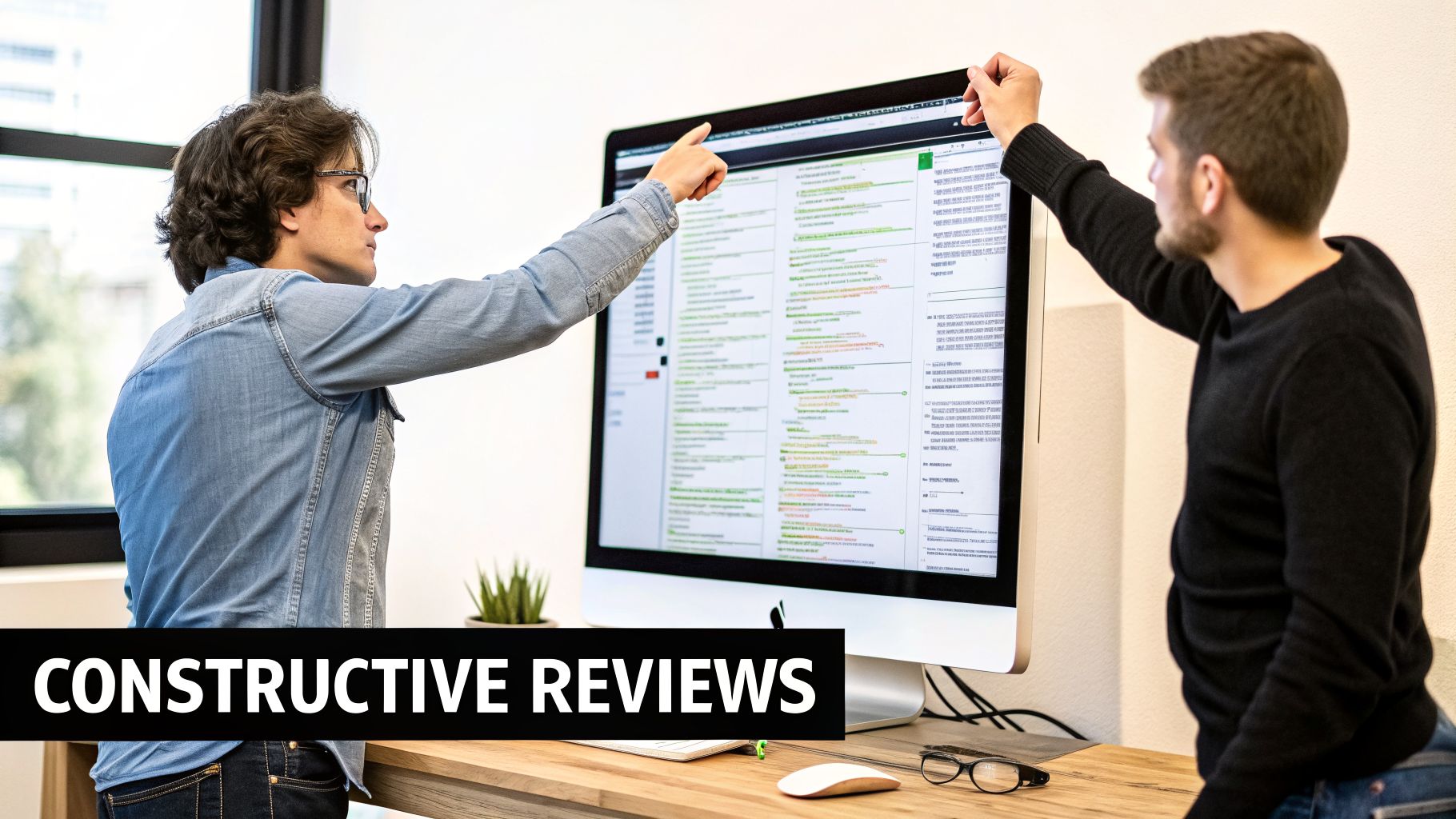
A great pull request isn't just about shipping code—it's about starting a conversation. Getting the review process right is a two-way street, requiring skill from both the author who wrote the code and the reviewer who inspects it.
This whole dance is what separates a frustrating bottleneck from a workflow that actually helps everyone move faster and write better code. It all comes down to clear communication and a bit of mutual respect. For the author, the goal is to make the reviewer's job painless. For the reviewer, it's about giving feedback that genuinely helps without crushing morale.
Best Practices for Pull Request Authors
As the author, you're setting the stage. Your main job is to provide so much context that your reviewer can jump in, understand your changes, and give meaningful feedback without a ton of back-and-forth. A well-prepared pull request gets reviewed significantly faster.
Your goal is to make your changes easy to digest.
- Keep It Small and Focused: A PR should do one thing and do it well. Don't mix a bug fix with a new feature and a refactor. Smaller, focused PRs are much easier (and faster) for anyone to review.
- Write a Crystal-Clear Description: Explain the why behind your code. Link to the Jira ticket, add a screenshot if you changed the UI, and briefly explain your technical approach. Think of it as the friendly manual for your changes.
- Review Your Own Code First: Before you tag a teammate, give your own code a once-over. You’ll be surprised how many typos, forgotten console logs, or simple mistakes you catch on your own.
How to Be an Effective Reviewer
As a reviewer, you're a guide, not a gatekeeper. Your feedback can teach, level up the team's code quality, and make everyone better. The trick is balancing a thorough review with a timely one.
Before you even get into the nitty-gritty, it's worth having a solid grasp of what is code review at its core. It’s not just about pointing out flaws; it’s about upholding standards and sharing knowledge across the team.
Your responsibility as a reviewer is to leave the code in a better state than you found it while empowering the author. Aim to ask questions rather than make demands, and always offer suggestions for improvement.
The best feedback is specific and explains the reasoning. Instead of just saying "This is wrong," try something like, "This approach might cause an issue with X, have you considered trying Y instead?" This simple shift turns a critique into a productive conversation.
If you're looking to dive deeper, check out these best practice code review strategies.
When software teams grow, the sheer volume of pull requests can quickly jam up even the most organized workflow. What started as a helpful, collaborative checkpoint soon becomes a major bottleneck. Important changes get buried under a mountain of notifications and status updates, leading to review delays, constant context switching, and a whole lot of developer frustration.
The real problem here is noise. When every single comment, commit, and CI status change triggers a fresh alert, developers naturally start to tune out. That's when critical feedback gets missed. This is where modern tooling comes in—not just to automate tasks, but to intelligently filter and summarize the chaos.
The Rise of Smart Workflows
Instead of just blasting teams with raw data, new tools are built to deliver clear, actionable insights. Think of them as a personal assistant for your team's entire pull request process.
These tools are designed to solve specific, painful problems:
- Reducing Notification Fatigue: They bundle multiple updates into a single, concise summary, so your Slack channels stay clean and readable.
- Prioritizing Reviews: By highlighting PRs that are stale, blocked, or just waiting on a final approval, they help teams focus on what actually needs attention.
- Improving Visibility: Everyone on the team gets a clear, real-time picture of what’s in review, what’s been approved, and what’s teed up to ship.
The goal of modern tooling isn't just to send notifications faster; it's to restore the clarity and focus that gets lost when pull request volume explodes.
This shift toward smarter, AI-assisted workflows has a dramatic impact. Before these tools, enterprise teams took an average of 9.6 days to open a pull request after finishing their code. With optimized workflows, that number has dropped to just 2.4 days—a 75% reduction in cycle time. You can learn more about these development efficiency findings. Looking ahead, modern tools are constantly evolving; consider how leveraging LLMs in your development workflow could further refine these processes.
The Business Impact of an Efficient Pull Request Process
The pull request might seem like just a technical step, but its real impact is measured in business outcomes. When your review process is humming along, it’s a direct engine for speed and innovation. Getting features and bug fixes through review and into production quickly gives the entire company a serious competitive edge.
This agility means you can react faster to what the market wants, ship new features before anyone else, and squash critical bugs before they ever affect a customer. The flip side is just as true: a slow, bogged-down review process creates massive hidden costs. Think of all the engineering hours wasted while developers wait for feedback, or the mounting security risks from stale code sitting unmerged.
Engineering Excellence as a Business Strategy
At its core, a healthy pull request workflow is a sign of engineering excellence, and that excellence pays off in business stability and growth. The best organizations don’t just ship code; they build a culture where quality and speed go hand-in-hand.
But there’s a new wrinkle: the rise of AI coding assistants. These tools are great for productivity, but they’ve also caused the median pull request size to balloon by 17–23%. This leads to bigger, more complex reviews that can drive up costs and even increase the chance of vulnerabilities by 20–30%, according to recent analysis on the effects of AI on code review. This makes having a disciplined process more important than ever.
An optimized pull request workflow is not just a technical detail—it's a core business function that separates market leaders from the rest. It enables a company to innovate reliably and ship with confidence.
Ultimately, mastering this workflow is non-negotiable. It’s how top-performing companies manage to ship at incredible scale—check out how Stripe ships over 1,000 pull requests daily—without letting quality slip. When you start treating the pull request as a strategic asset, you turn a simple code merge into a powerful engine for business success.
Common Questions About Pull Requests
Let's tackle some of the most common questions developers run into when they're getting the hang of pull requests and how they fit into a modern workflow.
Pull Request vs. Merge Request: What's the Difference?
Honestly, there's no real difference—they're the exact same idea, just with different names. The term you use simply depends on which platform you're on.
"Pull request" (PR) is the name you'll see on GitHub and Bitbucket, while "merge request" (MR) is what GitLab calls it. At the end of the day, both are just a formal way to propose merging your code from one branch into another.
How Big Should a Pull Request Be?
Keep it small. Seriously. The best pull requests are focused on a single, logical change. A smaller PR is way easier and faster for a teammate to review, which means you get feedback quicker.
Smaller changes are also less likely to hide unexpected bugs and are much simpler to handle if you run into merge conflicts.
A great rule of thumb is to aim for changes a reviewer can fully digest in 15-30 minutes. If it takes longer than that for you to explain what it does, it’s probably too big.
This keeps the feedback loop tight and the whole development process moving forward without big bottlenecks.
Who Should Review My Pull Request?
Ideally, you want your PR reviewed by one or two teammates who actually have some context on the code you’re touching. This usually means:
- A senior developer who can offer mentorship and high-level oversight.
- A peer working on the same feature who understands the immediate goal.
- A designated "code owner" who is officially responsible for that part of the codebase.
And don't forget your non-human reviewers! Automated tools, like CI checks that run your tests, are just as critical for catching issues before they get merged.
Stop drowning in notification noise. PullNotifier delivers clean, concise pull request updates right in Slack, cutting review delays by up to 90%. Streamline your code reviews today at pullnotifier.com.