- Published on
Your Guide to a Private GitHub Repository
- Authors

- Name
- Gabriel
- @gabriel__xyz
A private GitHub repository is basically a locked-down, invitation-only space for your code. Think of it as a private workshop where only you and your hand-picked team have keys. This is a stark contrast to a public repository, which is more like an open showroom for anyone to browse and borrow from.
Understanding Your Digital Safe Deposit Box
Let’s stick with that analogy for a second. A public repo is like a public library. Anyone can walk in, read the books (your code), and even suggest changes. It’s perfect for open-source projects where you want eyeballs and community feedback.
A private GitHub repository, however, is your digital safe deposit box. You decide who gets a key, and only those people can see what’s inside. This control isn't just a nice feature; it's essential for protecting your most valuable assets.
This separation is everything for businesses and developers working on proprietary code. The whole point of a private repo is to protect your intellectual property—your secret sauce, your unique algorithms, and your business logic. It’s a strategic tool for keeping your competitive edge sharp.
Before we dive deeper, let’s quickly break down the key differences between private and public repositories.
Private vs Public GitHub Repository At a Glance
This table offers a straightforward comparison, highlighting the fundamental distinctions to help you decide which is right for your project.
| Feature | Private Repository | Public Repository |
|---|---|---|
| Visibility | Only accessible to the owner and explicitly invited collaborators. | Visible to everyone on the internet. |
| Access Control | Granular control over who can view, commit, or manage the repo. | Anyone can view and fork the code. |
| Collaboration Model | Closed, invite-only collaboration for teams and organizations. | Open collaboration, welcoming contributions from the community. |
| Primary Use Case | Proprietary software, internal tools, sensitive data, MVPs. | Open-source projects, community-driven development, public portfolios. |
| Security | High; designed to protect intellectual property and secrets. | Low; designed for transparency and open access. |
Ultimately, the choice comes down to one simple question: who do you want looking at your code?
The Shift Toward Private Collaboration
More and more, developers are choosing to work behind closed doors. While public repos still get a ton of love, contributions to private repositories jumped by nearly 38% in 2022. That’s a massive trend, showing just how much teams and companies now rely on keeping their core codebase locked down. You can dig into more of these numbers by checking out these insights on GitHub's usage statistics.
So, why the big move to private? It boils down to a few key reasons:
*   **Protecting Commercial Software:** It keeps competitors from peeking at (and copying) your source code.
*   **Securing Internal Tools:** Companies need a place to build internal apps and infrastructure without exposing them to the world.
*   **Managing Sensitive Data:** It’s a secure sandbox for projects that handle things like API keys or sensitive configs before they go live.
*   **Staging Pre-Launch Projects:** Startups can build their MVP in stealth mode, keeping things under wraps until the big reveal.
A private repository isn't just about hiding code; it’s about controlling its destiny. It provides the structured, secure foundation needed to build, test, and deploy software with confidence, ensuring that only the right people have access at the right time.
Securing Your Code with Effective Access Control
Controlling who sees and touches your code is the whole point of a private GitHub repository. Think of it like the security system for an office building. You wouldn't hand every single employee a master key, would you? Of course not. You grant access based on their role, and the same principle applies to your codebase.
This is exactly where GitHub's permission levels come into play. They act like different keycards, each unlocking a specific set of capabilities. Getting these roles right is the first step toward building a secure and efficient workflow for your team.
This diagram shows the fundamental choice you make at the start of any project: a private, locked-down workspace or a public, open-source one.
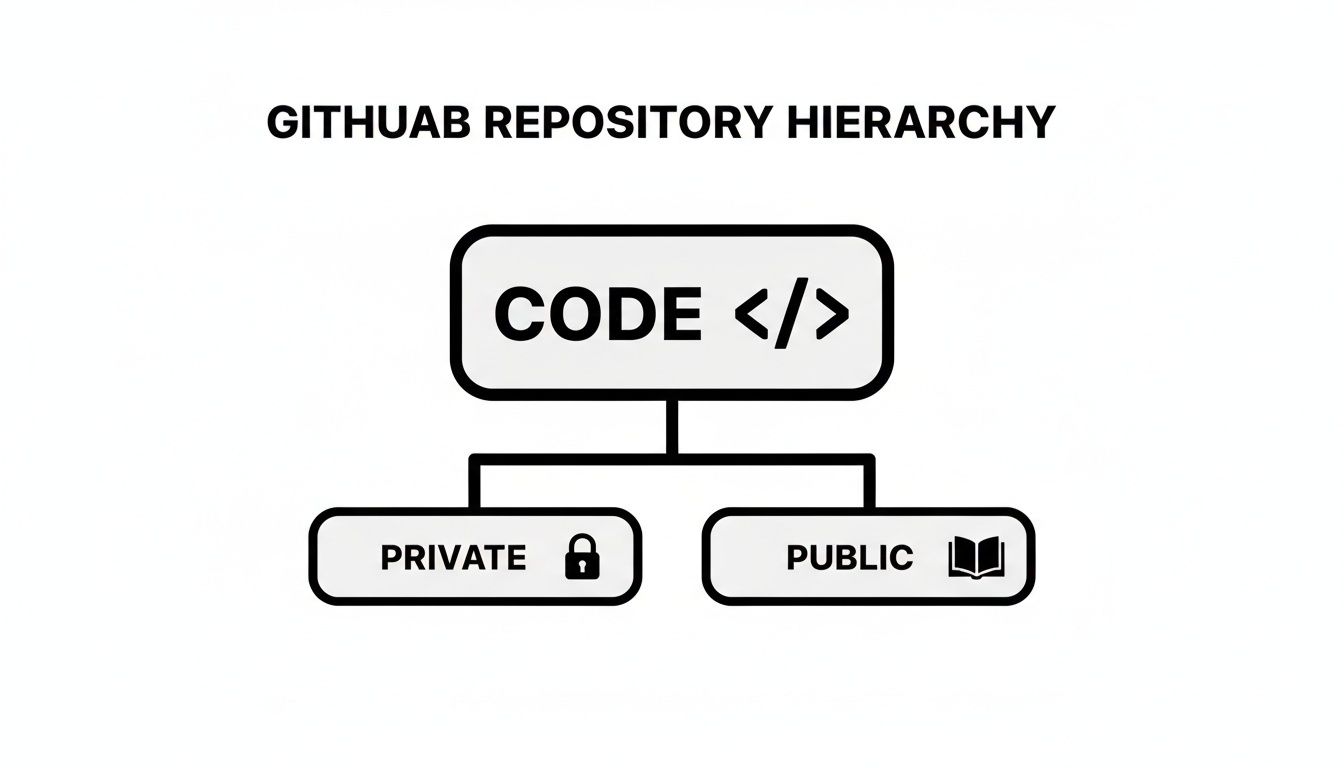
This decision between private and public directly shapes your project's security and how your team collaborates from day one.
Understanding Permission Levels
GitHub gives you a pretty granular set of permissions to manage repository access with precision. When you apply these roles correctly, you're enforcing the principle of least privilege—a core security concept where people only get the minimum access they need to do their jobs.
Here’s a quick rundown of the core roles:
*   **Read:** Lets users view and clone the repository. This is perfect for stakeholders or QA testers who need to see the code but have no business changing it.
*   **Triage:** Allows collaborators to manage issues and pull requests, but without write access. It's ideal for project managers who are organizing tasks but not actually writing code.
*   **Write:** Grants the ability to push changes to the repository. This is the standard-issue role for most developers on your team.
*   **Maintain:** Includes all write permissions plus the power to manage key repository settings, like protected branches. This is typically for your senior developers or tech leads.
*   **Admin:** Provides full control over the repository. We're talking managing collaborators, handling billing, and even deleting the repo. This is the master key, so reserve it for project owners or engineering managers.
By assigning the lowest possible permission level required for any given task, you dramatically reduce the risk of accidental changes or someone getting into something they shouldn't. It’s all about being intentional with every single invitation to your private GitHub repository.
Applying Roles in a Real-World Scenario
Let's say you're kicking off a new software project. Here’s how you might assign permissions:
- Junior Developer: Gets Write access. They can push code to their own feature branches and open pull requests for others to review.
- Senior Developer/Tech Lead: Is given Maintain access. They're the ones merging pull requests, setting up branch protection rules, and generally overseeing the repository's health.
- Project Manager: Has Triage access. They can organize the backlog, label issues, and keep the project moving forward without ever touching the codebase itself.
- External Auditor: Receives Read access. They can review the code for compliance or run security checks, but they can't make a single modification.
This tiered approach ensures everyone can do their job effectively without creating unnecessary security risks. It’s also important to remember the foundational protocols that keep your code safe when it's moving back and forth. For example, robust technologies like TLS encryption are essential for securing data transfers to and from GitHub.
As your organization grows, managing permissions for each person individually becomes a real headache. That's where GitHub Teams saves the day. You can create groups like "Frontend-Devs" or "Security-Team" and assign repository access to the whole group at once. When a new developer joins, you just add them to the right team, and they instantly get the correct permissions across all the relevant projects. This makes onboarding a breeze and keeps your access control consistent.
For more ideas on streamlining teamwork, you might find our guide on underrated GitHub apps to manage your team better helpful.
When to Use a Private Repository
Knowing what a private repository is is one thing. Knowing when to use one is when the lightbulb really goes on. The choice to go private is a strategic one, always driven by a need for confidentiality, tight control, and security. It’s the go-to for any project where the source code itself is a valuable asset or holds sensitive data.
Let's walk through a few real-world situations where a private GitHub repository isn't just a nice-to-have, but an absolute must. These examples show how privacy becomes a core part of the development cycle, whether you're a scrappy startup or a major enterprise.
Protecting Commercial Software
Imagine you've spent years developing a groundbreaking algorithm. It’s your company’s secret sauce, the very foundation of your business. If that code ended up in a public repo, competitors could just grab it. Game over. Your competitive advantage would vanish overnight.
By using a private GitHub repository, you make sure only authorized employees and trusted contractors ever see the source code. This isn't about being secretive for the sake of it; it's about protecting years of investment and hard work. For commercial software, a private repo is the digital equivalent of a bank vault.
Developing Internal Tooling
Most tech companies build an army of internal tools to keep things running smoothly. Think custom deployment scripts, internal monitoring dashboards, or specialized apps for the support team. This code is never meant to see the light of day and is often packed with sensitive configurations tied directly to your infrastructure.
Putting this code in a public repository would be a massive security risk. You'd be broadcasting your internal workflows, system architecture, and maybe even hardcoded credentials for anyone to see. A private repository gives your team a secure sandbox to build and maintain these critical internal tools without worrying about prying eyes.
A private repository should be your default for any project that isn’t explicitly open source. It’s about starting with a secure-by-default mindset and choosing what to share, rather than starting open and trying to claw back privacy when it’s too late.
Shielding a Startup’s Innovation
Picture an early-stage startup burning the midnight oil on a disruptive new app. The last thing they need before their big launch is for an established competitor to get a sneak peek at their innovative features, UI designs, or unique backend logic. That pre-launch period is when you're most vulnerable, and secrecy is everything.
A private GitHub repository lets the founding team operate in stealth mode. They can build, iterate, and perfect their product without tipping their hand to the rest of the market. Once they’ve launched and gained some traction, they might decide to open-source a few components. But the core, proprietary code? That stays locked down.
Managing Repository Size and Storage Limits
Think of your private GitHub repository like a workshop. If you never clean it out, it eventually gets so cluttered with junk that you can't find your tools, slowing down your work. A large, bloated repository creates the same headache for your team, leading to slow clones, fetches, and an overall sluggish workflow.
This is exactly why GitHub has storage limits in place—it's all about maintaining solid performance for everyone. While you can create unlimited private repositories, each one has storage guidelines. GitHub's caps vary by plan, but the advice is universal: keep your repos lean. This helps you avoid performance hits and the need to call in support. You can dive into the specifics on GitHub's storage limits and recommendations.
Staying on top of your repository's size is a must for a smooth workflow, especially as your project scales.
Strategies for a Lean Repository
Keeping your repo size in check isn’t just about following rules; it's about maintaining a healthy and efficient codebase. After all, a clean repository is a fast repository.
Here are a few actionable ways to cut the bloat:
*   **Never Commit Dependencies:** Files in folders like `node_modules` or `vendor` have no business being tracked by Git. These packages can easily be reinstalled from a manifest file (like `package.json`), and committing them adds a ton of unnecessary weight.
*   **Avoid Compiled Code:** Just like dependencies, compiled binaries, executables, or other build artifacts don't belong in source control. They're generated from your source code anyway, so tracking them is both redundant and wasteful.
*   **Maintain a Clean Commit History:** Before merging, make it a habit to squash small, trivial commits into larger, more meaningful ones. A clean, concise history is way easier to navigate and keeps the repository's metadata lean. For more complex projects, check out our guide on [effective monorepo branching strategies](https://blog.pullnotifier.com/blog/monorepo-branching-strategies-for-teams).
Using Git LFS for Large Files
So, what do you do with those big but essential files—like graphics, video assets, or datasets? The answer is Git Large File Storage (LFS).
Git LFS works by replacing large files in your repository with small text pointers. The actual large files are stored separately, so they don't bloat your main repository and slow down everyday Git operations for team members who don't need them.
This approach is perfect for assets that need to be versioned alongside your code but are too bulky for standard Git. By implementing Git LFS, you get the best of both worlds: a fast, responsive repository for your code and reliable version control for your large assets.
Advanced Security Practices for Your Private Repository
Flipping the switch to "private" is just the beginning. Securing your code properly means moving beyond a simple visibility setting and building a layered, proactive defense. Think of it like swapping out a basic door lock for a full-blown security system—complete with reinforced doors, motion sensors, and automated alerts. These practices aren't optional; they're essential for protecting your most critical assets.
Even a brief security lapse can have permanent consequences. We saw this recently when thousands of organizations had their private code exposed because their repos were temporarily public. Automated systems cached the data, and even after the repos were made private again, the code remained accessible. You can read the full story on this security incident and its impact.

This incident is a stark reminder of why layering your defenses is so crucial for any private GitHub repository.
Fortify Your Branches With Protection Rules
Your main or develop branch is the heart of your project—it needs to be guarded like a fortress. Branch protection rules are your first line of defense, acting as strict, non-negotiable quality gates that every single change must pass before being merged.
You can set up rules to enforce several critical checks:
*   **Require a pull request before merging:** This simple rule completely blocks direct pushes to your main branch, forcing every change through a formal review process. No exceptions.
*   **Require status checks to pass before merging:** This ensures all automated checks, like CI builds and tests, must succeed. If a build fails, the merge is automatically blocked.
*   **Require conversation resolution before merging:** This is a small but powerful rule that stops code from being merged while open questions or comments on the pull request are still unaddressed.
Automate Ownership and Reviews
As your team grows, manually picking the right reviewers for every pull request becomes a painful, error-prone chore. This is where a CODEOWNERS file saves the day. It’s just a simple text file in your repository that maps file paths to specific GitHub users or teams.
For instance, you can define a rule that says any changes to the src/database/ directory must be reviewed by the @backend-team. The moment a PR touches those files, that team is automatically flagged for review. Expert eyes, right where you need them.
By automating reviewer assignments with
CODEOWNERS, you eliminate guesswork, speed up the review cycle, and ensure that subject-matter experts are consistently involved in validating changes to the parts of the codebase they know best.
Proactively Hunt for Vulnerabilities
Your codebase doesn't live in a bubble; it relies on dozens, sometimes hundreds, of third-party dependencies. A vulnerability in one of those packages is a vulnerability in your project. This is where GitHub's Dependabot comes in. It's an automated tool that constantly scans your dependencies for known security issues.
When Dependabot finds a vulnerability, it can automatically open a pull request to update the package to a safe version. It’s like having an around-the-clock security guard checking your supply chain, helping you patch holes before anyone can exploit them. This simple automation is one of the most effective ways to secure your private GitHub repository against common threats.
Essential Security Checklist for Private Repositories
Protecting your private repository requires a mix of automated tools, team discipline, and clear policies. The table below summarizes the key actions you should take to lock down your codebase.
| Security Measure | What It Does | Why It's Important |
|---|---|---|
| Branch Protection Rules | Enforces checks like required PRs, passing tests, and resolved conversations before merging. | Prevents direct pushes to critical branches and ensures all code is reviewed and tested. |
| CODEOWNERS File | Automatically assigns specific teams or individuals to review changes in designated files. | Ensures subject-matter experts review relevant code, speeding up reviews and improving quality. |
| Dependabot Alerts & Fixes | Scans for vulnerabilities in dependencies and can auto-create PRs to patch them. | Proactively addresses supply chain vulnerabilities before they can be exploited. |
| Secret Scanning | Actively scans your repository for accidentally committed secrets like API keys or tokens. | Prevents sensitive credentials from being exposed, even within a private repo. |
| Multi-Factor Auth (MFA) | Requires a second form of verification for users to access the organization or repository. | Protects against compromised accounts by adding a critical layer of authentication. |
| Regular Access Audits | Periodically review who has access to your repository and remove inactive or unnecessary collaborators. | Enforces the principle of least privilege and reduces the potential attack surface. |
Implementing these measures turns your repository from a locked room into a secure vault. Each layer adds another barrier, making it significantly harder for unauthorized changes or security vulnerabilities to slip through.
Streamlining Workflows with CI/CD and Automation
A private GitHub repository is more than just a place to store code; it's the engine room for your entire DevOps pipeline. This is where your code meets the world of automation, and integrating Continuous Integration and Continuous Deployment (CI/CD) tools is the first step. Tools like GitHub Actions, Jenkins, or CircleCI are essential for automating your builds, tests, and deployments.
Connecting these tools securely is non-negotiable. You have a few options, and each comes with its own set of trade-offs. Deploy keys are a simple, secure choice for deployment scripts, offering read-only access to a single repository. For anything more complex, GitHub Apps are the way to go. They provide granular permissions that stick to the principle of least privilege and, unlike user-based tokens, aren't tied to an individual's account. This prevents your entire pipeline from breaking when a team member leaves.
Taming Notification Overload
While automation is great for speeding up development, it often creates a new headache: notification fatigue. The constant firehose of updates from CI/CD systems can easily drown out the important conversations, especially during the critical pull request review cycle. Developers get spammed with alerts for every minor status change, making it a real chore to figure out what actually needs their attention.
To get your development process running smoothly, knowing how to effectively sync with GitHub is key to keeping your private repositories up-to-date and your communication channels clear.
This is where a specialized tool can make a world of difference. A solution like PullNotifier integrates with your private repository using minimal permissions, cutting right through the noise. Instead of flooding your channels with a dozen separate alerts for one PR, it neatly consolidates all updates into a single, clean Slack thread.
This screenshot shows how PullNotifier organizes pull request updates into a clear, threaded conversation within Slack.
By delivering concise, real-time updates, teams can finally eliminate the clutter. This leads to faster review times and better collaboration, all without ever compromising the security of a private repository. For a deeper look at this, check out our guide on setting up effective code quality checks with GitHub Actions and Slack.
By intelligently filtering and consolidating notifications, you transform a noisy, chaotic process into a focused, actionable workflow. This simple change can dramatically reduce review delays and boost your team's overall productivity.
A Few Common Questions
When you're working with private GitHub repositories, a few questions tend to pop up again and again. Let’s clear up some of the most common ones to make sure you're managing your code securely and effectively.
Can I Make a Private Repository Public Later?
Yes, you absolutely can. Toggling a repository's visibility from private to public is a straightforward change in the settings. But—and this is a big but—it's a one-way street. Once you make it public, your entire commit history is out there for everyone to see, and you can't undo it on most free plans. Think of it as ringing a bell; you can't un-ring it. So, be 100% sure before you flip that switch.
How Many Collaborators Can a Private Repository Have?
Good news here. On a personal account with the GitHub Free plan, you can invite an unlimited number of collaborators to your private repositories. For organizations on the Team or Enterprise plans, the number of users and the tools you get are tied to your subscription, which usually means more granular control and advanced features for managing larger teams.
Are Private Repositories on GitHub Truly Secure?
GitHub’s infrastructure is rock-solid, but the security of your private repository is really a partnership. You and your team are the other half of the equation.
Security isn't a "set it and forget it" feature. Your repository is only as secure as your weakest link—whether that's a sloppy permission setting, a leaked API key, or a team member not using multi-factor authentication.
The platform provides the lock, but you hold the keys. That means diligently managing permissions, making it a cardinal rule to never commit secrets like API keys directly into your code, and making multi-factor authentication mandatory for everyone. That's how you keep your private code truly private.
Stop drowning in notification noise and start merging faster. PullNotifier delivers clean, consolidated pull request updates directly to Slack, cutting through the clutter so your team can focus. Get started for free at PullNotifier.com and accelerate your code review process today.