- Published on
12 Best Collaboration Tools for Remote Teams in 2025
- Authors

- Name
- Gabriel
- @gabriel__xyz
The shift to remote work has transformed how teams connect, create, and deliver. While the flexibility is a huge plus, maintaining seamless communication and efficient workflows across different locations presents a real challenge. The right technology isn't just a 'nice-to-have' - it's the backbone of a high-performing distributed team. This guide cuts through the noise to provide an in-depth look at the 12 best collaboration tools for remote teams, moving beyond generic feature lists to offer practical insights. We'll explore specific use cases, analyze strengths and weaknesses, and help you identify the perfect toolkit to supercharge your team's efficiency, no matter where they are.
Each entry in this resource list provides a detailed profile covering key features, pricing, and ideal implementation scenarios for engineering and product teams. You'll find direct links and screenshots to help you evaluate each platform effectively. Our goal is to equip you with the information needed to solve critical communication gaps and streamline project management from kickoff to deployment. While this guide focuses specifically on team collaboration platforms, for a broader overview of tools that enhance individual efficiency, consult guides like the Top 12 Remote Work Apps for Productivity in 2025.
1. PullNotifier
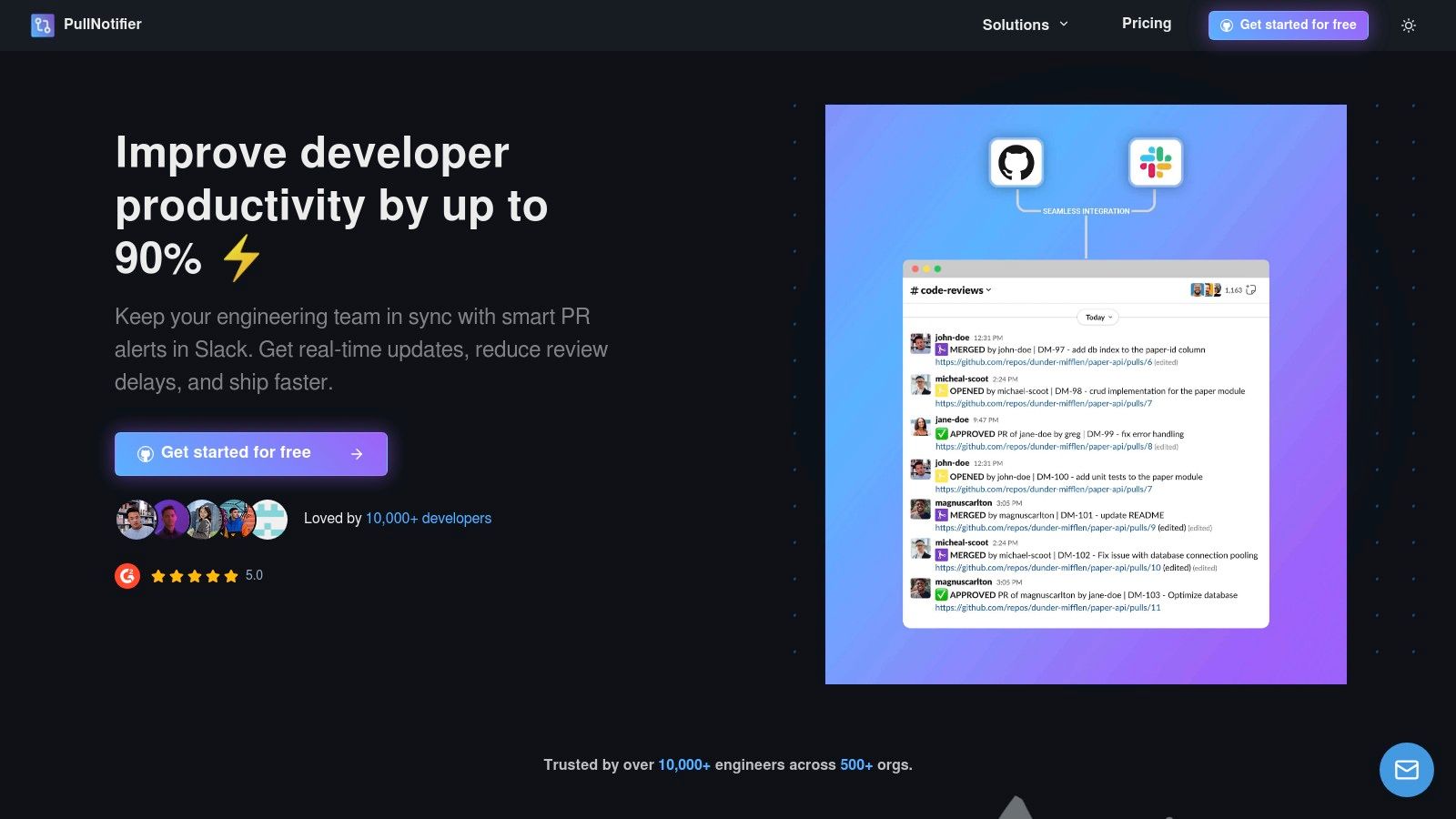
PullNotifier stands out as a powerful, specialized collaboration tool for remote teams in the software development space. It masterfully bridges the gap between GitHub and Slack, transforming chaotic pull request (PR) notifications into a streamlined, actionable workflow. Instead of drowning in endless pings, engineering teams receive consolidated, real-time updates within a single, organized Slack thread for each PR. This focused communication channel is crucial for distributed teams needing to maintain momentum and clarity.
This tool excels at cutting through the noise that plagues many development cycles. Its core strength lies in intelligent notification management, which significantly accelerates code review and deployment timelines. For remote teams, this clarity is invaluable, ensuring that critical code changes are never missed and that reviewers are prompted at exactly the right moment.
Key Features and Use Cases
PullNotifier is more than a simple notification bot; it's a configurable workflow engine.
- Customizable Routing Rules: Engineering managers can map specific repositories to designated Slack channels. This ensures that frontend PRs notify the
#frontend-engchannel while backend changes alert#backend-devs, automatically mentioning the correct code owners. - Consolidated Update Threads: When a PR is opened, PullNotifier creates a dedicated Slack thread. All subsequent events like comments, approval, requested changes, and CI/CD checks are posted as replies, creating a single source of truth.
- Enterprise-Grade Compatibility: The platform fully supports GitHub Enterprise Server and complex monorepos, making it a scalable choice for large organizations looking to standardize their review process.
- Sprint Progress Tracking: Teams can monitor PRs tied to specific sprint goals, giving tech leads and scrum masters a real-time dashboard of progress without needing to leave Slack.
What Makes It a Top Choice?
PullNotifier’s focused approach to solving a universal engineering problem makes it an essential collaboration tool for remote teams. By reducing review delays by up to 90%, it directly impacts developer productivity and experience. The setup is remarkably simple, and its minimal permission scope respects organizational data security.
Pricing: A generous free tier is available for small teams, with paid plans offering more advanced features for larger organizations.
Pros:
- Drastically reduces notification noise with consolidated threads.
- Highly configurable routing rules for targeted alerts.
- Supports GitHub Enterprise, monorepos, and sprint tracking.
- Simple setup and responsive customer support.
Cons:
- Tightly integrated with only the GitHub and Slack ecosystems.
- Advanced configurations may require an initial time investment.
Website: https://pullnotifier.com
2. Slack
Slack is a powerhouse in the realm of collaboration tools for remote teams, acting as a digital headquarters that replaces the need for disparate email chains. It organizes communication into dedicated channels for projects, topics, or teams, making conversations easy to follow and search. Its core strength lies in creating a centralized, real-time communication hub that integrates deeply with other software.
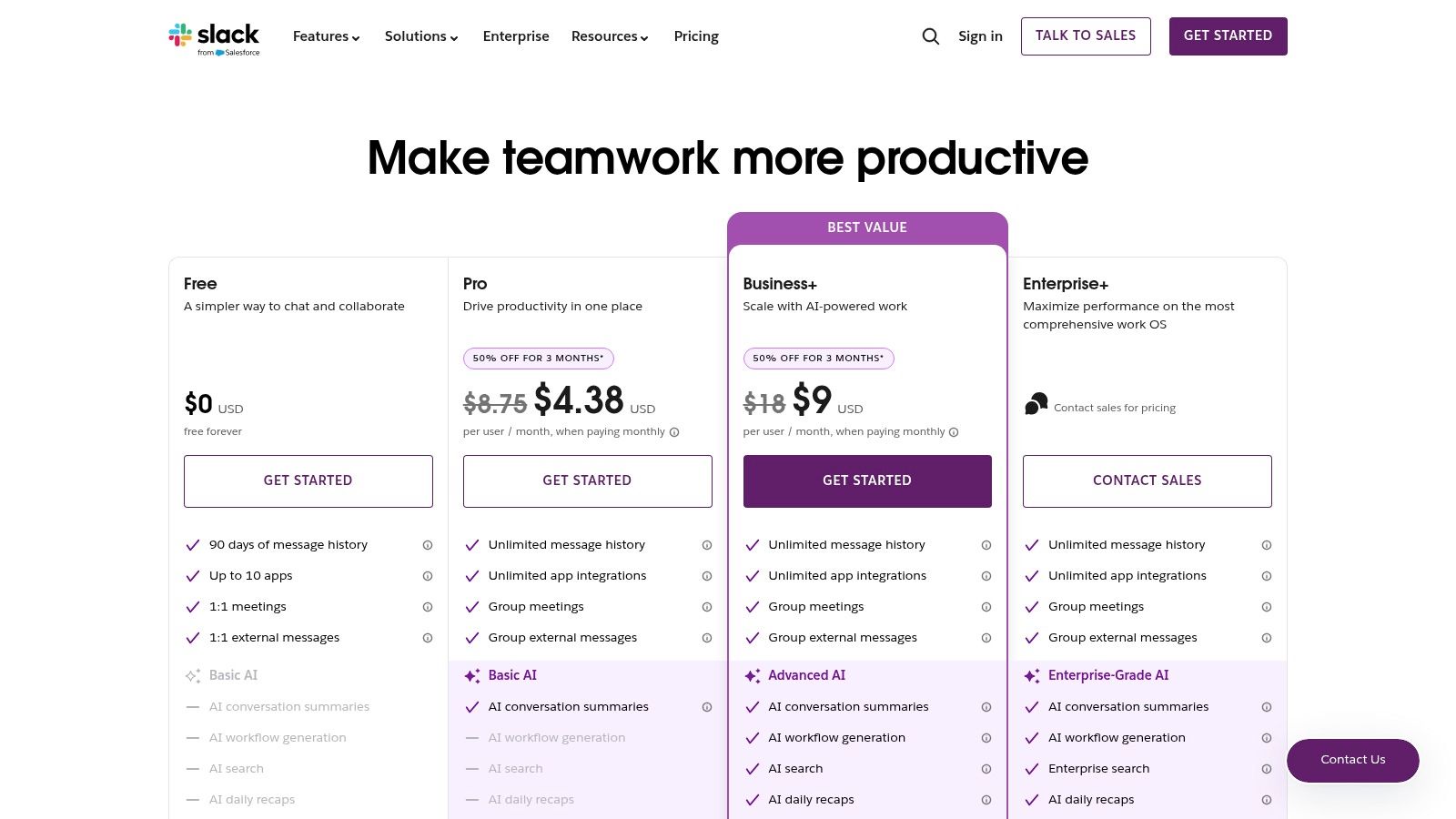
This platform excels with its vast ecosystem of over 2,600 integrations, allowing teams to pull notifications and actions from tools like Jira and Google Drive directly into their workflow. For developers, this means streamlined code review and deployment updates; there are several powerful GitHub Slack integrations you can explore. The user experience is intuitive, making onboarding fast. However, without strict channel discipline, Slack can become noisy and distracting.
Key Details & Use Case
- Best For: Fast-paced tech teams needing a central communication hub with deep integration into their existing development and project management tools.
- Standout Feature: The robust API and app directory make it a highly customizable command center. Paid plans also offer AI-powered search and conversation summaries to quickly catch up on missed discussions.
- Pricing: A limited free plan is available. Paid plans start at the Pro tier for small teams, with Business+ and Enterprise Grid offering advanced security, compliance, and administrative controls for larger organizations.
- Website: https://slack.com/pricing
3. Microsoft Teams
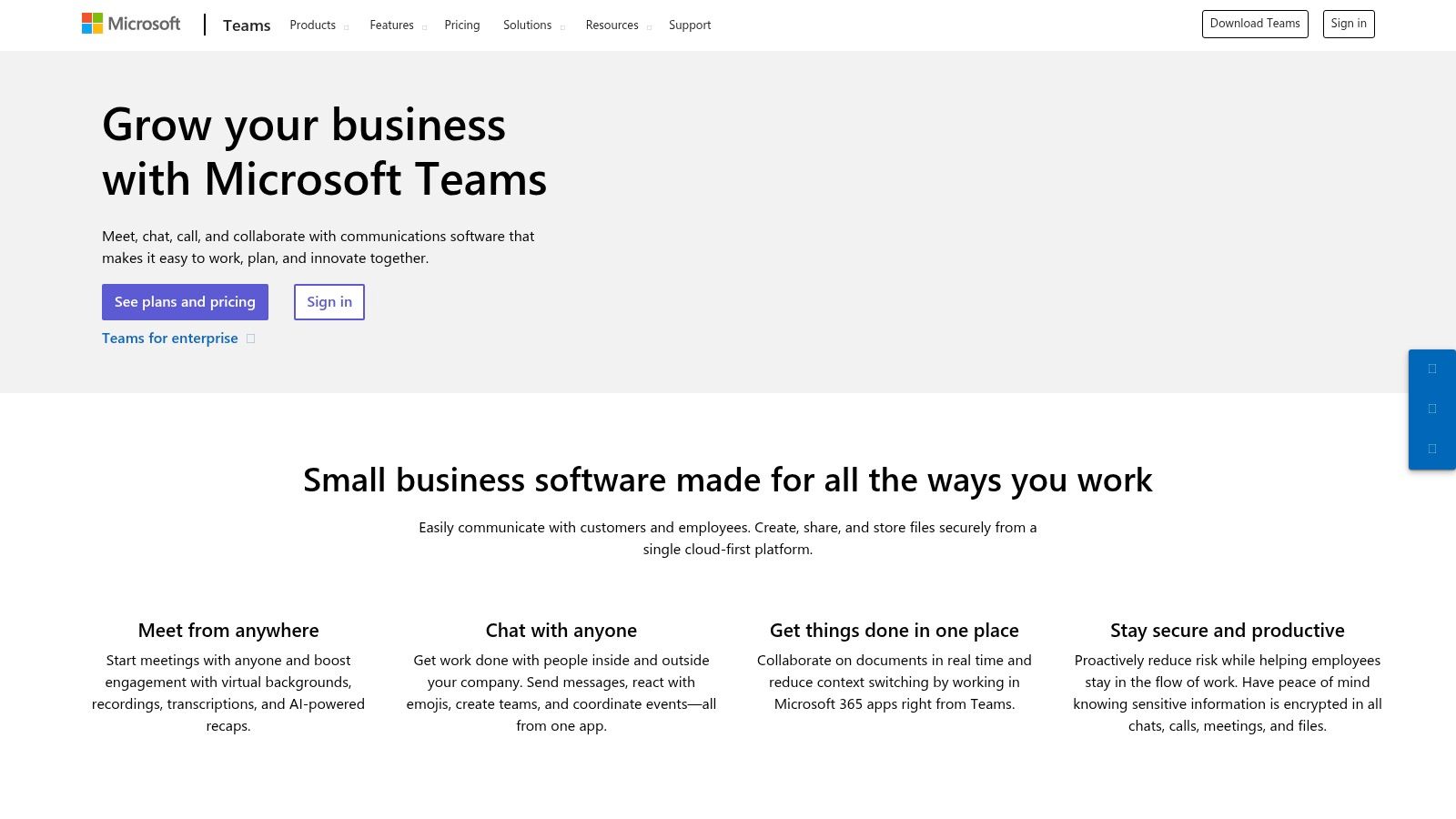
For organizations already embedded in the Microsoft 365 ecosystem, Microsoft Teams stands out among collaboration tools for remote teams by unifying chat, meetings, and file management in one place. It eliminates the need for separate apps by tightly integrating with core Office products like Word, Outlook, and SharePoint. This creates a cohesive workflow where documents can be co-authored and discussed without ever leaving the Teams interface.
Its strength is the seamless single sign-on experience and consolidated billing for existing Microsoft customers. Features like meeting recordings with transcripts, Loop workspaces for collaborative components, and integration with Planner provide a comprehensive project environment. However, its resource footprint is heavier than chat-first tools, and extracting maximum value often depends on having a broader Microsoft 365 license. The addition of Microsoft 365 Copilot also introduces powerful AI capabilities for an additional fee.
Key Details & Use Case
- Best For: Companies and enterprise technology departments deeply invested in the Microsoft 365 suite who need a unified platform with robust security and compliance controls.
- Standout Feature: The native integration with OneDrive and SharePoint for real-time document co-authoring directly within chats and channels.
- Pricing: Included with many Microsoft 365 Business Basic/Standard bundles, which offer significant value. A free version is also available with limitations.
- Website: https://www.microsoft.com/en-us/microsoft-teams/small-medium-business/
If your team uses Microsoft Teams alongside GitHub, our GitHub Microsoft Teams integration guide covers the full setup with real-world channel configurations.
4. Zoom (Zoom Workplace)
While synonymous with video conferencing, Zoom has evolved into a comprehensive suite of collaboration tools for remote teams called Zoom Workplace. It now bundles its industry-leading Meetings with Team Chat, Whiteboard, and Docs, creating an integrated platform that supports both synchronous and asynchronous work. Its core strength remains its high-quality, reliable video performance, which is familiar to users across industries.
This platform excels by consolidating key communication channels under a single, familiar interface. For teams already using Zoom for meetings, adopting the integrated chat and whiteboard features is a natural next step, reducing the need for separate tools. While Zoom is widely known for video conferencing, it also offers comprehensive capabilities like dedicated cloud phone systems for business, which can further streamline communication. However, for teams that primarily need asynchronous chat, its offering might feel heavier than dedicated chat-first alternatives.
Key Details & Use Case
- Best For: Hybrid and remote-first organizations that need a reliable, all-in-one solution for video meetings, chat, and voice, especially those with significant webinar or external event needs.
- Standout Feature: The AI Companion, included with paid plans, provides meeting summaries, next steps, and helps compose chats, significantly boosting productivity without an extra subscription fee.
- Pricing: A free Basic plan is available for personal meetings. Paid plans start at the Pro tier for small teams, with Business and Business Plus adding more features like single sign-on, managed domains, and translation services.
- Website: https://www.zoom.com/en/small-business/
5. Google Workspace
Google Workspace consolidates essential productivity apps into a single, cohesive ecosystem, making it one of the most widely adopted collaboration tools for remote teams. It bundles Gmail, Calendar, Drive, Meet, and the Docs/Sheets/Slides suite, creating an all-in-one solution that eliminates the need to stitch together multiple vendors. Its strength lies in its simplicity and the seamless, real-time co-editing capabilities that are native to its core applications.
This platform is ideal for organizations already invested in the Google ecosystem. The recent integration of Gemini AI across the suite enhances productivity by helping draft emails, generate content in Docs, and summarize meetings. The user experience is familiar to anyone who has used a personal Google account, making user adoption incredibly straightforward. However, teams migrating from a deep Microsoft environment will need careful planning, and advanced security or data residency requirements often necessitate upgrading to more expensive enterprise-level plans.
Key Details & Use Case
- Best For: Startups and organizations that prioritize simplicity, real-time document collaboration, and a unified administrative experience.
- Standout Feature: The powerful, intuitive real-time co-editing in Docs, Sheets, and Slides, combined with a centralized admin console for user and device management.
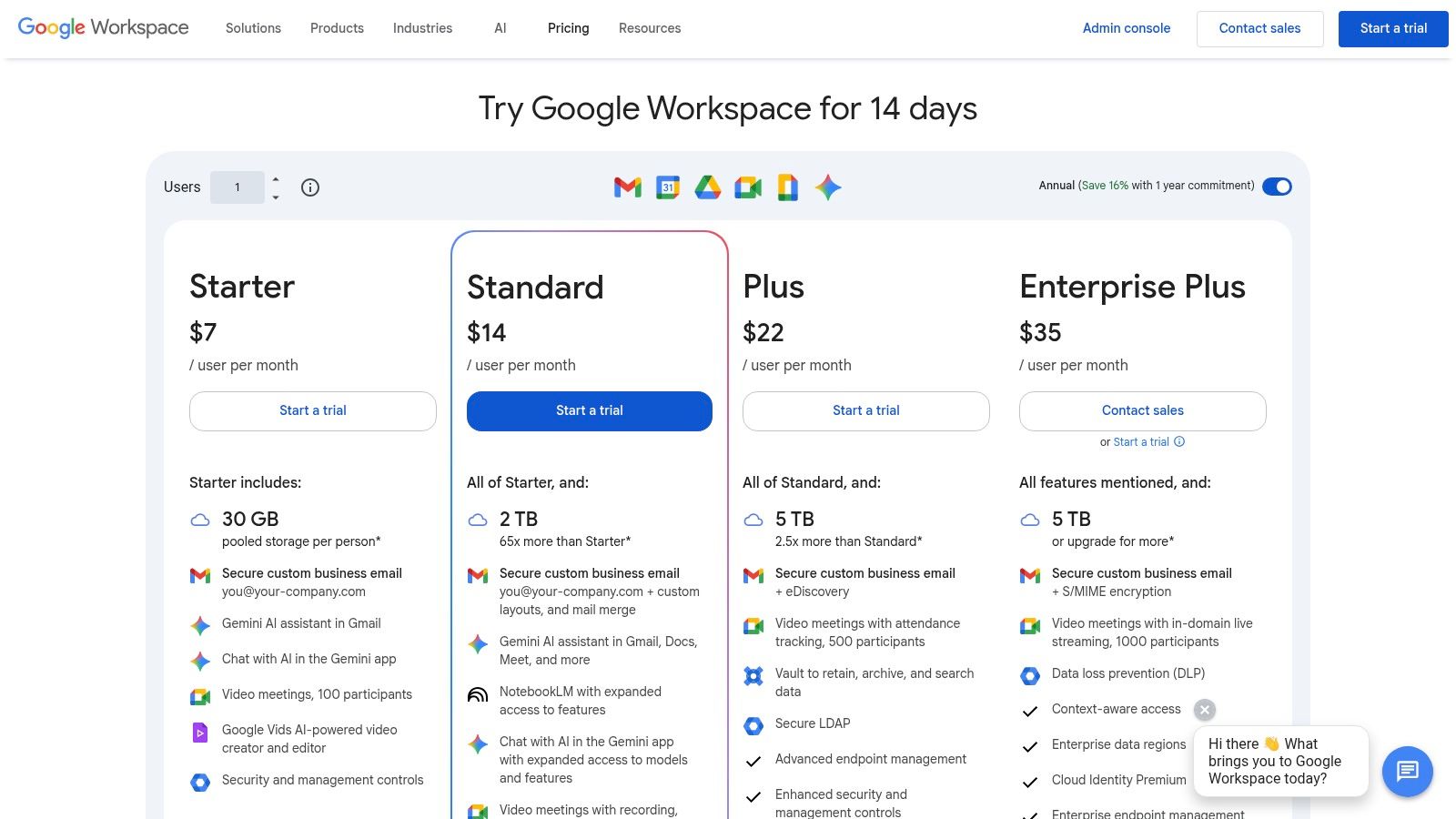
- Pricing: Starts with the Business Starter plan for small teams, scaling up to Business Standard, Business Plus, and Enterprise tiers which add more storage, larger meeting capacity, and advanced security controls.
- Website: https://workspace.google.com/intl/en/pricing/
6. Asana
Asana elevates project management into a core component of its offering, making it one of the most structured collaboration tools for remote teams. It excels at providing clarity on who is doing what, by when, moving beyond simple task lists to offer sophisticated roadmapping, workload management, and cross-functional visibility. Its strength lies in creating a single source of truth for complex projects with multiple dependencies.
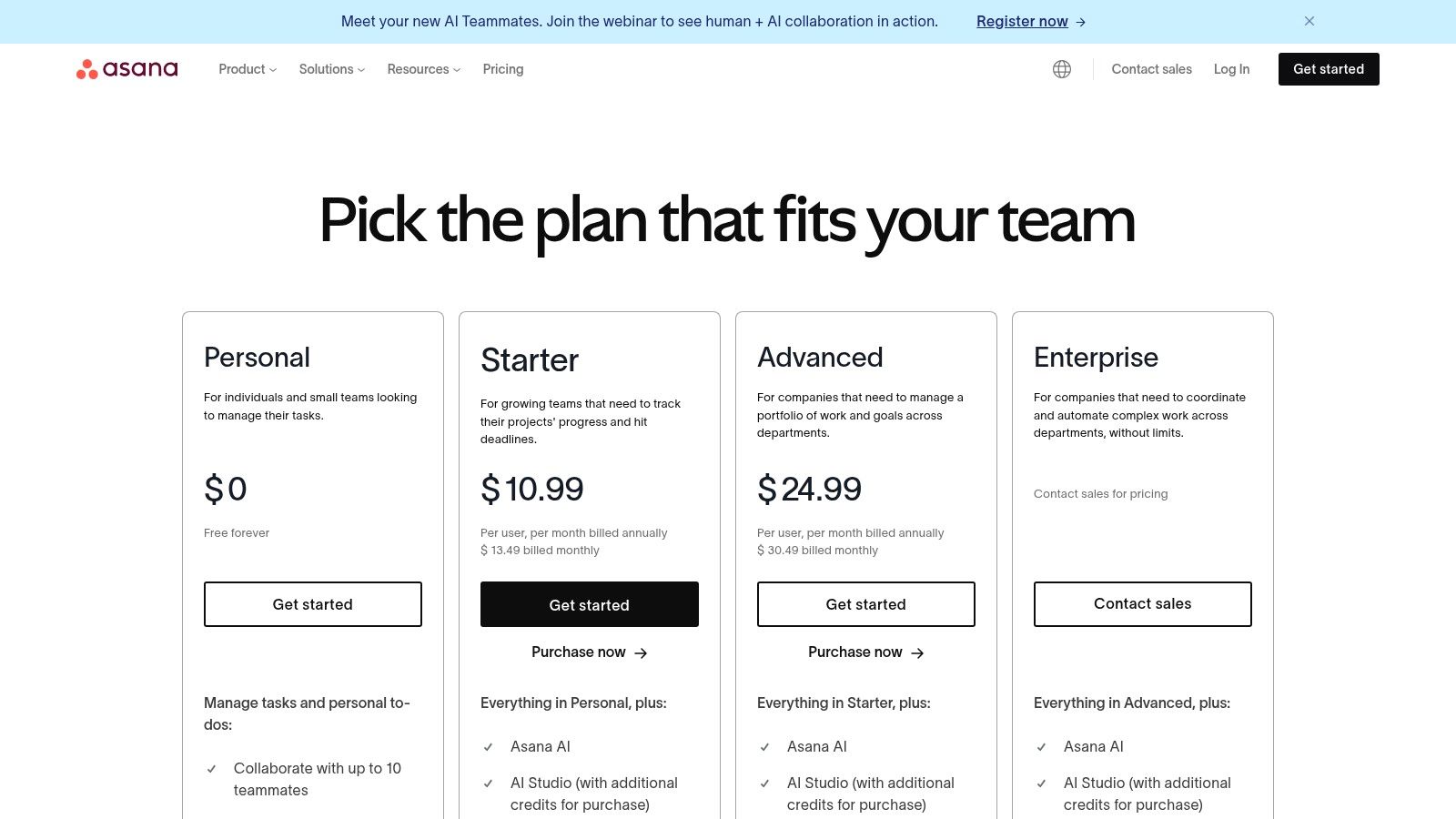
The platform is built for clarity with multiple views like Lists, Boards, and Timelines (Gantt charts), allowing teams to visualize work in the way that suits them best. For managers and tech leads, Asana's Universal Reporting and portfolio features are indispensable for tracking progress across multiple initiatives without manual check-ins. While its powerful features can feel like overkill for very small teams, it's a perfect fit for organizations scaling their operations and processes; you can see how some startups use Asana to manage their growth. The recent addition of AI capabilities also helps automate workflows and generate project insights.
Key Details & Use Case
- Best For: Engineering and product teams managing complex, multi-stage projects with clear dependencies and reporting needs for stakeholders.
- Standout Feature: The Timeline view combined with Workload management provides an unparalleled at-a-glance overview of project health, team capacity, and potential bottlenecks.
- Pricing: A basic free plan is available for individuals or very small teams. Paid plans start with Starter for core project management, moving to Advanced for features like portfolios and automation, and Enterprise for advanced security and integrations.
- Website: https://asana.com/pricing
7. monday.com
monday.com positions itself as a "Work OS," a highly visual and customizable platform that excels among collaboration tools for remote teams. It moves beyond simple task lists, enabling teams to build custom workflows for everything from project management to CRM and software development. Its strength lies in its building-block approach, using flexible boards, various column types, and powerful automations to model almost any process.
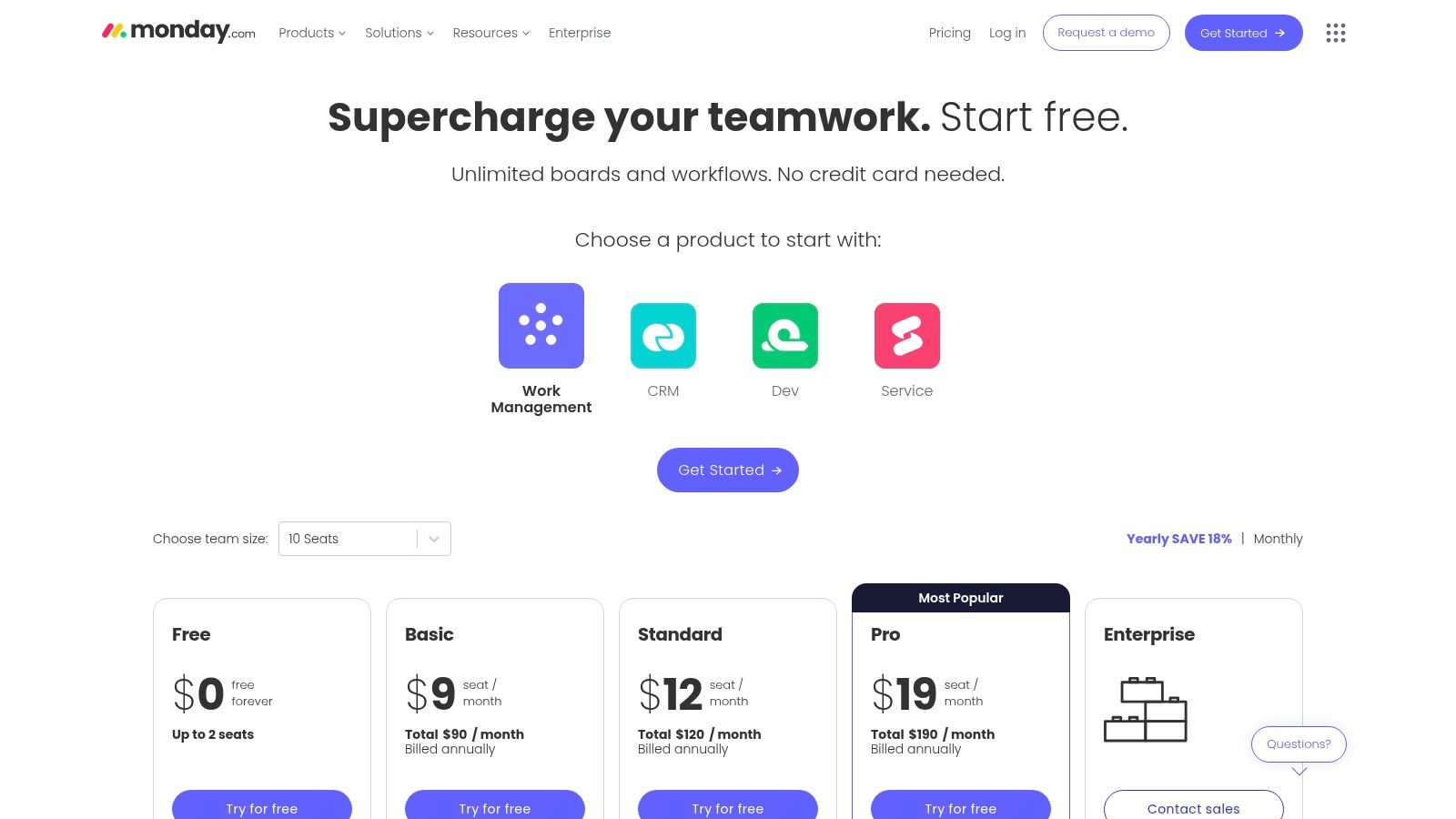
The platform is renowned for its user-friendly interface and vibrant visuals, making complex project data easy to digest through timelines, Gantt charts, and dashboards. Its automation and integration capabilities are robust, allowing teams to connect tools like GitHub, Slack, and Jira to create a unified workflow without writing code. While its flexibility is a major asset, the pricing structure and minimum seat requirements can be a hurdle for very small teams, and advanced features like time tracking are reserved for higher-tier plans.
Key Details & Use Case
- Best For: Marketing, operations, and product teams that need a flexible, visually-driven platform to manage diverse and interconnected workflows.
- Standout Feature: The "Automations" engine allows users to create complex "if-this-then-that" rules to automate notifications, status changes, and repetitive tasks across the platform and integrated apps.
- Pricing: A free plan is available for individuals. Paid plans start with the Basic tier, followed by Standard and Pro, with Enterprise plans for larger organizations needing advanced security and governance.
- Website: https://www.monday.com/pricing
8. Trello (Atlassian)
Trello is a standout among collaboration tools for remote teams due to its visually intuitive Kanban-board interface. It simplifies project tracking by organizing tasks into cards that move across customizable lists, representing stages like "To-Do," "In Progress," and "Done." This approach offers a low barrier to entry, making it perfect for teams who need to visualize workflows without the complexity of a heavy-duty project management system.
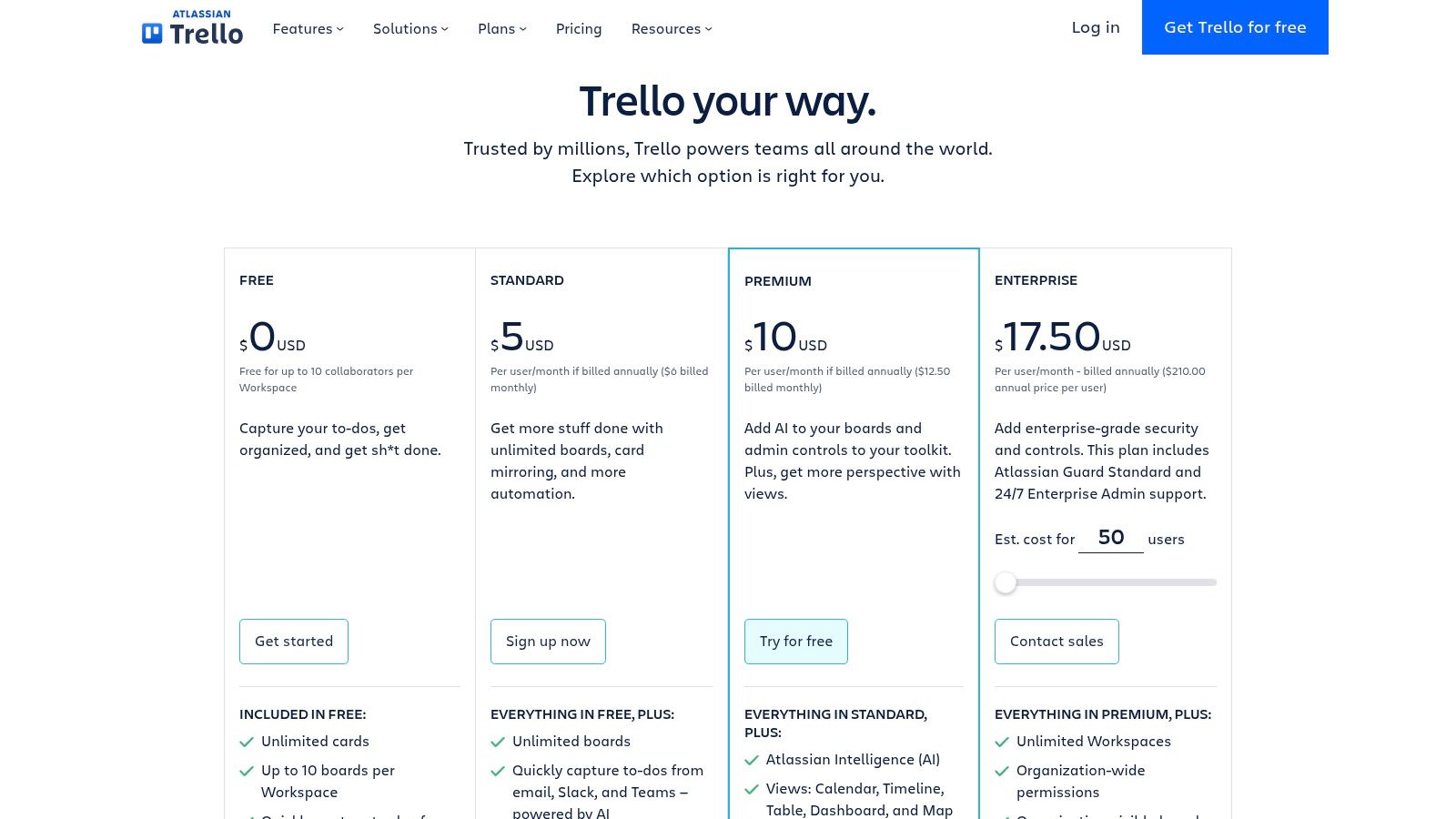
Its core appeal is simplicity, but Trello’s power is expandable through "Power-Ups," which integrate third-party services like GitHub, Slack, and Google Drive directly into cards. The built-in "Butler" automation handles repetitive tasks, like moving cards or assigning members when a label is added. While ideal for content calendars or basic sprint planning, it is less suited for complex portfolio management where deep dependency tracking is required.
Key Details & Use Case
- Best For: Marketing, content, and smaller development teams looking for a highly visual and easy-to-adopt tool for task management and lightweight project planning.
- Standout Feature: The "Butler" automation tool, which allows for no-code rule-based automations to streamline workflows and reduce manual administrative tasks.
- Pricing: A generous free plan is available. The Standard plan adds more boards and advanced checklists. Premium and Enterprise tiers unlock multiple views (Timeline, Calendar, Dashboard, Table) and enhanced security controls.
- Website: https://trello.com/pricing
9. Notion
Notion is a uniquely flexible all-in-one workspace that solidifies its place among top collaboration tools for remote teams by combining documents, wikis, and project management databases into a single, interconnected environment. It acts as a central knowledge base where teams can create, share, and organize everything from project roadmaps and technical documentation to meeting notes and onboarding guides, eliminating the need for separate tools.
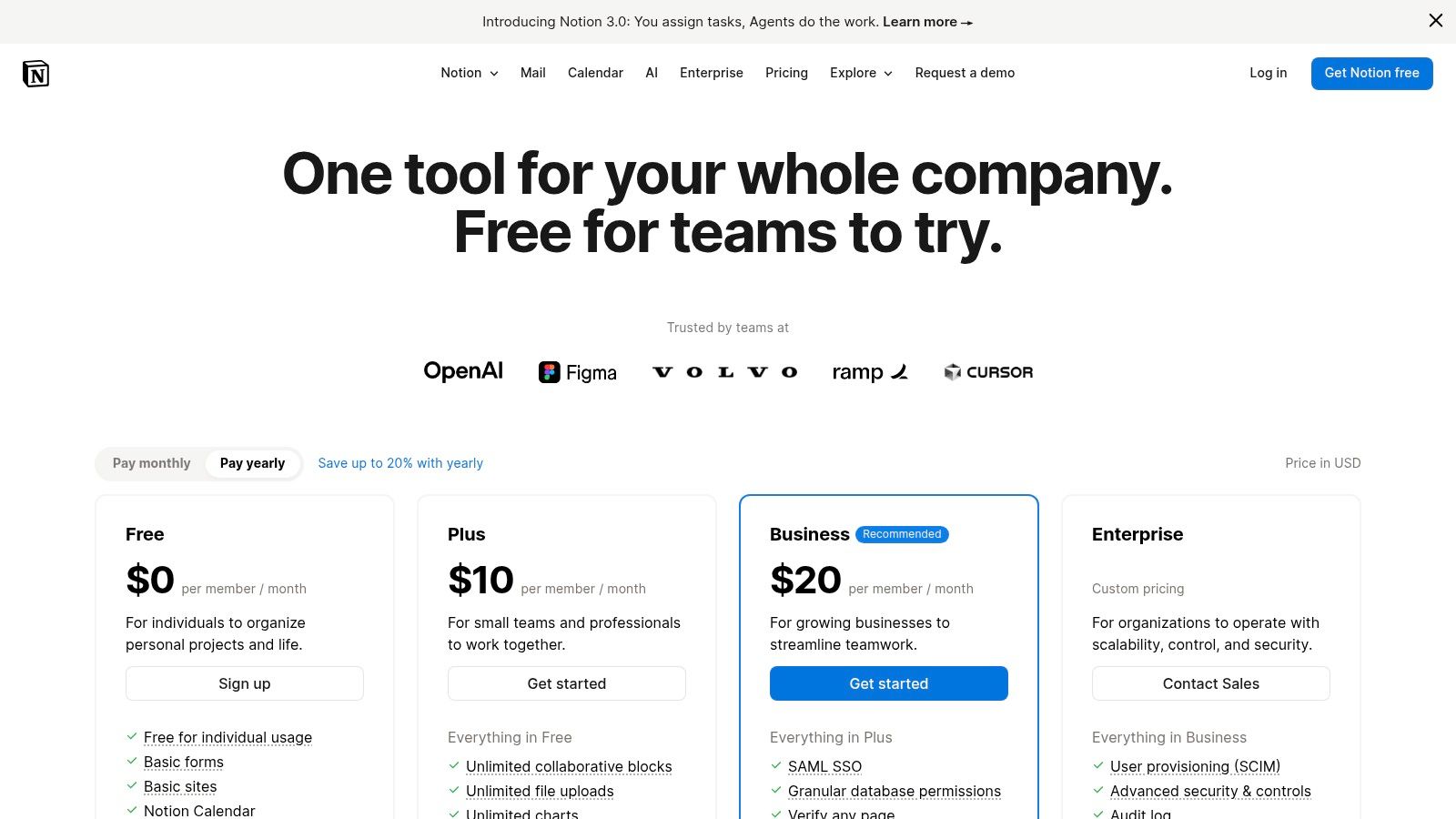
The platform’s power lies in its database-driven structure, allowing users to build custom workflows with views like boards, tables, and calendars. For tech teams, this means a single source of truth for sprint planning, bug tracking, and architectural documents. While its immense flexibility is a major advantage, it requires thoughtful setup to prevent disorganization in larger teams. Its AI features, available on paid plans, further enhance productivity by summarizing content and automating tasks.
Key Details & Use Case
- Best For: Engineering and product teams looking to build a unified, highly customized internal wiki, documentation hub, and project management system.
- Standout Feature: The interconnected database system allows you to link tasks, documents, and project timelines, creating a powerful "second brain" for the entire team.
- Pricing: A generous free plan is available for individuals. Paid plans include Plus for small groups, Business with SAML SSO and advanced controls, and a custom Enterprise tier.
- Website: https://www.notion.com/pricing
10. Miro
Miro transforms the digital workspace into an infinite collaborative whiteboard, making it one of the most versatile collaboration tools for remote teams. It's designed to replicate the creative energy of in-person workshops, enabling teams to brainstorm, plan, and design together in real time, regardless of their location. The platform excels at translating complex ideas into visual maps, from user story mapping to system architecture diagrams.
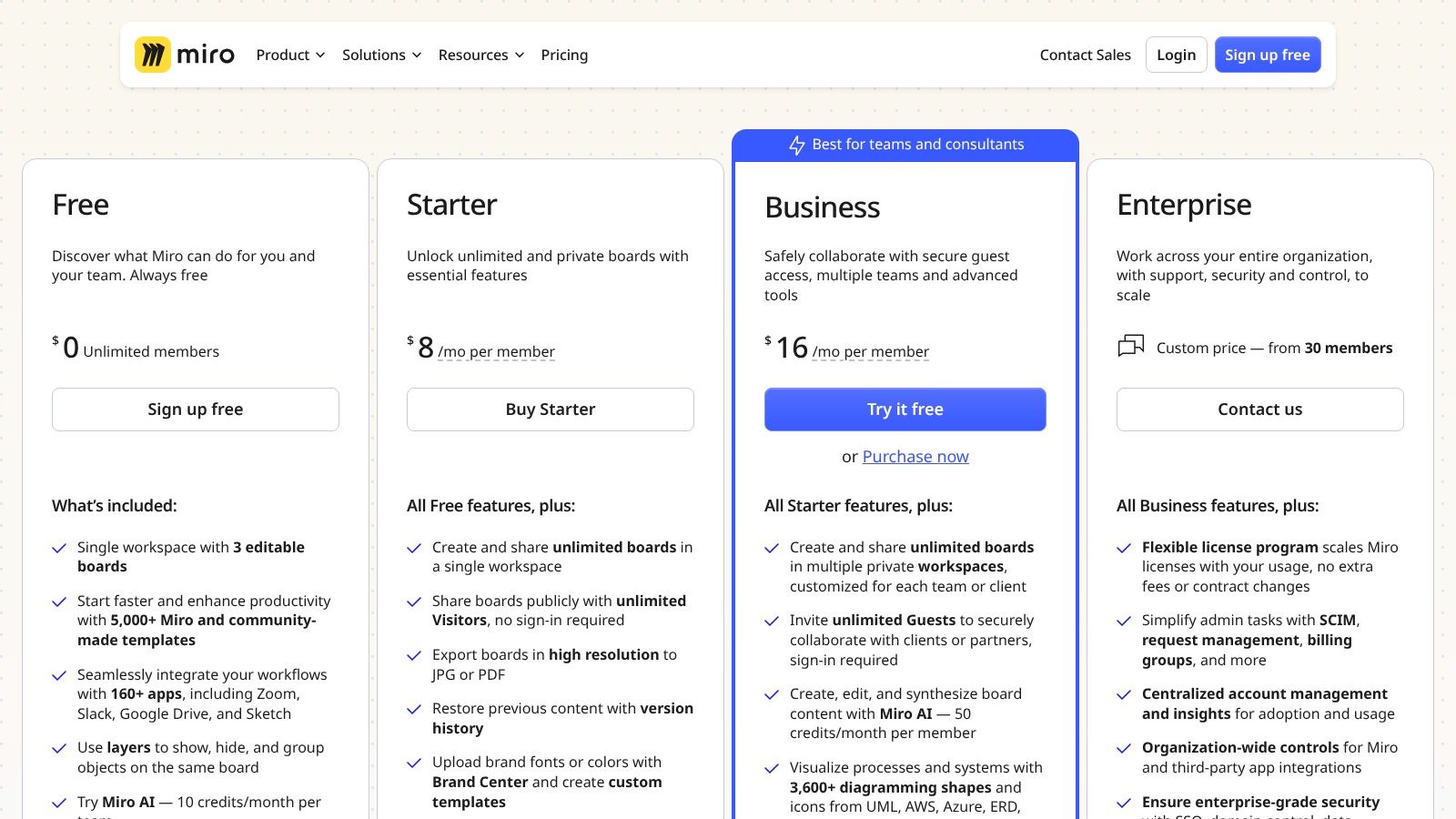
Its strength lies in its intuitive interface packed with powerful features like digital sticky notes, pre-built templates for retrospectives or Kanban boards, and robust facilitation tools like voting and timers. Miro integrates seamlessly with development workflows through its marketplace, connecting with tools like Jira, Asana, and Slack. However, while perfect for visual tasks, it can be overly complex for teams who only need simple task management. The platform’s robust security certifications, like SOC 2 and ISO 27001, make it a trusted choice for enterprise-level organizations.
Key Details & Use Case
- Best For: Product, UX, and engineering teams needing a shared visual space for brainstorming, sprint planning, retrospectives, and mapping out complex systems or user flows.
- Standout Feature: The Talktrack feature allows users to record video and audio walkthroughs of a board, creating asynchronous presentations that are perfect for distributed teams in different time zones.
- Pricing: A free plan is available but limited to three editable boards. Paid plans begin with the Starter and Business tiers, which unlock unlimited boards, private board sharing, and advanced collaboration features.
- Website: https://miro.com/pricing/
11. Atlassian Confluence + Jira
The combination of Confluence and Jira from Atlassian creates one of the most powerful ecosystems among collaboration tools for remote teams, particularly for software development and IT. Confluence serves as a centralized knowledge base or wiki where teams can create, organize, and discuss work, from project plans to technical documentation. When paired with Jira, it bridges the gap between structured project tracking and unstructured collaborative content.
This duo excels at creating a single source of truth for engineering projects. Teams can embed live Jira issues directly into Confluence pages, providing real-time status updates within meeting notes or requirement documents. This tight integration removes the need for context switching and ensures documentation stays aligned with development progress. While the full value is best realized within the Atlassian ecosystem, the granular permissions and structured page trees offer unparalleled governance for complex projects.
Key Details & Use Case
- Best For: Engineering, IT, and product teams that require a structured connection between their project tracking (Jira) and their knowledge management (Confluence).
- Standout Feature: The deep, native integration between Jira and Confluence allows for seamless workflows, like creating Jira issues directly from Confluence text or embedding dynamic roadmaps. The vast Atlassian Marketplace also offers countless add-ons.
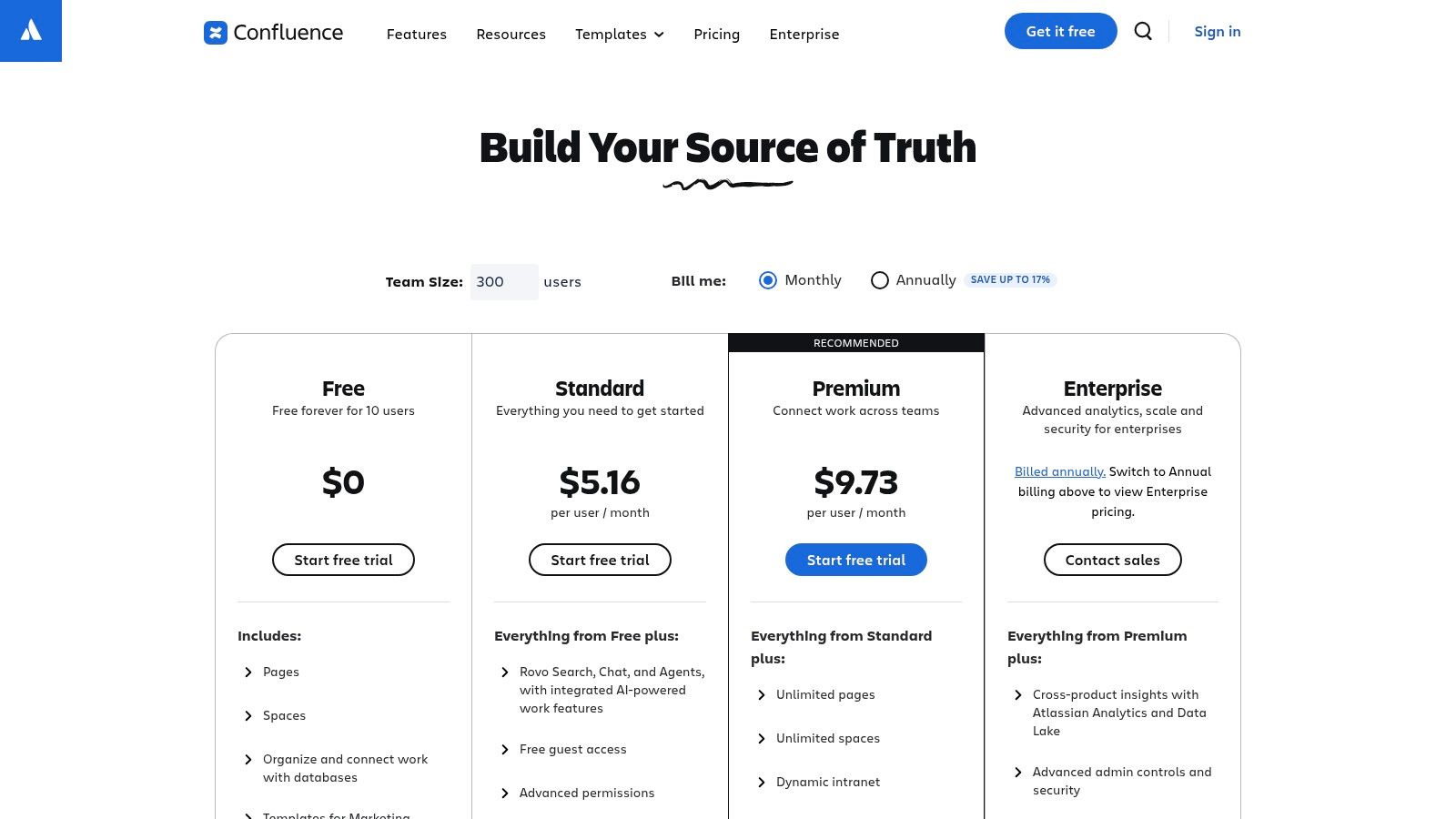
- Pricing: Both products offer a free tier for up to 10 users. Paid plans start with the Standard tier, moving to Premium and Enterprise for advanced features like analytics, unlimited storage, and enhanced security.
- Website: https://www.atlassian.com/software/confluence/pricing
12. AWS Marketplace (Collaboration & Productivity category)
AWS Marketplace offers a unique approach to acquiring collaboration tools for remote teams by acting as a centralized procurement channel rather than a single software solution. For companies heavily invested in the Amazon Web Services ecosystem, it streamlines purchasing, billing, and vendor management. Instead of dealing with separate invoices and contracts, teams can procure tools like Wrike or Zoom Workplace directly through their existing AWS account.

This platform excels by simplifying the entire procurement lifecycle. It allows organizations to consolidate software spending onto one bill and leverage existing AWS commitments. For enterprise technology departments, this simplifies compliance and security reviews, as many offerings are pre-vetted. However, its value is almost entirely dependent on an organization's existing AWS usage, and not all software vendors or pricing plans are available through the marketplace, which can limit options.
Key Details & Use Case
- Best For: Enterprise technology departments and engineering teams already using AWS who need to simplify procurement and consolidate vendor billing.
- Standout Feature: The ability to use existing AWS committed spend for third-party software purchases and negotiate private offers directly with vendors for better pricing.
- Pricing: Varies by the individual software vendor. The marketplace itself does not add a direct cost, but facilitates the transaction based on the tool's own pricing structure.
- Website: https://aws.amazon.com/marketplace/solutions/business-applications/what-is/collaboration-software
Top 12 Remote Team Collaboration Tools Comparison
| Product | Core Features/Integration ✨ | User Experience ★★★★☆ | Value & Pricing 💰 | Target Audience 👥 | Unique Selling Points 🏆 |
|---|---|---|---|---|---|
| PullNotifier 🏆 | GitHub + Slack real-time PR updates; customizable routing | ★★★★☆ Minimal noise, focused Slack threads | Free tier + flexible plans 💰 | Devs, Team leads, Enterprises 👥 | Cuts review delays by 90%, secure, simple setup ✨ |
| Slack | Channels, huddles, 2600+ app integrations | ★★★★☆ Fast onboarding, strong search | Paid tiers can be costly 💰 | Mixed teams, enterprises, external partners 👥 | AI summaries, extensive app ecosystem ✨ |
| Microsoft Teams | Chat, meetings, Office 365 apps integration | ★★★★☆ Deep MS365 integration | Bundles offer good value 💰 | Microsoft shops, enterprises 👥 | Compliance, SSO, Copilot AI add-on ✨ |
| Zoom (Zoom Workplace) | Video meetings, chat, whiteboard, phone | ★★★★☆ Reliable video; broader collaboration | Pricing varies; add-ons complex 💰 | Remote/hybrid teams, events 👥 | All-in-one meetings + phone, AI included ✨ |
| Google Workspace | Gmail, Meet, Drive, Docs, Chat | ★★★★☆ Simple sharing, solid support | Simple licensing tiers 💰 | Google-centric teams, startups 👥 | Gemini AI; strong collaboration suite ✨ |
| Asana | Project management, timelines, automations | ★★★★☆ Powerful reporting, multi-team planning | Free + paid tiers with AI features 💰 | Cross-functional teams, managers 👥 | AI Studio, task hierarchy, strong automation ✨ |
| monday.com | Customizable work OS, automations, dashboards | ★★★★☆ Flexible workflows | Pricing may be confusing for small teams 💰 | Marketing, ops, product teams 👥 | Flexible templates, strong visualizations ✨ |
| Trello (Atlassian) | Kanban boards, Butler automation, Atlassian integrations | ★★★☆☆ Ultra-low learning curve | Generous free tier 💰 | Small teams, simple workflows 👥 | Easy upgrade to Jira/Confluence ✨ |
| Notion | Docs, wikis, DBs, AI on business tiers | ★★★★☆ Highly flexible, strong templates | Free + paid tiers 💰 | Remote teams, knowledge sharing 👥 | All-in-one workspace, strong ecosystem ✨ |
| Miro | Infinite canvas, templates, video chat | ★★★★☆ Great for real-time ideation | Free limited boards 💰 | Workshops, product discovery, enterprises 👥 | Enterprise security, async walkthroughs ✨ |
| Atlassian Confluence + Jira | Wiki + project tracking, deep integration | ★★★★☆ Strong governance, content organization | Best value with Atlassian suite 💰 | Engineering, IT teams 👥 | Tight Jira integration, flexible deployment ✨ |
| AWS Marketplace (Collab & Prod) | Curated tools, billing, private offers | ★★★☆☆ Simplifies vendor mgmt | Depends on vendor pricing 💰 | AWS-using enterprises 👥 | Integrated AWS billing, private offers ✨ |
Choosing the Right Tools for Your Remote Team's Success
Navigating the vast landscape of collaboration tools for remote teams can seem daunting, but it boils down to a fundamental principle: technology must serve your process, not dictate it. We've explored a range of powerful platforms, from all-in-one ecosystems like Microsoft Teams and Google Workspace to specialized project management powerhouses like Asana and monday.com. The key takeaway is that no single tool is a universal solution.
The most effective remote teams build a curated "tech stack" that aligns with their specific workflows and communication culture. This often involves a strategic combination of tools. For instance, a development team might leverage Slack for real-time communication, Jira for sprint planning and issue tracking, and Miro for virtual whiteboarding during brainstorming sessions. The goal is to create a seamless, integrated environment where information flows freely and friction is minimized.
From Evaluation to Implementation
Selecting the right tools is only the first step; successful implementation is where the real work begins. As you move forward, consider these critical factors:
- Integration is Paramount: Your chosen tools must work together. Before committing, map out how a new platform will integrate with your existing systems. A project management tool that syncs seamlessly with your communication hub and code repository eliminates redundant data entry and keeps everyone on the same page.
- Scalability for Growth: Consider your team's future. A tool that works for a team of five might buckle under the pressure of fifty. Evaluate pricing tiers and feature sets to ensure the platform can scale with your organization's growth without requiring a disruptive migration down the line.
- Adoption and Training: The most feature-rich tool is useless if no one knows how to use it properly. Develop a clear onboarding plan, provide comprehensive training resources, and establish best practices to ensure consistent adoption across the team.
Building Your Collaborative Future
Ultimately, the best collaboration tools for remote teams are the ones that become invisible, empowering your people to focus on what they do best. By thoughtfully evaluating your needs, prioritizing integration, and investing in proper implementation, you can build a digital workplace that not only supports but actively enhances productivity and innovation. The right tech stack empowers your team to bridge distances, streamline complex workflows, and achieve collective success, no matter where they are located.
Ready to eliminate a major source of friction for your remote engineering team? PullNotifier integrates directly with Slack to deliver intelligent, actionable pull request notifications, cutting through the noise so your developers can focus on shipping code faster. Try PullNotifier today and see how targeted notifications can transform your team's collaboration and accelerate your development cycle.