- Published on
A Developer's Guide to the GitHub Merge Request
- Authors

- Name
- Gabriel
- @gabriel__xyz
In the world of GitHub, what's often called a merge request is known as a pull request. It’s a formal way to propose merging your code changes from one branch into another. This isn't just a technical step; it's the central hub for code review, team discussions, and automated checks before anything new gets integrated.
Why the GitHub Merge Request Is Your Team's Hub

Getting the pull request workflow right is a game-changer for any modern development team. It's so much more than just a function—it’s where collaboration, quality control, and your project’s history all come together. Think of it as the control center that takes scattered, individual code contributions and turns them into a transparent, structured process.
This process has become the bedrock of team-based software development for a few solid reasons:
*   **It creates a space for structured peer review.** Teammates can comment on specific lines of code, suggest improvements, and make sure everyone is sticking to coding standards.
*   **It acts as a critical quality gate.** Automated checks, like linters and tests, run against the proposed changes, catching broken builds before they ever hit the main branch.
*   **It builds a living history of your project.** Every merged pull request tells a story, explaining not just *what* changed but *why* it changed. That context is priceless for future debugging and onboarding new developers.
The Foundation of Collaborative Coding
Ultimately, the pull request transforms the solitary act of coding into a collaborative conversation. This structured dialogue is what builds a resilient codebase and a stronger, more aligned engineering culture. The numbers don't lie: in 2025, developers on GitHub pushed nearly 1 billion commits, with pull request merges averaging 43.2 million a month globally. That gives you a sense of the sheer scale of this collaborative model.
A well-managed pull request isn't just about merging code. It’s about building shared ownership and collective responsibility for the quality of the final product.
Beyond just the code itself, a healthy pull request habit can foster broader community interaction. For example, activities that improve your team's GitHub presence and community engagement often tie back to this collaborative spirit.
And if you're ever tripped up by the terminology, we have a detailed guide that breaks down the differences between pull requests and merge requests: https://blog.pullnotifier.com/blog/pull-request-vs-merge-request.
Crafting Your First GitHub Pull Request
Getting your code changes into a project actually starts long before you hit "Create pull request" on GitHub. The foundation of a great GitHub merge request is built right on your local machine, and it all begins with a dedicated branch. It's a fundamental best practice that you should pretty much never commit directly to your main branch.
Instead, you’ll want to spin up a new feature branch. This keeps your work isolated, preventing any wobbly, unstable code from messing with the primary codebase. From your project directory, you can create and switch to a new branch with a single, clean command.
git checkout -b feature/user-profile-update
Once your new branch is active, you can get to work on your code changes. When you're happy with them, stage and commit everything with a message that clearly explains what you changed and why. A well-written commit message is a gift to your future self and anyone else reviewing your work—it provides instant context.
From Local Commits to a Live Pull Request
After committing your changes locally, the next step is pushing your new branch up to the remote repository on GitHub.
git push -u origin feature/user-profile-update
That -u flag is a handy little shortcut. It sets up a tracking relationship between your local branch and the new remote one, so you don't have to specify it every time. Once that's pushed, GitHub is ready for you. Head over to your repository's page, and you'll almost always see a big yellow banner prompting you to create a pull request for the branch you just pushed.
You can also navigate to the main "Pull requests" tab in a repository, which is where you'll manage both incoming and outgoing requests.
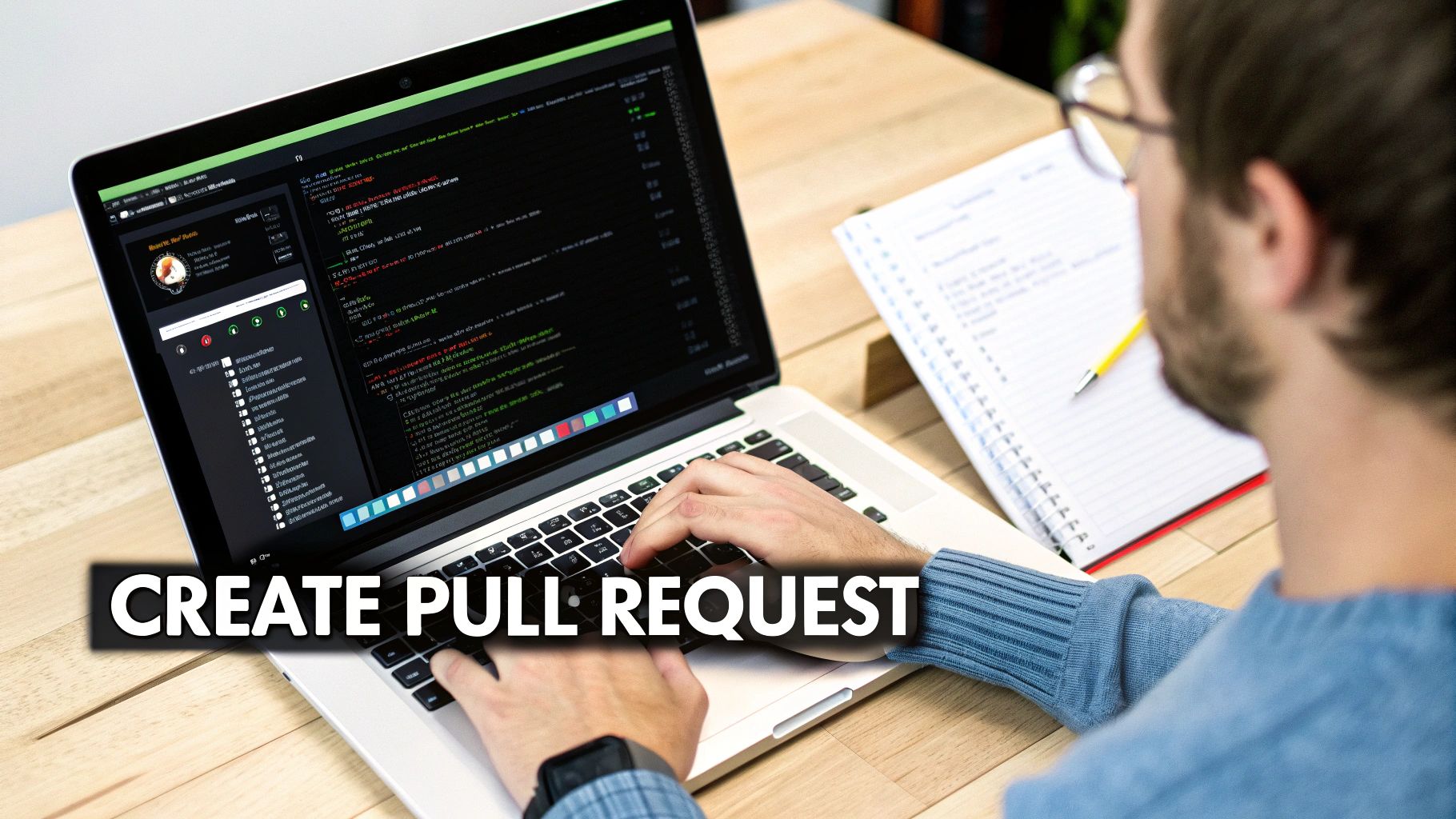
This screen is your command center for proposing and reviewing all changes for the project.
Clicking "New pull request" takes you to the creation screen. This is your chance to frame the conversation around your code and turn a simple set of commits into a compelling proposal for change.
A pull request is more than just a diff; it's a technical document that argues for a specific improvement. Your title and description are your opening statements. Make them count.
A strong pull request has a few key ingredients:
*   **A Descriptive Title:** Go beyond your commit message. Something like "Feat: Add User Avatar Upload" is way more informative than "Update profile page."
*   **A Clear Summary:** Explain the problem you're solving and how your changes tackle it. If it's related to a ticket, link to it (e.g., "Closes #123") to automatically connect your work.
*   **A Self-Review Checklist:** I'm a big fan of using markdown checklists (`- [x]`). It shows you’ve tested your changes, updated the docs, and followed any project-specific contribution guidelines before anyone else even has to ask.
By thoughtfully preparing your pull request, you make the review process a whole lot smoother for your teammates. It also dramatically increases the odds of getting a quick and positive approval.
Navigating the Art of Code Review
A GitHub pull request isn't just a diff of your latest changes—it's a conversation. The code review is where that conversation happens, and knowing how to participate is a skill that elevates the entire team, whether you're writing the code or reviewing it. Think of it as the most important quality gate for your entire codebase.
For authors, getting feedback can sometimes feel personal. It's not. The key is to approach it with a collaborative mindset. Your code is not you. When a reviewer asks for changes, they're not criticizing you; they're trying to improve the solution alongside you. Make sure to respond to comments quickly, ask for clarification if something isn't clear, and keep your commit history clean by amending previous commits or squashing them before the final merge. Messy "fixup" commits just add noise.
Providing Constructive Feedback as a Reviewer
As a reviewer, you have two jobs: improve the code and mentor your teammates. The goal is to be helpful, not just critical. Instead of just pointing out what's wrong, try offering a potential solution or asking a question that guides the author toward a better approach.
A great code review doesn't just say, "This is wrong." It asks, "Have you considered this alternative? It might solve for X and Y." This approach fosters learning and psychological safety.
GitHub's "Suggest changes" feature is your best friend here. It lets you propose specific edits directly in the pull request that the author can accept with a single click. It's way more efficient than trying to describe the change in a comment.
*   **Be Specific:** Don't just say "this could be better." Reference the exact line numbers and explain *why* a change is needed.
*   **Balance Praise with Critique:** If you see a clever solution or a particularly clean piece of code, call it out! Acknowledging good work is just as important as flagging issues.
*   **Automate the Small Stuff:** Let your CI/CD pipeline handle things like style checks and linting. Your human review time is valuable—spend it on things automated tools can't catch, like business logic, architecture, and potential edge cases.
The way we communicate during code reviews has a huge impact on team morale and productivity. It's easy to come across as blunt or overly critical without meaning to, especially in writing. Here's a quick guide to keeping feedback constructive and positive.
Effective Code Review Communication
A guide to providing and receiving feedback during a pull request review to foster a positive and productive team environment.
| Feedback Style | Example of What to Avoid | Example of What to Do |
|---|---|---|
| Nitpicking | "You missed a semicolon here." | "Looks like the linter missed this. Could you add the semicolon?" |
| Vague Criticism | "This function is too complicated." | "This function is doing a lot. Could we break it into smaller, more focused functions to improve readability?" |
| Demanding Tone | "Change this now." | "I'd suggest renaming this variable to isActive for clarity. What do you think?" |
| Accusatory Language | "Why did you do it this way?" | "Can you walk me through your thinking here? I want to make sure I understand the approach." |
Ultimately, good communication ensures that feedback is received as a collaborative effort to improve the code, not as a personal critique. This builds trust and helps everyone on the team grow.
By making these habits part of your daily workflow, you're not just building a stronger codebase; you're contributing to a more supportive and effective engineering culture. If you're looking to take your team's process even further, we've put together a guide on the best code review practices to check out. An approved pull request should feel like a shared achievement, signaling that the code is robust, well-vetted, and ready to ship.
Merging Code and Handling Conflicts
Getting that "Approved" notification on your pull request is a great feeling, but the work isn't over just yet. The final piece of the puzzle is merging your code into the main branch, and how you do it matters more than you might think. A clean, easy-to-read Git history is a lifesaver when you're trying to debug an issue or track down when a feature was introduced months later.
GitHub gives you three main ways to get your code merged.
*   **Merge Commit:** This is the default option. It creates a new "merge commit" in the main branch that ties the two histories together. The good thing is it preserves every single commit from your feature branch, giving you a complete, unfiltered history. The downside? It can really clutter up the main branch's log with lots of small, incremental commits.
*   **Squash and Merge:** This is my personal favorite for most feature work. It takes all the commits from your feature branch and squashes them down into one single, clean commit on the main branch. This keeps the main history tidy and focused on meaningful changes, not the messy in-between steps.
*   **Rebase and Merge:** This one is for the purists who love a perfectly linear history. It takes your feature branch's commits and replays them, one by one, on top of the main branch. The result is a straight-line history with no merge commits. It's the cleanest look, but it involves rewriting history, which can get complicated if you’re collaborating on the branch with others.
Choosing the right merge strategy is all about balancing historical detail with clarity. For most feature work, 'Squash and Merge' provides the best combination of a clean main branch history while keeping the pull request's detailed commit log for reference.
The journey from review to merge is a feedback loop, which this decision tree captures pretty well.
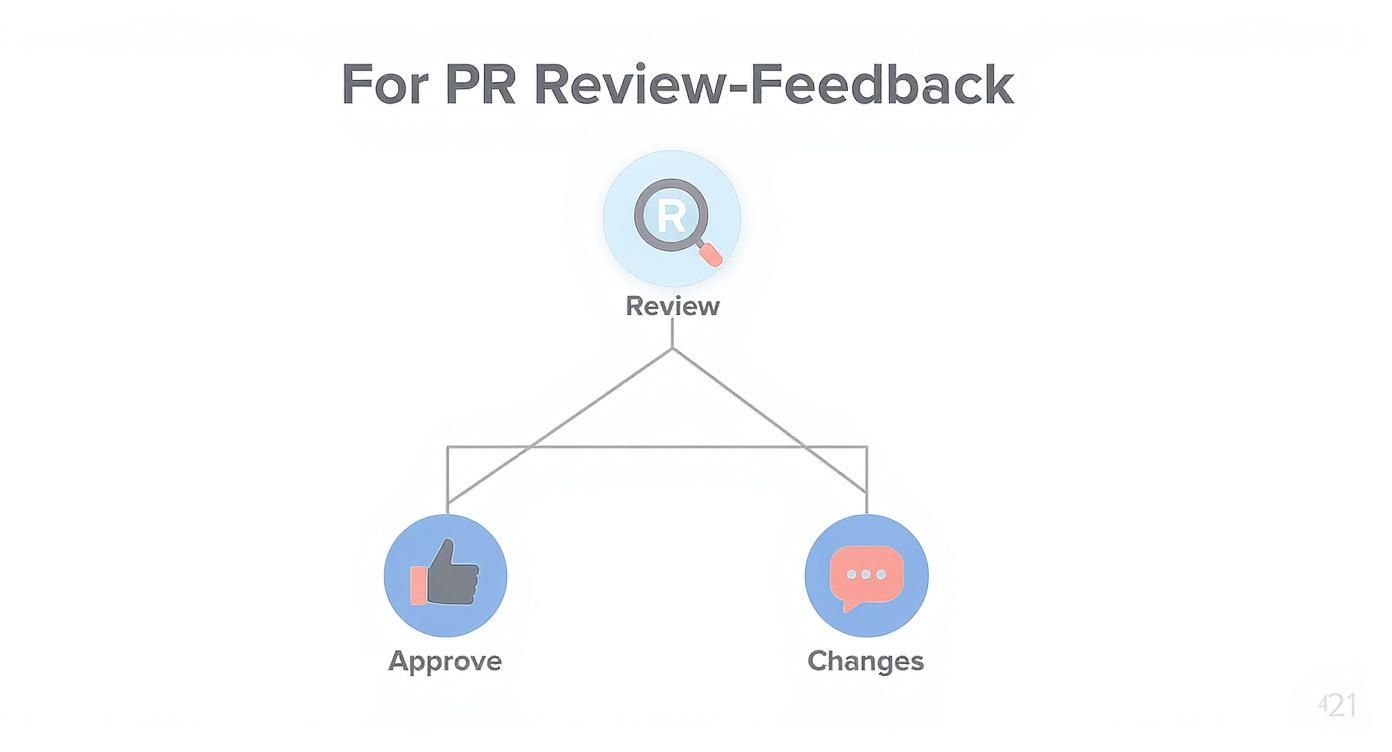
As you can see, the cycle of feedback and changes continues until the PR is ready to go. Interestingly, AI tools are starting to speed this up. A recent study found that teams using GitHub Copilot saw their pull request merge rates jump by 15%. It seems that AI-assisted coding helps developers produce changes that align better with the existing codebase, letting them sail through the review process faster. You can read the full research on AI's impact on pull requests to learn more.
Tackling Merge Conflicts
Of course, things don't always go so smoothly. While you were busy working on your feature, the main branch was likely changing. When your changes and the main branch's changes overlap, you get a merge conflict.
Don't panic! This is a completely normal part of working on a team. GitHub will block the merge and tell you exactly where the conflicting files are. You can often resolve them right in the GitHub UI, or you can pull the latest from the main branch into your local branch and sort out the conflicts in your favorite code editor.
Optimizing Your Team's Workflow with Advanced Features
So, your team has the basics down. Pull requests are flowing, code is getting reviewed, and things are moving. Now it's time to level up. By introducing a few powerful GitHub features, you can standardize your process and build automated quality gates right into your workflow. These aren't just for massive companies; they're game-changers for any team serious about shipping better code, faster.
A great place to start is with pull request templates. I've seen them work wonders. Just by creating a simple pull_request_template.md file in your repository, you can pre-fill every new PR description with a checklist or required sections. No more chasing people down to ask if they remembered to link the Jira ticket or add screenshots of their testing.
Automating Reviews and Protecting Branches
Another incredibly useful tool is the CODEOWNERS file. Think of it as an automated directory for your codebase. This simple text file lets you define which teams or individuals own specific parts of the code. When a github merge request touches files in a directory they own, the right people are automatically pulled in as reviewers. It completely removes the guesswork. We've got a whole guide on this if you want to dig deeper: how to automatically assign reviewers in GitHub.
To really lock down your main branch, you absolutely need to enable branch protection rules. These rules are your final line of defense. You can require status checks from your CI/CD pipeline to pass before a merge is even an option. You can also enforce that at least one approval is required, stopping untested or unvetted code from ever slipping through.
High-performing teams don't leave quality to chance. They build it into their workflow with automated checks and clear ownership, turning their pull request process into a well-oiled machine.
Finally, don't forget to look at the data. Analyzing metrics like the median time from PR creation to merge, or the average number of review cycles, can shine a light on hidden bottlenecks. This is how you spot opportunities to make your team even more efficient. You can discover more insights about GitHub PR metrics to see what you should be tracking.
Common Questions About GitHub Merge Requests
Even with a solid workflow, a few specific scenarios can still trip you up. Here are some quick answers to the questions that pop up most often when you’re managing merge requests.
What Is the Difference Between a GitHub Pull Request and a GitLab Merge Request?
Functionally, absolutely nothing. They're the exact same concept—a formal way to propose and collaborate on changes before they get folded into a main branch.
The only difference is the name. GitHub calls it a Pull Request (PR), while GitLab goes with Merge Request (MR). Same dish, different menu.
How Do I Keep My Branch Updated with the Main Branch?
To sidestep those dreaded merge conflicts, you should regularly sync your branch with the latest changes from main. A common approach is to just pull the changes directly into your feature branch.
You can do this with
git pull origin main. For a cleaner, more linear history, a lot of developers prefer to fetch and rebase instead. That involves runninggit fetch originfollowed bygit rebase origin/main.
Can I Cancel a Pull Request After Creating It?
Yes, you absolutely can. If a PR is no longer needed or you opened it by mistake, you can just close it without merging.
On the pull request page, you'll see a "Close pull request" button. Clicking this closes the request but, importantly, it doesn't delete the branch. This is super handy because it means you can always come back and pick up where you left off if you need to.
Tired of chasing down PR updates in email and noisy default integrations? PullNotifier delivers clean, real-time GitHub updates directly to your Slack channels, cutting review delays by up to 90%. Try PullNotifier for free.