- Published on
DevOps Tools Comparison Choosing Your Perfect Stack
- Authors

- Name
- Gabriel
- @gabriel__xyz
Picking the right tools is what separates a high-performing DevOps team from one that’s always playing catch-up. Getting your DevOps tools comparison right is the first step toward shipping code faster and keeping your systems stable. It’s all about creating a smooth path from a developer’s keyboard to production.
Navigating the Modern DevOps Landscape
Trying to compare DevOps tools can feel like you’re drinking from a firehose. There are just so many options out there, and the market is blowing up.
What was a USD 13.16 billion market in 2024 is expected to skyrocket to USD 81.14 billion by 2033, mostly because everyone is moving to the cloud and wants to automate everything. You can read more about this growth over at ssojet.com. That kind of money tells you just how essential these tools have become.
Before you start picking favorites, you need to understand what a DevOps toolchain actually is. It’s not just a grab-bag of software; it’s a living ecosystem where different tools work together to automate the entire software lifecycle. Each stage has its own specialized tools, and the real magic happens when they all integrate seamlessly.
This diagram gives you a good look at the different stages in a typical toolchain.
As you can see, it's a continuous loop. Planning, coding, building, testing, and monitoring all flow into each other, which is what allows teams to deliver updates quickly and reliably.
Key Tool Categories to Consider
A solid comparison means looking at tools across a few core areas. Each category solves a specific problem in your pipeline, and your choice in one area will definitely impact your options in another. This is why you have to think about the whole picture, not just individual tools.
*   **CI/CD Platforms:** These are the engines that power your pipeline. They automate builds, run tests, and handle deployments.
*   **Infrastructure as Code (IaC):** These tools let you manage and set up your infrastructure using code, which keeps everything consistent and repeatable.
*   **Security Scanners:** DevSecOps is all about integrating security checks right into your pipeline, and these are the tools that make it happen.
*   **Monitoring & Observability:** Once your app is live, these platforms give you the insights you need to see how it's performing and what's happening under the hood.
Look, the best DevOps toolchains aren’t built by picking the "best" tool in each category. They’re built by choosing tools that play well together to create a workflow that actually fits how your team works.
Comparing the Titans of Continuous Integration
Choosing a Continuous Integration (CI) server is one of the most important decisions you'll make when setting up your toolchain. This isn't just another tool—it’s the engine that powers your development pipeline, automating everything from builds and testing to final deployment. Let's get past the marketing fluff and do a real, head-to-head comparison of three industry heavyweights: Jenkins, GitLab CI/CD, and CircleCI.
This infographic gives you a quick visual breakdown of the key decision points. Think about your current workflow, your team's experience level, and what you're ultimately trying to achieve.
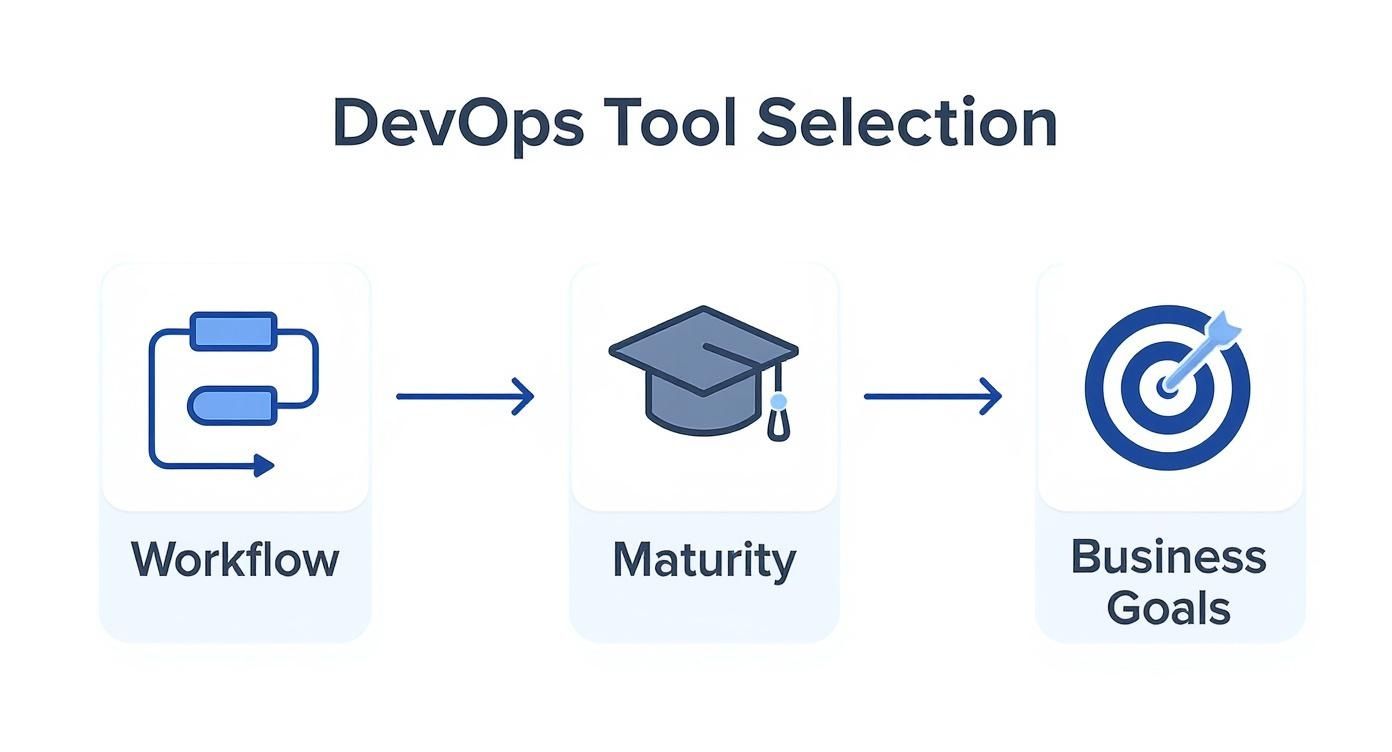
As you can see, there’s no single "best" tool. The right choice is all about matching a platform’s strengths to how your team actually works.
To give you a clearer picture, let's break down how these platforms stack up against each other on the features that matter most.
CI/CD Feature Comparison Jenkins vs GitLab vs CircleCI
| Feature | Jenkins | GitLab CI/CD | CircleCI |
|---|---|---|---|
| Configuration | Jenkinsfile (Groovy Scripted/Declarative) | .gitlab-ci.yml (YAML) | .circleci/config.yml (YAML) |
| Hosting | Primarily Self-Hosted | SaaS and Self-Hosted | Primarily SaaS (Cloud), Self-Hosted option |
| Setup Complexity | High; requires server management and plugin configuration | Low; integrated into GitLab platform | Very Low; quick start for cloud users |
| Extensibility | Massive plugin ecosystem (1,800+ plugins) | Integrated platform features (registry, security) | Reusable "Orbs" for common tasks |
| Best For | Complex, custom workflows with dedicated admin teams | Teams fully committed to the GitLab ecosystem | Startups and cloud-native teams prioritizing speed |
| Ecosystem | Standalone tool, integrates with everything | All-in-one DevSecOps platform | Tightly integrated with GitHub/Bitbucket |
This table shows the core philosophical differences at a glance. Jenkins offers endless customization, GitLab provides a seamless, unified experience, and CircleCI is built for cloud-native speed.
Jenkins The Open Source Powerhouse
Jenkins is the undisputed veteran of CI/CD, and its biggest advantages are its open-source nature and its absolutely massive plugin ecosystem. If you can dream up a workflow, chances are you can build it in Jenkins.
That power comes with a price: complexity. Setting up and maintaining a Jenkins server is a serious job that requires real administrative effort. Pipelines are configured with a Jenkinsfile, which lets you use a simpler Declarative syntax or a much more powerful (and complex) Scripted Pipeline format written in Groovy.
Key Differentiator: Jenkins is the king in environments with unique, complex integration needs where a dedicated team can manage its infrastructure. Its true power comes from its 1,800+ community-built plugins, which offer unparalleled flexibility.
This level of control is why Jenkins still holds a commanding 46.35% of the CI/CD tools market, way ahead of the competition. Its long-standing reputation as a reliable, open-source workhorse has made it the default choice for countless teams. You can dive deeper into these numbers in this detailed DevOps statistics report.
GitLab CI/CD The All in One Platform
GitLab CI/CD takes a totally different approach. It’s not a standalone tool but a core feature baked right into the broader GitLab DevSecOps platform. This all-in-one model is its main appeal, as it dramatically simplifies your toolchain. If your code is already in GitLab, getting CI/CD running is incredibly easy.
Pipelines are defined in a .gitlab-ci.yml file using a clean, declarative YAML syntax. This makes it super accessible for teams that prefer straightforward configuration over deep scripting. Features like the built-in container registry, security scanning (SAST/DAST), and review apps create a cohesive workflow right out of the box.
The main trade-off? You're pretty much locked into the GitLab ecosystem. While it does integrate with external tools, you only get the full benefit when you go all-in on their platform.
CircleCI The Cloud Native Accelerator
CircleCI is all about speed and simplicity, with a laser focus on cloud-native development. The setup process is lightning-fast, and because it’s a managed cloud service, you don’t have to worry about maintaining any servers. It’s a huge favorite among startups and any team that needs to move fast.
Configuration happens in a .circleci/config.yml file, which supports powerful features like Orbs—reusable packages of configuration that make complex tasks much simpler. For teams building on GitHub, CircleCI often feels like a natural extension of their workflow. If you're interested in building similar reusable components, check out our guide on how to create reusable GitHub Actions in 2025.
While CircleCI does offer a self-hosted option, its cloud service is where it really shines. This can be a deal-breaker for organizations with strict data residency rules or on-prem requirements. It's also priced based on usage, which can get expensive for teams running a high volume of builds. In the end, it all comes down to your team's needs, scale, and preferred way of working.
Choosing Your Infrastructure as Code Engine
Infrastructure as Code (IaC) is the moment you stop clicking around a cloud console and start defining your servers in code files. It's a fundamental shift for any DevOps team looking to build consistent, repeatable, and scalable environments. When you start comparing DevOps tools in the IaC world, two names pop up constantly: Terraform and Ansible.
While they both automate infrastructure, they approach the problem from completely different angles. Getting this distinction right is key.
Terraform, from HashiCorp, is all about provisioning. It’s a declarative tool, which is a fancy way of saying you describe the final state you want your infrastructure to be in, and Terraform handles the rest. Think of it as giving a blueprint to a construction crew.
Ansible, on the other hand, is a procedural tool built for configuration management. You write "playbooks" that run a specific sequence of steps to set up a system. It’s more like giving a detailed, step-by-step instruction manual.

This difference is everything. I like to think of Terraform as the architect designing and building the house, while Ansible is the interior decorator who comes in to set up all the furniture and appliances.
Terraform for Provisioning and Orchestration
Terraform is your go-to when you need to build, change, or tear down complex, multi-cloud infrastructure. Its superpower is state management. Terraform keeps a state file that acts as a source of truth, mapping your code to the actual resources running in the cloud. This allows it to plan and apply changes with incredible predictability.
Let's say you need to deploy a new application that spans both AWS and Google Cloud. Terraform is perfect for this. You'd define your VPCs, subnets, VMs, and load balancers in its configuration language (HCL). When you run terraform apply, it figures out all the dependencies and provisions everything in the right order across both clouds.
Key Takeaway: Use Terraform when your main job is creating, modifying, or destroying cloud infrastructure. Its declarative model and state management are unbeatable for orchestrating resources, especially in multi-cloud or hybrid setups.
Because it's declarative, Terraform is also idempotent—running the same code multiple times won't create duplicate resources. It just ensures the environment matches your definition, which is a lifesaver for preventing configuration drift.
Ansible for Configuration and Automation
Ansible picks up where Terraform's job usually ends: configuring the software on the infrastructure you just provisioned. It uses a beautifully simple, agentless architecture, connecting to servers over standard SSH to execute tasks written in easy-to-read YAML playbooks.
Imagine you just used Terraform to spin up 50 web servers. Now what? You still need to install Nginx, tweak firewall rules, and deploy your application code to every single one. That's a classic Ansible job. Its procedural nature gives you precise, step-by-step control.
An Ansible playbook for this might look like:
*   Update all system packages.
*   Install the Nginx web server.
*   Copy your custom `nginx.conf` file to the servers.
*   Pull the latest application code from your Git repository.
*   Restart the Nginx service to apply the new configuration.
This fine-grained control over the sequence of commands is exactly what you need for application deployments and routine system administration.
Using Terraform and Ansible Together
Here's the thing: the most effective DevOps teams don't pick one tool over the other. They use both, letting each one play to its strengths. The most common and powerful pattern is using Terraform to stand up the raw infrastructure, then handing off to Ansible to configure the new servers.
This hybrid approach truly gives you the best of both worlds. You get Terraform's robust, state-aware provisioning to build the foundation, and Ansible's simple, procedural automation to get your applications running on top of it.
By combining them, you can build a fully automated pipeline that takes you from bare-metal cloud resources to a completely configured application, creating a much more complete and reliable automation strategy.
Integrating Security into Your DevOps Workflow
"Shifting security left" isn't just a buzzword anymore; it's a fundamental part of modern DevOps. This approach, better known as DevSecOps, is all about baking security into the development lifecycle from day one, rather than treating it as an afterthought. The idea is to automate security checks right inside your CI/CD pipeline. This way, you catch vulnerabilities early when they’re far cheaper and easier to fix.
This isn't a niche practice, either. The DevSecOps market is on track to hit USD 41.66 billion by 2030, and adoption has jumped from 27% to 36% in just five years. That kind of growth tells you everything you need to know about where the industry is heading. For more on this trend, check out these DevSecOps stats from mend.io. It's clear that your choice of security tooling is a massive part of any good DevOps tools comparison.
All-in-One vs Specialized Security Tools
When it's time to add security to your pipeline, you're faced with a classic choice: go with the built-in features of an all-in-one platform like GitLab, or weave specialized, best-of-breed tools like Snyk or SonarQube into a Jenkins-powered workflow.
*   **GitLab Ultimate** bundles everything you need right out of the box—Static Application Security Testing (SAST), Dynamic Application Security Testing (DAST), dependency scanning, and even secret detection. The biggest win here is convenience. Security becomes just another part of your `.gitlab-ci.yml` file, giving you a single dashboard for your code, CI/CD, and security alerts. This tight integration makes it incredibly easy for teams just getting started with DevSecOps.

*   **Specialized tools** like [Snyk](https://snyk.io/) or [SonarQube](https://www.sonarsource.com/products/sonarqube/) go much deeper. Snyk is a beast when it comes to scanning open-source dependencies, offering huge vulnerability databases and clear, actionable advice on how to fix things. SonarQube is a powerhouse for static code analysis, sniffing out complex code quality issues and security hotspots with impressive accuracy. Integrating these into a [Jenkins](https://www.jenkins.io/) pipeline gives you ultimate flexibility, but it does require more setup.
For teams already living in the GitLab ecosystem, the built-in security is a no-brainer for a frictionless path to DevSecOps. But if you have a mature security program or strict compliance rules, you'll likely get more value from the depth and accuracy of dedicated tools like Snyk.
Practical Implementation Considerations
So, which path is right for you? It really boils down to your team's priorities. If you value speed and simplicity above all else, GitLab’s all-in-one solution is tough to beat. It cuts down on administrative headaches and lets developers stay in an environment they already know. The trade-off, however, can be a lack of depth in vulnerability detection. For a closer look at automating dependency management, our comparison of Dependabot vs Renovate dependency update tools offers some great context.
On the other hand, a Jenkins pipeline armed with Snyk and SonarQube plugins gives you unparalleled control and top-tier scanning. This setup is definitely more complex, but it lets security teams enforce fine-grained policies and gives developers more precise feedback, which helps cut down on false positives. Remember, a solid security strategy goes beyond just prevention; you also need effective data breach response plans to handle incidents when they happen. At the end of the day, you're balancing ease of use against the need for specialized security firepower.
Selecting Your Monitoring and Observability Stack
A solid DevOps practice is built on one thing: visibility. If you can't see what's happening inside your systems, you're just flying blind. This is where monitoring and observability tools come in, but you're immediately faced with a big choice: do you build your own stack with open-source tools, or do you buy into a commercial platform?
This decision is a major fork in the road for any team's DevOps tools comparison. The two most common paths are either adopting the powerhouse open-source duo of Prometheus and Grafana or investing in an all-in-one managed service like Datadog. Each route has huge implications for your costs, complexity, and overall capabilities.
The Open Source Route: Prometheus and Grafana
Prometheus is the undisputed king of open-source monitoring. It's become the standard for collecting time-series metrics, especially if you're living in a cloud-native world with Kubernetes. It works by pulling data from your services and gives you a ridiculously powerful query language (PromQL) to slice and dice it.
Grafana is what makes all that Prometheus data look good. It's the visualization layer that turns raw numbers into beautiful, insightful dashboards and alerts. Together, they create a highly customizable and cost-effective monitoring stack that puts you in complete control of your data.
But that control comes with a catch. Standing up a production-ready Prometheus and Grafana stack is a serious engineering lift. You'll have to solve challenges like high availability, long-term data storage, and multi-cluster visibility on your own. It’s not a one-and-done setup; it's a system your team will need to own and maintain.
The Managed Service Path: Datadog
Datadog sits at the other end of the spectrum. It's a massive, feature-packed observability platform that brings the "three pillars"—metrics, logs, and traces—under one roof. Instead of duct-taping different tools together, Datadog gives you a polished, unified experience right out of the box.
The main draw here is speed and simplicity. You install an agent, flip on some integrations from their massive library, and suddenly you have deep visibility into your entire stack. We're talking minutes, not weeks. Its real magic is in how it automatically connects the dots between logs, metrics, and traces, which makes troubleshooting a breeze. You can go from a CPU spike to the exact log line and the specific user request that caused it, all within a few clicks.
The core trade-off is clear: Prometheus and Grafana offer unparalleled flexibility and control at the cost of operational overhead. Datadog provides a powerful, unified platform that simplifies operations but comes with a higher price tag and less customization.
So, what's the right call? It really boils down to your team's maturity and what you value most. A scrappy startup with a small, deeply technical team might lean towards the control and low entry cost of the open-source stack. On the other hand, a larger company that wants to maximize developer productivity and minimize operational headaches will see huge value in a managed solution like Datadog. Your choice should line up with your team's bandwidth and your business goals.
Building Your Ideal DevOps Toolchain
Picking the right software isn’t just a technical task; it's a strategic move that defines your team's workflow and speed. The perfect DevOps toolchain isn't about grabbing the most popular tools. It's about building a stack that fits your reality. This is where we pull everything together and offer some clear, situational recommendations.
Your organization’s context is everything. A fast-moving startup has completely different needs than a security-obsessed enterprise, and your tool choices have to match. Factors like team size, project scale, infrastructure, and budget are what will guide you to a stack that's both powerful and sustainable.
Toolchain for Startups and Small Teams
For smaller teams and startups, speed and simplicity are the name of the game. You want to crush administrative overhead and keep your developers productive. An all-in-one platform is usually the smartest play here, cutting down the complexity of juggling a bunch of separate tools.
A solid startup stack might look something like this:
*   **CI/CD & SCM:** [GitLab](https://about.gitlab.com/) is a powerhouse. Its built-in source control, CI pipelines, and security scanning offer a unified experience right out of the box. No need to glue separate systems together.
*   **Infrastructure:** [Terraform](https://www.terraform.io/) paired with a cloud-native option like [Amazon ECS](https://aws.amazon.com/ecs/) strikes a great balance of power and simplicity for containerized apps.
*   **Monitoring:** A managed service like [Datadog](https://www.datadoghq.com/) is perfect. It gives you instant visibility without the engineering headache of maintaining an open-source stack like [Prometheus](https://prometheus.io/) and [Grafana](https://grafana.com/).
The guiding principle for startups is consolidation. A platform that bundles multiple functions stops tool sprawl and lets a small team focus on building the product, not managing the plumbing.
Toolchain for Enterprises and Regulated Industries
On the flip side, large enterprises usually need flexibility, security, and deep customization to handle complex compliance and governance rules. This world demands a more specialized, best-of-breed approach where every component is chosen for its unique strengths. Dialing in your review process is also huge, and using the 12 best automated code review tools for 2025 can make a massive difference in code quality.
An enterprise stack often looks more like this:
*   **CI/CD:** [Jenkins](https://www.jenkins.io/) is still the king in many enterprises. Its massive plugin ecosystem allows for incredibly custom and complex pipelines that can integrate with just about anything, including legacy systems.
*   **Security:** This is where specialized tools shine. Think [Snyk](https://snyk.io/) for dependency scanning and [SonarQube](https://www.sonarsource.com/products/sonarqube/) for static analysis, integrated directly into the pipeline to enforce strict security gates.
*   **Observability:** A self-hosted Prometheus and Grafana setup offers the granular control over data and data residency that regulated industries require.
This approach takes more administrative muscle, but it provides the level of control needed to operate at scale.
Is your team drowning in GitHub notification noise? PullNotifier integrates directly with Slack to deliver concise, real-time pull request updates, cutting through the clutter and accelerating your code review process. See how you can reduce review delays by up to 90% at https://pullnotifier.com.