- Published on
How to Improve Team Efficiency and Boost Productivity
- Authors

- Name
- Gabriel
- @gabriel__xyz
Improving your team's efficiency really comes down to three things: setting a clear direction, creating streamlined processes, and fostering a culture with genuinely engaged people. This isn't about just checking off tasks; it's about building a solid foundation for sustainable high performance.
The Real Foundation of High-Performing Teams

Let's be honest—team inefficiency feels like running in mud. It's frustrating, slows everything down, and just drains the energy from even your most dedicated people. We often hunt for a single tool or a quick fix, but real efficiency is a byproduct of a healthy, aligned, and focused team environment.
This guide cuts through the noise. It will show you exactly how to boost your team's efficiency with actionable strategies that have worked for real teams. Forget the abstract theory; this is a clear roadmap to transform how your team operates and delivers results.
The High Cost of Disengagement
One of the biggest drags on efficiency is a disengaged workforce. When people aren't invested in what they're doing, productivity plummets.
Globally, only about 21% of workers feel actively engaged on the job. That's a huge problem, as low engagement is directly linked to staggering losses in productivity. This isn't just some minor HR issue; it creates a ripple effect of missed deadlines, subpar quality, and cratering morale. You can find more insights on the economic impact of employee engagement on archieapp.co.
A disengaged team is an inefficient one. The root of productivity isn't about working harder; it's about creating an environment where people want to contribute their best effort because they feel connected, valued, and clear on their purpose.
The Three Pillars of Efficiency
To build a truly high-performing team, you need a solid foundation. We're going to focus on three critical areas that deliver the biggest impact on both productivity and morale.
Clear Direction: This is about more than just assigning tasks. It’s making sure every single team member understands the 'why' behind their work and sees how their contributions directly connect to the company's bigger goals.
Streamlined Processes: This pillar addresses the 'how.' It’s all about spotting and eliminating bottlenecks, standardizing repetitive tasks, and using the right tools to reduce friction in daily workflows. For dev teams, a huge part of this is creating a better developer experience with thoughtful tools and workflows.
Engaged People: The heart of any efficient team is its people. This means fostering a culture of trust, giving meaningful feedback, and recognizing contributions to keep motivation and ownership high.
To give you a clearer picture, here’s how these pillars work together to create a more efficient and productive team environment.
Core Pillars of Team Efficiency
| Pillar | Primary Focus | Expected Outcome |
|---|---|---|
| Clear Direction | Aligning individual tasks with overarching business goals and vision. | Everyone knows the 'why' behind their work, leading to better decision-making. |
| Streamlined Processes | Optimizing workflows, eliminating bottlenecks, and integrating the right tools. | Reduced friction and wasted effort, resulting in faster and smoother operations. |
| Engaged People | Fostering a culture of trust, recognition, and continuous feedback. | Increased motivation, higher ownership, and a proactive approach to problem-solving. |
By focusing on these core areas, you create a system where efficiency isn't just a goal—it becomes the natural outcome of a well-led, motivated, and aligned team.
Setting Goals That Actually Drive Performance

If your team is just working through an endless to-do list, you're missing the first real step toward efficiency. A task list tells you what to do, but it almost never explains why it matters. That disconnect is exactly where wasted effort and disengagement start to creep in, slowing everything down.
Strategic goals are what provide that missing "why." They get the entire team pointed in the same direction, turning a bunch of disconnected assignments into a collective mission. This shift is critical if you want to eliminate the ambiguity that leads to rework and frustration.
From Vague Directives to Clear Objectives
Let's walk through a common scenario: a software team gets the task of launching a new feature. A typical, but totally inefficient, goal might be something like, "Build the new dashboard feature." Sure, it's a directive, but it has no purpose and gives you no way to measure success beyond just shipping the code.
Now, let’s reframe that with a more strategic lens. What if the goal was, "Improve user retention by 5% in Q3 by launching a more intuitive user dashboard"? This one simple change makes all the difference.
- It provides a clear 'why': The team isn't just building something; they're actively working to make the product stickier and more valuable for users.
- It defines success: Everyone on the team knows 5% retention is the target. That clarity helps them make better decisions all the way through the development process.
- It empowers the team: Now, the engineers, designers, and product managers can ask, "Will this design choice actually help us hit that 5% goal?" This fosters real ownership and much smarter, more focused work.
That small tweak in framing turns a simple task into a powerful driver of performance. It gives the team the context they need to operate with autonomy and intelligence—a cornerstone of true team efficiency.
Using Frameworks Like OKRs and SMART Goals
To set effective goals consistently, many of the best teams I've worked with rely on proven frameworks. You don't have to be super rigid about it, but these models provide a solid structure for clarity and accountability.
OKRs (Objectives and Key Results) are fantastic for connecting ambitious goals with measurable outcomes. The Objective is the "what" (e.g., "Launch a successful V2 of our mobile app"), and the Key Results are how you'll measure it (e.g., "Achieve 10,000 new downloads," "Increase app store rating from 4.2 to 4.6").
SMART Goals are another go-to tool. The acronym ensures your goals are:
- Specific (Clearly defined)
- Measurable (Trackable with metrics)
- Achievable (Realistic yet challenging)
- Relevant (Aligned with broader business objectives)
- Time-bound (Set with a clear deadline)
A vague goal like "Increase website traffic" becomes much more powerful when it's SMART: "Increase organic search traffic to the blog by 15% by the end of Q4." Now everyone knows exactly what success looks like and when it's due.
These frameworks are especially good for breaking down massive initiatives and figuring out how to proven strategies to reduce cycle time by focusing only on the most impactful work.
Why Goal Clarity Matters for Team Culture
When goals are fuzzy, it doesn't just hurt productivity; it eats away at your team's culture. Confusion and a lack of purpose are surefire ways to breed disengagement.
Ambiguity is the enemy of efficiency. When team members are unsure of what's expected or how their work fits into the bigger picture, they hesitate, make assumptions, or work on the wrong things. Clear goals are the antidote.
This isn't just a feeling; the data backs it up. Key metrics on team culture show that only 47% of employees strongly agree they even understand what is expected of them at work. It gets worse from there—even fewer feel encouraged in their development or believe their opinions matter.
Ultimately, setting goals that actually drive performance is all about communication. It's about making sure every single person on your team can draw a straight line from their daily tasks to the company's most important objectives. That shared understanding doesn't just boost output—it builds a more resilient, motivated, and truly efficient team.
Get Your Team’s Daily Workflow Running Smoothly
Once you’ve got clear goals, it’s time to zoom in on the day-to-day grind. This is where the real work happens, but it’s also where hidden friction and annoying bottlenecks can quietly kill your team's momentum. A simple task can easily stretch into a multi-day ordeal if the process is broken.
Getting your workflow in order isn't about micromanaging. It's about clearing the path so your team can do their best work without hitting frustrating roadblocks.
The first move? You have to see the problem to fix it. Most workflows aren't designed; they just sort of happen over time, collecting a tangled mess of legacy steps, redundant checks, and confusing handoffs that nobody ever intended.
Map Your Processes to Find the Bottlenecks
Process mapping is a simple but incredibly effective way to see your workflow from start to finish. You don’t need any fancy software—a whiteboard and some markers work just fine. The idea is to chart every single step a task goes through, from the moment it's created to the second it's done, noting who’s responsible at each stage.
Let’s take a content marketing team’s process for a new blog post:
- Ideation: The content strategist comes up with a topic.
- Drafting: A writer takes the brief and creates the first draft.
- Review: The editor polishes it for clarity and style.
- SEO Check: An SEO specialist jumps in to optimize it.
- Design: A designer creates all the necessary graphics.
- Final Approval: The marketing manager gives the final thumbs-up.
- Publishing: The post is scheduled and goes live.
Just by laying it all out, the team might spot that the "Final Approval" stage consistently takes three days. Ouch. That’s a major bottleneck. Is the manager swamped? Are the handoffs messy? This simple map makes the problem impossible to ignore and gives you a clear place to start fixing it.
You can't improve what you don't measure—or in this case, what you don't see. Identifying a bottleneck is the first and most critical step toward getting rid of it.
Standardize Repetitive Tasks with Templates and Checklists
Once you’ve got a handle on your recurring tasks, standardization is your new best friend. Creating templates and checklists for routine work is one of the easiest wins for team efficiency. It cuts down on mental load and guarantees consistency, freeing up your team's brainpower for actual problem-solving.
For example, that same content team could create:
- A Blog Post Brief Template: This ensures every writer gets the exact same info—target audience, keywords, core message—before a single word is written. No more guesswork.
- A Pre-Publish Checklist: This would include all the little-but-critical final steps, like adding alt text to images, double-checking links, and setting a featured image. Small details, but they matter.
This approach takes ambiguity out of the equation. Everyone knows exactly what’s expected, which dramatically reduces errors and the need for time-sucking rework.
Common Workflow Bottlenecks and Solutions
Every team runs into similar hurdles. Here’s a quick look at some of the most common workflow problems and how to tackle them head-on.
| Bottleneck | Common Cause | Actionable Solution |
|---|---|---|
| Delayed Approvals | Key decision-makers are overloaded or have unclear review windows. | Set clear SLAs for approvals (e.g., 24-hour turnaround). Use tools to automate reminders for pending reviews. |
| Manual Handoffs | Relying on emails or Slack messages that get lost or ignored. | Use a project management tool like Asana or Trello to automate task assignments when a stage is complete. |
| Repetitive Data Entry | Manually copying information between different tools or spreadsheets. | Use automation tools like Zapier to connect apps and move data automatically between them. |
| Code Review Delays | Developers wait for colleagues to notice a pull request is ready. | Implement a tool like PullNotifier to send instant, contextual notifications to the right reviewers in Slack. |
| Inconsistent Task Briefs | Team members receive incomplete or varied instructions for similar tasks. | Create and enforce the use of standardized templates and checklists for all recurring tasks. |
By actively looking for these issues and putting simple solutions in place, you can eliminate a surprising amount of wasted time and frustration.
Let Automation Handle the Grunt Work
The ultimate goal here is to let your team focus on what they do best—thinking creatively, solving complex problems, and building great things. That means letting technology handle the repetitive, low-value tasks that drain everyone's time and energy.
This is especially true for development teams, where manual processes can bring progress to a screeching halt. A classic bottleneck is the code review process. A developer pushes a pull request (PR) and then... waits. Sometimes for hours, sometimes for days, just hoping a colleague will spot it and provide feedback. That dead time is pure inefficiency.
This infographic breaks down a simple framework for finding and using tools to solve these kinds of problems.
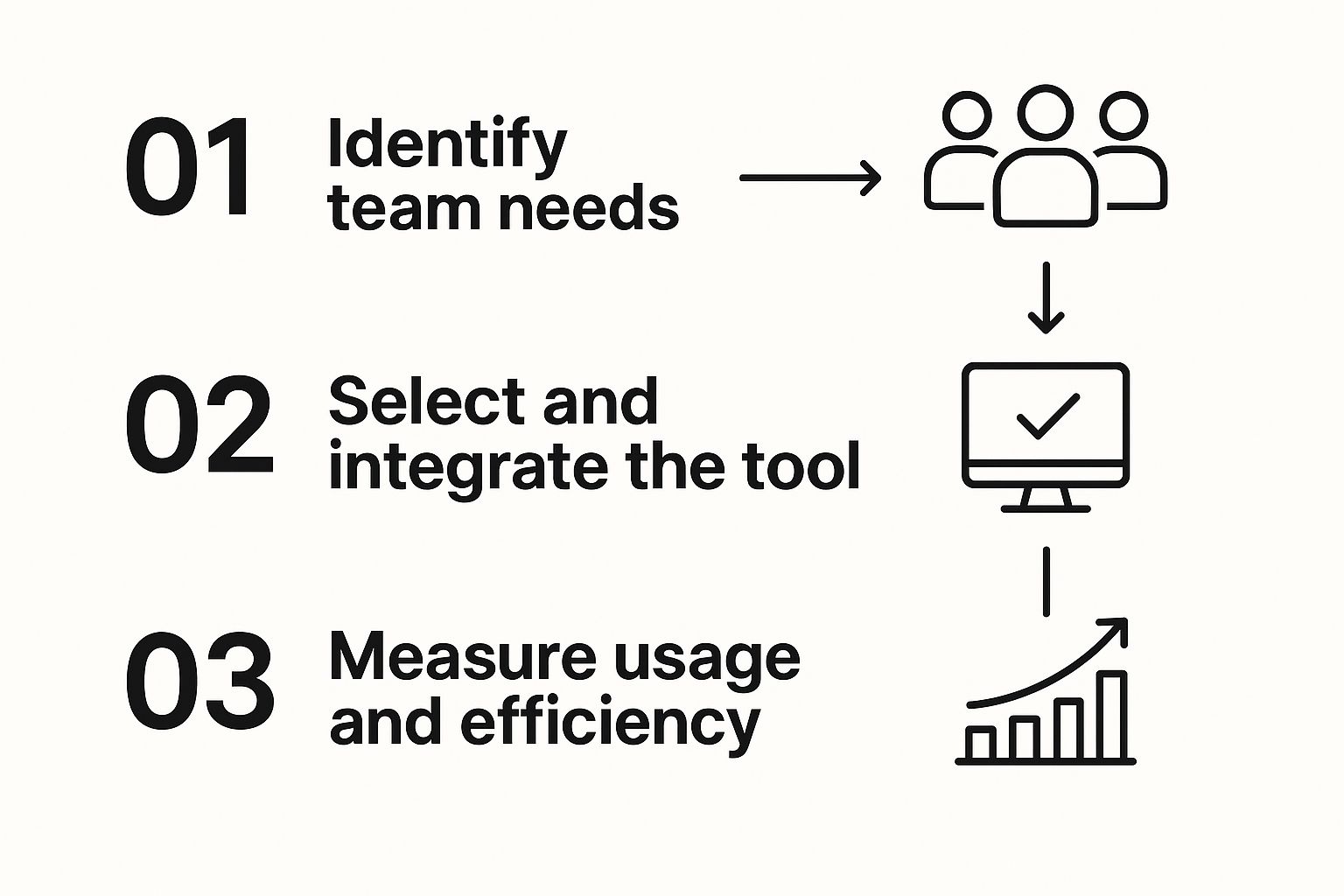
As the visual shows, it’s not about just grabbing the shiniest new tool. It’s a deliberate process: identify a real team need, find a solution that fits, and measure whether it actually helped.
For that code review bottleneck, a tool like PullNotifier is a perfect fit. Instead of relying on email notifications that get buried or manual Slack pings that are easily forgotten, it automates the entire process. When a PR is opened, assigned, or updated, PullNotifier sends a direct, contextual message to the right people in the right Slack channel. It’s a small change, but it dramatically cuts down review delays and keeps the development cycle moving.
Of course, PullNotifier is just one option. There are plenty of other great tools out there, and you can explore some of the most underrated GitHub apps to manage your team better to find what works for your specific challenges.
By combining process mapping, standardization, and smart automation, you can build a workflow that’s not just faster, but also more reliable and a lot less stressful for everyone involved.
Mastering Communication and Conquering Distractions

Constant pings, endless meetings, and relentless context switching are the modern enemies of deep work. A productive day can be completely derailed by a single, poorly timed notification. If you want to really improve team efficiency, you have to tackle these disruptions head-on with practical strategies that restore focus and protect your team's most valuable asset: their attention.
The reality is that without a clear plan, communication descends into chaos. Employees spend a staggering amount of their day just navigating this noise. Despite all our fancy tech, about 60% of an employee's time is spent on 'work about work'—things like switching between apps, sitting in pointless meetings, or just trying to find information.
This is a massive drain, especially when you learn that the average worker gets interrupted every three minutes and needs another 23 minutes just to get back on track. You can dig into more of these startling workplace productivity statistics from ProofHub.
Establishing Clear Communication Ground Rules
First thing's first: create a simple, shared guide for how your team communicates. Think of it as a set of agreements that remove the guesswork from daily interactions. This isn't about creating rigid, formal policies. It’s about providing clarity so people can spend less time wondering how to communicate and more time actually doing their work.
Start by defining the purpose of each tool your team uses. A simple framework might look like this:
- Email: Best for formal announcements, external communication, or detailed discussions that can wait 24 hours for a response. It’s your system of record.
- Slack/Teams: Ideal for quick questions, real-time collaboration on an active issue, and informal team updates. The expectation here should be a response within a few hours, not instantly.
- Project Management Tool (e.g., Asana, Jira): The single source of truth for task status, deadlines, and project-specific conversations. All updates should live here, not scattered across chats.
- Phone Call/Video Meeting: Reserved for urgent issues that need immediate, synchronous discussion or for complex problem-solving that would be too clunky over text.
A communication protocol isn't a gag order; it's a guide. By agreeing on the 'when' and 'where' for different types of conversations, you eliminate the mental load of decision-making and reduce the constant low-level anxiety of a chaotic inbox.
Running Shorter, More Effective Meetings
Meetings are one of the biggest time sinks in any organization, but they don't have to be. The trick is to treat them as a last resort, not a default action. Before you even think about scheduling one, ask a simple question: "Could this be an email, a chat message, or a comment in our project tool instead?"
If a meeting is truly necessary, follow these rules to keep it short and productive:
- Always Have a Clear Agenda: No agenda, no meeting. Period. The agenda should state the single, specific goal of the discussion.
- Invite Only Essential People: Keep the attendee list as small as possible. More people means more tangents and less focus.
- End with Clear Action Items: Every meeting must wrap up with a summary of what was decided and a list of concrete action items, each with a clear owner and a deadline. This ensures the conversation actually turns into progress.
For example, instead of a vague one-hour "Project Sync," try a 25-minute "Decision Meeting on Feature X" with a clear goal of finalizing the next steps. This small change in framing can dramatically improve focus and outcomes.
Creating Time for Uninterrupted Deep Work
The most creative and complex work requires long stretches of uninterrupted concentration. To foster this, you need to actively shield your team's time from the constant barrage of interruptions. One of the most effective strategies is implementing designated blocks of 'deep work' time.
A design group I once worked with implemented 'No-Meeting Wednesdays.' From 9 AM to 1 PM every Wednesday, the entire team knew that no meetings could be scheduled, and non-urgent Slack messages were discouraged. The result was a huge surge in creative output and a noticeable drop in team stress levels.
You can start small with this. Encourage your team to block off "focus time" on their calendars and to use status updates in Slack to signal when they are heads-down. These small shifts in communication habits can unlock massive gains in both creative problem-solving and overall team efficiency.
Using Tech and Data to Actually Get Better
Real efficiency isn’t a one-and-done fix. It's a constant cycle of getting a little bit better every day, and that cycle is powered by the right tools and good, clean data. You can have the slickest process in the world, but without tech and data, you’re just guessing. This is all about building a culture where data helps you make smarter calls, and everyone on the team feels like they own their performance.
Think about it: without measuring anything, how do you know you're actually improving? Moving from feeling productive to proving it with real numbers is what separates the okay teams from the truly great ones.
Choose Tools That Help, Not Hurt
The whole point of technology is to make life easier, not to add another complicated system to the mix. A bloated tech stack can be just as big of a time-sink as any manual process. Before you bring in any new software, ask yourself one simple question: "Does this thing solve a real problem and make my team's day-to-day work less of a headache?"
Look for tools that pull information into one place and automate the boring, repetitive stuff. The right tech should feel like a helpful teammate, not another manager you have to report to.
- For keeping projects on track: A tool like Asana or Trello acts as a single source of truth. No more digging through emails or chat logs to figure out who’s doing what and when it’s due.
- For team communication: Something like Slack or Microsoft Teams is great for real-time talk, but you need clear rules. Otherwise, it just becomes a constant stream of distractions.
- For specific bottlenecks: Find tools that fix one particular, nagging problem. For dev teams, a classic bottleneck is the code review process. A tool like PullNotifier tackles this head-on by sending smart, targeted notifications that keep pull requests from getting stuck in limbo.
The magic word here is integration. Your tools need to talk to each other. If your team is manually copying data from one system to another, you’re losing time and inviting errors. A connected ecosystem is the foundation for making your team more efficient.
Measure What Actually Matters
You can't fix what you can't see. But tracking metrics just for the sake of it—so-called "vanity metrics"—is a massive waste of time. You need to zero in on Key Performance Indicators (KPIs) that directly link back to your team's main goals and show you where you can actually improve.
What you measure will look different depending on the team.
For a Software Development Team:
- Cycle Time: How long does it take to get an idea from the start of coding to live in production? If this number is consistently going down, you’re getting more efficient. Simple as that.
- Pull Request (PR) Review Time: The amount of time a PR sits around waiting for a review. Long review times are a classic sign of a process that’s grinding to a halt.
- Deployment Frequency: How often are you shipping code? More frequent, smaller deployments are usually a sign of a healthy, agile team.
For a Content Marketing Team:
- Content Velocity: How many articles, videos, or posts are you actually producing and publishing in a given month?
- Time to Publish: What’s the average time from the initial idea to the final piece going live? This helps you spot delays in your review and approval pipeline.
- Lead Conversion Rate: Are people who read your content actually turning into leads? This ties your team’s output directly to a real business result.
Your project management dashboard isn’t there for micromanagement. It’s a tool for spotting trends, celebrating wins, and having informed conversations about where the team can get better. It's about seeing the big picture, not just ticking off individual tasks.
When you focus on a handful of crucial KPIs, you give your team a clear scoreboard. Everyone knows what winning looks like, and they feel empowered to take charge of their own performance. With transparent data, the team can start to self-correct and fine-tune its own processes, without waiting for a manager to tell them what to do. This data-driven mindset is absolutely essential if you want to make lasting improvements to your team's efficiency.
Got Questions? We’ve Got Answers
Even with the best strategies in hand, a few questions always pop up when you're trying to tighten up team efficiency. Let's tackle the most common ones I hear from engineering leaders.
How Do I Start Without Freaking Out My Team?
The absolute worst thing you can do is try to fix everything at once. Announcing a total overhaul of your goals, workflows, and communication is a surefire way to get instant resistance and burnout.
Instead, start small. Pick a single, high-impact problem that everyone feels.
Is the code review process a notorious bottleneck? Start there. Are meetings a black hole of time and energy? Focus on agendas and action items first. Nail one thing, get a clear win, and you'll build the momentum and trust you need for bigger changes down the road.
What if Some Team Members Push Back on New Processes?
Resistance is totally normal. It's human nature. Most of the time, it’s not about being difficult—it’s about the fear of the unknown. The old way might be clunky, but at least it's familiar.
The trick is to bring them into the process. Don't just hand down a new tool from on high. Instead, present the problem and ask for their input. Frame it as a low-stakes experiment: "Let's try this new PR checklist for two weeks. If it doesn't work, we'll try something else."
When people feel heard and have a say in the solution, they stop being critics and start becoming co-owners.
Turning resistance into adoption is all about empowerment. When you let your team help solve the very problems that bug them, a top-down mandate becomes a shared mission.
How Long Until We Actually See Results?
You'll see small wins almost right away, but real, lasting change takes time. For example, a new communication protocol might cut down on random interruptions within a week. But building a culture of deep-seated accountability? That's a quarter-by-quarter effort, not a weekend project.
My advice is to focus on tracking the leading indicators. If your goal is faster development cycles, keep a close eye on metrics like pull request review time. Watching that number consistently drop is a clear sign you’re moving in the right direction, long before those big project deadlines start getting shorter.
If I Can Only Focus on One Thing, What Should It Be?
Clarity. Full stop.
If you trace nearly every inefficiency back to its source—wasted work, blown deadlines, endless back-and-forth—you'll almost always find a lack of clarity.
It boils down to three things:
- Clarity of Purpose: Does everyone on the team know why their work is important?
- Clarity of Process: Is it obvious how to get work from A to B?
- Clarity of Communication: Does everyone know which tool to use for which conversation?
When every single person is clear on the goals, their role, and how to work together, efficiency just sort of... happens. Everything else is built on top of that foundation.
Ready to crush one of your biggest development bottlenecks? PullNotifier sends real-time, contextual pull request updates straight to Slack, cutting through the noise and keeping your team flowing. Start streamlining your code reviews today at pullnotifier.com.