- Published on
Mastering Code Review Automation for Modern Teams
- Authors

- Name
- Gabriel
- @gabriel__xyz
Code review automation is pretty simple on the surface: it’s using software to automatically check code for common problems—things like styling mistakes, potential bugs, or security holes—before a human ever has to look at it.
Think of it as an intelligent grammar checker for your code. It handles the tedious, repetitive stuff so your developers can focus on the big-picture issues, like the actual logic and architecture of a new feature. This is how you start to really improve your team's speed while keeping the quality bar high.
Unlocking Efficiency Beyond Manual Reviews

Manual code reviews are absolutely essential for collaboration and sharing knowledge. We all know that. But they often get bogged down by mind-numbing, repetitive tasks.
Picture this: you're in a review meeting, but instead of discussing the clever solution to a complex problem, the conversation gets derailed by arguments over bracket placement or variable naming. It’s not just a frustrating waste of a senior developer's time; it’s a bottleneck that grinds the whole development cycle to a halt.
This kind of manual friction is exactly what code review automation is designed to eliminate. It acts as a tireless, perfectly objective first-pass reviewer that never gets tired, never misses a rule, and never starts a debate over tabs versus spaces.
The Pain Points of Manual-Only Reviews
Before we get into the nuts and bolts of automation, it helps to be really clear about the problems it solves. A purely manual process almost always runs into these issues:
- Inconsistent Feedback: Every reviewer has their own pet peeves and opinions. This leads to conflicting suggestions that can leave the developer who wrote the code feeling confused and frustrated.
- Human Error: Let's be honest, even the most detail-oriented engineer can miss a subtle bug or a security flaw, especially when they’re tired or under a tight deadline.
- Slow Turnaround Times: Waiting for a person to check for minor details creates huge delays. Pull requests end up sitting in a queue for hours—or sometimes even days.
- Focus on Trivial Issues: When developers have to spend their mental energy on cosmetic "nits"—like spacing or line length—they have less bandwidth to analyze the truly complex architectural decisions that actually impact the user.
Code review automation isn't about replacing developers; it's about empowering them. By handling the repetitive, rule-based checks, these tools free up human experts to apply their critical thinking where it truly matters—on logic, design, and user impact.
How Automation Changes the Game
Automated tools slide right into your existing development workflow, usually as part of a Continuous Integration (CI) pipeline. When a developer submits a pull request, these tools instantly scan the new code against a predefined set of rules.
This immediately shifts the entire dynamic. Instead of a reactive, manual gatekeeper, you get a proactive, automated safety net that catches the small stuff instantly.
And this isn't just a small workflow tweak; it has a massive business impact. The industry's growing focus on code quality and security is fueling huge investments in this area. The global market for code reviewing tools was valued at around USD 2.1 billion in 2023 and is projected to more than double to approximately USD 5.3 billion by 2032.
That kind of growth points to a clear trend: companies are adopting smarter, more efficient ways to build software. You can dig into more of the numbers on this market growth over at DataIntelo.
To help clarify where each approach shines, let's break down the focus areas for both manual and automated reviews.
Manual vs Automated Review Focus Areas
| Aspect | Manual Code Review (Human Focus) | Automated Code Review (Tool Focus) |
|---|---|---|
| Logic & Architecture | Does the code solve the problem effectively? Does it fit the overall system design? | N/A (Cannot assess high-level logic) |
| Code Style & Formatting | Can provide high-level style feedback but is inconsistent and tedious. | Enforces consistent rules for spacing, naming, and linting. |
| Security Vulnerabilities | Can spot complex logical flaws, but may miss common, known vulnerabilities. | Scans for known security issues (e.g., SQL injection, XSS) using predefined patterns. |
| Readability & Maintainability | Assesses clarity, variable naming context, and future maintenance challenges. | Checks for cyclomatic complexity and adherence to basic naming conventions. |
| Error Handling | Checks if edge cases and failure modes are handled gracefully. | N/A (Cannot understand contextual error paths) |
| Performance | Can identify potential algorithmic bottlenecks or inefficient queries. | Can flag basic anti-patterns or analyze code complexity metrics. |
As you can see, automation isn't a replacement, but a partner. Machines are built for the objective, predictable tasks, while humans are needed for the subjective, creative, and architectural thinking that goes into great software. This dual approach doesn't just speed up delivery; it fosters a culture of higher quality and continuous improvement.
The Pillars of a Strong Automation Strategy
A truly effective code review automation strategy isn't about finding one magical tool that does everything. It's much more like building a specialist team, where each member—or pillar—has a distinct job in protecting your codebase. When you combine these pillars, you create a powerful safety net that catches all sorts of issues long before they ever get to a human reviewer.
This approach means that by the time a pull request is ready for human eyes, it’s already been polished, secured, and checked for consistency. Your team can then skip the small stuff and focus their brainpower on what really matters: high-level architecture and the logic behind the code. It’s a workflow where machines handle the boring, repetitive checks, and humans provide the critical, creative thinking.
The visual below gives you a high-level look at the benefits you get from this multi-pillar strategy.
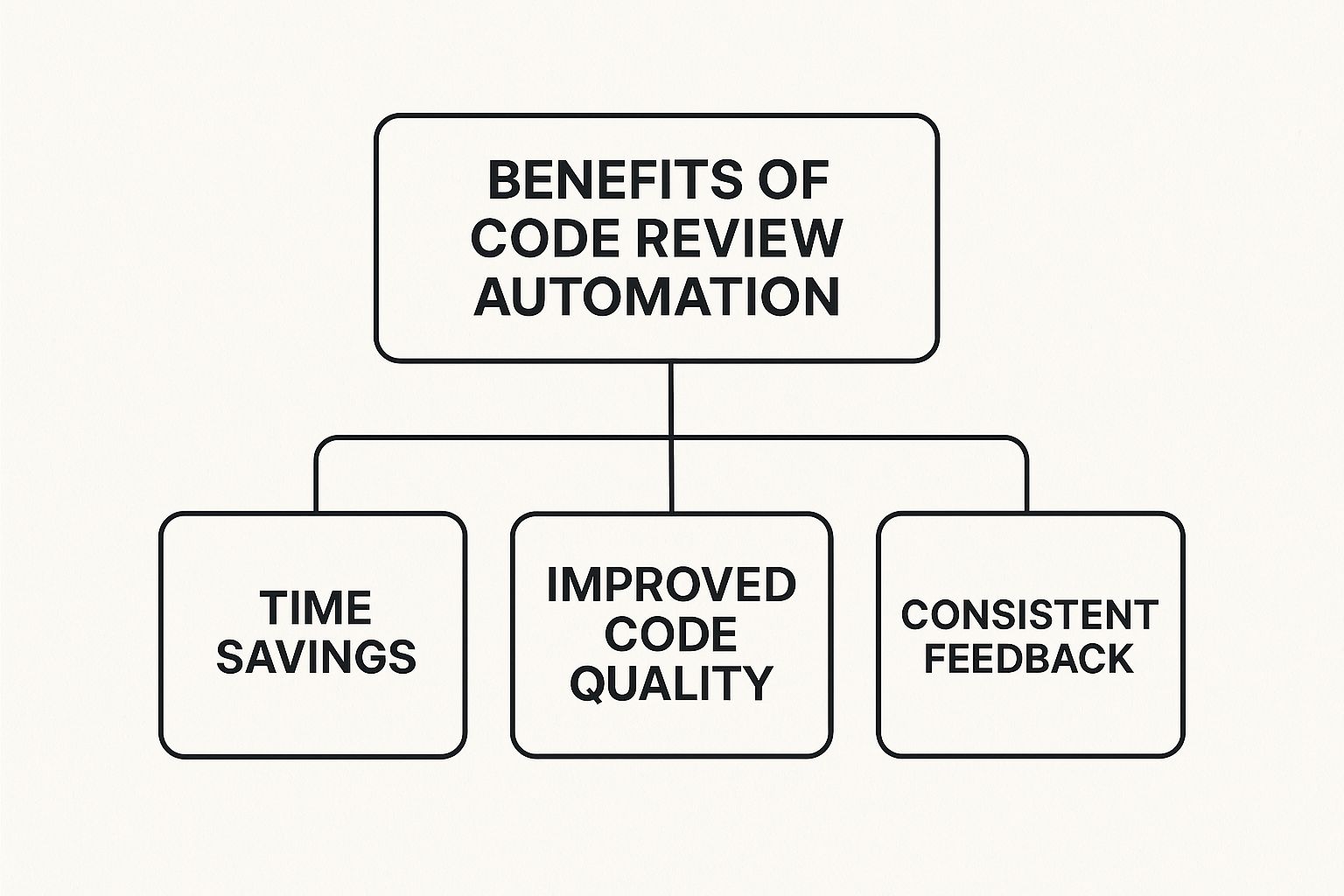
As you can see, the core advantages branch out into better efficiency, higher code quality, and more consistent feedback—all of which form the bedrock of a healthy development cycle.
Pillar 1: Static Analysis for Security
The first pillar is your 24/7 security guard: Static Application Security Testing (SAST). Think of SAST tools as tireless patrols that constantly scan your codebase for known vulnerabilities. They analyze your source code without actually running it, looking for patterns that signal common security flaws like SQL injection, cross-site scripting (XSS), or leaky configurations.
By plugging a SAST tool directly into your CI/CD pipeline, security stops being an afterthought and becomes a proactive part of your development process. This automated guard flags potential risks the second the code is committed, giving developers immediate feedback while the context is still fresh in their minds.
Pillar 2: Code Quality Analysis
While SAST is your security guard, the second pillar—Code Quality Analysis—is your structural engineer. This pillar is all about the long-term health and maintainability of your code. It looks past simple syntax errors to assess deeper, more complex characteristics that determine if your code will be a dream or a nightmare to work on down the line.
These tools are great at measuring key metrics like:
- Cyclomatic Complexity: This sounds complicated, but it just flags functions or methods that are so tangled and complex they're hard to understand, test, or modify.
- Code Duplication: It sniffs out chunks of repeated code that should probably be refactored into a single, reusable function.
- Maintainability Index: This gives you a straightforward score that estimates how easy (or difficult) it will be to make changes to the code in the future.
Keeping an eye on these metrics helps you stop technical debt from piling up, ensuring your application stays solid and easy to manage as it grows.
Pillar 3: Style Guide Enforcement
The third pillar is your meticulous editor: Style Guide Enforcement. This is probably the most common and immediately satisfying type of code review automation. These tools, often called linters or formatters, make sure every single line of code follows a consistent set of style rules.
By automating stylistic checks, you eliminate entire categories of pointless debates from manual reviews. No more arguments over tabs versus spaces or bracket placement; the machine enforces the standard, and the team moves on to more important discussions.
This consistency makes the codebase dramatically easier for everyone on the team to read and navigate, which is a massive win for collaboration and getting new developers up to speed. Good code review automation has become essential in modern software development, combining these pillars to boost both code quality and delivery speed.
Of course, a great strategy also includes managing the review process itself. Automating notifications and assignments is a huge part of this. Our guide on how to automatically assign reviewers in GitHub breaks down the practical steps you can take to make your workflow even smoother.
Bringing Automation Into Your Workflow

Alright, let's move from theory to practice. This is where code review automation really starts to shine. But remember, dropping a new tool into your workflow isn't as simple as flipping a switch. It takes a thoughtful strategy to weave it into your team's daily habits without causing more headaches than it solves.
The goal is to create a pipeline that feels less like a nagging robot and more like a helpful assistant—one that catches the small stuff and keeps standards in check so your team can focus on the creative, complex problems. It all starts with picking the right tools and ends with a culture that sees automated feedback as a good thing.
Selecting the Right Tools for Your Team
First things first: you need to choose the tools that actually fit your team's world. The market for code review automation is booming, which is great, but it also means there are a ton of options to sift through. This growth is part of a larger trend of companies everywhere pouring money into their tech and R&D.
When you're shopping around, here's what to keep in mind:
- Technology Stack Compatibility: This is non-negotiable. The tool has to speak your language. A linter built for Python isn't going to do a lick of good for your Rust developers. Make sure it seamlessly supports your languages, frameworks, and platforms.
- Integration Capabilities: A great tool that doesn't play nicely with your existing setup is a useless tool. It absolutely must integrate smoothly with your version control system (like GitHub or GitLab) and your CI/CD platform (like Jenkins or GitHub Actions).
- Team Culture and Skill Level: Think about your team's personality. A highly opinionated tool might drive a senior team crazy, while a tool with a complicated setup could overwhelm junior devs. Find something that fits your workflow, not the other way around.
Getting this choice right is a huge factor in whether automation sticks. For a deep dive, check out our guide on the 12 best code review automation tools for 2025.
Tailoring Your Automation Ruleset
Once you've got your tools, the next job is to customize the rules. Just using the default settings is a classic mistake, and it almost always leads to a firehose of noisy, irrelevant feedback. Every team is different—you have your own coding standards, your own priorities, and your own legacy code quirks.
A customized ruleset is the difference between a helpful automated assistant and an annoying, noisy robot. Tailor the rules to reflect your team's specific standards, turning off irrelevant checks and adjusting thresholds to minimize false positives.
Get the team together and figure out what you really care about. Are you obsessed with strict formatting? Focused on sniffing out performance bottlenecks? Or is security your top priority? Treat your configuration file like any other piece of code: put it in version control, review changes, and let it evolve with your team and your projects.
Integrating with Your CI/CD Pipeline
For automation to feel truly helpful, it needs to be invisible. The best way to achieve that is by baking it directly into your Continuous Integration/Continuous Deployment (CI/CD) pipeline. When you do this, every single pull request gets an automated checkup before a human ever lays eyes on it.
For instance, you can set up a GitHub Action to run your linter and security scanner on every commit. If the checks fail, the PR can be blocked from merging. This gives the developer immediate, non-confrontational feedback. It's like having a quality gate that enforces standards without anyone having to play the bad guy. For devs looking to get hands-on with integrating testing tools, guides like the six steps to getting started with Cypress and Ruby on Rails can be a great resource.
Adopting a Phased Rollout Strategy
Finally, remember that the most successful rollouts happen gradually. Just dropping a strict, fully-enforced automation suite on your team out of the blue is a surefire way to get pushback. Instead, ease into it.
- Start in Advisory Mode: For the first phase, let the tools run and report issues, but don't have them fail the build. This lets developers see the feedback as helpful advice, not a rigid set of commands they're forced to follow.
- Gather Feedback and Refine: Use this time to listen to your team. Are some rules just creating noise? Are there common false positives? Tweak your configuration based on what you're hearing.
- Gradually Increase Enforcement: Once the team is on board and the rules are dialed in, you can start flipping the switch. Begin by making a few critical rules blocking, then slowly expand as everyone gets more comfortable.
This measured approach turns adoption from a top-down mandate into a collaborative effort. It’s how you make sure code review automation becomes a genuinely valued part of your team's workflow.
Maximizing the Value of Your Automation
Flipping the switch on your new code review automation tools is a great first step, but it’s really just the beginning. The real value comes when you treat your automation setup not as a "set it and forget it" task, but as a living, breathing part of your development ecosystem.
Turning a good automated workflow into a great one means moving beyond the defaults and shaping it to reflect your team's unique culture. When you get it right, your automation becomes a powerful partner that amplifies your team's skills instead of just adding more noise. The goal is to build a system your developers actually want to use.
Treat Your Configuration as Code
One of the best things you can do for your automation is to treat its configuration files just like your application's source code. This practice, often called 'config-as-code,' is the secret to keeping things consistent and preventing subtle differences from creeping into your various environments.
Instead of having rules buried in a web UI or sitting on a single developer's machine, your configs for linters, formatters, and security scanners should live right in your version control system.
This simple shift unlocks some huge wins:
- Version History: You get a full, auditable log of every single change made to your ruleset.
- Peer Review: Changes to the rules go through the same pull request process as any other code, sparking discussion and building shared ownership.
- Consistency: Every developer—and your CI server—pulls from the same source of truth. Checks run the exact same way, everywhere, every time.
By embracing this mindset, you ensure your code review automation evolves thoughtfully and transparently, right alongside your primary codebase.
Balance Automation with Human Insight
It’s tempting to try and automate every check you can think of, but that path often leads to diminishing returns. A smart strategy recognizes what machines and humans are each uniquely good at. Automation crushes objective, rule-based tasks, but humans are irreplaceable when it comes to the subjective, context-heavy stuff.
The most effective code review processes don't try to replace human intuition with machines. Instead, they use automation to clear away the noise, allowing human experts to focus their limited time and attention on what they do best: analyzing architecture, business logic, and long-term maintainability.
Think of it like this: a machine can confirm a function follows all the style guides and doesn't have any obvious security holes. But only a human can decide if that function is the right solution to the problem or if its design will be a maintenance nightmare in six months. Nailing this balance is how you get the most out of both your tools and your team.
Fight Alert Fatigue with Continuous Refinement
Nothing will make a team ignore your shiny new automation faster than a constant flood of useless alerts. This is 'alert fatigue,' and it happens when tools are too noisy, flagging things that aren't real problems or are just low-priority nitpicks. The system becomes the boy who cried wolf, and developers learn to tune it out.
To keep your automation effective, you have to actively refine the rules based on team feedback.
- Establish a Feedback Loop: Create a simple way for the team to suggest rule changes. This could be a dedicated Slack channel or a specific label in your issue tracker.
- Regularly Review Noisy Rules: Every so often, look at which rules are being ignored or disabled the most. These are the prime candidates for tweaking or tossing out completely.
- Calibrate Severity Levels: Not all issues are equal. Use your tools’ severity settings to distinguish between critical, build-breaking errors and minor stylistic suggestions.
Making sure every automated comment is relevant and actionable is non-negotiable for keeping your team engaged. For a deeper look at what makes a solid review process, our comprehensive code review checklist is a great place to start. By constantly pruning and tuning your configuration, you ensure your automation remains a trusted and valuable asset.
Navigating Common Automation Hurdles
Bringing any new tool into the fold has its challenges, and code review automation is no different. It’s easy to get tangled up in common myths or hit practical roadblocks that kill your momentum. But if you tackle these hurdles head-on, you can smooth out the adoption process and build a culture that actually embraces automation.
The most common fear I hear is that automation is coming for developers' jobs. While I get the concern, it completely misses the point. Automation is a partner, not a replacement. Its job is to handle the tedious, black-and-white checks that burn human energy, freeing up your team to focus on the complex, creative problems that a machine could never solve.
A computer can never be held accountable—therefore, a computer must never be given the responsibility for making a management decision. This principle, from a 1979 IBM memo, is just as true for code review today. Automation gives you data; a human has to provide the final judgment and take responsibility for what ships.
This distinction is everything. An automated tool can spot a security vulnerability or a style error, but it can’t debate the architectural trade-offs of a new feature or grasp the business context behind a technical choice.
It's easy to get caught up in what you think automation will do versus what it actually does. Let's clear the air on a few common myths.
Automation Myths vs Reality
| Misconception | Reality |
|---|---|
| "Automation will replace our developers." | It handles repetitive tasks, letting developers focus on complex problem-solving and architecture. |
| "It’s too rigid and blocks necessary exceptions." | Modern tools are highly configurable. You can fine-tune rules and use suppression comments for one-off cases. |
| "Setting it up is too complicated and time-consuming." | You don’t have to boil the ocean. Start small with one team and a minimal ruleset, then expand gradually. |
| "It just creates more noise and pointless alerts." | A well-configured system provides high-signal feedback. If it's noisy, your rules need tuning. |
Getting past these misconceptions is the first step. The next is dealing with the practical side of implementation.
Tackling False Positives and Alert Fatigue
Nothing will make your team ignore a new tool faster than a constant flood of irrelevant notifications. When a tool cries wolf all the time, developers learn to tune it out. We call this alert fatigue, and it’s a killer for adoption. The only way to avoid it is to treat your ruleset like a living document.
- Start Small: Kick things off with a minimal set of high-impact, low-noise rules. It’s far better to have a few checks everyone trusts than a hundred that nobody does.
- Fine-Tune Aggressively: Encourage your team to call out false positives. When a rule consistently misses the mark, either adjust its sensitivity or just turn it off.
- Use Suppression Comments: Most tools let developers add a comment to a line of code to ignore a specific rule, giving them an escape hatch for valid exceptions.
This cycle of continuous refinement ensures every automated comment is valuable, actionable, and respects your team’s focus.
Overcoming Initial Setup Complexity
Getting started can feel like a massive undertaking, especially if you have a complex codebase or a mix of different technologies. The secret is to avoid a "big bang" rollout where you try to automate everything from day one. Instead, take a gradual, phased approach that builds confidence and proves its worth along the way.
A successful rollout usually looks something like this:
- Pilot with One Team or Project: Pick a small, receptive team to be your guinea pig. Their success will become a powerful internal case study that sells the tool for you.
- Run in Advisory Mode: At first, set up the tools to just report issues without actually failing builds or blocking pull requests. This turns the feedback into helpful suggestions instead of frustrating roadblocks.
- Celebrate the Small Wins: When automation catches a real bug or prevents a pointless style debate, make sure everyone knows about it. This reinforces its value and builds the buy-in you need for a wider rollout.
By tackling these common hurdles with a clear strategy, you can turn the implementation process from a source of friction into a collaborative effort that actually strengthens your team’s workflow and lifts code quality across the board.
The Future of Code Review with AI
The world of code review automation is moving far beyond simple, rule-based checks. We're on the cusp of the next big shift, one powered by Artificial Intelligence (AI) and machine learning. This isn't about replacing static linters; it's about transforming them into intelligent partners that understand the context and intent behind the code they analyze.
Imagine an automated reviewer that doesn't just flag a style violation but suggests a more performant algorithm for a specific function. That's where we're headed. New AI-driven tools are starting to spot complex logic bugs, potential race conditions, and performance bottlenecks that traditional static analysis would completely miss.
Intelligent and Context-Aware Suggestions
Standard automation is fantastic at deterministic tasks—checking if code compiles or sticks to a style guide. But AI brings a more nuanced, "fuzzy" layer to the table. It can learn from your entire codebase, absorbing its unique patterns and architectural styles over time.
This deeper understanding allows AI to offer suggestions that are highly relevant to your specific project. Think of it as the difference between a generic grammar checker and a human editor who truly gets your writing voice.
AI-powered code review isn’t about replacing human judgment; it’s about augmenting it. The goal is to move beyond basic CI checks to a sophisticated system that provides deep, context-aware insights, freeing up developers to focus on architecture and problem-solving.
Instead of just flagging an issue, these advanced systems can:
- Predict potential bugs by comparing new code against historical patterns that led to problems in the past.
- Suggest refactoring opportunities by identifying overly complex or duplicated logic that could be simplified.
- Identify security flaws that aren’t based on known vulnerabilities but on subtle logical oversights.
Real-Time Feedback in the IDE
Another major trend is the tight integration of these intelligent tools directly into a developer's Integrated Development Environment (IDE). The feedback loop is shrinking from minutes (waiting for a CI build) to milliseconds. As you type, AI assistants can offer real-time suggestions and corrections.
This immediate feedback helps developers write better code from the very first line, cutting down on the number of issues that even make it to a pull request. It creates a seamless cycle of writing, reviewing, and refining that happens continuously, not just at the end of a task. This shift makes code review automation less of a gatekeeper and more of a collaborative coding partner, continuously raising the bar for software quality and team efficiency.
Still Have Questions?
Even with a solid plan, bringing a new process into your workflow always sparks a few questions. Let's tackle some of the most common ones that pop up for teams diving into code review automation.
Can Automation Just Replace Manual Code Reviews?
Nope, and it shouldn't. Think of code review automation as a superpower for your team, not a replacement for your reviewers. Automation is fantastic at spotting the black-and-white stuff—style guides, syntax errors, and common security flaws. It's your first line of defense.
This clears the runway for your human reviewers to focus on what they do best: digging into complex logic, questioning the architecture, and thinking about the user experience. The best teams pair them up, letting the bots handle the repetitive checks so the humans can tackle the big-picture problems.
What Do We Do About False Positives from the Tools?
False positives are going to happen. The trick is to treat your rulebook like a living document, not something you set up once and forget. You have to keep tuning it to fit your team's actual needs.
Most modern tools give you a few ways to manage the noise:
- Turn off rules that constantly flag things that aren't relevant to your projects.
- Use inline comments to tell the linter, "Hey, I know what I'm doing here, ignore this line."
The goal is to have a conversation as a team about what rules are actually helping and what's just creating "alert fatigue." Get that right, and you'll keep the feedback valuable.
The point isn't to get to zero automated comments. It's to make sure every comment is a good comment. A well-tuned system gives developers feedback they trust, not a firehose of noise they learn to ignore.
What’s the Best Way to Get Our Team on Board with This?
Start small, and show value right away. A slow, phased rollout is way more effective than dropping a hundred new rules on your team overnight. It builds trust and avoids that feeling of being overwhelmed.
Pick one simple, high-impact tool to start—a linter is a great choice. Configure it with just a handful of rules and run it in "advisory mode" first, where it just suggests changes instead of failing the build. This lets your team see the tool as a helpful guide, not a gatekeeper.
Once they see how it catches little mistakes and ends pointless arguments over style, you can slowly add more rules. Before you know it, the tool will be a natural part of your CI/CD pipeline that nobody can imagine working without.
Ready to cut through the noise and speed up your review cycles? PullNotifier plugs right into GitHub and Slack to give you clear, actionable pull request updates. It's been shown to slash review delays by up to 90%. Give PullNotifier a try for free and get your team focused on what really matters—shipping great code.