- Published on
Mastering Modern Code Review Processes
- Authors

- Name
- Gabriel
- @gabriel__xyz
So, what exactly is a code review process? Think of it as the formal system your team uses to check new code before it gets merged into the main codebase. It’s a critical quality check, but it's also a collaborative effort to improve code, share knowledge, and squash bugs before they ever see the light of day.
Why a Code Review Process Is Your Team's Superpower
Imagine you're building a skyscraper. An architect wouldn't just hand over the blueprints and cross their fingers. No way. Every single floor goes through intense inspections to guarantee structural integrity, safety, and that everything matches the original plan. A solid code review process does the exact same thing for your codebase.
This isn't just about taking a quick peek at someone's work. It's a non-negotiable part of how modern, high-performing development teams operate. This structured approach is your first and most powerful line of defense, catching major flaws before they can threaten the whole application.
The Core Pillars of an Effective Review
At its core, a great review process isn't just about finding mistakes. It’s about building a better product and a stronger, more cohesive team. The benefits ripple out in ways that are both tangible and far-reaching.
*   **Improved Code Quality:** This one’s the most obvious. A fresh pair of eyes can easily spot logic errors, tricky edge cases, and architectural hiccups that the original author might have overlooked.
*   **Enhanced Knowledge Sharing:** Reviews are a fantastic, organic way to spread knowledge across the team. Junior developers get to learn directly from seniors, and seniors get fresh perspectives from their peers. It's the best way to stop knowledge silos from forming.
*   **Consistency and Maintainability:** A formal process is how you enforce coding standards, styles, and patterns everyone has agreed on. This makes the entire codebase feel like it was written by one person, which is a lifesaver for maintenance and future scaling.
*   **Early Bug Detection:** Finding a bug during the review stage is exponentially cheaper and faster than fixing it after it's live in production. A good process is one of the smartest investments you can make for long-term stability.
This systematic approach is exactly why teams are relying more and more on dedicated code review tools. The market for these tools is expected to jump from around 5 billion by 2033, a surge driven by growing software complexity and the non-negotiable need for security. You can dig into the numbers in this market growth analysis on Data Insights Market.
To wrap your head around the core goals, it helps to break down the process into its foundational pillars. Each one targets a specific objective, but they all work together to create a more resilient and collaborative engineering culture.
Core Pillars of Effective Code Review
| Pillar | Primary Goal | Key Benefit for the Team |
|---|---|---|
| Quality Assurance | Find and fix defects before they reach production. | Higher-quality code, fewer user-facing bugs, and increased stability. |
| Knowledge Transfer | Share domain expertise and best practices organically. | Breaks down knowledge silos and accelerates learning for all engineers. |
| Code Consistency | Enforce established coding standards and patterns. | Creates a unified, maintainable codebase that's easier to scale. |
| Team Collaboration | Foster a culture of collective ownership and shared responsibility. | Strengthens team cohesion and encourages mutual support and mentorship. |
Ultimately, these pillars ensure the review process does more than just catch errors; it builds a stronger foundation for your entire engineering practice.
By optimizing for the speed at which a team of developers can produce a product together, as opposed to optimizing for the speed at which an individual developer can write code, you create a sustainable and collaborative engineering culture.
At the end of the day, a strong code review process is what transforms a group of individual programmers into a truly unified engineering team, all focused on collective ownership and shipping excellent work.
How to Build a High-Impact Review Workflow
A truly effective workflow isn't just a process; it's what turns code review from a chore into a collaborative powerhouse. Think of it like a quality control assembly line. Every stage has a specific job, making sure that what rolls off at the end is polished, reliable, and ready to go.
Let's walk through building that assembly line, piece by piece, focusing on the key stages that define the best code review processes.
The whole thing kicks off the moment a developer is ready to share their work. Before just throwing the code over the wall, the author should do a quick self-review. It’s a simple step, but it catches those silly typos and obvious mistakes, showing you respect the reviewer's time.
Phase 1: The Pull Request Submission
Once the self-review is done, the author opens a pull request (PR). This isn't just a button click; it's the start of a conversation. A well-written PR description is the single most important thing for a smooth review.
*   **Give Clear Context:** Briefly explain *what* the change does and, more importantly, *why* it's needed. Always link back to the ticket or task in your project management tool.
*   **Guide the Reviewer:** If the changes are chunky, give your reviewer a roadmap. Point out the most critical files or suggest a logical order to look through things.
*   **Show, Don't Just Tell:** For any UI changes, a screenshot or a quick GIF is worth a thousand words. It lets reviewers see the impact immediately without having to pull down the code and run it locally.
A solid PR description can slash review time by getting rid of guesswork and helping the reviewer build a mental picture of the changes right away.
Phase 2: The Automated Checks
Before a human even glances at the code, the robots should get to work. This is your first line of defense, handling all the objective, repetitive tasks that computers are great at.
These checks usually include:
*   **Linters and Formatters:** Keeps the coding style consistent and catches basic syntax errors.
*   **Unit and Integration Tests:** Confirms the new code works as expected and, crucially, doesn't break anything else.
*   **Security Scans:** Automatically sniffs out common vulnerabilities.
Getting these automated guards in place means your human reviewers can save their brainpower for the tricky stuff, like logic, architecture, and maintainability.
This infographic gives a great visual of the core goals here—improving quality, sharing knowledge, and squashing bugs before they ship.
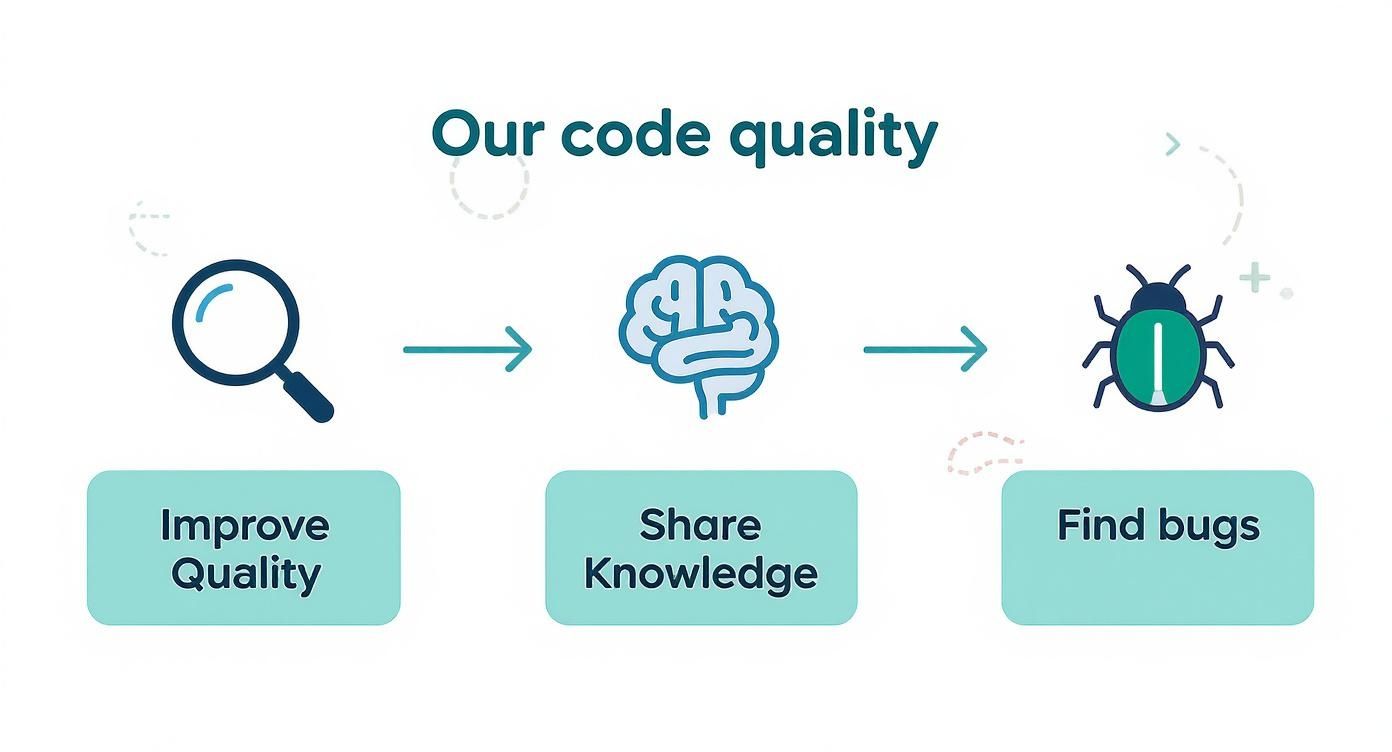
It’s a good reminder that this isn't a one-and-done event, but a continuous cycle of improvement that makes the entire codebase stronger.
Phase 3: The Human Review and Feedback Loop
With the automated checks all green, it’s time for a human to step in. The reviewer is looking for things a computer can’t easily spot—complexity, readability, and the overall design. To really nail this phase, it helps to understand what your team is actually doing on GitHub. Looking into GitHub monitoring tools can uncover some surprising insights into your team's review patterns and bottlenecks.
The back-and-forth happens right in the PR, with comments on specific lines making feedback direct and easy to act on.
A healthy feedback loop is a conversation, not a critique. The goal is to elevate the code, not to find fault with the author. Frame suggestions as questions and provide clear reasons for requested changes.
From there, the author addresses the feedback, pushes up new commits, and the cycle continues until everyone's happy. Making this loop as tight as possible is the name of the game. You can learn more about the key metrics for faster code reviews in GitHub to spot exactly where you can speed things up.
Phase 4: The Final Approval and Merge
Once the reviewer gives the thumbs-up, the author can merge the pull request into the main branch. This final step is the finish line. It means the code has passed every quality gate—both automated and human—and is now officially part of the codebase.
Defining Roles for a Collaborative Review Culture
A great code review isn't a top-down inspection. It's more like a team sport, where every player has a distinct and equally important role to play. When everyone knows their job, the whole process stops being a bottleneck and turns into an engine for collaboration and mentorship.
The two main players in any review are the Author and the Reviewer. Their partnership is the heart of effective code review processes, and getting each role right is the secret to building a healthy engineering culture. Let's break down what excellence looks like for both.
The Author's Responsibilities
An author's job starts long before they ever click "request review." The main goal? Make the reviewer's job as easy and efficient as possible. This simple act of respecting your teammate's time is the foundation of a smooth process.
A great author sets their pull request (PR) up for success by:
*   **Performing a Self-Review First:** Always give your own code a once-over before anyone else sees it. This simple step catches embarrassing typos, leftover debugging code, and obvious mistakes. It shows you value the reviewer's time.
*   **Writing a Crystal-Clear PR Description:** The description needs to explain the *what* and the *why* of the change. Link to the relevant ticket and give enough context so the reviewer doesn't have to go on a scavenger hunt for information.
*   **Keeping Pull Requests Small and Focused:** A PR should be a single, logical chunk of work. A massive change with thousands of lines is nearly impossible to review effectively and is a clear sign that the work needs to be broken down.
The goal is to present a change so clearly that the reviewer can build a complete mental model of its purpose and impact before reading a single line of code. This preparation is the single biggest factor in reducing review turnaround time.
The Reviewer's Responsibilities
A reviewer's job isn't just about finding flaws. A great reviewer is a mentor, a quality gatekeeper, and a collaborator, all wrapped into one. Their feedback has to be constructive and focused on making the code better, not critiquing the person who wrote it.
A big part of this is just being available, which is why automating assignments can be a lifesaver. Our guide on how to automatically assign reviewers in GitHub can help you dial in this part of your workflow.
Effective reviewers deliver feedback that is:
*   **Specific and Actionable:** Instead of saying, "This is confusing," try something like, "Could we rename this variable to `userProfile` for clarity?" Vague feedback just leads to guesswork.
*   **Focused on the Code, Not the Creator:** Frame your comments around the code itself. "This function has high cyclomatic complexity" is objective and helpful. "Your code is too complex" is personal and unhelpful.
*   **Balanced with Positive Reinforcement:** If you spot a clever solution or a particularly clean piece of code, say so! Positive feedback is a huge morale booster and reinforces good habits.
By clearly defining these roles, teams can cut out a ton of ambiguity and friction. Authors learn how to prepare high-quality changes, and reviewers learn how to give feedback that elevates both the code and the entire team. This mutual understanding is what transforms code reviews into a positive, collaborative experience.
Choosing the Right Code Review Model for Your Team
Not all code reviews are created equal. The best code review processes aren't rigid, one-size-fits-all mandates; they're flexible frameworks that bend to the needs of your team, the project's complexity, and your company culture. Forcing one review style on every situation is like trying to build a house with only a hammer—sometimes you really need a screwdriver.
Picking the right model comes down to understanding the trade-offs. The two most common approaches fall into distinct camps: asynchronous reviews, which happen on a flexible timeline, and synchronous reviews, which happen in real time. Knowing when to use each is the secret to building a workflow that nails both speed and quality.
The Asynchronous Pull Request Model
The asynchronous model is the workhorse of modern software development, especially for distributed teams. This is the classic pull request (PR) workflow you see on platforms like GitHub and GitLab. An author submits their code, and reviewers jump in to leave feedback whenever it fits into their schedule.
This approach is fantastic because it respects a developer's focus time. Instead of being forced to drop everything, a reviewer can tackle a PR when they have a natural break in their day.
The main drawback, however, is the potential for delay. A PR can sit idle waiting for a reviewer, or the back-and-forth feedback can stretch out over hours—or even days—grinding the development cycle to a halt.
The key to a successful asynchronous process is minimizing the lag time between feedback cycles. The faster the conversation moves, the less time a developer spends waiting, which directly translates to a faster overall delivery cadence for the entire team.
The Synchronous Pair Programming Model
On the other side of the coin is the synchronous model, with pair programming as its most famous example. Here, two developers work on the same code at the same time, either side-by-side or over a shared screen. The review happens in real-time as the code is being written.
This model is incredibly powerful for a few key scenarios:
*   **Onboarding New Developers:** It’s a brilliant way to transfer domain knowledge and get a new team member up to speed on the codebase and established patterns.
*   **Tackling Complex Problems:** When you're wrestling with a gnarly algorithm or a critical piece of architecture, having two minds on it from the start can prevent major design flaws down the road.
*   **Rapid Prototyping:** For quick experiments or proofs-of-concept, pair programming gives you immediate feedback and iteration without the formal overhead of a PR.
The downside? It requires scheduling and can be overkill for routine changes. It demands the full, simultaneous attention of two engineers, which isn't always the best use of time for a simple bug fix.
Comparison of Code Review Models
Choosing between a synchronous or asynchronous model isn't always straightforward. Each has its place, and the best choice often depends on the specific task, team structure, and project goals. This table breaks down the key differences to help you decide which approach fits a given situation.
| Review Model | Best For | Pros | Cons |
|---|---|---|---|
| Asynchronous | Distributed teams, routine changes, non-urgent tasks, clear documentation needs. | Flexible scheduling, respects focus time, creates a written record of feedback. | Can lead to long delays, context switching for the author, potential for miscommunication. |
| Synchronous | Onboarding, complex problems, urgent fixes, rapid prototyping, knowledge sharing. | Immediate feedback, deep collaboration, excellent for mentoring and complex design. | Requires scheduling, can be inefficient for simple tasks, demands simultaneous attention. |
Ultimately, the goal isn't to declare one model superior but to understand the strengths of each. The most effective teams learn to pick the right tool for the job, blending both approaches to match the demands of their work.
Crafting a Hybrid Model for Peak Performance
The most effective teams don't swear allegiance to just one model. They create a hybrid approach that pulls the best from both worlds, empowering their developers to choose the right type of review for the task at hand.
Here’s what a practical hybrid model might look like in action:
- Default to Asynchronous Reviews: For the vast majority of day-to-day changes, the standard pull request process is your best bet. It’s efficient, scalable, and provides a clear, documented history of changes and discussions.
- Use Pair Programming Strategically: Save synchronous reviews for high-stakes situations. Is a junior dev tackling a new part of the codebase? Pair them with a senior. Are you designing a new API from scratch? Grab a teammate and whiteboard it together first.
- Encourage Quick Syncs: If a PR discussion devolves into a novel with dozens of back-and-forth comments, it’s a clear signal to switch modes. Hop on a quick 10-minute video call to talk it out, then post a summary back in the PR for documentation.
This blended approach lets your team move quickly on simple tasks while ensuring complex or critical changes get the deep, collaborative attention they deserve. By treating your code review process as a flexible toolkit rather than a rigid set of rules, you create a system that fosters both speed and quality.
How AI Is Changing the Code Review Game
The future of code review is already here, and it's powered by AI. While traditional automated checks are great for catching style issues or running tests, artificial intelligence brings a whole new level of smarts to the process. Think of it as a tireless, expert co-pilot for your entire engineering team.
The goal isn't to replace human reviewers. It's to give them a powerful assistant that handles all the tedious, repetitive work first. This frees up your developers' mental bandwidth for what they do best: solving complex business problems and making high-level architectural decisions.
This shift is making our code review processes faster, smarter, and way more effective.
Moving Beyond Simple Linting
Modern AI assistants can do things a simple linter or static analysis tool only dreams of. Instead of just flagging a syntax error, AI tools can actually understand the context and intent behind the code, leading to some remarkably sharp suggestions.
This new generation of tools can:
*   **Spot Potential Bugs:** AI can catch subtle logic errors, null pointer exceptions, and race conditions that a human reviewer might easily miss.
*   **Suggest Performance Fixes:** It can analyze code for inefficient loops or database queries and recommend better, faster alternatives.
*   **Patch Security Flaws:** Trained on huge datasets of vulnerabilities, AI models can detect common security risks like SQL injection or cross-site scripting before they ever get merged.
These aren't just hypotheticals; the impact is real. Teams using these tools have reported a 40% reduction in bugs making it to production and a 60% cut in manual review time. To get 95% confidence in security vulnerability detection, you'd need 12 to 14 human reviewers—a scale that only becomes practical with AI's help.
By automating these deep checks, AI removes the grind of finding routine issues and completely transforms the review experience.
Automating the Mundane to Elevate Expertise
One of the biggest wins with AI is its knack for handling boilerplate code and common patterns. For instance, an AI can instantly verify that new API endpoints have proper error handling, authentication checks, and logging, all without a human needing to scan every single line.
AI's true value in code review isn't just finding more bugs; it's about filtering out the noise. It lets developers focus their expertise on architectural integrity and business logic, which is where human insight is irreplaceable.
This automation is a direct antidote to review fatigue, letting engineers apply their skills where they truly count. The result? A more engaged team, faster development cycles, and more solid software. To see how this works in practice, check out some of the top AI code review tools for 2025.
Choosing the Right AI Assistant
Bringing AI into your workflow means picking a tool that fits how your team works. The market is packed with options, from simple GitHub apps to full-blown platforms that analyze the entire development lifecycle.
If you're looking to get started, our guide on the 12 best automated code review tools for 2025 offers a detailed breakdown of the leading solutions out there.
When you're evaluating tools, think about things like language support, integration with your current stack (like GitHub and Slack), and how deep the analysis goes. The right AI tool won't feel like a nitpicky enforcer but more like a helpful teammate dedicated to improving code quality and shipping faster.
FAQs: Your Code Review Questions Answered
Even with a solid process, you're going to run into some practical questions. Let's tackle a few of the most common ones that pop up and how to handle them.
How Small Should a Pull Request Be?
There’s no magic number here, but a solid rule of thumb is to keep your pull requests (PRs) focused on one logical change. Try to keep it to a size that someone can review thoroughly in 15-30 minutes.
If a PR is touching hundreds of lines across a dozen files, it’s definitely too big. That kind of complexity just slows everything down, invites errors, and makes it nearly impossible for reviewers to actually grasp what’s happening. Breaking up large features into smaller, incremental changes is always the right move.
Think of it like this: a massive PR is like trying to proofread a whole book in one go. You're going to get overwhelmed and miss things. Smaller PRs are like reading a chapter at a time—focused, manageable, and far more effective.
What's the Ideal Number of Reviewers?
For most changes, one or two knowledgeable reviewers is the sweet spot. A single reviewer can check the code for correctness, while a second can bring a fresh perspective and catch things the first person might have overlooked.
Adding more than two reviewers usually creates more delays than it's worth. The exception? For critical, high-risk changes, it's smart to pull in a senior engineer or a domain expert as one of the reviewers. This gives you an extra layer of confidence where it counts most.
How Should Our Team Handle Disagreements?
Disagreements in code reviews are not only normal, they can be a good thing. It shows people care. The trick is to keep them constructive so the process doesn't grind to a halt.
First, make sure all feedback is tied to your team's established coding standards, not just personal opinions. If a debate starts to drag on in the comments, the author and reviewer should jump on a quick call. Text just can't convey nuance the way a real conversation can. If you're still stuck, the tech lead or a designated senior engineer should have the final say.
A great code review process is the foundation of a high-performing team, but keeping everyone in sync is a constant battle. PullNotifier cuts through the noise by sending real-time, consolidated pull request updates from GitHub right to your Slack channels. You can stop chasing down reviews and speed up your development cycle. Visit https://pullnotifier.com to get started for free.