- Published on
Pull request template github: A Guide to GitHub PRs
- Authors

- Name
- Gabriel
- @gabriel__xyz
A pull request template on GitHub is really just a Markdown file, but its impact is huge. It automatically populates the description field for any new pull request, giving contributors a clear blueprint for what information to include. This one simple file can transform chaotic, context-free submissions into a structured, predictable process.
It ensures every PR meets your team's standards right from the get-go.
Why Your Dev Team Needs PR Templates
Let's be honest: inconsistent pull requests are a massive time sink. One developer might write a novel for a description, while the next drops a single, cryptic sentence. This forces reviewers to play detective—hunting down ticket numbers, begging for testing steps, and just trying to figure out the "why" behind a change. It’s a surefire recipe for slow reviews and frustrated developers.
A good PR template acts as a universal checklist. It creates a shared understanding of what a "ready-to-review" pull request actually looks like. This isn't about adding red tape; it's about killing ambiguity and reducing the mental gymnastics for everyone involved.
This infographic paints a pretty clear picture of the shift from a chaotic, unpredictable workflow to something structured and efficient.
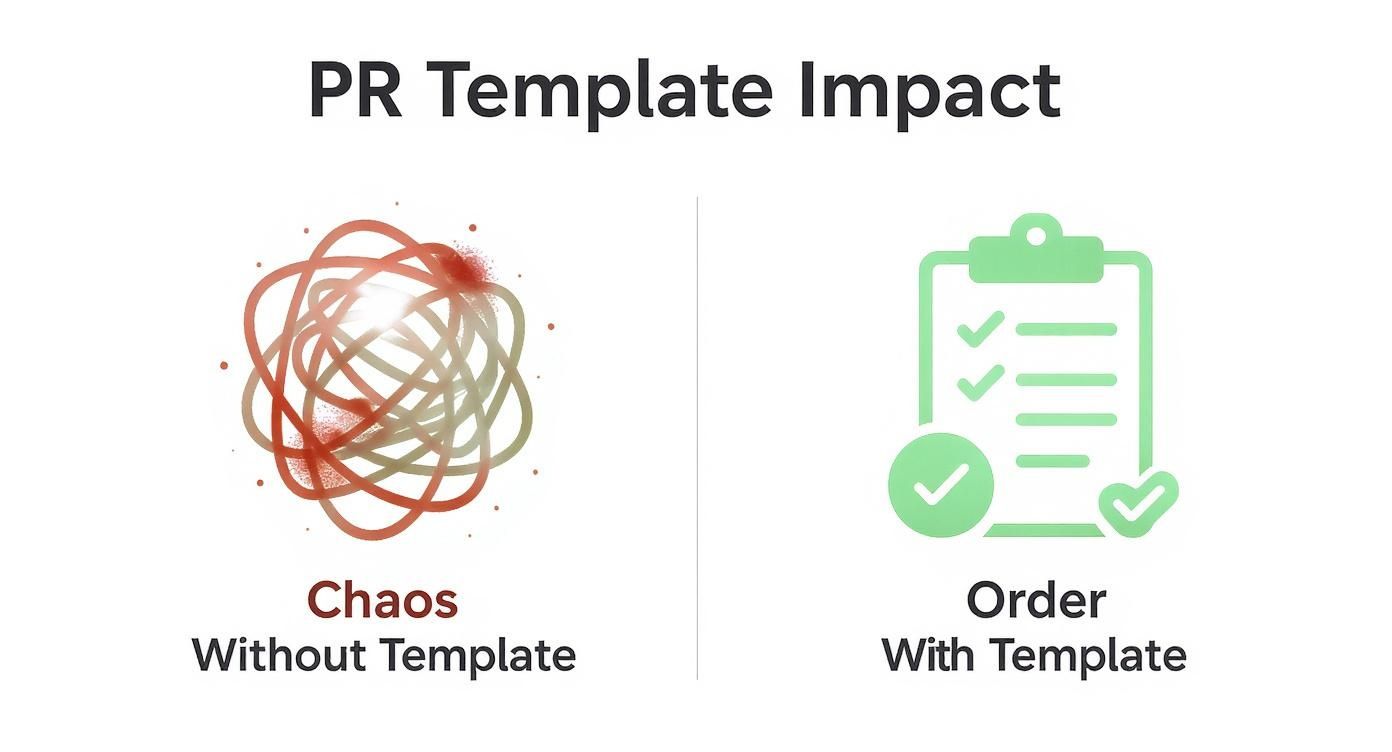
The contrast here is what matters. Templates bring order to the chaos, which has a direct and immediate impact on the speed and quality of your code reviews.
Slash Review Time and Boost Code Quality
When every pull request follows a predictable format, reviewers can stop wasting time on administrative back-and-forth. Instead of asking "What issue does this fix?" or "How do I even test this?", they can dive straight into the code's logic and implementation.
A well-structured template creates a contract between the author and the reviewer. It guarantees that the necessary information is always present, making the entire code review process faster and more effective for everyone involved.
And the impact isn't just theoretical; it's measurable. For example, teams at dbt Labs discovered that using detailed templates cut down the time reviewers spent on minor stylistic nitpicks by up to 40%. This freed them up to focus on what really matters: business logic and overall code quality. You can dig deeper into PR analytics with tools on the GitHub Marketplace.
A standardized PR template brings tangible benefits to a development workflow. The table below gives a quick comparison of key metrics with and without a template in place.
How PR Templates Impact Key Development Metrics
| Metric | Without Template (Average) | With Template (Average) |
|---|---|---|
| Time to First Review | 4.5 hours | 1.5 hours |
| Review Cycles per PR | 3.2 cycles | 1.8 cycles |
| Context-Switching for Reviewers | High | Low |
| PR Approval Time | 2-3 business days | < 1 business day |
| Onboarding Time for New Devs | Weeks | Days |
As you can see, the data speaks for itself. Implementing a simple template can drastically improve efficiency across the board by setting clear expectations from the start.
Enforce Best Practices Automatically
A great template does more than just ask for a description. It embeds your team's best practices directly into the workflow, acting as a gentle nudge in the right direction.
Think about these all-too-common scenarios:
*   **Forgetting Accessibility:** A simple checklist item like `[ ] I have tested these changes for accessibility (a11y)` is a low-friction, non-confrontational reminder.
*   **Skipping Documentation:** A dedicated section for `Documentation Updates` prompts developers to think about how their changes affect user guides or API docs.
*   **Ignoring Edge Cases:** A prompt asking for `Testing Scenarios` encourages authors to outline *how* they've tested their code, pushing them to consider potential edge cases.
By baking these prompts right into the pull request process, you cut down on the kind of common code smells and oversights that often lead to bugs down the road. This proactive approach turns your PR process from a simple code merge into a powerful, automated quality gate.
Creating Your First Pull Request Template
Alright, let's get your first pull request template on GitHub set up. The whole process is way simpler than you might think—no complex configs, just a single Markdown file placed in the right folder.
The real goal here is to give anyone contributing to your project a clear, helpful starting point. It’s a small bit of setup that pays off big time by guiding developers to provide the exact context reviewers need to do their jobs well.
Where to Put Your Template File
GitHub is pretty specific about where it looks for this file. Knowing the pecking order helps you avoid any "why isn't this working?" moments later on.
It searches for the file in this exact sequence:
- Inside a hidden directory named
.github/at the root of your repository. - Directly in the root directory itself.
- Inside a
docs/directory at the root.
For the sake of consistency and just plain old best practice, always put your template in the .github/ folder. This keeps your project's root directory from getting cluttered and tells other developers exactly where to find repository-specific configurations.
Inside that folder, you’ll just create a file named PULL_REQUEST_TEMPLATE.md.
By keeping your templates and other GitHub-specific files (like issue templates or CI/CD workflows) in the
.github/directory, you’re creating a single, predictable spot for all your repository's contribution guidelines. It just makes life easier for everyone.
A Starter Template You Can Use Right Now
Don't get bogged down trying to perfect your first template. Start with a solid foundation that covers the essentials, and you can always tweak it later. The key is to answer the fundamental questions a reviewer will always have.
Here’s a look at what your PULL_REQUEST_TEMPLATE.md file will look like once someone opens a new pull request on GitHub.

As you can see, a well-structured template prompts the author to provide a clear description, link to any related issues, and run through a quick checklist before hitting submit. It’s a simple but effective quality gate.
Feel free to copy and paste the Markdown code below directly into your PULL_REQUEST_TEMPLATE.md file to get going.
### Description of Changes

<!-- Please include a summary of the change and which issue is fixed. Also include relevant motivation and context. -->

### Related Issue

<!-- Link to the issue that this PR addresses. -->
Fixes # (issue)

### Type of Change

<!-- Please delete options that are not relevant. -->
- [ ] Bug fix (non-breaking change which fixes an issue)
- [ ] New feature (non-breaking change which adds functionality)
- [ ] Breaking change (fix or feature that would cause existing functionality to not work as expected)
- [ ] Documentation update

### Reviewer Checklist

- [ ] My code follows the style guidelines of this project
- [ ] I have performed a self-review of my own code
- [ ] I have commented my code, particularly in hard-to-understand areas
- [ ] I have made corresponding changes to the documentation
- [ ] My changes generate no new warnings
This basic structure immediately improves the quality of submissions you'll receive. It's no surprise that they've become so common. Recent analyses show that roughly 60-70% of enterprise development teams now use at least one standardized pull request template.
If you want to dig deeper, you can find more insights and options in GitHub's official documentation.
Advanced Templating for Different Workflows
As your project gets bigger, that one-size-fits-all pull request template on GitHub starts feeling a bit... tight. A template built for shipping a brand-new feature just doesn't have the right prompts for someone trying to squash a critical bug. This is exactly when moving to a multi-template setup becomes a massive win for your team's workflow.
Instead of having just one PULL_REQUEST_TEMPLATE.md file, you can create a dedicated folder: .github/PULL_REQUEST_TEMPLATE/. By dropping multiple Markdown files in there, you give your contributors a menu of options, each tailored to a specific kind of change. It’s a simple shift that makes sure every pull request kicks off with the right context.
This little directory is the secret to a smarter, more responsive contribution process. It adapts to what your team is actually doing, rather than cramming every change into the same box.
Tailoring Templates for Specific Tasks
Let's break down two classic scenarios: fixing a bug versus shipping a new feature. They each demand totally different information from the author to get a fast, effective review.
For a bug fix, the reviewer's first questions are always about reproducing the problem and verifying the fix. Your template needs to get straight to the point.
An example bug_fix.md would focus on:
*   **Steps to Reproduce:** A clear, numbered list showing exactly how to trigger the bug on the `main` branch.
*   **Root Cause Analysis:** A quick rundown of what was actually causing the problem.
*   **Verification Steps:** Instructions for the reviewer to confirm the fix works as intended.
A new feature, on the other hand, is all about the "what" and "why." The conversation shifts from fixing something broken to building something valuable.
So, your new_feature.md might include:
*   **User Story / Feature Ticket:** A direct link to the Jira, Asana, or [GitHub](https://github.com/) Issue that details the user-facing goal.
*   **Design and UI Mockups:** Links to Figma or other design files so reviewers can check for visual consistency.
*   **Dependencies or Breaking Changes:** A heads-up section for any new libraries or potential impacts on existing code.
By creating these distinct templates, you're guiding contributors to provide the right details from the get-go. This simple step can slash the back-and-forth that so often bogs down the review process.
Making Template Selection Easy
Okay, so you have a bunch of templates. How do you make sure people actually use the right one? GitHub has a slick, built-in way to handle this using URL query parameters.
When a contributor opens a new pull request, GitHub automatically detects the multiple templates in your
.github/PULL_REQUEST_TEMPLATE/directory and shows a "Choose a template" dropdown. This makes a powerful feature feel completely intuitive.
You can also give them a nudge in the right direction by building specific URLs. For instance, you could link directly from your issue tracker to a pre-filled bug fix PR with a URL like this:
https://github.com/your-org/your-repo/compare/main...my-branch?template=bug_fix.md
That one little parameter—?template=bug_fix.md—pre-selects the correct template, removing any guesswork. It's a fantastic way to tightly integrate your PR process with your project management tools, creating a seamless path from ticket to merged code. This is the kind of thoughtful customization that separates a good workflow from a great one.
Best Practices for Effective PR Templates
Having a pull request template on GitHub is a solid first step, but its real magic happens when it actually fits into your team's daily flow. If a template is too complicated, developers will just rush through it. Too vague, and it won't provide the context anyone needs. The sweet spot is a template that guides contributors without drowning them in paperwork.
A great template doesn't get in the way; it acts like a silent partner in the review process. It should feel intuitive, helpful, and, most importantly, be something your team actually uses.
Balance Detail with Brevity
Your template needs to walk a fine line. It has to pull in enough information for a solid review but stay concise enough that it doesn't become a roadblock. A template that takes ten minutes to fill out for a single-line code change is a template that will get ignored, fast.
Start by focusing on the absolute essentials:
*   **The "Why"**: A mandatory link to the ticket or issue. This one is non-negotiable—it provides instant context for the reviewer.
*   **The "What"**: A quick, clear summary of what was changed. No novels, just the highlights.
*   **The "How"**: Simple instructions on how a reviewer can test or verify the changes.
The goal of a pull request template isn't to document every single tiny detail. It's to create a clear, consistent starting point for a conversation. Keep it lean and focused on what truly matters for the review.
This approach gives reviewers the core info they need without burying the author in a bunch of unnecessary fields. For teams that want to move fast, aligning PR templates with efficient Agile methodology best practices is the key to building a responsive, collaborative engineering culture.
Make It Actionable with Checklists
It's easy to scroll past a block of static text, but an interactive checklist demands attention. Using Markdown checklists (- [ ]) is a brilliant way to turn passive guidelines into active, required steps. Think of it as a final "pre-flight" check before a developer hits that merge button.
Try adding checklist items for those critical, yet often forgotten, tasks:
*   `[ ] I have performed a self-review of my own code.`
*   `[ ] Corresponding changes to the documentation have been made.`
*   `[ ] This change has been tested on mobile and desktop devices.`
These simple prompts enforce consistency and help embed your team's quality standards directly into the workflow. The impact is real, too. Teams using readiness checklists alongside their usual security and dependency checks have seen a 45% reduction in post-deployment bugs and a 55% decrease in rollback incidents. You can read more on creating effective templates directly from GitHub's documentation.
Iterate Based on Team Feedback
Your pull request template isn't a museum piece—it shouldn't be set in stone. It's a living document that should evolve with your team's process. The only way to keep it useful is to actively listen to feedback and be willing to change it.
Bring it up during your team retrospectives. Ask questions like, "Is our current template still working for us?" or "Is there anything we could add or remove to make reviews smoother?" This collaborative approach creates a sense of shared ownership and ensures the template adapts as your team's needs change.
For more ideas on refining your review process, check out our guide on essential pull request best practices. When you treat your template as a tool that needs regular sharpening, it remains a valuable asset instead of a dusty, forgotten file.
Automating and Enforcing Template Usage
Let's be honest: even the most perfectly crafted pull request template on GitHub is useless if no one fills it out. You could try to manually police every single submission, but that’s a quick way to become the team’s bottleneck and it just doesn’t scale.
A much better approach is to use automation as a friendly guardrail. Think of it less as a frustrating gatekeeper and more as a helpful reminder to ensure consistency.
This is a perfect job for GitHub Actions. With a simple workflow, you can automatically check if a pull request description has been filled out properly. If the description is empty or still has the default template text, the action can apply a label like template-incomplete or even fail a status check. It’s a gentle nudge that prompts the author to add the required context before a review can even start.
From Gentle Nudges to Hard Gates
The goal here is to guide, not to block. It's a balance that a lot of teams struggle with. I've seen data showing that while 85% of organizations create templates, only about 50% manage to enforce them effectively, especially on teams with 10 or more developers.
This happens because GitHub, by default, makes filling out templates optional. If you want to dig deeper into GitHub's built-in features, you can discover more about encouraging useful pull requests on GitHub's docs.
You can start small with a GitHub Action that just checks the PR description's length or content. For a more robust quality gate, you can combine this with other repository settings.
*   **Branch Protection Rules:** Make it mandatory for status checks to pass before merging. Your template-checker action can easily become one of these required checks.
*   **`CODEOWNERS` File:** This automatically requests reviews from specific teams or individuals. It ensures the right people see the PR, but only *after* the basic template requirements are met.
When you put these together, you create a powerful, self-enforcing sequence. A pull request can't even get assigned to the CODEOWNERS for a proper review until the author has filled out the template. It just works. If this is new to you, our guide on how to create reusable GitHub Actions is a great place to start.
Automation isn't about punishing developers for forgetting a step. It's about building a system where the "right way" is also the easiest way. A well-configured workflow saves everyone time and mental energy.
Building a Reliable Workflow
A simple action can scan the pull request body for placeholder text like <!-- Please include a summary of the change --> and fail if it's still there. This tiny check is surprisingly effective at preventing "empty" templates from slipping through, making sure reviewers always have the context they need.
To see how this fits into the bigger picture, it helps to understand the broader concepts of DevOps automation. At the end of the day, these automated checks free up your team to focus on what really matters—the quality of the code itself, not the administrative busywork.
Answering Your Top PR Template Questions
Once you've got your pull request templates set up, you'll inevitably run into some specific questions and quirky edge cases. It happens to everyone. Getting a handle on these common scenarios will save you a ton of headaches down the road and help you really dial in your team's workflow.
Let’s go through some of the questions I hear most often from developers.
Knowing the answers to these is what separates a decent template setup from a great one. It’s all about creating a smooth, predictable process for every single person contributing to your codebase.
Can I Set a Default Template for My Entire Organization?
Yes, you absolutely can, and it's a game-changer for keeping things consistent across all your projects. GitHub lets you create organization-wide default files, which is perfect for pull request templates.
Here’s the trick to setting it up:
- First, create a new public repository inside your organization and name it
.github. - Inside that repo, make a folder that’s also named
.github. - Drop your
PULL_REQUEST_TEMPLATE.mdfile right into that nested directory.
That’s it. Now, any repository in your organization that doesn’t have its own local PR template will fall back to this one. It’s a fantastic way to establish a baseline for quality and communication, especially if you're managing dozens of projects.
Think of this organization-level template as a safety net. It guarantees that even brand-new or less-actively managed repos get the benefit of a standardized process. No more context-free pull requests slipping through the cracks.
What if I Have Templates in Multiple Locations?
This is a classic point of confusion. Let's say you've got templates stashed in a few different valid spots, like the root folder, docs/, and the .github/ directory. Which one wins?
GitHub has a very specific order of priority to sort this out:
*   It checks the `.github/` directory first.
*   If it finds nothing there, it looks in the repository's root.
*   Last, it’ll check the `docs/` folder.
My advice? Keep it simple. The best practice is to store all your templates inside the .github folder. This approach eliminates any guesswork about which template gets used and keeps all your repository's contribution settings neatly organized in one spot.
How Do I Automatically Link a PR to an Issue?
While the template can't create the link on its own, it can guide developers to use the magic words that trigger GitHub's automation. It’s all about nudging them in the right direction.
In your template, add a "Related Issue" section and provide a clear instruction, like asking the author to use this format: Closes #issue-number.
When a developer includes a keyword like Closes, Fixes, or Resolves followed by an issue number, GitHub automatically links the pull request to that issue. Even better, when that PR gets merged, the linked issue will be closed automatically. It's a simple step that saves your team from doing it manually later.
Tired of chasing down pull request statuses in noisy email chains and messy default integrations? PullNotifier delivers clean, real-time PR updates directly to Slack, cutting through the clutter so your team can focus on shipping code. Stop wasting time and start merging faster. Get started for free with PullNotifier.