- Published on
Mastering the Software Security Review
- Authors

- Name
- Gabriel
- @gabriel__xyz
A solid software security review is all about methodically picking apart an application's source code, architecture, and dependencies to find vulnerabilities before they hit production. It’s way more than just running a few automated scanners. Think of it as a planned, collaborative push to stamp out risk early and build tougher software from the ground up. This approach weaves security right into the development lifecycle, instead of treating it like an afterthought.
Setting the Stage for an Effective Review

Jumping straight into code analysis without a clear game plan is a recipe for wasted time and missed vulnerabilities. The best reviews start by defining goals, setting the scope, and making sure everyone knows their role. This initial prep work turns what could be a dreaded audit into a productive partnership focused on real security improvements.
If you skip this step, you risk teams chasing down low-impact issues while the truly critical flaws slip through the cracks. The goal is to get everyone on the same page about what "secure" actually means for this specific project before a single line of code gets scrutinized.
Defining Scope and Objectives
First things first, you need to draw a clear line around what’s in scope and what’s not. Are you looking at a brand new microservice, a sprawling legacy monolith, or just a small feature update? A fuzzy scope just leads to unfocused effort and frustration.
Next, you have to connect your security goals to business risk. A public-facing authentication service has a completely different threat profile than an internal reporting tool, and your review objectives need to reflect that.
You should be able to answer a few key questions:
*   **What are the crown jewels this software is protecting?** (Think user data, financial records, or valuable IP.)
*   **What’s the real-world business impact if we get breached?** (Are we talking regulatory fines, a PR nightmare, or major operational downtime?)
*   **What specific threats keep us up at night?** (Is it unauthorized access, data exfiltration, or a denial-of-service attack?)
Answering these helps you point your review efforts at the parts of the system that actually matter. Getting a handle on the project's landscape is a lot like running through a technical due diligence checklist to understand the big picture first.
Clarifying Roles and Responsibilities
A good review is a team sport, not a solo mission for the security folks. When roles are clear, everyone knows who owns what, and communication flows smoothly.
Key Roles and Responsibilities in a Security Review
Here's a breakdown of the essential players and what they bring to the table. Getting this right from the start is key to a smooth and effective process.
| Role | Primary Responsibility | Key Contributions |
|---|---|---|
| Security Champion | Leads and facilitates the review process. | Provides security expertise, coordinates activities, and helps triage findings. |
| Developer / Author | Provides context on the code and architecture. | Explains design decisions, assists in validating findings, and implements fixes. |
| Product Manager | Defines business context and risk tolerance. | Helps prioritize vulnerabilities based on their impact to users and the business. |
| QA Engineer | Assists in validating and testing fixes. | Develops test cases for identified vulnerabilities to prevent regressions. |
This structure ensures that everyone has a stake in the outcome.
When everyone knows their part, you start building a culture of shared responsibility. And since so much of this collaboration happens during code review, it pays to get that part right, too. Check out our guide on pull request best practices for more tips on making teamwork click.
Your Pre-Review Checklist
Before the technical deep dive begins, a simple pre-review checklist makes sure the team is ready to go with all the necessary resources. This one step can prevent a ton of delays and keep the whole process on track.
Rushing into a review without proper preparation is like trying to navigate without a map. You might eventually find your way, but you'll waste valuable time and energy getting there.
Your checklist should be straightforward and cover the basics:
*   **Gather documentation:** Pull together architecture diagrams, data flow charts, and any threat models you already have.
*   **Ensure tool access:** Double-check that all reviewers can get into the code repository, issue trackers, and any security scanning tools.
*   **Define the timeline:** Set clear start and end dates for the review and lay out expectations for when you'll hit key milestones.
*   **Schedule a kickoff meeting:** Get all the participants in a room (virtual or otherwise) to align on goals, scope, and the plan of attack.
This prep work is critical for preventing security debt—the dangerous pile-up of unresolved vulnerabilities. One recent report found that the average time to fix security flaws has shot up by 47% since 2020. Even worse, half of all organizations are now carrying critical security debt. Proper planning helps your team tackle findings quickly, so you can avoid adding to that scary backlog.
Choosing Your Tools for Technical Analysis

Alright, with the groundwork laid, it's time to get our hands dirty and dig into the code. A modern software security review isn’t about manually combing through every line; it’s about using a smart, layered toolkit to find common vulnerabilities automatically.
This is more than just running a few scanners. The real skill lies in picking the right tools for the job and, just as importantly, knowing how to make sense of what they tell you. Each tool gives you a different view of your application's security, and by combining them, you can build a solid picture of your actual risks.
Uncovering Risks in Open Source Dependencies
Let's be real—nobody builds applications from scratch anymore. We all stand on the shoulders of open-source libraries, which is great for speed but also means we inherit every security flaw they have. This is exactly where Software Composition Analysis (SCA) comes in.
SCA tools are your first line of defense against supply chain attacks. They scan all your project's dependencies and check them against massive databases of known vulnerabilities (like the CVE list). Given the sheer number of packages in any modern project, trying to track this stuff by hand is a complete non-starter.
The modern software supply chain is a tangled web. It’s no surprise that third-party breaches have become a dominant attack vector. One report found that a staggering 35.5% of all global breaches involved a third party. You can get the full picture from the Third-Party Breach Report.
Tools like the open-source OWASP Dependency-Check are a great starting point and can be plugged right into your build process for instant feedback.
Analyzing Your Codebase with SAST
While SCA handles the code you import, Static Application Security Testing (SAST) looks at the code you write. These are "white-box" scanners that analyze your source code or binaries for security flaws without ever having to run the application.
SAST is fantastic at catching common coding mistakes that open the door to major vulnerabilities:
*   SQL injection
*   Cross-Site Scripting (XSS)
*   Insecure deserialization
*   Buffer overflows
The big challenge with SAST? The noise. An out-of-the-box scanner can drown your team in false positives, which quickly leads to developers ignoring the alerts altogether.
Pro Tip: Don't just run your SAST scanner—tune it. Spend the time creating custom rule sets that make sense for your specific tech stack and application. Suppress noisy, low-priority findings in legacy code and focus the scanner on new and modified code in your CI/CD pipeline. This makes the feedback way more actionable.
A little tuning effort upfront pays off big time. It ensures that when a SAST tool flags something, your team actually trusts the result. For more tool ideas, we put together a guide on the 12 best automated code review tools for 2025.
Preventing Accidental Credential Exposure
Hardcoding secrets—API keys, database passwords, private certificates—directly into source code is one of the most common and damaging security mistakes you can make. Once that secret hits a Git repository, it's exposed to anyone with access, creating an immediate, five-alarm fire.
This is exactly what secrets scanning tools are built to prevent. They use a mix of pattern matching and entropy analysis to sniff out credentials in your codebase before they're ever merged.
A good secrets scanning setup involves a few layers:
- Pre-Commit Hooks: Run a lightweight scanner on every developer's machine before they can even commit. It's the fastest feedback loop you can get.
- CI/CD Scans: As a safety net, run a more comprehensive scan in your CI pipeline to catch anything that slips past the local checks.
- History Scans: For existing repos, run a one-time scan of the entire Git history to find and revoke any secrets that have already been committed.
To help you get a clearer picture of these automated scanning methods, here's a quick comparison of what each one does best.
Comparison of Security Scanning Techniques
| Technique | What It Finds | Best For | Common Tools |
|---|---|---|---|
| SCA (Software Composition Analysis) | Known vulnerabilities (CVEs) in open-source dependencies | Auditing your software supply chain and third-party libraries | OWASP Dependency-Check, Snyk, Dependabot |
| SAST (Static Application Security Testing) | Coding errors like SQL injection, XSS, and buffer overflows in your own code | Finding common bugs early in the development cycle, directly in the IDE or CI/CD pipeline | SonarQube, Checkmarx, Semgrep |
| Secrets Scanning | Hardcoded credentials like API keys, passwords, and private certificates | Preventing accidental exposure of sensitive data in source code | GitGuardian, TruffleHog, gitleaks |
| IaC Scanning | Misconfigurations in cloud infrastructure code (e.g., public S3 buckets, overly permissive IAM roles) | Securing cloud environments defined by Terraform, CloudFormation, or Kubernetes manifests | Checkov, tfsec, Terrascan |
Each technique provides a unique layer of defense. By combining them, you create a robust, automated security net that catches different types of risks at various stages of your development process.
Securing Your Infrastructure as Code
Finally, security doesn't stop at your application code. These days, our cloud infrastructure is defined by code using tools like Terraform, CloudFormation, and Kubernetes manifests. A simple misconfiguration in one of these Infrastructure-as-Code (IaC) files can leave your entire environment wide open.
IaC scanners are designed to analyze these configuration files for security weak spots—things like publicly exposed storage buckets, overly permissive IAM roles, or unencrypted data volumes.
By integrating these scanners into your deployment pipeline, you can ensure your infrastructure is built on a secure foundation from day one. It’s a proactive approach that prevents entire classes of vulnerabilities before they even have a chance to reach production.
Going Beyond Scanners with Manual Code Review
Automated scanners are a must-have for catching the usual suspects and low-hanging fruit. But let's be real—they're just one piece of the puzzle in a proper software security review. They're great at spotting known patterns but completely miss the context, the business logic, and the subtle design flaws where the really interesting vulnerabilities live.
This is where the human element comes in. A manual code review is less about checking boxes and more about the art of security analysis. It’s a deep dive into the application's logic and architecture, all through the eyes of an attacker. You’re not just looking for signatures; you’re questioning assumptions and hunting for insecure design choices that no tool could ever find.
Adopting an Attacker's Mindset
To do a manual review right, you have to switch gears. Stop thinking like a developer who builds things and start thinking like an adversary who wants to break them. An attacker doesn't care about your elegant code or clever algorithms. They're looking for any unintended behavior they can twist to their advantage.
This means you need to actively look for ways to misuse features and bend the system's logic. Start asking adversarial questions about the code in front of you:
*   What happens if I shove completely unexpected or malicious input right here?
*   Can I sidestep this authorization check by calling the function from somewhere else?
*   Is there a way to mess with the application's state to get privileges I shouldn't have?
This shift in perspective is what helps you spot vulnerabilities that are totally invisible from a functional point of view. It’s all about poking at the gray areas and edge cases where security tends to fall apart.
A scanner sees code as a set of patterns to match. A human reviewer sees it as a set of assumptions to break. This fundamental difference is why manual review will always be a critical component of security.
Ultimately, this process is about more than just finding bugs; it’s about understanding risk. By thinking through potential attack paths, you can better prioritize which weaknesses pose the biggest threat to your application and the business.
Targeting High-Risk Areas for Manual Inspection
You can't manually review every single line of code—you don't have the time. The trick is to focus your energy where a security failure would be the most catastrophic. A targeted approach gives you the most bang for your buck.
Start by mapping out the riskiest parts of your system:
*   **Authentication and Session Management:** Dig into the login flows, password resets, and how session tokens are created, stored, and killed. A single flaw here could lead to total account takeover.
*   **Authorization and Access Control:** This is a classic blind spot for scanners. Manually walk through your access control logic to make sure it correctly enforces permissions, especially in tricky scenarios with multiple user roles or complex data hierarchies.
*   **Sensitive Data Handling:** Follow the trail of critical data—personal info, financial records, API keys. Look for any instance of weak encryption, sensitive data being logged, or credentials exposed in API responses.
*   **Complex Business Logic:** Any feature with intricate rules or multi-step workflows is a goldmine for manual review. Attackers love to exploit business logic flaws to get unexpected outcomes, like applying a discount over and over or skipping a payment step entirely.
By zeroing in on these critical functions, you can apply your expertise where it matters most. A structured approach is essential to make sure you don't miss common issues. For a solid starting point, check out this detailed code review checklist which covers many of these security considerations.
Uncovering Vulnerabilities Scanners Always Miss
The real value of a manual review is its power to find entire classes of vulnerabilities that automated tools just weren't built to find. These flaws are often buried deep in the application's design and require a human's ability to understand intent and context.
Here are the usual culprits that manual reviews are great at catching:
- Business Logic Flaws: These are vulnerabilities that come from using a feature exactly as it was designed, but in a way the developers never intended. Think of a checkout process that lets a user buy something for a negative price.
- Race Conditions: These are subtle, timing-based bugs where the outcome depends on the sequence of events. A classic example is a "time-of-check to time-of-use" (TOCTOU) bug, where you can sneak in and change something after a security check has passed but before the action is completed.
- Insecure Design Patterns: This covers big-picture architectural weaknesses, like one service blindly trusting input from another, or a system that doesn't fail securely when something goes wrong. These are high-level design problems that code scanners can't even begin to understand.
Finding these vulnerabilities takes critical thinking and a solid grasp of the application and common attack patterns. It’s this skill that takes a software security review from a simple bug hunt to a true risk assessment.
Turning Findings into Actionable Fixes
Discovering vulnerabilities is only half the battle. A long list of security findings from a software security review is useless if it just sits there, gathering digital dust. The real value comes when you turn those findings into concrete, actionable fixes that actually strengthen your codebase.
Without a solid process for triage and remediation, you'll just end up overwhelming your developers and letting critical issues slip through the cracks. The goal isn't just to report problems—it's to get them solved. This means shifting from a "gotcha" mentality to a collaborative one, where security findings are treated as learning opportunities, not moments of blame. A positive, constructive approach is what leads to lasting improvements and a more resilient application.
Prioritizing What Truly Matters
Let's be real: not all vulnerabilities are created equal. A theoretical denial-of-service flaw in an internal admin panel is way less urgent than a remote code execution vulnerability on your main login page. You have to prioritize fixes based on real-world risk, so your team's limited time is spent on what matters most.
This is where risk-scoring frameworks come in handy.
*   **CVSS (Common Vulnerability Scoring System):** This gives you a base score from **0** to **10** based on the vulnerability's intrinsic traits, like attack complexity and impact. It’s a great starting point for understanding raw severity.
*   **EPSS (Exploit Prediction Scoring System):** This is where it gets interesting. EPSS predicts the probability that a vulnerability will be exploited in the wild within the next **30** days. It adds that crucial real-world context to the CVSS score.
By combining CVSS and EPSS, you can move beyond a simple "High, Medium, Low" classification. You might have a "High" severity CVSS issue that has a very low EPSS score. This allows you to deprioritize it in favor of a "Medium" issue that attackers are actively exploiting right now.
This data-driven approach helps you cut through the noise. It ensures you’re tackling the most significant threats first, not just the ones with the highest theoretical score.
Creating Tickets Developers Can Actually Use
Once you know what to fix first, you need to create clear, actionable tickets. A vague ticket like "Fix XSS vulnerability" is a recipe for confusion and delay. A great security ticket gives a developer all the context they need to replicate the issue, understand the risk, and implement a fix.
Each ticket should include:
- A Clear and Concise Title: "Stored XSS in User Profile Name Field" is much better than "Security Bug."
- Detailed Replication Steps: Give them the exact steps, including any sample payloads or code snippets, to reproduce the vulnerability. Make it easy.
- The "Why": Briefly explain the business impact. What can an attacker actually do with this vulnerability? Connect it to a risk the business cares about.
- Actionable Remediation Guidance: Don't just point out the problem; suggest a solution. Recommend specific code changes, libraries to use, or functions to call. For more on this, check out these strategies for implementing robust security measures.
This transforms a security finding from an abstract problem into a well-defined task that’s ready to be picked up.
Fostering a Culture of Remediation
The final piece of the puzzle is building a culture where fixing security issues is a shared responsibility, not just a security team problem. The volume of software vulnerabilities disclosed globally has reached unprecedented levels. Over 21,500 CVEs were cataloged by mid-year—an 18% increase from the prior year. This means security teams are staring down over 130 new vulnerabilities every day, with 38% of them rated as High or Critical. You can dig into more of these vulnerability statistics on deepstrike.io.
With this constant influx, a blame-free environment is absolutely crucial. When developers feel safe to ask questions and learn from findings, they become more engaged in the entire security process. You have to celebrate the wins, track helpful metrics like "time to remediate," and treat every fixed vulnerability as a victory for the entire team.
Integrating Security Reviews into Your Workflow
A one-off software security review might catch a few vulnerabilities, but it won’t build a secure development culture. That’s the real goal. In fast-moving engineering teams, security can't be a periodic, manual gate that just slows everyone down. It has to be a continuous, automated part of the development lifecycle—a seamless habit, not a disruptive event.
The key is to weave security directly into the tools and processes your developers already use every day. When security feedback shows up instantly inside a pull request, it becomes a natural part of the coding flow. This is how you shift security from an external audit to an intrinsic part of building high-quality software.
Automating Security in Your CI/CD Pipeline
The best way to "shift left" is to bake your security scanners directly into your Continuous Integration/Continuous Deployment (CI/CD) pipeline. Doing this gives you immediate, automated feedback on every single code change. Security becomes a proactive check, not a reactive cleanup effort.
Think of it as giving a security expert a seat at the table for every single commit. When a developer pushes new code, the pipeline automatically kicks off a series of scans:
*   **Software Composition Analysis (SCA):** Instantly flags new open-source dependencies with known vulnerabilities.
*   **Static Application Security Testing (SAST):** Scans the new code for common coding errors and security flaws.
*   **Secrets Scanning:** Makes sure no API keys, passwords, or other credentials have been accidentally committed.
*   **Infrastructure-as-Code (IaC) Scanning:** Validates Terraform or CloudFormation changes to catch potential cloud misconfigurations.
By catching issues this early, you slash the cost and effort needed for remediation. It's always cheaper and faster to fix a bug moments after the code is written.
Surfacing Alerts in Pull Request Workflows
Automation is a great first step, but it’s worthless if the alerts get ignored. The real magic happens when you deliver these findings directly into the developer's main workspace: the pull request (PR). Drowning developers in emails or forcing them to log into a separate security dashboard is a recipe for ignored alerts.
The best approach is to have your security tools post their findings as comments directly on the PR. This keeps the entire context—the vulnerability, the exact line of code, and remediation advice—right where the developer is already working.
This is where a tool like PullNotifier can be a game-changer. You can set it up to watch for security-related comments or labels from your automated scanners and then automatically route notifications to the right people in Slack. For example, if a high-severity SAST finding pops up, PullNotifier can ping the code author, the assigned reviewer, and the team's security champion in a dedicated channel. Nothing gets missed.
The goal is to make security information impossible to ignore but easy to act on. Integrating alerts into the pull request and tools like Slack turns abstract security data into focused, actionable conversations.
This tight feedback loop empowers developers to own and fix their security issues without ever having to switch context.
Implementing Automated Quality Gates
For the most critical vulnerabilities, a simple notification isn't enough. You need a stronger enforcement mechanism. That's where automated quality gates come in. A quality gate is a rule in your CI/CD pipeline that can automatically block a build or prevent a PR from being merged if it fails to meet certain security criteria.
For instance, you could configure a quality gate to:
- Fail the build if an SCA scan finds a new dependency with a "Critical" severity vulnerability.
- Block a merge if a SAST tool identifies a high-confidence SQL injection flaw.
- Prevent deployment if a secrets scanner discovers a hardcoded AWS access key.
These gates act as your non-negotiable safety net. They ensure that the most dangerous types of vulnerabilities can never make it into your main codebase, let alone production. While you should use them carefully to avoid creating too much friction, they're a powerful way to enforce your organization's baseline security standards.
This infographic shows the typical flow for handling the findings these automated checks produce.
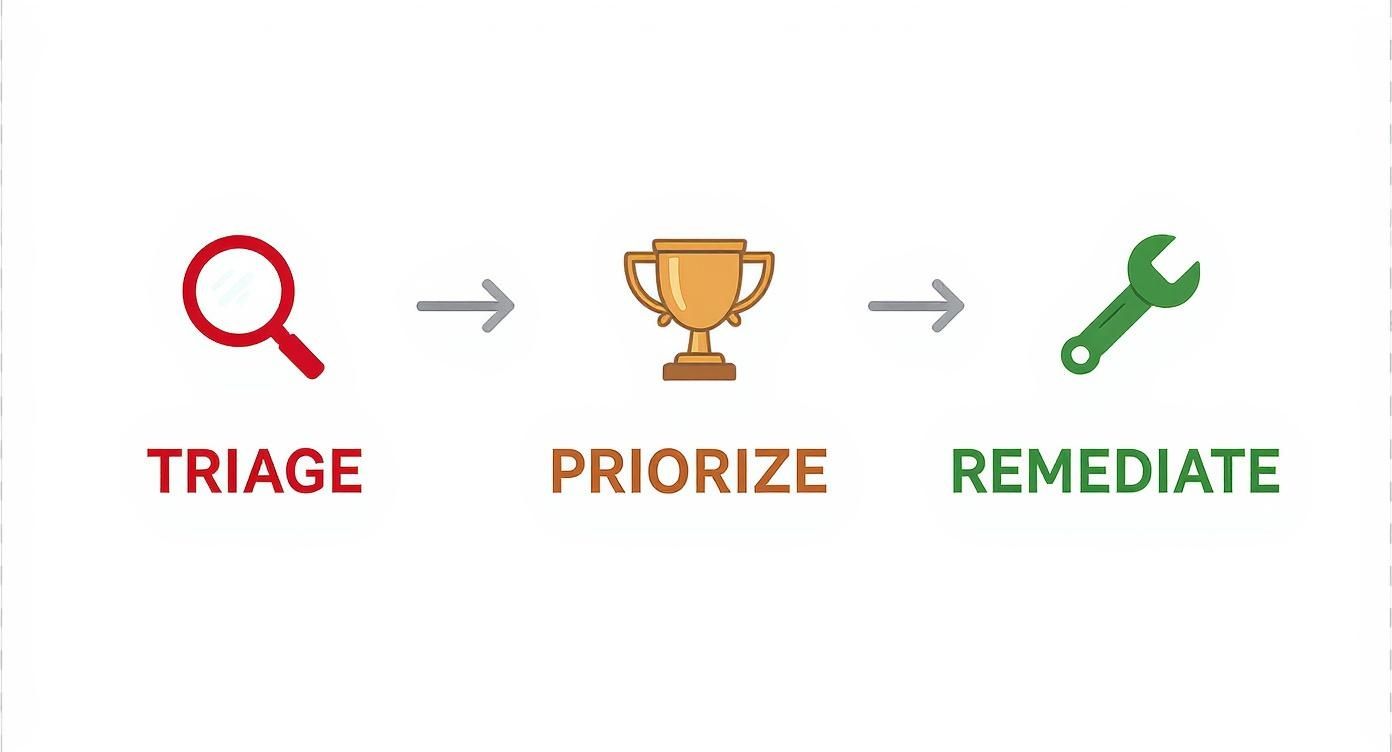
This workflow turns raw discovery into real resolution, making sure that automated findings actually lead to tangible security improvements. When you integrate this process into your development cycle, you make secure coding the path of least resistance.
Frequently Asked Questions About Software Security Reviews
Even with a solid plan, you're bound to run into questions when you're spinning up or tuning a software security review program. Let's tackle some of the most common ones I hear.
Getting these fundamentals right is the secret to making your security efforts stick. It helps everyone, from developers to product managers, understand the "why" behind it all, leading to better collaboration and, ultimately, more secure code.
How Often Should We Conduct a Review?
There’s no magic number here. The right frequency for a software security review really depends on your project's risk profile and how fast your team is shipping code.
For high-stakes, critical applications—think anything handling financial data or sensitive PII—reviews need to be continuous. This means baking automated scanners right into your CI/CD pipeline to get instant feedback on every single commit. For lower-risk internal tools, a review before each major release or even on a quarterly cadence is a perfectly reasonable place to start.
The key principle? Match your review cadence to your development velocity and the potential impact of a breach.
Who Should Be Involved in a Security Review?
A good review is always a team sport, not just something the security folks do in a corner. You'll uncover the most critical (and subtle) vulnerabilities by bringing different perspectives to the table.
Your core review team should look something like this:
*   **Developers:** The people who wrote the code. Their context on design choices and implementation logic is invaluable.
*   **A Security Champion or Engineer:** This person steers the technical security analysis and helps validate what’s found.
*   **A Product Manager:** They provide the business context needed to prioritize findings based on real-world user impact.
*   **QA Engineers:** They can help write test cases to reproduce vulnerabilities and confirm that the fixes actually work.
When you make the software security review a collaborative process, you kill the "security gate" mentality. It becomes a shared learning experience that levels up the entire team's skills.
This approach is essential for accurate triage and ensures that when it's time to fix things, everyone understands what needs to be done and why it's a priority.
What Is the Difference Between a Security Review and a Pen Test?
This question comes up all the time, and it's a good one. The two are complementary, but they serve very different purposes.
A software security review is what we call a "white-box" assessment. The reviewers get full access to everything: source code, architecture diagrams, design docs, you name it. They analyze the application from the inside out, looking for design flaws, insecure coding patterns, and logic bugs that you'd never spot from the outside.
On the other hand, a penetration test is usually a "black-box" or "gray-box" activity. The goal is to simulate an external attacker trying to break into the live, running application with little to no inside knowledge. Pen testers are focused on exploiting vulnerabilities from an attacker's point of view.
Think of it this way: a security review finds flaws in the building's blueprint, while a pen test checks if the finished house has any unlocked doors or windows. You really need both.
Don't let critical security alerts get lost in the noise of your pull request workflow. PullNotifier integrates seamlessly with GitHub and Slack to surface important notifications—like findings from your security scanners—directly to the right people in real-time. Cut through the clutter and ensure your team acts on security issues faster. Streamline your security feedback loop with PullNotifier.