- Published on
Top Asynchronous Collaboration Tools to Boost Productivity
- Authors

- Name
- Gabriel
- @gabriel__xyz
Asynchronous collaboration tools are platforms designed to help teams work together without needing everyone online at the same time. It’s a strategic move away from constant pings and notifications, empowering people to do focused work and make thoughtful contributions on their own schedule.
Escaping the Cycle of Constant Interruptions
Let's face it: the modern workplace can feel like an endless stream of notifications. Between the constant messages, back-to-back meetings, and the unspoken pressure to be available right now, we've built a culture of perpetual distraction. This "always-on" mindset is especially harmful for developers and other roles that rely on deep, uninterrupted focus.
Every little notification forces a context switch. It yanks your attention away from a complex problem, and research shows it can take over 20 minutes to get back into that original state of concentration. Multiply that by dozens of interruptions a day, and it's no surprise that productivity tanks while stress shoots through the roof. This cycle doesn't just slow projects down; it's a direct path to burnout.
The True Cost of 'Always On'
The pressure for immediate replies forces a reactive way of working. Instead of proactively chipping away at important tasks, team members spend their day just trying to keep up with the latest ping. This frantic pace smothers creativity and strategic thinking.
This infographic perfectly illustrates how an always-on culture leads directly to fragmented attention and burnout.
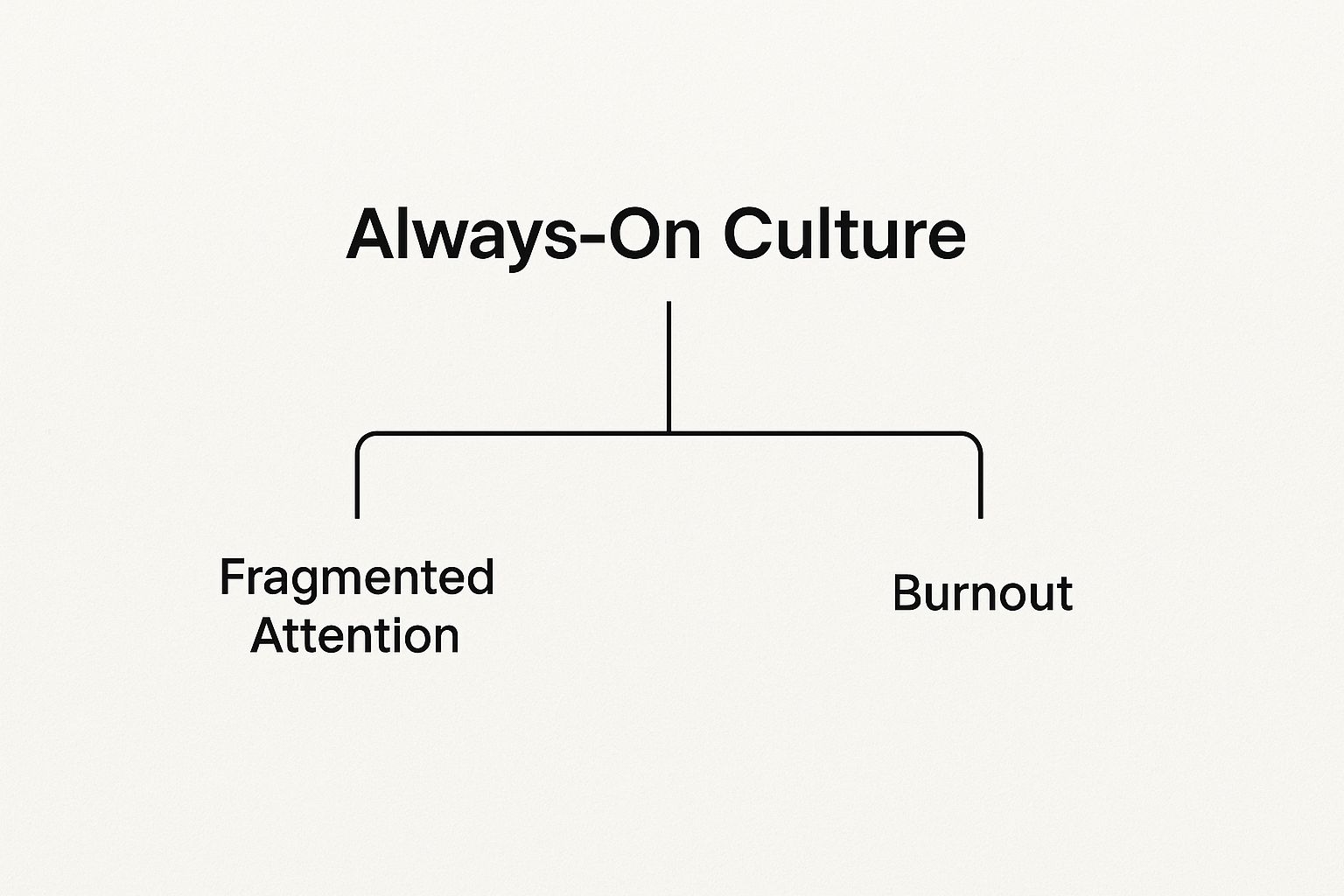
It’s clear that burnout isn't just about working long hours. It's a direct result of having our focus shattered by a work culture that was never sustainable in the first place. This is where asynchronous collaboration tools come in.
These platforms are built to change team dynamics for the better. They offer a structured space for communication that respects everyone's need for focus time. Instead of demanding an instant response, they foster a calm, organized environment where people can contribute thoughtfully, on their own time. This is more than just new software; it’s a healthier, more productive way to work.
By prioritizing deep work over constant chatter, asynchronous workflows empower teams to produce higher-quality results. It’s about creating an environment where everyone can contribute their best work without sacrificing their well-being.
A big part of shifting to an async model is finding ways to cut down on those interruptions. A good starting point is exploring these 15 tools to minimize digital distractions to help reclaim your focus. On top of that, learning how to automate repetitive tasks can eliminate many of the manual check-ins that fuel the cycle of interruptions in the first place.
Understanding Asynchronous Collaboration
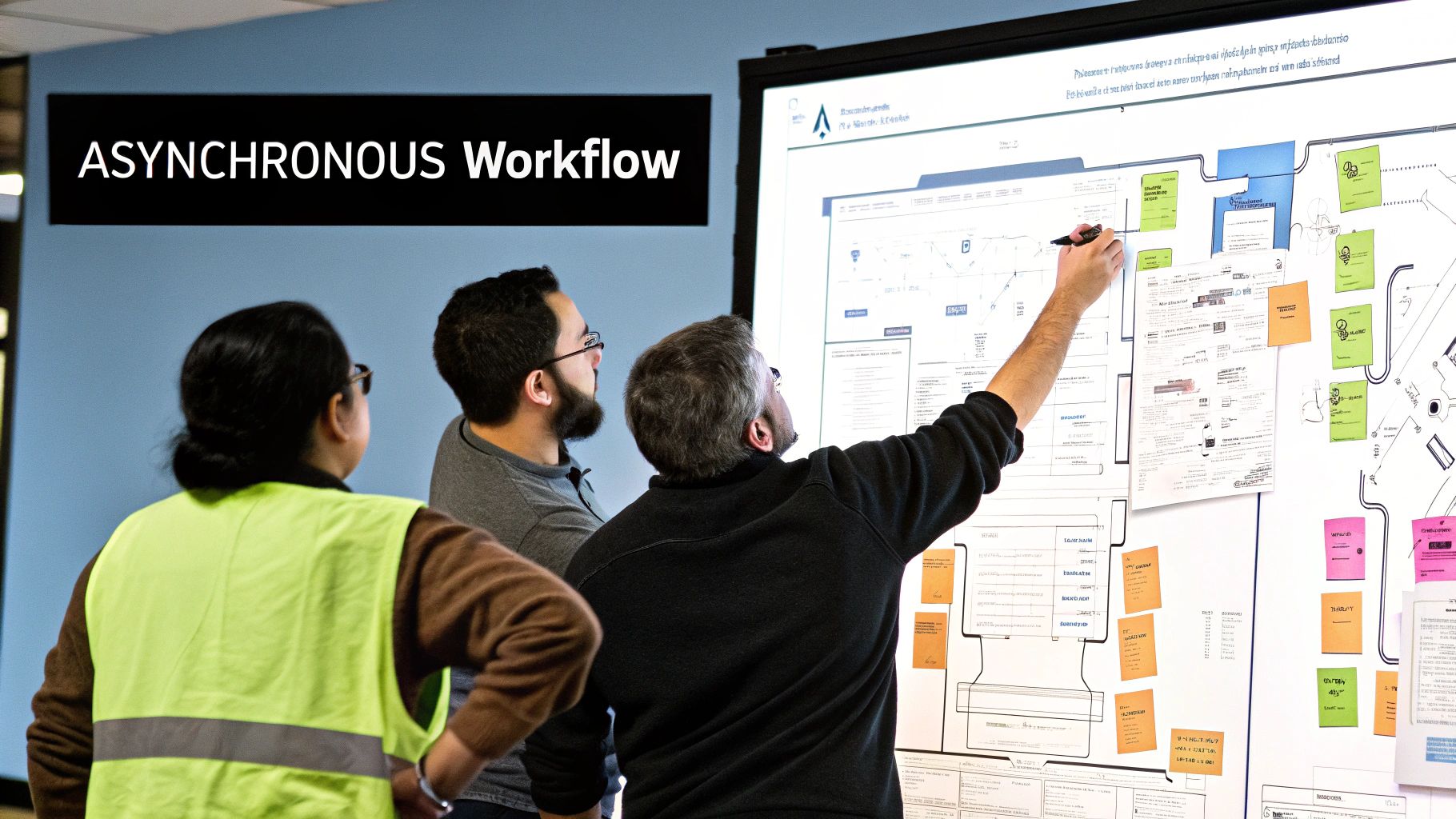
Picture a shared workshop where artisans leave detailed blueprints and progress notes for each other to pick up whenever they're ready. That’s the core idea behind asynchronous collaboration. It’s the complete opposite of a frantic assembly line where everyone has to be present and perfectly in sync, which almost always leads to bottlenecks and burnout.
Asynchronous collaboration isn’t about getting rid of real-time meetings. It’s about making them count. This work philosophy values deep, focused effort and thoughtful contributions over knee-jerk, immediate responses. It gives your team members the freedom to tackle tasks and join conversations when they're at their sharpest, no matter what time zone they’re in.
The global shift to flexible work has put this model front and center. The market for team collaboration tools hit 42.20 billion by 2030. This isn't surprising, given that 75% of employees want more flexibility, and companies that provide it are seeing productivity jump by as much as 22%.
The Core Principles of Asynchronous Work
At its heart, async work runs on trust and clarity. A few key principles empower individuals and make the entire team stronger.
This entire work style is supported by three main pillars:
- Default to Documentation: Every decision, discussion, and update gets written down in a central, easy-to-find place. This creates a permanent record that eliminates the need to constantly ask, "Hey, what did we decide about that thing?"
- Intentional Communication: Instead of firing off quick, reactive messages, communication is thorough and packed with context. A well-written request in an async tool has all the details needed upfront, which stops the endless back-and-forth for clarification.
- Ownership and Autonomy: Team members are trusted to manage their own time and priorities. This empowers them to block out chunks of time for deep work, leading to better results and higher job satisfaction.
Synchronous vs Asynchronous Communication A Quick Comparison
To be clear, synchronous and asynchronous methods aren't enemies—they're just different tools for different jobs. Knowing when to use each one is the secret to an effective team. One is perfect for deep, considered work, while the other shines when you need to solve an urgent problem or just bond as a team.
Here's a quick breakdown of how they stack up.
| Aspect | Synchronous Collaboration (Real-Time) | Asynchronous Collaboration (Flexible Time) |
|---|---|---|
| Best For | Urgent problem-solving, brainstorming sessions, team-building activities, and complex negotiations. | Deep work, detailed feedback (like code reviews), cross-time-zone collaboration, and status updates. |
| Communication | Immediate and spontaneous, often verbal (meetings, calls). | Thoughtful and documented, often written (threaded comments, documents). |
| Challenges | Requires scheduling coordination, can be disruptive to focus, and often favors louder voices. | Can feel isolating if not managed well, and requires disciplined documentation habits. |
| Key Benefit | Builds immediate rapport and allows for rapid, iterative discussion. | Protects focus time, promotes inclusivity, and creates a searchable record of work. |
This distinction is fundamental. A production-down crisis probably warrants an all-hands video call (synchronous), but planning the next big feature will benefit far more from the detailed, documented feedback that asynchronous collaboration tools provide.
These principles don’t just apply to project management, either. For a deeper look at how async can streamline other parts of the business and kill scheduling headaches, check out this guide on asynchronous video interviews.
The goal of asynchronous work isn't to stop talking to each other. It’s to make the time we do spend together more meaningful and the time we spend apart more productive.
By adopting this mindset, teams shift from a culture of constant availability to one of intentional contribution. The result is a calmer, more focused, and ultimately more effective way of working.
The Real Benefits of Asynchronous Workflows

Sure, the freedom to work from anywhere is a nice perk, but the real magic of asynchronous workflows goes much deeper. It’s about rewiring how teams actually get things done, shifting the focus from looking busy to making real, tangible progress.
The first and most obvious win? You get to protect your focus.
By killing the expectation of an instant reply, team members can finally carve out long, uninterrupted blocks of time for deep work. This is non-negotiable in software development, where cracking a complex problem requires hours of sustained concentration. Without the constant ping of notifications pulling you out of the zone, developers can stay in a state of flow, which ultimately leads to better code and more elegant solutions.
This isn’t just about individual productivity, either. When communication is deliberate and well-documented, everyone has what they need to move their own work forward without waiting for someone else to come online.
Fostering Deep Work and Reducing Stress
In a typical office setting, the day is a chaotic mess of reacting to whatever pops up. Asynchronous work flips that script entirely. Instead of your calendar being held hostage by other people's "urgent" requests, you take back control. You get to align your tasks with your own energy levels and tackle your hardest problems when you’re at your sharpest.
This autonomy is a massive blow to burnout. Study after study shows that a lack of control is a primary cause of workplace stress. Handing that control back to individuals builds a healthier, more sustainable culture where people feel trusted and respected.
"The core benefit isn't just flexibility; it's the intentionality it creates. Asynchronous workflows force clarity and thoughtfulness into communication, which leads to better decisions and less rework down the line."
What this really means is fewer interactions, but much better ones. Instead of a vague, one-line Slack message that turns into a five-part back-and-forth, people learn to write out a complete thought or request. That single change saves everyone time and cuts down on the mental overhead of trying to track a dozen fragmented conversations.
Promoting Genuine Global Inclusion
For distributed teams, time zones can accidentally create a power dynamic. The folks in the "main" time zone tend to drive the conversations and decisions, leaving everyone else scrambling to catch up. Asynchronous workflows tear down that wall, creating a truly level playing field.
With the right asynchronous collaboration tools, every single person on the team has an equal shot at contributing their best work, no matter where they are or when they log on.
- Thoughtful Contributions: Team members who are more introverted or just need a minute to think can formulate their ideas without the pressure of a live meeting. This naturally leads to more diverse and well-reasoned input.
- Equal Access to Information: The important stuff happens in writing, out in the open in shared channels or documents. No more crucial decisions being made in a hallway conversation that half the team missed. Everyone gets the same context.
- Reduced Scheduling Chaos: That logistical nightmare of finding a meeting time that works for London, San Francisco, and Singapore? It pretty much disappears.
This isn't just about being nice. It's about unlocking the full brainpower of your entire global team and making sure the best ideas can surface from anywhere.
Building a Searchable Knowledge Base
Here’s one of the most underrated perks of going async-first: you automatically build a living, searchable archive of your team's knowledge. Every discussion, every decision, and every piece of feedback is documented by default.
Think about it. A project discussion in a tool like Slack or a comment thread on a pull request in GitHub becomes a permanent record. A new hire can search through old conversations to get up to speed on a project's history. A developer can quickly find the rationale behind a decision made six months ago. This "institutional memory" is incredibly powerful.
This documented history slashes the number of repetitive questions and makes onboarding way faster. Instead of bugging a senior engineer for the fifth time, a junior dev can find the answer themselves. That fosters independence and frees up valuable time for the whole team. Over time, your daily chatter transforms from a temporary distraction into a long-term strategic asset.
Core Features of Effective Collaboration Tools
 Not all asynchronous collaboration tools are built the same. The real difference between a tool that actually helps and one that just adds more noise comes down to a few core features. A great platform isn't just a fancy chat room; it's a structured space designed to keep conversations clear, context intact, and everyone focused on their work.
Think of it like a well-run workshop versus a messy garage. You need labeled drawers for every part, clear blueprints on the wall, and a log of who did what. Without that structure, you just have chaos. The best async tools bring that same level of organization to your team’s digital work.
Preserving Context with Threaded Conversations
One of the fastest ways for a project to go off the rails is losing the "why" behind a decision. A flat, single-feed chat is a black hole for context. A question asked at 9 AM gets buried under memes and unrelated updates by noon, forcing everyone to scroll endlessly just to piece the original conversation back together.
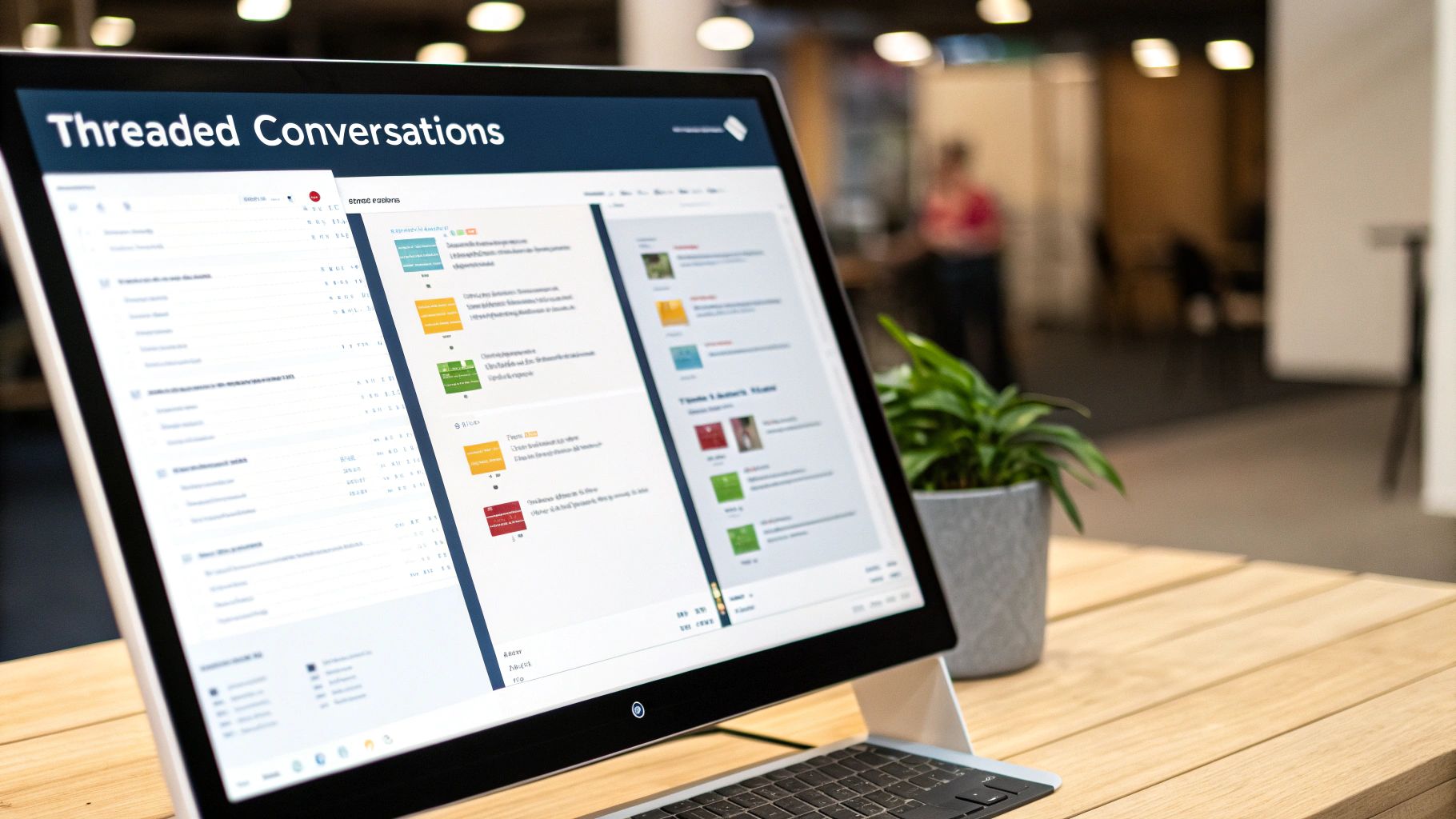
This is why threaded conversations are a must-have. By nesting all replies under the original message, threads create a clean, self-contained record of a specific discussion. Anyone can jump in, get the full story from start to finish, and contribute without having to ask, "Wait, what are we talking about again?"
For dev teams, this is a game-changer. Keeping all the feedback on a code change attached directly to the pull request comment means critical details don't get lost in a noisy general channel. Many of the best GitHub Slack integrations are built on this exact principle, making sure code review discussions stay organized and easy to find.
Visualizing Progress with Project Boards
Words can only get you so far. To really get a feel for a project's status in a single glance, teams need visuals. Visual project boards, made famous by methods like Kanban, give everyone a shared, immediate understanding of what’s being worked on, who’s handling it, and where it is in the pipeline.
These boards use cards to represent tasks, which move across columns like "To Do," "In Progress," and "Done." This simple visual setup kills the need for constant status meetings. A developer can just look at the board to see what their teammates are working on and spot potential roadblocks before they blow up.
A well-maintained project board acts as the team's single source of truth for project status. It answers the question "Where are we with this?" without anyone having to type a single message.
Enhancing Clarity with Artificial Intelligence
AI isn't just a buzzword anymore; it's becoming a practical feature in modern async tools, helping teams cut through the noise and automate the boring stuff.
For instance, AI can summarize long, winding conversation threads, pulling out the key decisions and action items so you don't have to read through 50 messages to catch up. This is a lifesaver for teammates in different time zones who are just logging on and need to get up to speed on what happened overnight.
And it’s only getting better. By 2025, many top tools will offer AI features like automated task prioritization, smart follow-up reminders, and even analytics that flag project risks before they happen. This, along with the rise of async video messages, is helping teams stay focused without being chained to real-time check-ins.
At the end of the day, effective async work comes down to having the right setup. Threaded conversations keep context straight, project boards bring clarity, and AI helps you focus on what actually matters. Together, these features create a foundation for a more productive, less stressful way of working.
Optimizing Your Code Review Process with PullNotifier
While general-purpose tools are great for everyday tasks, some of the most critical workflows in software development demand something more specialized. For engineering teams, no process is more vital—or more likely to become a bottleneck—than the code review.
The standard pull request (PR) lifecycle is asynchronous by nature, but it's often crippled by noise and frustrating delays.
A developer finishes a feature, opens a PR, and then... they wait. And wait. Meanwhile, reviewers are drowning in a sea of notifications from their default GitHub integration, making it impossible to know what needs their attention first. Critical reviews get buried, context gets lost in chaotic Slack channels, and the entire development cycle grinds to a halt.
This is exactly where a purpose-built asynchronous tool makes all the difference. Instead of a generic firehose of updates, teams need an intelligent system that actually understands the code review process.
The High Cost of a Noisy PR Workflow
A clunky code review process isn't just a minor headache; it's a direct drag on your team's velocity and morale. When PRs sit idle for days, developers are forced to context-switch back to old code, killing their momentum on new tasks. This constant disruption is a huge source of frustration and wasted time.
These delays have a ripple effect, pushing back release schedules and hurting the company's ability to ship new features. Fixing this one workflow can have a massive positive impact on the entire engineering organization.
The real problem isn't a lack of notifications—it's a lack of intelligent notifications. An effective code review hinges on getting the right information to the right person at exactly the right time, without creating a constant storm of distractions.
The solution is to adopt asynchronous collaboration tools designed specifically for the PR lifecycle. This is where PullNotifier comes in, transforming your code review from a source of friction into a streamlined, efficient process.
How PullNotifier Unblocks Your Team
PullNotifier acts as a smart filter for your pull request notifications, bringing a sense of calm to the chaos. It cuts through the noise by delivering concise, batched updates and smart reminders directly into your Slack channels. Instead of getting a separate ping for every single comment, commit, and status check, PullNotifier bundles them into a single, clean thread.
This approach brings the core principles of asynchronous work right into your development cycle.
- Intelligent, Batched Notifications: PullNotifier groups related PR activities together, so your Slack channels aren't constantly spammed. This means that when a notification does arrive, your team pays attention.
- Smart Reminders for Stalled PRs: The tool automatically nudges the right reviewers when a pull request is sitting idle, gently keeping the process moving without any manual nagging.
- Clear Ownership and Visibility: By automatically mentioning the right reviewers and assignees, PullNotifier makes it crystal clear who needs to take action next. No more confusion.
This screenshot shows how PullNotifier gives you a clean, actionable summary of a PR's status right inside a Slack thread.
Look at how all the crucial information—reviewers, status, and the conversation—is neatly organized. You get instant context without any of the noise.
The demand for specialized tools like this is growing fast. The global collaboration tools market is projected to hit $84.10 billion by 2034, largely because of the shift to distributed work. But there's still a long way to go, with 75% of employees feeling their company’s remote tools could be better.
Bringing Asynchronous Principles to Code Reviews
PullNotifier is much more than just a notification tool; it’s a workflow optimization engine. It helps teams apply the best practices of asynchronous collaboration where it counts the most.
By turning down the volume on low-priority updates and amplifying the signals that actually require action, it helps developers protect their focus and engage with code reviews more thoughtfully.
The benefits go beyond just faster reviews. A smoother process leads to a better developer experience, higher code quality, and a more collaborative team culture. When developers aren't constantly fighting their tools, they have more mental energy to focus on what they do best: building great software. To dig deeper into this, check out our guide on how a strong GitHub Slack integration improves code reviews and helps build better team dynamics.
Common Questions About Asynchronous Collaboration
Moving to an asynchronous workflow can feel like a huge culture shift, so it’s totally normal for questions to pop up. Leaders and their teams often wonder how it'll impact day-to-day work, how fast decisions will get made, and whether everyone will still feel connected. Getting clear answers is the first step to getting everyone on board and making the transition a smooth one.
Let's tackle the most common questions about going async-first, with some practical advice to get ahead of any challenges.
How Do We Shift Our Team to an Asynchronous Model?
Making the switch to async is less about new software and more about changing habits. It’s a deliberate, step-by-step process built on trust and clarity. The point isn't to get rid of all real-time chats, but to make them count.
Start with small changes that show their value right away.
- Create 'Focus Time' Blocks: Carve out a few hours each day that are completely meeting-free. This gives everyone permission to mute notifications and get into deep work.
- Prioritize Detailed Writing: Encourage everyone to write out proposals, updates, and requests with all the context needed. A well-written doc is the foundation of async work because it cuts down on the back-and-forth.
- Set Clear Response Expectations: Create a team norm for response times, like "within 24 hours" for anything that isn't on fire. This simple rule takes the pressure off to reply instantly and keeps expectations clear.
The most critical part? Lead by example. When leaders respect focus time, write clearly, and document decisions, the rest of the team will follow. And don't forget to explain why you're making the change—it's about improving everyone's focus and work-life balance, not just another rule to follow.
Does Asynchronous Communication Slow Down Decisions?
This is probably the biggest fear teams have, but it’s a myth. It might feel like a quick meeting gets things done faster, but async decision-making often leads to better, smarter, and ultimately faster results. The big difference is moving from reactive consensus to considered input.
When you require ideas and discussions to be written down, you force clarity from the start. Vague ideas get ironed out early, preventing that all-too-common scenario where everyone leaves a meeting with five different ideas of what was decided.
Asynchronous workflows don't slow down decisions; they slow down bad decisions. By giving everyone time to think critically and contribute thoughtfully, you prevent the costly rework that comes from rushed, unclear agreements.
This approach also makes decision-making more democratic. It gives everyone a chance to weigh in, no matter their time zone, personality, or daily schedule. Team members who might be hesitant to speak up in a fast-paced meeting can now share their best ideas. This leads to more well-rounded solutions and avoids the need for follow-up meetings just to loop in people who were missed the first time. Sure, a real emergency still needs a real-time response, but most strategic decisions benefit from the thoughtful pace of async discussion.
What Are the Best Tools for a Software Team?
The right stack of asynchronous collaboration tools really depends on your team's workflow, but most software teams need a solid foundation covering four key areas. The goal is to build an ecosystem where information flows seamlessly from conversation to action and finally, to documentation.
A great setup usually includes:
- A Communication Hub: A tool like Slack or Microsoft Teams is a must, but you have to set it up for async. That means using threads to keep conversations tidy and having clear rules for channels to cut down the noise.
- A Project Management Platform: Something like Jira, Asana, or Linear creates a single source of truth for who’s doing what. Visual boards make progress transparent and get rid of the need for endless status meetings.
- A Centralized Knowledge Base: A wiki like Confluence or Notion is non-negotiable. It’s your team’s long-term brain, holding everything from technical docs to project plans.
- A Specialized Workflow Optimizer: For a core process like code reviews, a purpose-built tool is a game-changer. This is where something like PullNotifier comes in, cutting through the notification spam of a standard GitHub integration to show you what actually needs your attention.
When you combine these tools, you create a powerful, structured environment that supports focused work and clear communication. That’s how your team builds better software, faster.
Ready to eliminate code review bottlenecks and bring true asynchronous efficiency to your development workflow? PullNotifier streamlines your pull request process with intelligent, batched notifications that respect your team's focus. Start your free trial today and see why over 10,000 engineers trust it to accelerate their delivery.