- Published on
what is pull request: A Complete Guide
- Authors

- Name
- Gabriel
- @gabriel__xyz
At its core, a pull request is a way to tell your team, "Hey, I've made some changes to the code. Can you take a look before we merge it into the main project?" It's the central hub where code gets discussed, refined, and ultimately approved.
Think of it as suggesting an edit to a shared document, but for code. You're presenting your work for review before it gets officially added to the master version.
What Is a Pull Request in Simple Terms
Let's use an analogy. Imagine you and your team are co-writing a book stored in a single master document. If everyone edited the master copy directly, it would be chaos—accidental deletions, conflicting changes, and a complete mess.
So, instead, everyone works on their own personal copy. When you finish a new chapter or fix a typo, you don't just shove your changes into the main text. You present your updated copy to the lead editor and say, “I’ve made some improvements. Could you please review them and, if they look good, pull them into the official book?”
That request is a pull request (often shortened to PR). It isn't the code change itself, but rather the discussion and review process that surrounds it. This gives your teammates a safe space to see exactly what you’ve modified, ask questions, and run checks before anything gets merged.
While some platforms like GitLab use different names for the same concept, the fundamental idea is the same. You can dive deeper into the nuances in our guide on the differences between a pull request vs merge request.
The Anatomy of a Pull Request
Every pull request bundles together key pieces of information to give reviewers the full story behind a change. It’s a self-contained proposal designed to help your team collaborate asynchronously, cutting down the need for long meetings just to understand what's going on.
A pull request isn’t just about code; it’s a form of communication. It’s a request for review, a platform for discussion, and a record of the decision-making process that led to a change. This structure is the foundation of modern, collaborative software development.
Below is a quick look at the essential parts you'll find in just about every pull request, no matter which platform you’re using.
Anatomy of a Pull Request at a Glance
This table breaks down the essential components that make up every pull request, helping you understand how each part contributes to a clear and effective code review process.
| Component | Purpose | Example |
|---|---|---|
| Title & Description | Explains the "what" and "why" of the change in a clear, concise summary. | Title: "Fix user login button bug." Description: "This PR fixes the issue where the login button was disabled on Safari. It resolves ticket #432." |
| Source & Target Branches | Shows where the changes are coming from (your feature branch) and where they are going (the main branch). | From feature/login-fix to main. |
| Commits | A detailed log of all the individual saves or updates made within the branch. | A commit list showing each step, like "Update button style" and "Add click handler." |
| File Changes ("Diff") | A visual comparison showing lines of code that were added, removed, or modified. | Red lines show deleted code, while green lines show new code. |
| Reviewers & Assignees | Lists the teammates who are responsible for reviewing the code and the person who created the PR. | Reviewers: @jane-doe, @john-dev |
| Comments & Discussion | An inline conversation thread where reviewers can leave feedback directly on specific lines of code. | A comment like, "Could we add a test case for this function?" |
Together, these elements create a complete picture, allowing anyone to understand the history, purpose, and impact of a change long after it has been merged.
Navigating The Pull Request Lifecycle
A pull request isn't just a one-off submission; it's a living, breathing process with a clear beginning, middle, and end. Think of it less like handing in a finished assignment and more like starting a collaborative conversation about your code. This whole process makes sure every change gets checked, discussed, and polished before it becomes a permanent part of the project.
Getting a handle on this lifecycle is the key to understanding what a pull request truly is and why it's the bedrock of modern software development. It flips coding from a solo activity into a transparent, team-wide responsibility.
This simple workflow shows the three core actions that get the ball rolling.
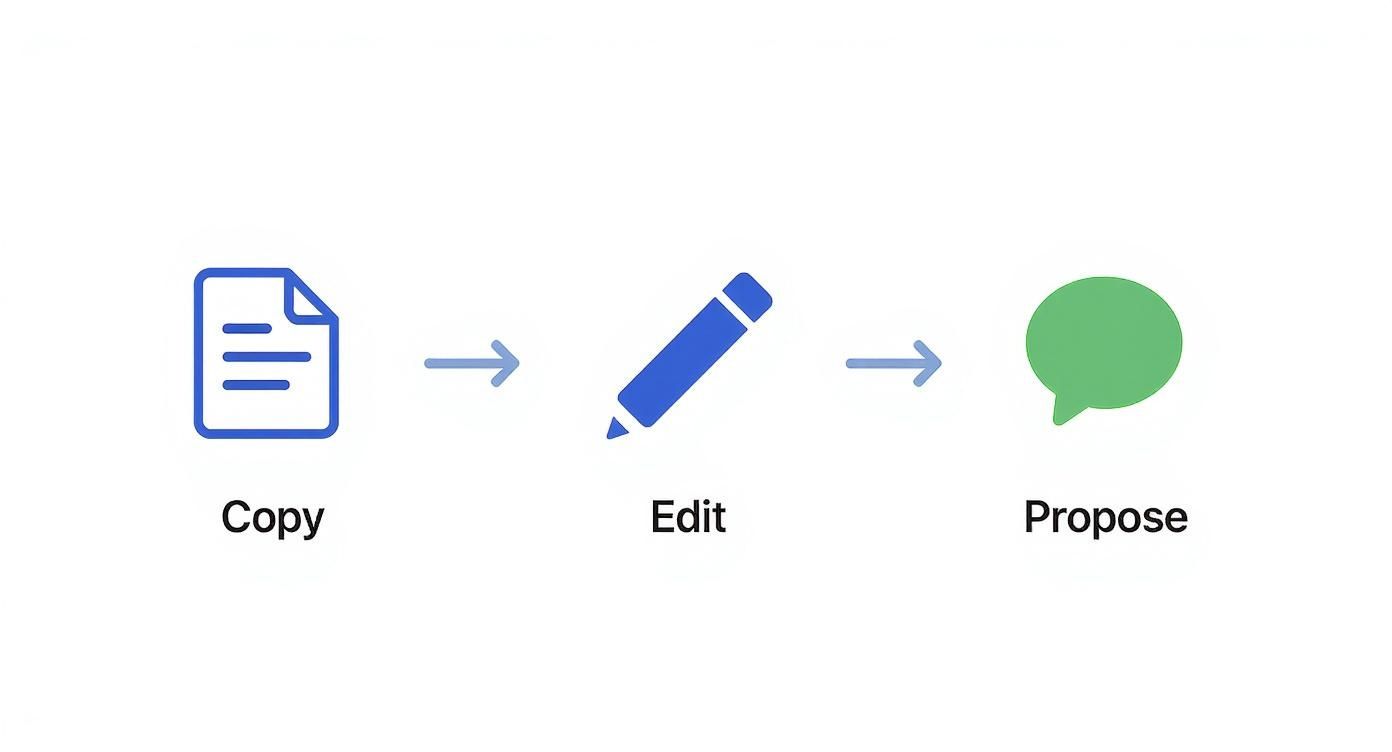
It’s a perfect visual for how a developer first copies the codebase, makes their edits, and then proposes those changes back to the team to be reviewed.
Opening The Pull Request
The journey starts the moment a developer is ready to share their code. After committing their changes to a separate branch, they open a pull request. This is basically them raising their hand and saying, "Hey team, my work is ready for you to look at."
This first step bundles up all their code changes and includes a title and a description explaining what the work does and why it was needed. At this point, the PR is officially "open," visible to everyone, and ready for the next stage.
Automated Checks and Quality Gates
As soon as a PR is opened, the robots often get the first look. These are automated systems, usually called Continuous Integration (CI) pipelines, that run a gauntlet of pre-configured tests on the new code.
These robotic gatekeepers are looking for common problems:
*   **Code Linting:** Does the new code stick to the team's style guide?
*   **Unit Tests:** Did the changes accidentally break anything that was already working?
*   **Security Scans:** Is the new code introducing any obvious security holes?
If any of these automated checks fail, the pull request gets a big red "X" next to it. This is an immediate signal to the author that there are fixes to be made before any human reviewer needs to spend their valuable time on it. It’s a huge time-saver.
Human Review And Collaboration
Once the automated checks give the all-clear, it's time for the human review. This is really the heart and soul of the pull request. Team members assigned as reviewers will dig into the changes, asking the important questions:
*   Does this code actually solve the problem it’s supposed to?
*   Is it well-written, clear, and easy for someone else to understand?
*   Could this change cause any weird, unintended side effects down the line?
Reviewers can leave comments right on specific lines of code, sparking discussions and suggesting improvements. This back-and-forth dialogue is where so much knowledge sharing and mentorship happens, making the whole team better in the long run. To learn more about this, check out our guide on mastering the pull request GitHub workflow.
A healthy review process isn't about pointing fingers or finding fault; it's a constructive conversation aimed at building the best possible product. The goal is collective ownership, ensuring the code isn't just one person's work, but the team's work.
Revisions And Approval
Based on all that great feedback, the original author gets back to work. They'll address the comments, fix any issues that were found, and push their updated code back to the same pull request.
This cycle of review, feedback, and revision might go back and forth a few times until everyone is on the same page.
Finally, when the reviewers are satisfied that the code is solid and ready to go, they give their official approval. Once the PR has the required number of approvals, it's ready for its final step. The code has been vetted, improved, and is now prepared to be officially added to the main codebase.
How Pull Requests Changed Everything
Before pull requests became the industry standard, software development felt a lot more like walking a tightrope. Developers often worked on big changes in isolation, and merging that code back into the main project was a nail-biting experience. It frequently broke the build and kicked off frantic, late-night debugging sessions. Collaboration was messy, scattered across emails and issue trackers that were completely disconnected from the code itself.
The pull request changed the game. It introduced a transparent, structured place to discuss code changes right where they happen. This simple shift transformed the act of merging code from a lonely technical command into a collaborative decision. By creating a dedicated space for review, it opened up the process and invited the entire team to contribute, ask questions, and make the code better together.
From Gatekeeping to Open Contribution
In essence, the pull request model tore down the walls that once surrounded the main codebase. Instead of a few senior gatekeepers holding all the keys, the process became an open invitation for anyone to contribute. This is the engine that powered the open-source movement, making it possible for thousands of developers around the world to collaborate on massive projects like Linux or React.
Platforms like GitHub made this workflow accessible to everyone. The history of pull requests is a story of explosive growth in open development. After launching in 2008, GitHub saw its adoption skyrocket. By 2015, users had created over 10 million pull requests. Just five years later, that number ballooned to over 100 million by 2020, cementing the PR as the central mechanism for all modern software engineering.
This new approach didn't just change how we merge code—it fundamentally altered team dynamics, weaving mentorship and knowledge sharing into the fabric of the daily workflow.
The Impact on Modern Teams
Today, the pull request isn't just a feature; it's a cultural cornerstone for high-performing engineering teams. It creates a documented history of decision-making, showing not just what changed, but why. This level of transparency is vital for keeping everyone aligned and ensuring the long-term health of a project. To get the most out of this workflow, it's key to master cross-functional collaboration skills.
By bringing a standard process to code reviews, pull requests directly impact the metrics that matter to the business:
*   **Improved Code Quality:** Peer review catches bugs and design flaws long before they ever make it to production.
*   **Increased Team Velocity:** Clear, asynchronous communication cuts down on bottlenecks and endless meetings.
*   **Enhanced Knowledge Sharing:** Junior developers get direct feedback from seniors, while seniors gain fresh perspectives on their own work.
A pull request transforms code from a solitary output into a shared asset. It ensures that every line of code is a product of collective intelligence, not just individual effort, which is the true measure of a collaborative team.
Creating and Reviewing Effective Pull Requests

Knowing the lifecycle of a pull request is one thing, but making the process smooth, respectful, and productive is another skill entirely. An effective pull request isn't just a block of code you throw over the wall; it’s a conversation starter. It's about making it dead simple for others to review, understand, and approve your work quickly.
The real goal here is to cut down on friction and build a collaborative rhythm. When you get this right, a pull request becomes more than a quality gate—it’s a chance for mentorship, knowledge sharing, and genuinely improving how the team works together.
Best Practices for Creating a Pull Request
The person opening the pull request really sets the tone for the entire review. A well-crafted PR gives reviewers everything they need to do their job without a bunch of back-and-forth, which is the fastest way to get your code merged. Shoddy PRs, on the other hand, tend to get stuck in review limbo for days.
Here are a few practices that make all the difference:
*   **Write a Clear Title and Description:** The title should be a quick, punchy summary of the change. The description needs to explain the "what" and the "why," and if there’s a ticket for it, link to it!
*   **Keep It Small and Focused:** A PR should do one thing and do it well. Huge, sprawling changes are a nightmare to review and are magnets for bugs. Break down big tasks into smaller, logical pull requests.
*   **Provide Context and Testing Steps:** Don't make your reviewers guess. Explain exactly how to test your changes, toss in screenshots for UI updates, and give a heads-up about any potential side effects.
A great pull request tells a story. It lays out the problem, presents the solution, and guides the reviewer through the changes. Your job is to make their job as easy as possible. This one shift in mindset can slash the delays caused by endless comment threads.
Getting these habits down is a game-changer. For a deeper dive, we have a whole guide on pull request best practices that covers everything from commit hygiene to why you should always review your own code first.
How to Give Constructive Feedback as a Reviewer
The reviewer's role is just as crucial as the author's. Your feedback can either empower a teammate or just create frustration. The trick is to be thorough but also empathetic—remember, you're reviewing the code, not judging the person who wrote it.
A pull request is all about proposing changes and getting feedback. Industry data shows that the median time from when a pull request is opened to when it gets merged is about 2.5 days. Of course, this number can swing wildly depending on how good the review process is.
To make sure your feedback actually helps, stick to these guidelines:
- Be Specific and Actionable: Instead of saying "this is confusing," try something like, "Could we rename this variable to
userNamefor more clarity?" This gives the author a clear path forward. - Ask Questions, Don't Make Demands: Phrasing feedback as a question—like, "What do you think about adding a test case here?"—opens up a discussion instead of sounding like a command.
- Balance Criticism with Praise: If you see something done well, call it out! A little positive reinforcement goes a long way and makes the constructive feedback much easier to swallow.
To really nail this, you need to follow solid code review best practices. This transforms what could be a simple quality check into a powerful tool for leveling up the whole team.
Using Advanced Pull Request Strategies

Once your team has the basic pull request workflow down, it's time to level up. Advanced strategies can seriously boost your code quality and development speed, turning the PR from a simple review step into a powerful engine for automation and quality control.
This is how high-performing teams keep their codebases stable, secure, and manageable, even as they scale. The secret usually starts with a solid branching model.
Integrating with Branching Models
Branching models are like the rulebook for how code moves from a developer's machine to production. A pull request is the mechanism that enforces those rules, acting as a formal checkpoint before anything gets promoted.
Two popular models really highlight this relationship:
*   **GitFlow:** This is a structured model with dedicated branches for features, releases, and hotfixes. Pull requests are non-negotiable for merging code between these branches—like from a `feature` branch into `develop`—ensuring every single change gets a proper review.
*   **GitHub Flow:** This one's much simpler. Developers branch off `main`, do their work, and open a PR to merge it back. Because it’s so direct, the strength of the pull request process is everything. It's the primary defense against introducing bugs to the main codebase.
In either system, the pull request isn’t just a friendly suggestion; it’s a mandatory quality gate that upholds the entire workflow.
Automating Quality with Continuous Integration
Now for the real game-changer: connecting Continuous Integration (CI) pipelines directly to your pull requests. A CI pipeline is just an automated process that builds and tests your code every time someone proposes a change.
When a developer opens a pull request, the CI pipeline automatically springs into action. It can run a whole battery of checks without anyone lifting a finger:
- Build Verification: Confirms the project can still be built with the new changes. A simple but crucial first step.
- Automated Testing: Runs the entire test suite—unit tests, integration tests, you name it—to make sure nothing broke.
- Code Analysis: Scans the code for style violations, potential security holes, or performance red flags.
If any of these automated steps fail, the pull request gets a big red "X" right away. This signals to everyone that the code isn't ready for a human review yet. This automated first pass saves reviewers a ton of time by catching objective errors before they even need to look at the code.
By making CI a required check, you ensure that no code can even be considered for merging until it passes a baseline quality standard. This automation is critical for maintaining project stability and freeing up developers to focus on the logic and architecture of the change.
Enforcing Rules with Protected Branches
To make all these automated checks stick, teams use a feature called protected branches. This lets you set up hard rules for critical branches like main or develop, turning your team's best practices into unbreakable policies.
Some of the most common protection rules include:
*   **Requiring status checks to pass:** This rule literally blocks the "Merge" button until all CI checks (like tests and builds) are green.
*   **Requiring peer reviews:** You can mandate that at least one—or even two—teammates must formally approve the pull request before it can be merged.
*   **Preventing direct pushes:** This rule forces *all* changes to go through a pull request. No more sneaky, unreviewed commits slipping into important branches.
Put together, these strategies create a robust, automated quality control system built right into the pull request process, making sure every change is thoroughly vetted, tested, and approved.
Answering Common Pull Request Questions
As you settle into the pull request workflow, you'll start running into some common "what if" scenarios. Let's walk through a few of the most frequent questions developers have, so you can handle them with confidence.
What Is the Difference Between a Pull Request and a Merge?
It helps to think of this as a proposal versus a final decision.
The pull request is the whole conversation. It's the proposal to change the code, followed by the discussion, the code review, automated checks, and all the back-and-forth that comes with it. It’s the collaborative space where a change gets vetted.
A merge, on the other hand, is the final, technical step. It’s the command that takes the approved code from your branch and officially integrates it into the target branch. A pull request is the journey; a merge is the destination.
How Big Should a Pull Request Be?
When it comes to PR size, smaller is almost always better. A great pull request focuses on a single, self-contained unit of work—like fixing one bug or adding one specific feature. This isn't just about preference; it has some real benefits:
*   **Faster Reviews:** Small changes are way easier for reviewers to get through quickly.
*   **Reduced Cognitive Load:** No one wants to hold a massive, complex change in their head while trying to review it.
*   **Lower Risk:** It’s much easier to spot bugs or unintended side effects in a small, focused change than in one that touches dozens of files.
If you find yourself with a PR that's modifying hundreds of lines across a ton of files, that's a huge red flag. It’s a sign to break it down into several smaller, more focused PRs. Your team will thank you, and your code won't sit around waiting for review nearly as long.
What Happens If There Is a Merge Conflict?
A merge conflict pops up when your version control tool, like Git, gets stuck. It happens when two developers have edited the same lines of code in different ways, and Git can’t figure out which version is the "correct" one. The main branch has changes that clash with what you’ve done in your feature branch.
Don’t panic when you see a merge conflict. It will block the merge, but it's a totally normal part of working on a team. It’s the PR author's job to fix it, not a sign that you did something wrong.
Resolving the conflict is a pretty straightforward process:
- Pull the latest changes from the target branch (like
main) into your local feature branch. - Manually edit the conflicting files right on your machine. Your code editor will highlight exactly where the clashes are.
- Choose which code to keep—your version, the main branch's version, or maybe a combination of both.
- Push the resolved code back up to your branch. This will automatically update the pull request.
Once you’ve resolved the conflicts and pushed your changes, the pull request is back on track for approval and merging.
Is your team tired of pull requests getting lost in the shuffle? PullNotifier integrates GitHub with Slack to send smart, real-time PR notifications that cut through the noise. Stop chasing reviewers and start merging faster by visiting https://pullnotifier.com.