- Published on
A Guide to Project Management for Software Teams
- Authors

- Name
- Gabriel
- @gabriel__xyz
Project management for software teams is a different beast altogether. It’s the art of planning, executing, and guiding software projects from a spark of an idea to a full-blown launch. Unlike traditional, rigid project management, it relies on flexible, iterative frameworks built to handle the twists and turns of technical complexity and ever-changing requirements. Success isn't about sticking to the plan; it's about embracing adaptability.
Why Software Projects Need a Special Playbook
Imagine you're building a skyscraper. You'd start with a detailed, unchangeable blueprint. Materials are ordered months ahead, and the construction schedule is set in stone. Trying to add an extra floor halfway through would be a logistical nightmare and outrageously expensive. This rigid, traditional approach works perfectly for predictable projects with a clear outcome from day one.
Now, imagine that skyscraper had to change its design based on new zoning laws and unexpected soil conditions discovered during construction. That's the world of software development. Software isn't concrete and steel; it's fluid. Requirements can—and almost always do—change based on user feedback, market shifts, or a sudden tech breakthrough.
The Unpredictability of Innovation
Building software is less like following a blueprint and more like embarking on a journey of discovery. A team might start with a core concept, but they inevitably uncover better solutions and unforeseen challenges as they go. A feature that looked brilliant on a whiteboard might turn out to be a clunky mess in reality, forcing a complete pivot. This inherent uncertainty makes fixed, long-term plans totally impractical.
This dynamic environment throws up some unique challenges that traditional project management just isn’t equipped to handle:
- Shifting Requirements: Customer needs evolve. Competitors drop new features. A software project has to be nimble enough to adapt without derailing everything.
- Technical Complexity: Writing code means dealing with hidden complexities and technical debt you didn't know you had. A feature that sounds simple can expose deep-rooted architectural issues.
- Rapid Innovation: The tech landscape moves at lightning speed. What was a best practice six months ago might be obsolete today, so continuous learning and adaptation are non-negotiable.
Trying to shoehorn a software project into a rigid, waterfall-style plan is a recipe for disaster. The process has to be as flexible as the product you're trying to build. To get a better handle on these challenges, check out our guide on the modern software development process.
Software projects are not just about building something; they are about learning what to build. The most successful teams create a system that allows them to learn and adapt faster than their competition.
The High Cost of Poor Management
When software teams use the wrong playbook, the results are messy—and expensive. On average, IT projects blow their budgets by 75% and overrun their timelines by 46%. To make matters worse, they often deliver 39% less value than what was promised. These numbers paint a clear picture of the gap between planning and reality, a gap often created by failing to respect software's unique nature.
Effective project management isn't just a "nice-to-have" for software teams; it's a financial and operational lifeline.
Choosing Your Development Framework
Once you know why a flexible playbook is crucial for software projects, the next step is picking the right one. This isn't about chasing the latest buzzword; it's about finding an operational rhythm that fits your team's style and the project's demands.
Think of it like cooking. The framework you choose is your recipe—it guides how you combine ingredients (tasks) to create the final dish (your software).
Some projects are like baking a cake you've made a hundred times. You need a precise, step-by-step recipe where each stage is finished before the next one starts. That's the core idea behind the Waterfall method, a traditional, linear approach perfect for projects with rock-solid requirements and very little chance of change.
But most software development isn't that predictable. For more dynamic projects, you need a recipe that lets you taste and adjust as you go. That's where Agile comes in.
Scrum vs. Kanban: Different Flavors of Agile
Agile isn't a single framework but more of a mindset with a few popular ways to put it into practice, most notably Scrum and Kanban. Each brings a different feel to managing a software project.
Imagine Scrum as a weekly meal-prep subscription box. Every week (a sprint), you get a box with ingredients for a few specific meals. Your team commits to cooking just those meals. You have a quick daily check-in (the Daily Standup) to see how things are going. At the end of the week, you show off the finished meals (the Sprint Review) and talk about how you could improve your cooking process for the next box (the Sprint Retrospective).
Kanban, on the other hand, is like the ticket system in a busy restaurant kitchen. New orders (tasks) get pinned on a board. As soon as a chef (developer) finishes one dish, they grab the next ticket. The focus isn't on a weekly batch but on keeping a smooth, continuous flow of work. The main rule is to limit how many dishes are being cooked at once (Work in Progress limits) to keep the kitchen from getting swamped.
This infographic breaks down the data from a typical Scrum sprint, comparing what was planned against what actually happened with duration, effort, and team velocity.
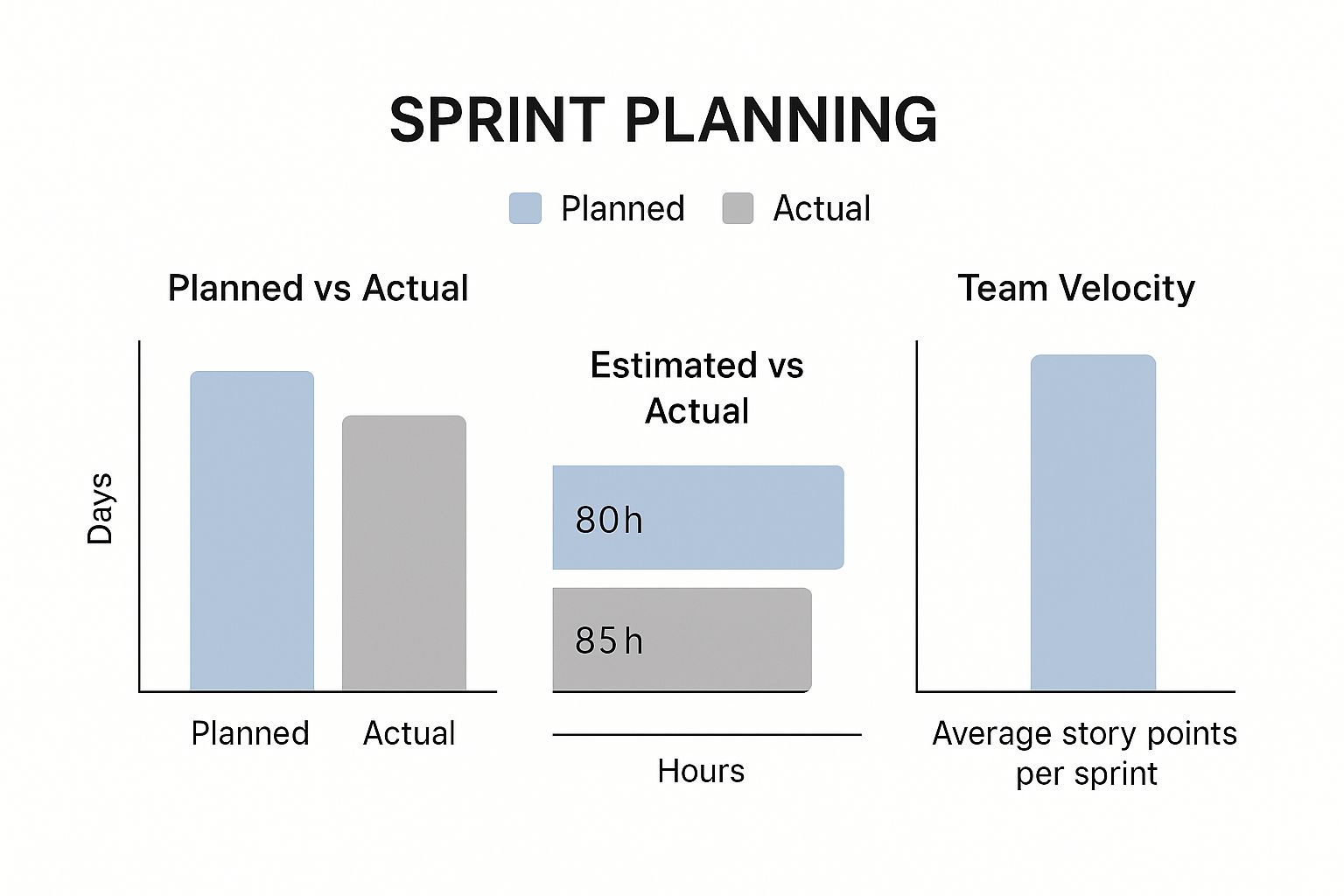
It really highlights the common gaps between estimates and reality, showing why the constant adjustments in Agile frameworks are so valuable.
Comparing Software Development Frameworks
So, which recipe should you use? It all comes down to the specifics of your project. An update to a legacy system with strict government compliance rules might be a perfect fit for Waterfall. A startup building a new app based on early user feedback would do great with Scrum's iterative cycles. And a maintenance team handling a steady stream of bug fixes would love Kanban's continuous flow.
To help you decide, here's a side-by-side look at the three big ones.
| Framework | Core Principle | Best For | Pros | Cons |
|---|---|---|---|---|
| Waterfall | Sequential, linear phases where one stage must finish before the next begins. | Projects with stable, fully understood requirements and a fixed scope. | Simple to manage; clear deliverables and deadlines for each phase. | Extremely rigid; changes are difficult and costly to implement mid-project. |
| Scrum | Time-boxed iterations (sprints) focused on delivering a shippable increment of work. | Complex projects with evolving requirements that benefit from frequent feedback. | High visibility and adaptability; promotes team collaboration and ownership. | Can be intense; scope creep is a risk if not managed by the Product Owner. |
| Kanban | Continuous flow of work visualized on a board with a focus on limiting work in progress. | Teams with a continuous stream of tasks, such as support, maintenance, or operations. | Flexible and efficient; minimizes idle time and highlights bottlenecks clearly. | Lack of timeframes can make long-term planning more challenging. |
Ultimately, there's no single "best" framework. The right choice is the one that helps your team deliver value to users, period. Many of the most successful teams even create a hybrid, borrowing bits and pieces from Scrum and Kanban to build a process that’s uniquely theirs.
The goal is not to strictly follow a framework by the book, but to use its principles as a guide to build a repeatable, predictable, and adaptive process for delivering high-quality software.
Making a Practical Choice
To get started, sit down with your team and ask a few simple questions:
- How predictable are our project requirements? If they're set in stone, Waterfall is on the table. If they're going to change, you need to go Agile.
- Does our work arrive in planned batches or as a continuous flow? Planned project work fits Scrum's sprint model perfectly. A steady, unpredictable stream of tickets is what Kanban was made for.
- How important is a regular delivery schedule? Scrum’s sprints give stakeholders a predictable rhythm for new features. Kanban is more focused on optimizing the flow of work and less on hitting fixed deadlines.
Your answers will point you toward a good starting framework. Just remember, your choice isn't set in stone. The best software teams are always improving, and that includes being ready to tweak—or even change—your framework as your team and project grow.
Assembling Your High-Performing Team
You can have the best process in the world, but with the wrong people, you’re going nowhere fast. The success of any project management framework ultimately comes down to the team using it. A great way to think about a high-performing software team is to picture a film crew—each role is distinct, but they all depend on each other to create a blockbuster.
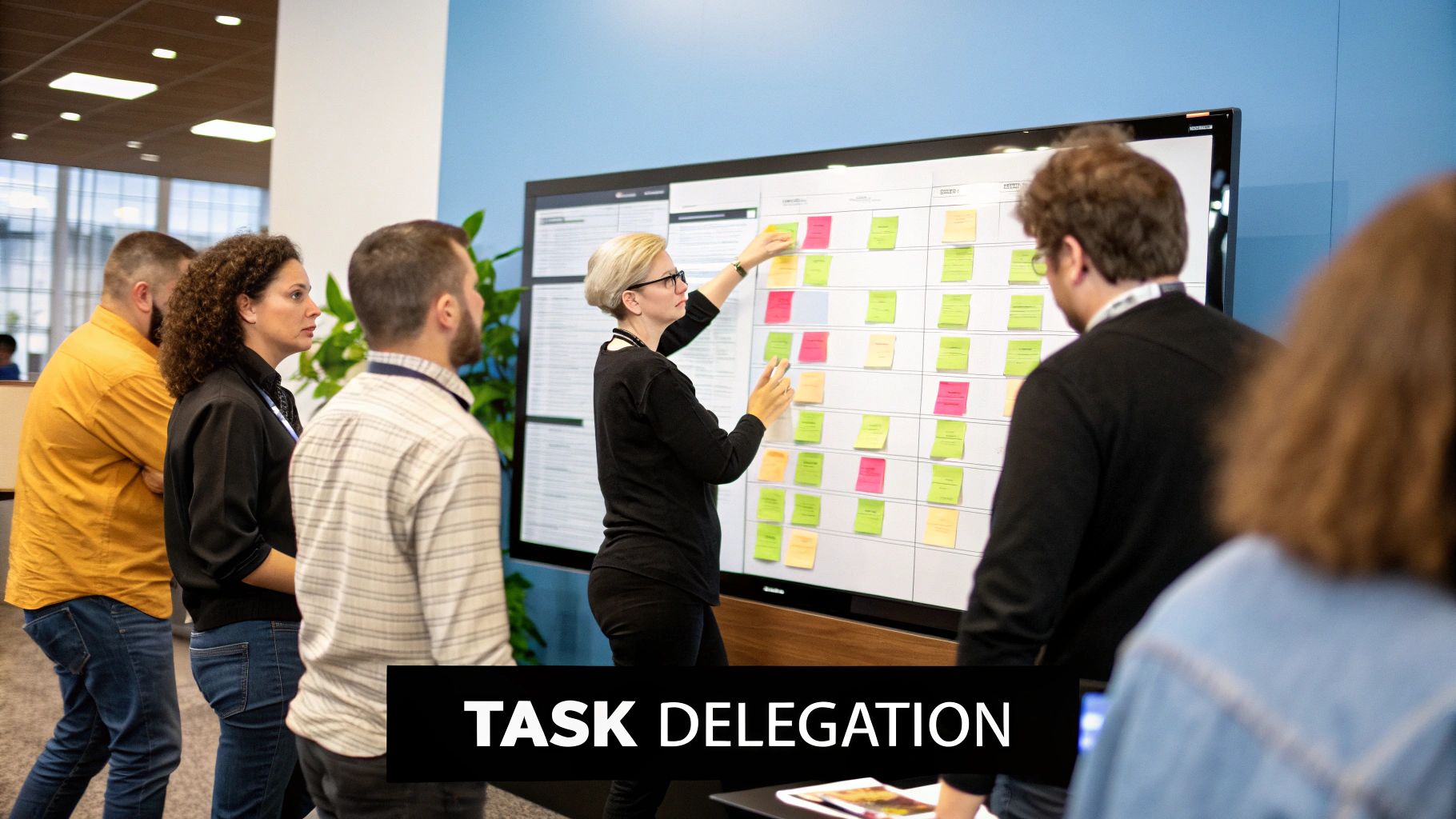
This analogy helps us get past dry job titles and into the collaborative chemistry that makes project management for software teams work. It’s not just about having talented individuals; it’s about how their skills mesh. If one person drops the ball, the entire production can grind to a halt.
Defining Key Roles on the Crew
In the fast-paced world of software development, clear roles are what stand between order and chaos. While titles might change from one company to the next, the core functions are pretty consistent. Knowing who owns what is the first step toward building a team that can actually deliver.
Let’s break down how the key players fit into our film crew analogy:
- The Product Owner (The Screenwriter): This person is the keeper of the vision. They write the "script" by defining user stories, prioritizing features, and making sure the final product solves real customer problems. They’re the voice of the stakeholders and have the final say on what gets built.
- The Project Manager/Scrum Master (The Director): This is your facilitator, the one who owns the process. Like a director, their job is to keep the production moving, clear obstacles for the team, and ensure the chosen framework (like Scrum) is being followed. They aren’t the boss—they’re a servant-leader who empowers the team to do their best work.
- The Development Team (The Actors & Special Effects Artists): These are the builders, the ones who bring the script to life. They write the code, build the features, and tackle the technical challenges needed to turn a vision into something real. A great developer experience is non-negotiable for their productivity and creativity.
- The QA Engineers (The Editors): These are the guardians of quality. Just like a film editor makes sure every scene flows perfectly and is free of mistakes, QA engineers hunt for bugs, verify functionality, and confirm the product meets the team's high standards.
This structure creates clear lines of ownership. Everyone knows their part, which cuts down on confusion and helps everyone focus.
The Chemistry of Collaboration
Getting talented people to fill these roles is only half the battle. The real magic happens when they start collaborating effectively. A screenwriter doesn't just hand off a script and walk away; they stick around to work with the director and actors to refine it. In the same way, the Product Owner has to stay engaged with the developers and QA team, constantly clarifying requirements and giving feedback.
Strong teams are built on a foundation of trust and transparent communication. It's not about individual heroics but a collective commitment to a shared goal, where every member feels empowered to contribute and challenge ideas.
To make this happen, you need clear communication channels and defined ownership. The director (Project Manager) makes sure the actors (Developers) aren't just sitting around waiting for their next scene and that the editors (QA) have everything they need to do their job. This is what turns a group of skilled individuals into a high-performing team that ships incredible software, time and time again.
The Essential Toolkit for Modern Teams
Choosing the right project management framework and assembling a great team sets the stage, but the right tools are what bring your process to life. Think of your toolkit as a workshop. You wouldn't try to build custom furniture with just a hammer, right? You need saws, sanders, and measuring tapes, each with a specific job.
But a cluttered toolbox can be just as counterproductive as an empty one. The goal is to build an integrated ecosystem where your tools work together, not just a random collection of popular apps.

This intentional approach ensures every piece of software serves a clear purpose. Good project management for software teams relies on a well-curated stack that boosts collaboration and provides clarity, rather than just adding more noise.
The Central Nervous System
At the heart of any software project, you need a single source of truth—one place where every task, bug, and user story lives. This is where project tracking systems come in.
Tools like Jira, Asana, or ClickUp act as the project's central nervous system. They give everyone a transparent, real-time view of who is working on what, what the priorities are, and where bottlenecks might be forming. This isn't just about making to-do lists; it’s about visualizing workflow and managing dependencies so your team can collaborate without constant check-ins.
The market reflects just how critical these platforms are. The global project management software market is expected to grow from 12.02 billion by 2030. This surge shows just how essential these tools have become for streamlining work. You can dig deeper into these project management software trends to see what’s on the horizon.
A great project management tool doesn’t just track work; it facilitates conversations. Every task card or ticket should be a hub for discussion, updates, and decisions related to that piece of work.
The Project History Book
Software development is a team sport built on a foundation of code. Version control systems are the non-negotiable history book for your project, recording every single change made to the codebase.
Git, hosted on platforms like GitHub, GitLab, or Bitbucket, is the undisputed industry standard. It allows multiple developers to work on the same code at the same time without tripping over each other. Think of it as a sophisticated "undo" button for your entire project, combined with a detailed log of every decision.
Here’s why it’s so essential:
- Safe Experimentation: Developers can create branches to work on new features without risking the stability of the main codebase.
- Collaboration: It provides a structured process for merging changes from multiple developers back into the main project.
- Accountability: Every change is tied to an author and a commit message, creating a clear and auditable history.
To make this process even smoother, you can explore some of the underrated GitHub apps that help manage your team better, many of which can automate parts of the code review cycle.
The Digital Workspace
Finally, a software team needs a digital space to connect, ask questions, and share updates in real time. This is the role of communication hubs. While email has its place, it’s far too slow and clunky for the rapid-fire conversations that drive development forward.
Platforms like Slack or Microsoft Teams serve as the team’s virtual office. They create dedicated channels for specific projects or topics, keeping conversations organized and accessible to the right people.
The real power of these tools comes from their integrations. When your project tracking system posts updates to a channel and your version control system announces new pull requests, your communication hub becomes a real-time feed of your project's pulse.
Measuring What Matters for Continuous Growth
You can't improve what you don't measure. In software development, this old saying is gold. We're not talking about tracking vanity numbers for show; it’s about understanding the story behind the data to drive real, meaningful growth. The right metrics act as a compass, guiding your team away from guesswork and toward smart, informed decisions.
This is more important than ever, especially since many teams are essentially flying blind. Despite having all the tools, an alarming 54% of teams admit they can't track real-time project KPIs. This gap is a big deal. Project maturity is directly linked to success—a whopping 77% of high-maturity organizations hit their goals, compared to just 63% of less mature ones.
Choosing the right things to measure is the first step toward closing that gap.
Key Metrics That Tell a Story
Don't get lost in a sea of data. Instead, focus on a few core metrics that truly reveal the health and flow of your development process. Each one gives you a different lens to look through, highlighting what’s working well and exposing any hidden friction.
Here are the essentials every software team should keep an eye on:
- Velocity: This isn't about raw speed. Velocity is the average amount of work a team gets done during a sprint, usually measured in story points. Its real magic lies in predictability—it helps you forecast future work accurately and maintain a pace that doesn't lead to burnout.
- Cycle Time: Think of this as the "start to finish" clock. It’s the total time from when work begins on a task until it's deployed to production. Short cycle times signal an efficient workflow. Long ones are a red flag, often pointing to bottlenecks like slow code reviews or testing delays.
- Bug Rate: This tracks the number of bugs found after a feature goes live. It’s not a tool for pointing fingers. Instead, it’s a direct indicator of your code quality and how effective your testing really is. If your bug rate starts climbing, it's a clear warning that something needs a closer look.
The point of metrics isn't to judge individual performance. It's to spark collaborative problem-solving. Use them as conversation starters in retrospectives to ask "why" and find ways for the whole team to level up together.
Turning Data Into Actionable Insights
Collecting metrics is useless if you don't act on them. The data you gather should fuel a cycle of continuous improvement, helping you pinpoint what’s working and what’s not. To get the most out of your measurements, it helps to understand the principles of data-driven decision making.
Think of your metrics as a diagnostic tool. If cycle time is creeping up, pull up your Kanban board and see where tasks are getting stuck. Is everything piling up waiting for code review? Is the QA process swamped? The numbers will point you straight to the problem area.
Likewise, if velocity is all over the place, it might mean the team is wrestling with fuzzy requirements or running into unexpected technical debt. These insights let you have targeted, productive conversations about real issues, moving your team forward one data-informed step at a time.
Actionable Best practices for Project Success
Knowing the right frameworks, roles, and tools is a great start, but it's only half the battle. The real magic happens when you turn that knowledge into consistent, daily habits. The best software teams don't just follow a process; they build a culture of transparency, ownership, and proactive problem-solving.

This is where theory meets reality. Think of these as your go-to checklist for getting things done right. By weaving these battle-tested techniques into your workflow, you can stop reacting to crises and start guiding your projects toward their goals. It’s what separates teams that just survive from those that truly thrive.
Defend Against Scope Creep Relentlessly
Scope creep is the silent killer of software projects. It always starts small—a seemingly "easy" request from a stakeholder—but it can quickly snowball, derailing your timeline and burning out your team. Your best defense? A strong offense, led by the Product Owner.
From day one, you need a crystal-clear, documented project scope. Every single feature request has to be measured against the project's core objectives. If a new idea doesn't directly serve the main goal, it belongs in the backlog for a future release, not crammed into the current sprint.
Your project's scope isn't a suggestion; it's a contract with your team and stakeholders. Protecting it ensures you deliver the promised value on time and within budget, building trust and predictability.
This takes discipline and some firm but fair communication. Get comfortable saying "no," or even better, "not right now." Ruthless prioritization is a non-negotiable cornerstone of successful software project management.
Establish Clear Communication Protocols
Assumptions are the enemy of clarity. When communication is all over the place, vital information gets lost in the shuffle, leading to frustrating rework. One of the simplest yet most powerful things you can do is establish clear, consistent communication protocols.
Decide on the right channel for every type of conversation:
- Urgent Blockers: Use direct messages or a dedicated Slack channel for immediate attention.
- Feature Discussions: Keep these conversations tied to the relevant task card in your project management tool (like Jira or Asana).
- General Announcements: A team-wide channel is perfect for updates that affect everyone.
- Daily Check-Ins: The Daily Standup is the place to sync on progress and roadblocks. Period.
This structure cuts through the noise and makes sure important decisions are documented and visible to everyone. It also respects your team's focus by minimizing random interruptions. A huge part of this comes down to solid time management, both for individuals and the team. For a deeper dive, check out these effective time management strategies.
Implement Proactive Risk Management
The best teams don't just wait for fires to start; they anticipate them. Proactive risk management is all about spotting potential threats early and having a plan in place before they can turn into full-blown crises.
At the beginning of a project, get the team together for a risk brainstorming session. What could go wrong? Maybe it's a technical risk (a new API is poorly documented), a resource issue (a key developer has a vacation planned), or a dependency problem (you're blocked by another team's work).
Once you've identified the risks, create a simple risk register. For each one, figure out its potential impact and how likely it is to happen. Then, map out a clear plan to either avoid, reduce, or respond to it. This simple habit transforms your team from firefighters into strategic planners, ensuring a much smoother journey, even when things get bumpy.
Of course. Here is the rewritten section, formatted to sound like it was written by an experienced human expert, not AI.
Got Questions? We've Got Answers
Even with the best guides, you're bound to run into specific questions when you start putting these ideas into practice. Let's tackle some of the most common ones that pop up for software teams.
These questions usually get into the nitty-gritty of adapting principles to your unique situation, like figuring out what works for a tiny team or how to pick the right tool without getting overwhelmed.
What's the Best Project Management Framework for a Small Team?
For small software teams, the best framework is almost always the simplest one that actually works. Getting bogged down in complex processes can create more administrative headaches than actual progress.
Kanban is usually a fantastic place to start. Its visual, drag-and-drop nature is super intuitive and requires almost no setup. It lets a small team stay nimble and prioritize work as it comes in, all without the formal ceremonies of Scrum like sprint planning or reviews.
That said, if your small team is building a brand-new product from the ground up, Scrum can provide a really helpful structure. The time-boxed sprints (typically one or two weeks) create a predictable rhythm for shipping features and getting feedback, which is gold in early-stage development. The trick is to adapt it—don't follow every rule by the book if it's not serving your team.
How Do I Choose the Right Project Management Tool?
Picking a tool can feel like a huge decision, but you can cut through the noise by focusing on what your team truly needs. Don't get distracted by the one with the longest feature list; find the one that best supports the way you already work.
The best tool is the one your team will actually use. Always prioritize a clean interface, ease of use, and solid integrations over a long list of features you’ll probably never touch.
Start by asking a few simple questions:
- What framework are we using? If you're a Scrum team, a tool like Jira with built-in support for sprints and backlogs is a no-brainer. Kanban teams might prefer the beautiful simplicity of Trello or the flexibility of Asana.
- What are our must-have integrations? Your tool has to play nice with your version control (like GitHub) and your communication hub (like Slack). This isn't negotiable.
- What's our budget? Lots of top-tier tools offer surprisingly generous free plans that are perfect for small teams. Platforms like ClickUp and Zoho Projects provide robust free versions to get you started. Always check out the free offerings before pulling out the credit card.
Stop letting pull request updates get lost in a sea of notifications. PullNotifier integrates directly with GitHub and Slack to give your team clear, real-time PR updates without the noise, cutting down review delays and keeping your projects moving. Streamline your code review process today at https://pullnotifier.com.