- Published on
GitHub for Code Review: Boost Your Collaboration Today
- Authors

- Name
- Gabriel
- @gabriel__xyz
For modern software teams, GitHub is more than just a place to store code—it's the standard for how we build things together. At the heart of it all are Pull Requests, which turn the once-isolated task of code review into a living, breathing conversation.
Why GitHub Is Central to Modern Code Review
Let's be honest: solid code review is the bedrock of any quality software project. It's our first line of defense against bugs and a powerful forum for sharing knowledge. Think of it like a peer-editing session for a critical document. Fresh eyes spot mistakes, question assumptions, and suggest clearer ways to get the point across. In the world of code, this process catches bugs, keeps our style consistent, and helps get junior developers up to speed.
GitHub didn't invent code review, but it built an entire collaborative ecosystem around it. It pulled the process out of scattered email chains and awkward shoulder-taps, giving it a structured, visible, and interactive home. The Pull Request is the engine of this entire system. It's not just a request to merge code; it's an open invitation for a dialogue.
This visualization nails how today's teams use GitHub’s features to keep the review process flowing smoothly.
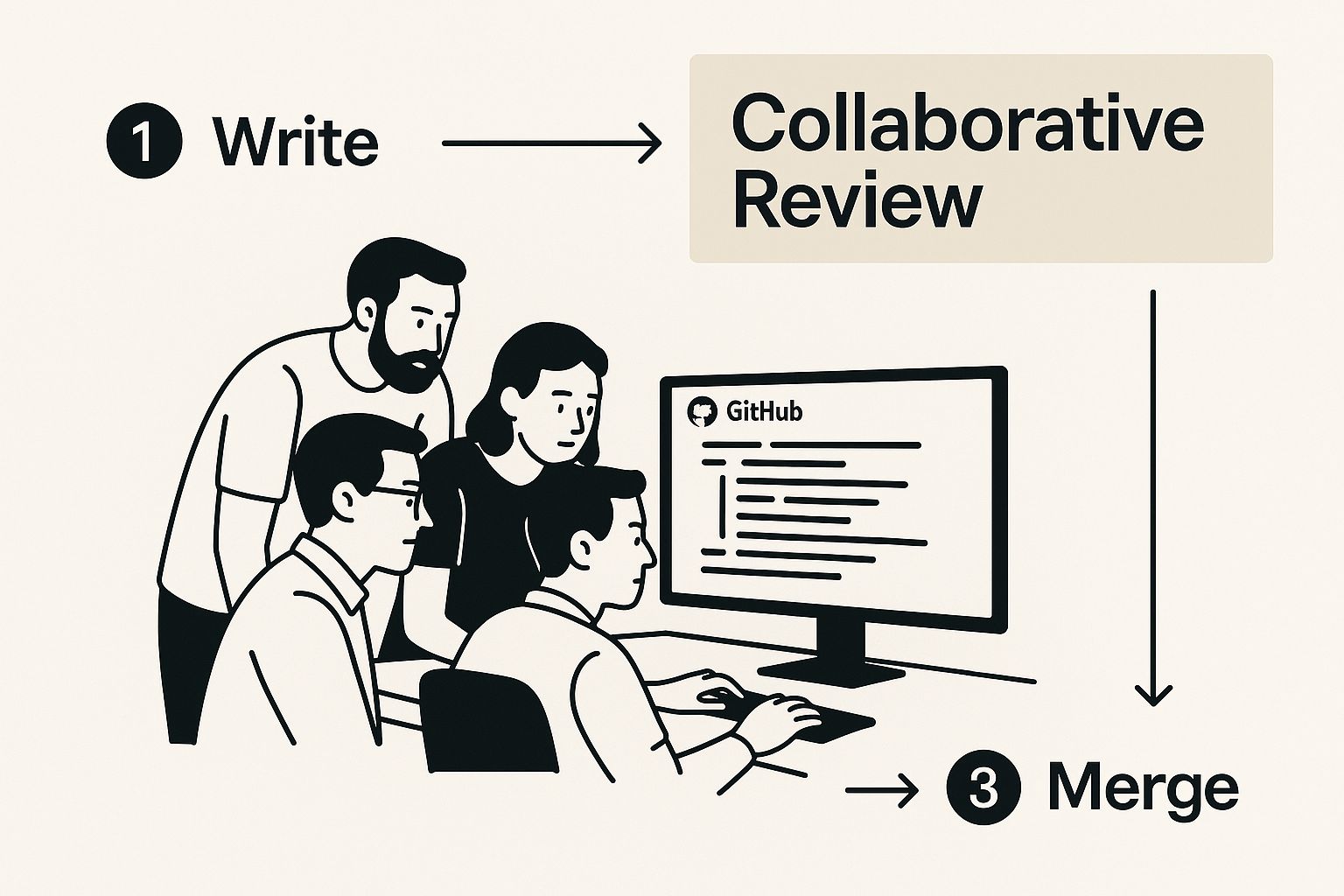
You can see how everything, from a developer pushing code to the final deployment, has become one integrated lifecycle.
The Power of Collaborative Dialogue
Instead of being a top-down mandate, GitHub creates a culture where every line of code is up for discussion. This simple shift has some pretty massive benefits:
- Improved Code Quality: Catching a logic error or a bug before it hits production is always cheaper. When multiple engineers put their eyes on every change, the odds of a clean merge go way up.
- Knowledge Sharing: This is the unsung hero of code reviews. When developers review each other's work, they absorb new techniques, share project history, and spread context. This cross-pollination makes the entire team stronger.
- Team Alignment: Pull Requests create a shared understanding of what's being built and why. It’s a natural way to ensure everyone is on the same page about project standards and architectural goals.
If you want to see this collaborative spirit in action, it's worth looking at real-world examples of managing contributors in GitHub projects.
Of course, a good process is a fast process. To really dial in your workflow, you have to track what's working and what isn't. You can dig into a full breakdown of the key metrics for faster code reviews in GitHub to start optimizing.
Mastering the Pull Request Workflow
Think of a Pull Request (PR) not as a final exam, but as a conversation starter. It's the story of a new feature or a critical fix, and how well you tell that story directly impacts how quickly and effectively your team can review it. A well-crafted PR is the foundation of a smooth, collaborative GitHub code review process.
The journey kicks off the moment you open the PR. This is your one shot to set the stage and give your reviewers all the context they need. A lazy title like "bug fix" doesn't help anyone; something specific like "Fix User Login Timeout on Mobile" immediately tells reviewers what they're looking at and why it matters.
This same clarity needs to carry over into the description. A great PR description is more than just a link to a ticket. It should briefly explain the problem, walk through the proposed solution, and include anything that makes the reviewer's job easier—like screenshots, GIFs, or steps to reproduce an issue.

Getting the Right Eyes on Your Code
With the PR prepped and ready, it's time to bring in the reviewers. Choosing the right people is critical. You’ll want a mix of expertise—maybe someone who lives and breathes the part of the codebase you touched, and another teammate who understands the bigger picture of the feature you're working on.
Manually picking reviewers for every single PR gets old fast and often leads to a few people getting overloaded with reviews. That's why many teams define ownership within their codebase. To really streamline things, you can learn how to automatically assign reviewers in GitHub using tools like a CODEOWNERS file. It's a simple way to make sure the right changes always land in front of the most qualified people.
A pull request is where collaboration happens. The goal isn't just to chase an approval stamp; it's to work together to find the best possible solution. When you treat it that way, the review process stops being a gate and starts being a genuine learning opportunity for everyone.
Before we dive into the feedback loop, let's break down what makes a PR truly effective. A pull request that’s easy to understand gets reviewed faster and with more thoughtful feedback.
Anatomy of an Effective Pull Request
| Component | Purpose and Best Practice |
|---|---|
| Clear Title | Summarizes the change in one line. Best Practice: Use a prefix like feat:, fix:, or docs: to signal intent. |
| Detailed Description | Explains the why behind the code. Best Practice: Link to the ticket, summarize the problem, and describe the solution. |
| Screenshots/GIFs | Provides visual context for UI changes. Best Practice: Include before-and-after visuals to make the impact obvious. |
| Small, Focused Changes | Keeps the PR manageable and easy to review. Best Practice: Aim for one logical change per PR. Avoid bundling unrelated fixes. |
| Testing Instructions | Guides reviewers on how to test the changes. Best Practice: List clear, step-by-step instructions to verify the functionality. |
| Self-Review | Catches simple mistakes before anyone else sees them. Best Practice: Do a once-over of your own diff to spot typos or leftover debug code. |
By making sure each of these components is thoughtfully prepared, you set your team up for a much more productive and painless review cycle.
Navigating the Feedback Loop
The heart of any code review is the back-and-forth feedback. This is where reviewers dig in, leaving comments, asking sharp questions, and suggesting changes right on the lines of code where they matter. GitHub's interface makes this dialogue feel natural and keeps everything organized.
As the author, your job is to lean into this feedback. Every comment thread is a mini-discussion aimed at making the code better. It's on you to address every single comment, whether that means making the suggested change, explaining your original reasoning, or asking for more clarification.
Once the discussions are wrapped up and all the automated checks (like your test suite) are green, the PR is ready for that final approval. The last step is merging the code, bringing your hard work into the main branch and closing out the workflow. This whole structured dance ensures every change is vetted, discussed, and signed off on by the team, keeping the quality bar high for the entire codebase.
Using GitHub Features for Powerful Reviews
Moving beyond the basic pull request is where a good review process becomes a great one, and GitHub’s native toolset is what gets you there. These features aren’t just tacked on; they’re built to make feedback more precise, actionable, and organized. If you want to run an efficient GitHub for code review workflow, you need to master them.
The most fundamental tool in your arsenal is the inline comment. Instead of dropping a generic comment on the whole pull request, you can attach your thoughts directly to a specific line of code. This pinpoint accuracy kills any ambiguity and shows the author exactly what you're talking about. Think of it like leaving notes in the margin of a book—it’s contextual, clear, and keeps the conversation focused right where the action is.
This kind of granular feedback is powerful on its own, but it gets even better when paired with another key feature.
Make Feedback Instantly Actionable
To really tighten the feedback loop, GitHub gives us suggested changes. This lets a reviewer propose a specific code modification right inside a comment. Instead of just describing what needs to be fixed, you can show the author the exact code that would solve the issue.
And here’s the magic: the author can accept and commit that suggestion with a single click, right from the pull request. It’s a small feature with a massive impact:
- Reduces Friction: No more switching back to a local editor, finding the line, making the change, and pushing a new commit.
- Improves Clarity: It shows the exact solution, which avoids the classic misunderstandings that come from purely descriptive feedback.
- Speeds Up Revisions: Minor fixes become a one-click action, which dramatically shortens the revision cycle for small tweaks.
Suggested changes bridge the gap between discussion and implementation by turning feedback into a direct, committable action. This keeps momentum high and prevents small fixes from bogging down the entire review process.
Organizing the Workflow with Labels and Owners
As a project grows, so does the firehose of pull requests. To keep things from getting chaotic, GitHub provides organizational tools like labels. You can create custom labels to categorize PRs by their status (in-review, needs-changes), priority (high-priority), or type (bug, enhancement). This system acts as a visual dashboard, giving the whole team an at-a-glance understanding of what’s going on.
For larger teams, getting the right eyes on the right code is a constant battle. This is where the CODEOWNERS file saves the day. By creating this simple text file in your repository, you can automatically assign specific teams or individuals as required reviewers for changes to certain files or directories. This automation enforces ownership and guarantees that critical parts of the codebase are always checked by the people who know them best.
This structured approach is essential for maintaining quality at scale, which is a big reason why GitHub now serves over 150 million developers worldwide across 420 million repositories. You can find more details on GitHub's ecosystem growth on electroiq.com.
Finally, status checks from your CI/CD pipelines integrate right into the PR workflow. These automated checks act as a crucial safety net, ensuring every change passes all the necessary tests and meets quality gates before it can be merged.
Best Practices for Giving and Receiving Feedback
All the features in the world don't matter if the people using them can't work together. A truly great code review workflow comes down to the human element—how we communicate, listen, and collaborate. When you get this right, reviews stop being a chore and become a massive opportunity for the whole team to grow.
The entire process boils down to one core idea, and it's a game-changer. Internalize this, and everything about how you give and receive feedback will improve.
The golden rule of code review is to review the code, not the coder. This keeps feedback objective, constructive, and aimed at the shared goal of improving the product, rather than criticizing an individual.

This single philosophy should be the foundation for every comment, suggestion, and conversation you have inside a pull request.
Guidelines for Effective Reviewers
As a reviewer, your job isn't to be a gatekeeper—it's to be a guide. You're there to help improve the code and build up your teammates at the same time. Always start a review with curiosity, assuming the author had good reasons for the decisions they made.
Good feedback is clear, kind, and actionable. Instead of making demands, try asking questions that guide the author to think through their own solution. For instance, "This is inefficient" is a dead end. But asking, "Have we considered how this might perform with a larger dataset?" opens up a productive conversation.
Here are a few key practices to adopt:
- Be Specific and Contextual: Always tie your feedback directly to a line or block of code. Explain the why behind your suggestion by referencing team standards, potential edge cases, or long-term maintainability.
- Offer Solutions, Not Just Problems: Whenever you can, use GitHub's "suggested change" feature. This is huge. It turns your feedback into a one-click fix for the author, which cuts down on friction and gets the PR moving faster.
- Balance Praise with Criticism: A great review also points out what went well. Highlighting a clever solution or a well-written test makes the constructive feedback much easier to digest and helps build a positive team dynamic.
How Authors Can Foster a Smooth Review
As the author of a pull request, you have a ton of influence over how smoothly your review will go—long before anyone even sees it. Prepare your PR with care. Write a clear title and a detailed description that explains the why behind your changes. That context is gold for your reviewers.
Once the feedback starts coming in, keep an open mind. Remember, the goal is collective ownership of the codebase. It's easy to get defensive, but try to see every comment as a chance to look at your code from a fresh perspective.
To make the feedback loop work for you, not against you:
- Acknowledge Every Comment: Respond to each piece of feedback so the reviewer knows you've seen and considered it. A simple emoji reaction or a quick "thanks, will update" can make a big difference.
- Ask for Clarification: If a comment is fuzzy, don't guess what the reviewer meant. Ask for more detail or an example. Make sure you fully understand the suggestion before you start making changes.
- Know When to Discuss Offline: If a comment thread gets long or heated, it's time to switch mediums. Suggest a quick video call. A five-minute chat can often solve what would have taken dozens of back-and-forth comments to figure out.
Enhancing Reviews with AI and Integrations
While GitHub’s built-in features give you a solid foundation for code review, the real magic happens when you start adding smart automation and slick integrations. These tools do more than just speed things up; they build a more connected, intelligent review ecosystem that keeps your team in the zone. This is where a modern GitHub for code review workflow really comes alive.
One of the biggest shifts we're seeing is the rise of AI assistants. Tools like GitHub Copilot are completely changing the game by acting as an automated first-pass reviewer. They can flag common bugs, spot performance bottlenecks, and even suggest fixes before a human ever lays eyes on the code.
The Growing Role of AI in Code Review
You can't ignore the impact AI is having on developer workflows. By early 2025, GitHub Copilot was already being used by over 15 million developers—that's a massive 400% jump from the previous year. This huge adoption is happening because it works, accelerating code reviews by an average of 15% and slashing the time it takes to open a pull request in large companies. You can dig into more stats on Copilot's impact on development cycles at wearetenet.com.
But it's important to remember what these tools are for: they're here to augment human judgment, not replace it.
AI is fantastic at catching routine issues and predictable patterns. This frees up your developers to focus on the tricky, high-level feedback that requires deep context and real domain expertise. Human insight is still the most valuable part of any code review.
This partnership between human experience and AI efficiency lets teams catch more problems, hold a higher bar for quality, and ship code faster—all without burning out senior engineers on repetitive tasks.
Bridging the Gaps with Smart Integrations
Beyond AI, the secret to a smooth review process is cutting out context switching. Every time a developer has to leave their main workspace to check on a pull request, they lose momentum. That's why integrations with communication tools like Slack are so essential.
GitHub's default notifications can quickly turn into a firehose of updates, flooding channels until they become background noise that everyone ignores. You need a more focused approach to make sure critical updates get seen without causing notification overload.
Tools like PullNotifier solve this by sending clear, real-time PR updates directly into the right Slack channels. This creates a much cleaner workflow with a few major wins:
- Reduced Noise: It bundles all updates into a single, clean message thread for each pull request, putting an end to channel spam.
- Increased Visibility: Key people are automatically pinged about changes, approvals, and comments, so no PR ever gets stuck waiting for an eyeball.
- Faster Turnaround: Bringing notifications directly to where the team is already talking cuts down review delays in a big way.
When you integrate tools like these, you're building a more responsive and proactive review culture. You can learn more about forging this powerful connection in our guide on how GitHub Slack integration improves code reviews. The whole point is to build an intelligent, automated system where important information finds the right people, right when they need it.
Common Questions About GitHub Code Review
As your team dives deeper into GitHub for code review, you'll inevitably run into a few common hurdles. This section is your go-to guide for navigating those tricky spots, sharpening your best practices, and keeping everything moving.
Let's start with one of the biggest pain points: the monster pull request. Getting a massive PR is like being handed a thousand-page novel and told to proofread it in an hour. It’s overwhelming, and you’re guaranteed to miss things. The best fix? Don't create them in the first place.
How Should We Handle Very Large Pull Requests
The most effective strategy is to break work down into small, atomic pull requests. Each PR should focus on one, single, well-defined task. This makes reviews faster, less of a mental chore, and way more thorough for everyone. It’s just easier to reason about smaller chunks of code.
But what if a huge PR is unavoidable? The author needs to be a tour guide. They can add comments to walk reviewers through complex logic or use a detailed PR template with a checklist to break the review down into digestible sections.
For the reviewer, a great trick is to review the changes commit by commit. This transforms a daunting wall of code into a logical story, making the whole process feel less intimidating and far more productive.
The core principle is simple: a pull request should represent one logical unit of change. When you stick to that, you make the review process easier on your teammates and get higher-quality feedback as a result.
What Is the Ideal Number of Reviewers
There's no single magic number that works for every team, but a solid rule of thumb is to require at least two reviewers. This setup strikes a healthy balance between different perspectives and shared responsibility.
The dream team for a review often includes:
- A Code Owner: Someone who lives and breathes that part of the codebase. Their job is to guard quality and consistency.
- A Peer Reviewer: Another developer on the team who gets what the feature is trying to accomplish. They bring a fresh pair of eyes and help spread knowledge around.
Whatever you do, resist the urge to add half the company as reviewers. That just leads to "review paralysis" or the bystander effect, where everyone assumes someone else will pick it up. The best approach is automating assignments with a CODEOWNERS file. It ensures the right people get looped in every time without creating a pile-on.
How Do We Resolve Disagreements During a Review
Disagreements are a totally normal—and often healthy—part of building software together. The key is to handle them constructively. Keep the conversation focused on the code and how it lines up with the project's goals, standards, and long-term health.
When a comment thread starts going in circles, it's a signal to switch things up. A quick five-minute video call can clear up misunderstandings that would have taken dozens of back-and-forth messages to resolve.
Ultimately, the final call usually rests with the code owner or the team's tech lead. It’s their job to make the decision and, just as importantly, to document why that decision was made right there in the pull request. This keeps things transparent and creates a valuable record for anyone who comes across that code in the future.
Ready to stop pull requests from getting stuck and cut down on notification noise? PullNotifier integrates directly with your Slack channels to deliver clear, real-time PR updates, ensuring your team's code review process stays fast and fluid. Get started for free and see why over 10,000 engineers trust it to keep their development cycles moving. Learn more at https://pullnotifier.com.