- Published on
Pull Request Definition A Complete Guide
- Authors

- Name
- Gabriel
- @gabriel__xyz
Picture this: you're part of a team writing a group novel. You've just finished a brilliant new chapter, but instead of just slipping it into the manuscript, you hand it over for the team to read first. That's exactly what a pull request (PR) is in the world of coding—it's a formal way to propose merging your new changes into the team's main codebase.
What Is a Pull Request Really

At its heart, a pull request is a way to manage collaborative code review and integration. Instead of pushing your code directly to the main project branch (often called main or master), you work on your features or bug fixes in a separate, isolated branch. When your work is ready, you open a pull request.
This doesn't merge the code right away. Think of it as raising your hand and telling the team, "Hey, I've finished my changes, and I'm asking you to pull them into our shared codebase." This simple but powerful idea is the bedrock of modern, controlled software development.
A Dedicated Space for Collaboration
A pull request creates a dedicated forum for everything related to a specific change. It becomes the central hub for reviews, discussions, and automated checks before anything becomes a permanent part of the project. In short, it’s a proposal to merge a set of changes from one branch into another inside a repository. If you want to dive deeper, StatModeling has a great explanation.
The PR interface lays out the differences (or 'diffs') between your branch and the target branch, making it dead simple for reviewers to see exactly what you've added, removed, or tweaked.
A pull request is the primary tool for protecting code quality and fostering team alignment. It turns individual contributions into a transparent, collective process, ensuring every change is vetted, discussed, and approved.
Core Components of a Pull Request
To really get a handle on the practical pull request definition, it helps to break it down into its key parts. Each piece plays a critical role in communicating the purpose and status of your proposed changes.
Here's a quick look at the essential parts of any pull request.
| Component | Purpose |
|---|---|
| Title & Description | Clearly explains the "what" and "why" behind the code changes, giving context to reviewers. |
| Source & Target Branch | Defines which branch holds the new code and which one it should be merged into. |
| Commit History | Shows the list of individual commits that make up the change, creating a logical story. |
| Diff View | Visually highlights the exact lines of code that were added, deleted, or modified. |
| Reviewer Comments | A threaded discussion area where teammates can ask questions and suggest improvements. |
| Status Checks | Automated checks (like tests and builds) that must pass before merging is allowed. |
These components work together to make the pull request a comprehensive, self-contained record of a change from proposal to completion.
How Pull Requests Changed the Game for Developers

To really get what a pull request is, it helps to look at how things used to be done. It wasn't pretty. Developers would create text files called "patches" that detailed their code changes and then email them around to a project maintainer.
The whole process was a mess. It was slow, clunky, and incredibly hard to keep track of. Important conversations were buried in endless email chains, so you’d lose the history behind why a decision was made. There was no single place to see what was changing, get feedback with context, or run automated checks before merging new code.
The Shift to Modern Workflows
Then platforms like GitHub came along and made the pull request mainstream. They took what was a clunky, manual process and turned it into a central hub for collaboration, and it changed everything.
The real turning point was around 2011, when GitHub added features like inline commenting and a big, obvious merge button. Suddenly, those scattered email threads became a permanent, searchable history of how a feature came to be.
This wasn't just a small tweak; it created a new standard for building software. It baked a culture of quality and shared ownership right into the workflow. Today, the best teams have this down to a science—check out our post on how Stripe ships over 1,000 PRs daily to see it in action.
The move from patch files to pull requests was more than a technical upgrade—it was a cultural one. It made transparency, accountability, and peer review fundamental parts of modern engineering.
Walking Through the Pull Request Lifecycle
The best way to really get what a pull request is all about is to see it in action. A PR isn’t just a single event; it's a living, breathing process with a few key stages. Each step is designed to guide a code change from a simple idea to a safe, reviewed addition to the main project.
The journey always kicks off by creating a dedicated, isolated space for your work. You start by creating a new branch, which you can think of as a parallel timeline of the codebase. This simple step ensures your experimental changes won't disrupt the stable, main version of the project while you're figuring things out.
From Local Changes to Open Proposal
With your branch ready, you can start writing code and saving your progress in small, logical chunks called commits. Each commit should represent a single, complete thought—like fixing a specific bug or adding one small part of a feature. Think of commits as saved checkpoints that tell the story of your work, step by step.
Once you’ve made your commits on your local machine, you "push" your branch to the remote repository. This makes your work visible to your teammates and sets the stage for the most important step: opening the pull request. This action formally tells everyone, "Hey, my changes are ready for review."
The whole lifecycle follows a clear, predictable path to keep quality high and collaboration smooth.
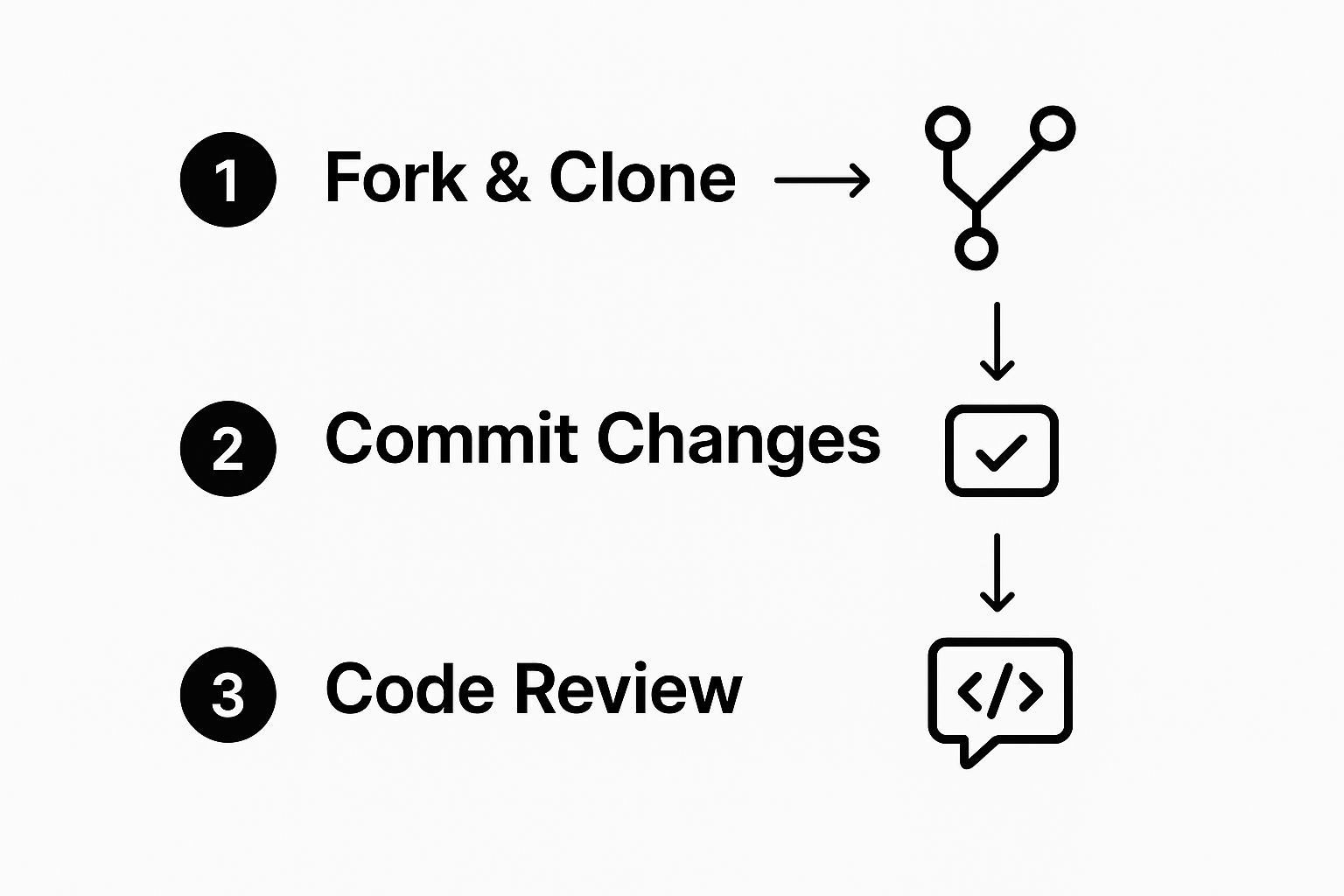
This flow shows the core progression, from working alone on your branch to bringing your team in for a collaborative review. That transition is what the PR workflow is all about.
The Collaborative Review and Merge Phase
This is where the magic happens. Once the pull request is open, a few things kick off almost immediately:
- Automated Checks Run: Continuous Integration (CI) systems will automatically run tests against your code. This is the first line of defense, catching bugs or formatting issues right away.
- Peer Review Begins: Your teammates jump in to review your code. They can leave comments, ask questions, and suggest improvements directly on the lines of code you changed.
- Iterative Refinements: Based on the feedback you get, you'll likely make a few more commits to your branch. The pull request updates automatically with your new changes, keeping the entire conversation and review history neatly organized in one place.
A "healthy" pull request is one that moves through this review cycle efficiently. The goal isn't just to get the code merged; it's about sharing knowledge and improving its quality through collective ownership.
Once all the automated checks pass and the human reviewers give their approval, the pull request is ready to be merged. Merging takes all the approved commits from your feature branch and integrates them into the main project branch. And just like that, the lifecycle is complete. Your contribution is now officially part of the codebase.
The True Power of Pull Requests for Teams

A pull request is much more than a technical gatekeeper. It’s the collaborative heartbeat of a great engineering team, turning the solitary act of writing code into a transparent, team-wide activity. It’s where knowledge gets shared, quality becomes a group effort, and a strong engineering culture is born.
One of the biggest wins right off the bat is asynchronous collaboration. In today’s world of distributed teams, developers in different cities—and time zones—can review code and give feedback without ever needing to be online at the same time. The PR becomes the central hub for that entire conversation, keeping all the context in one neat package.
Fostering Mentorship and Shared Knowledge
Pull requests are a natural breeding ground for mentorship. They create a structured space where senior engineers can guide junior developers with specific, actionable feedback right on the code they just wrote. This kind of hands-on coaching is infinitely more valuable than abstract advice.
This process also breaks down knowledge silos and helps expertise spread throughout the team. When one developer works on a specific part of the codebase, the pull request review gives everyone else a window into that area, spreading familiarity and understanding.
A pull request isn't just about the code itself; it’s a living document that captures the "why" behind every change. It becomes an archive of design decisions, trade-offs, and alternative ideas that came up during the review.
This historical context is priceless. Months or even years down the line, anyone can look back at a merged PR and get the full story behind a feature or a fix. This shared history ultimately leads to a few key wins for the whole team:
- Elevated Code Quality: When you have multiple sets of eyes on every change, the odds of catching bugs, performance bottlenecks, or architectural flaws go way up.
- Consistent Standards: The review process is the best way to make sure all new code sticks to the team’s established coding standards and best practices.
- Collective Ownership: When everyone participates in reviewing and approving changes, the team develops a sense of ownership over the entire codebase, not just the little corners they wrote themselves.
Measuring the Health of Your PR Workflow
How can you tell if your team’s development process is a well-oiled machine or just stuck in the mud? The answers are hiding in plain sight—right in the data your pull requests generate every single day. By tracking a few key numbers, you can turn your PR workflow from a simple process into a measurable system for improvement.
This isn’t about guesswork anymore. Instead of just feeling like reviews are dragging, you can pinpoint exactly where the bottlenecks are.
Key Metrics to Watch
To get a clear picture of your workflow’s health, you need to track the right metrics. These numbers reveal critical insights about team responsiveness, collaboration patterns, and the silent delays that are slowing down your entire delivery cycle.
Pull requests are the heart of modern development, which is why analytics tools track several key statistics like 'publish to merge time,' 'wait time to first review,' and 'review cycles until merge.' Think of these data points as a window into your team's operational health. You can learn more about the most important GitHub PR stats on Graphite.dev.
Some of the most common metrics to keep an eye on include:
- Time to First Review: How long does a PR sit there before a teammate leaves the first comment? A long wait can be a red flag that reviewers are overloaded or that PRs aren't being routed effectively.
- Review Cycles: How many rounds of back-and-forth happen between the author and reviewers? A high number of cycles might mean the initial PR was unclear, or the feedback wasn't quite hitting the mark.
- Publish to Merge Time: This is the big one—the total time from when a PR is opened until it's merged. It’s the ultimate measure of your team’s velocity.
By analyzing this data, you can spot inefficiencies, manage workloads more effectively, and foster a culture where continuous improvement is driven by concrete insights, not just gut feelings.
Mastering the Art of the Pull Request
A great pull request isn't just about code—it's a form of communication. Get it right, and your team's velocity skyrockets. Get it wrong, and you create confusion, frustration, and delays. The quality of your PR directly dictates how fast your team can review, approve, and merge new features.
Mastering this skill comes down to one thing: making the reviewer's job as easy as possible. You need to provide all the context up front so your teammates aren't forced to go on a scavenger hunt for information. A well-crafted PR tells a complete story: what changed, why it was necessary, and how you implemented it. This transforms a code review from a chore into a collaborative session that levels up the entire team.
Best Practices for Pull Request Authors
As the author, your goal is to present your changes in a way that’s dead simple to understand and quick to evaluate. The single most effective thing you can do? Keep your PRs small and focused. A monster PR with hundreds of lines spread across a dozen files is intimidating and nearly impossible to review thoroughly.
Instead, break down large features into smaller, logical chunks. Each pull request should solve just one problem, making it much easier for reviewers to digest. To give them a hand, always write a clear, compelling description that includes:
- A Clear "Why": Explain the problem you're solving or the feature you're adding. Always link back to the original ticket or issue so they have the full story.
- A Summary of Changes: Briefly describe your technical approach. Call out any key decisions you made along the way.
- Testing Instructions: Spell out exactly how a reviewer can test your changes to confirm everything works as expected.
A pull request should be a self-contained unit of work. If a reviewer has to ask for the "why" or figure out how to test it, the PR is incomplete and will inevitably cause delays.
If you want to go deeper on this, check out our comprehensive guide on pull request best practices.
Giving Constructive Feedback as a Reviewer
The reviewer’s role is just as critical. Your feedback should always be constructive, kind, and actionable. It’s better to frame your comments as suggestions or questions rather than demands—this keeps the vibe positive and collaborative.
And always, always explain the why behind your feedback. Instead of just saying, "Change this," explain why a different approach might be better. Maybe you can reference a design pattern or point out a potential edge case they missed. This simple shift turns a correction into a valuable learning opportunity for everyone.
Common Questions About Pull Requests
Alright, let's clear up some of the usual points of confusion. Even after you get the basic pull request definition down, a few practical questions almost always pop up when you start working with them day-to-day. Nailing these down will help your team's process run a whole lot smoother.
One of the first things people ask is what separates a pull request from a merge. The easiest way to think about it is that a PR is the proposal—it's the formal request to discuss and review a set of changes before they go into the main codebase.
The merge, on the other hand, is the action. It’s what happens after the discussion and approval are done. Merging is the final step that officially integrates those approved changes into the target branch.
Ideal Size and Reversibility
"How big should my PR be?" is another classic question. While there isn't a single magic number, the golden rule is to keep them small and focused on one specific task or fix.
Smaller PRs are just plain easier and faster for everyone to review. This simplicity not only speeds up your development cycle but also dramatically reduces the risk of introducing sneaky bugs. When you bundle too many complex changes together, it's easy for issues to hide, which is why it's so important to avoid those common code smells in pull requests.
But what if a mistake gets merged anyway? Can you undo it? Absolutely. While you can't just click an "un-merge" button, you can easily revert the changes. This is done by creating a new pull request that contains commits that reverse the original ones, safely restoring the codebase to its previous state.
Is your team's code review process bogged down by noisy notifications and missed updates? PullNotifier connects GitHub with Slack to deliver clear, real-time pull request alerts right where your team collaborates. Cut through the noise and get your development cycle moving faster by trying it for free at https://pullnotifier.com.